A retailer needs your new product images. An agency needs the right logo lockup. A journalist needs an approved photo of your CEO by 5 p.m. Without a brand portal, each of those requests lands in someone's inbox.
A brand portal turns those requests into self-serve downloads. But the software is the easy part. A brand portal is a promise that everything in it is approved, current and cleared to use. The hard part is keeping that promise as campaigns change, licenses expire and the list of people with access grows. For most companies, it's one piece of a wider enterprise DAM setup.
This guide covers what a brand portal is, how it differs from a DAM and brand guidelines, real examples from Google, Meta, Apple and Netflix, the software that includes one, how to set one up and the seven practices enterprise brands use to keep a portal trustworthy.
Looking for Walmart's or Faire's brand portal? Those are tools for brands that sell on those marketplaces (Amazon's equivalent is Brand Registry). This guide covers the portal a brand uses to share its own approved assets.
TL;DR
Short on time? These five points cover what a brand portal is, who it's for and what keeps it useful. The rest of the guide goes deeper on each one.
- A brand portal is a self-serve store of approved assets. Partners, agencies, retailers, journalists and employees find and download what they're cleared to use.
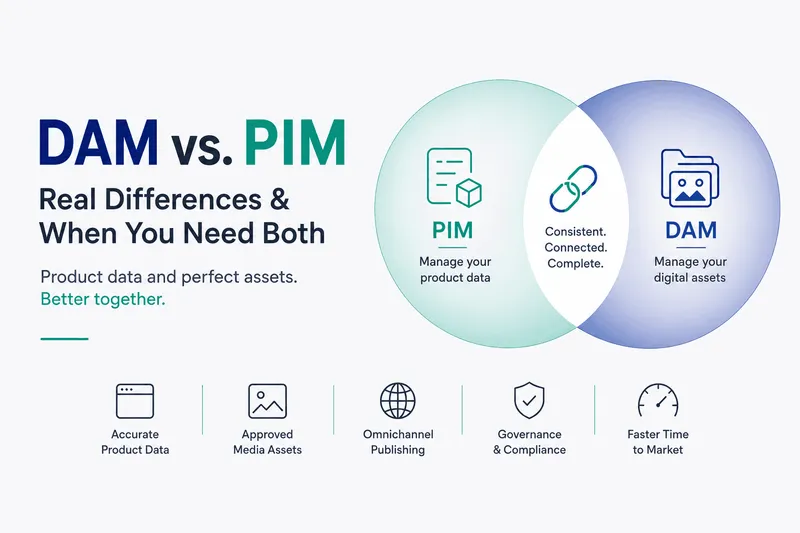
- It isn't a DAM. A DAM holds the full library. A brand portal shows each audience a small, approved slice of it.
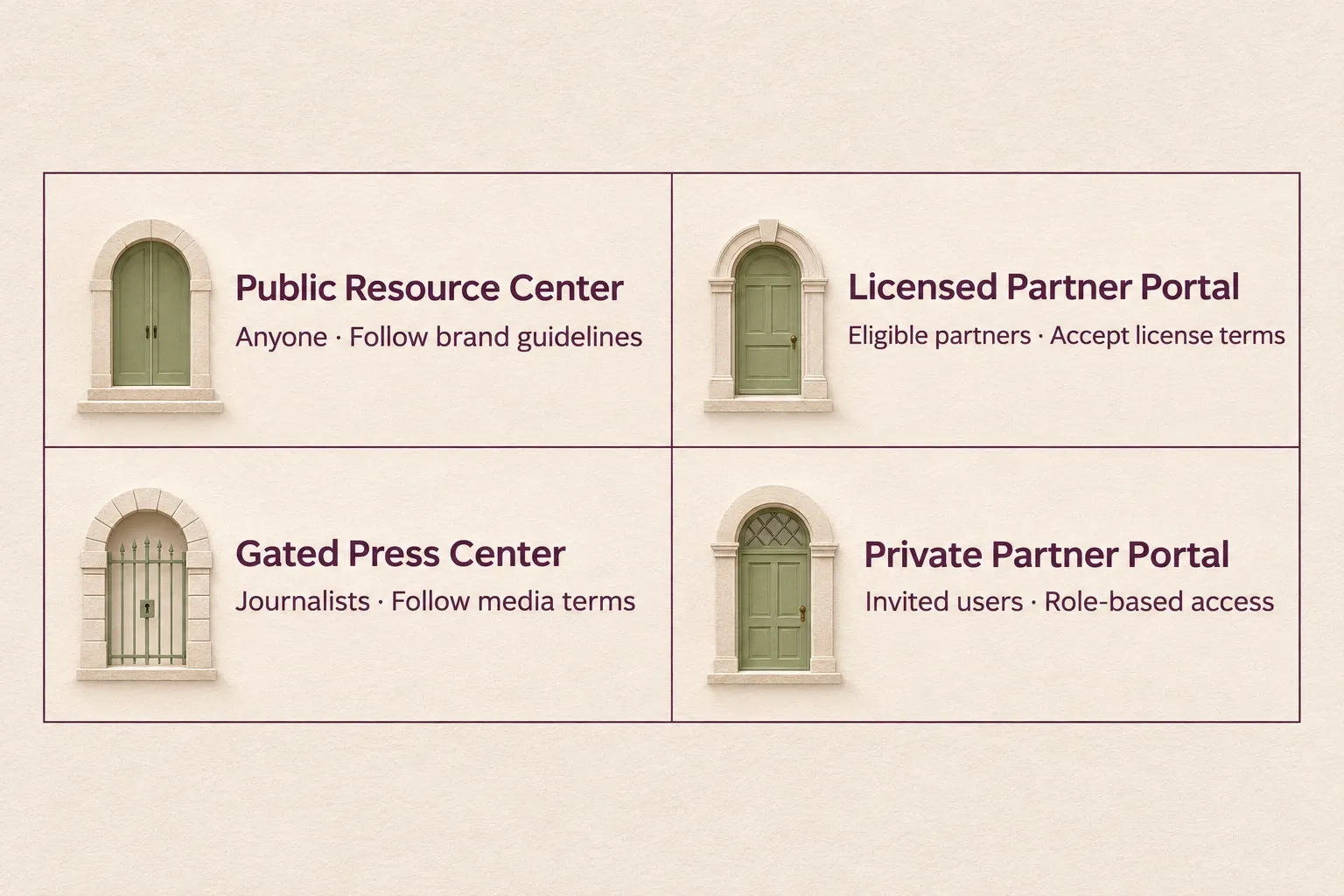
- Portals differ by who gets in. Public resource centers, licensed partner portals, press centers and private partner portals each come with different access rules and terms.
- Governance keeps it trustworthy. One owner, current assets, clear usage rights, tight access and regular reviews matter as much as the software.
- Video needs more than finals. A portal hands out finished videos. Editors making new work also need a searchable library of raw footage.
What Is a Brand Portal?
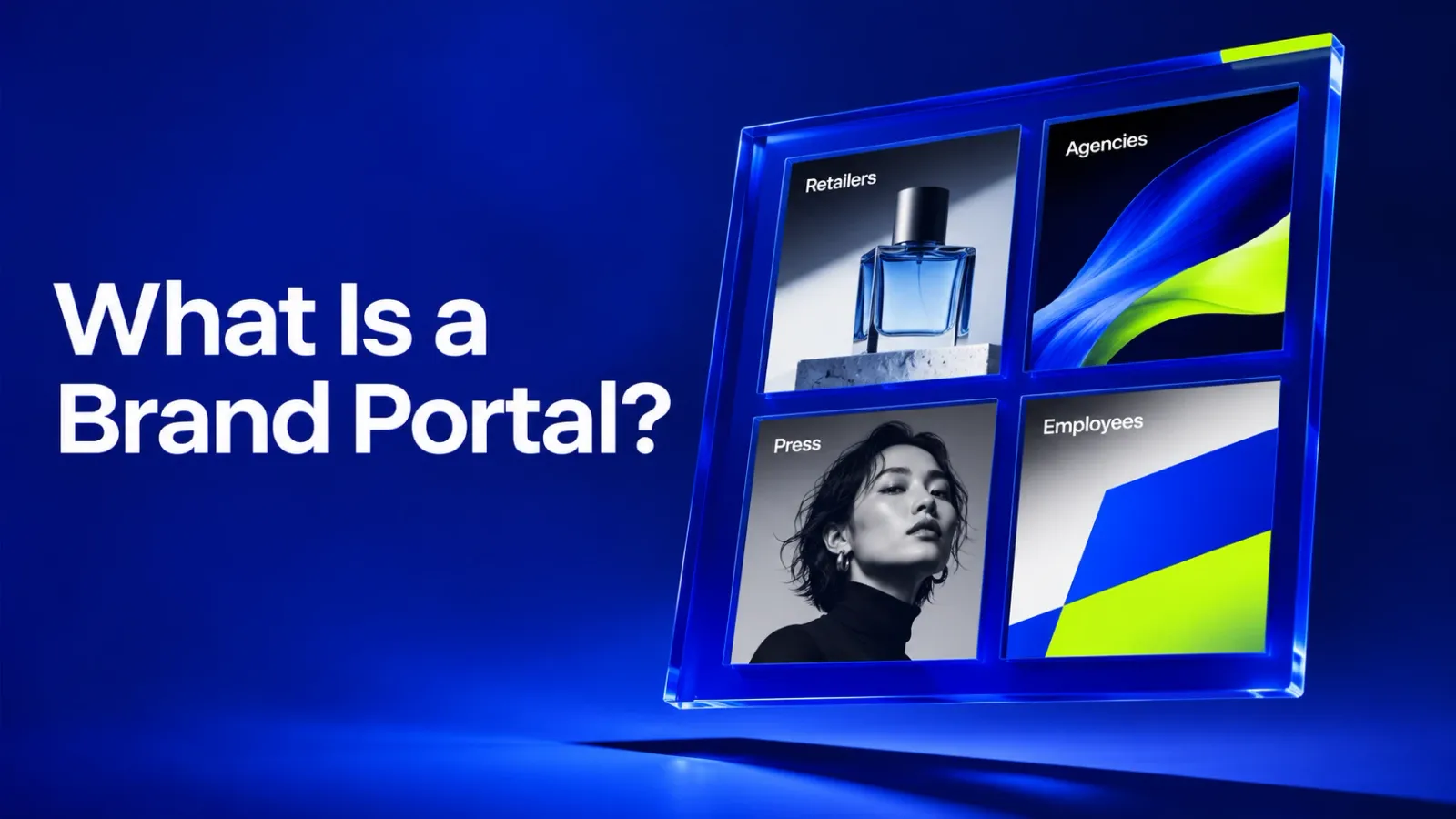
A brand portal is a curated website where people outside your core brand team can find and download approved brand assets, along with the guidelines for using them. Those people might be retail partners, agencies, franchisees, sales teams, journalists or employees in other regions.
Companies call it different things: brand center, brand hub, brand resource center, media center or press portal. The job is the same. It answers "can I have the latest version of X?" without anyone on the brand team having to reply.
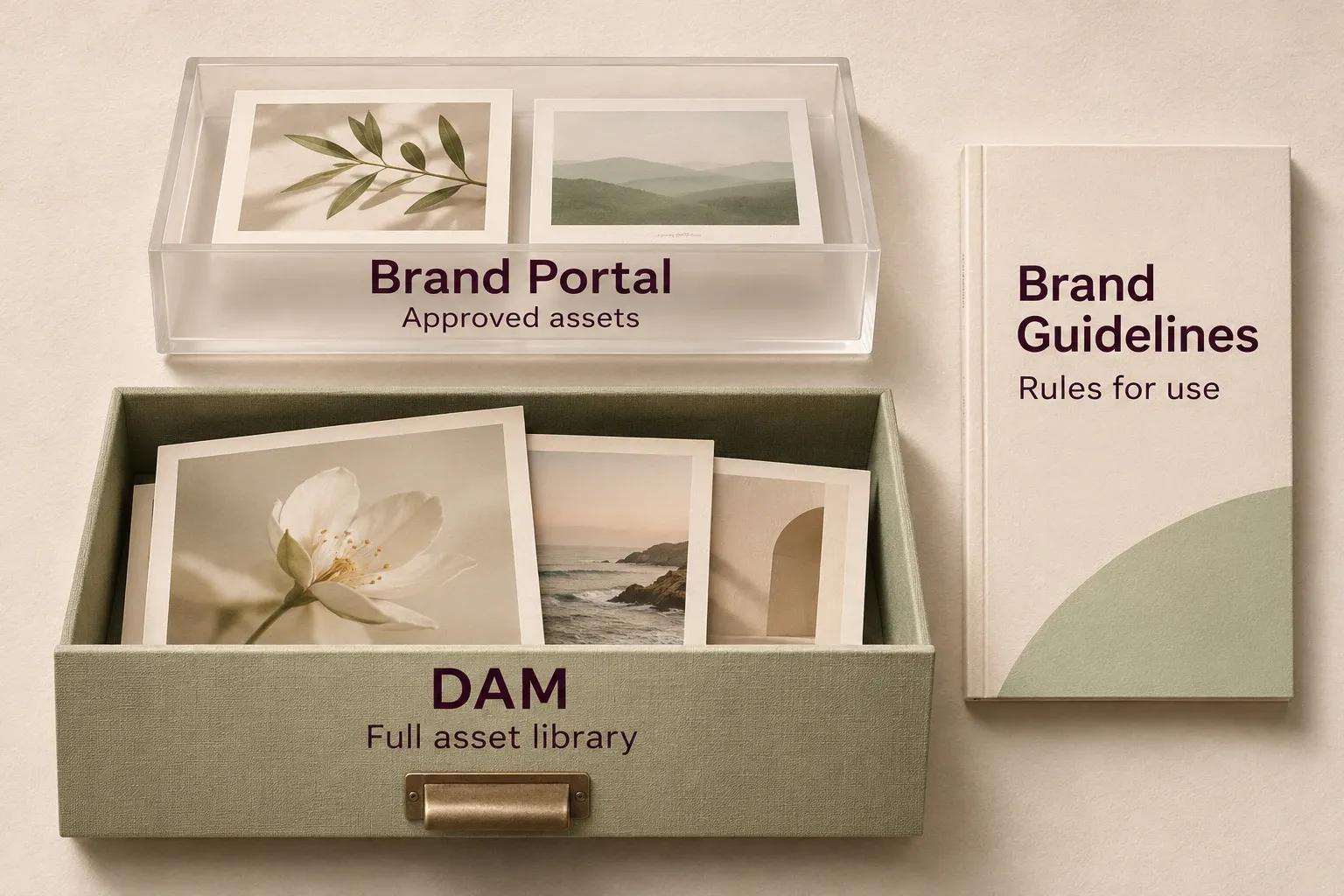
Most enterprise brand portals sit on top of a digital asset management (DAM) system. The DAM holds everything, including drafts, raw footage and archives. The portal shows each audience only the approved, current assets meant for them.
Why Enterprise Brands Use a Brand Portal
The case for a portal grows with the number of people who touch your brand. Once you have dozens of partners, regions and agencies, these are the gains that make it worth running.
- Fewer requests to the brand team. People serve themselves instead of waiting on a reply.
- Fewer off-brand mistakes. Old logos and expired campaigns stop circulating when there's one current source.
- Faster launches. Retailers and regional teams get launch assets the day they're approved.
- Less legal risk. Usage terms sit next to each asset, so partners know where and how long they can use it.
Brand Portal vs DAM vs Brand Guidelines
The three get mixed up because they work together. Here's how they differ.
| Brand portal | DAM | Brand guidelines | |
|---|---|---|---|
| What it is | A curated storefront of approved assets | The full library behind it | The rules for using the brand |
| Who uses it | Partners, agencies, retailers, press and employees | Brand, creative and marketing teams | Everyone who uses the brand |
| What's inside | Final, approved, cleared assets | Everything: drafts, raw footage, finals and archives | Logo rules, colors, type, voice and examples |
| Main job | Self-serve distribution | Storage, organization and governance | Consistency |
A digital asset library is closer to the DAM column: it's where a team's assets live. A brand portal is the front door to a small, approved part of that library. For the rules themselves, see our guide to brand guidelines.
What Goes in a Brand Portal?
Start with what people ask for most. In most brand portals, that's a short list:
- Logos and lockups in the formats partners need, with clear-space and color rules.
- Brand guidelines, or a short version of them, next to the assets they cover.
- Product images organized by product, so retailers can find the right version fast.
- Approved campaign assets, including finished videos in each length and aspect ratio partners are allowed to run.
- Templates for social posts, sales decks or in-store materials, with logos and layouts locked so local teams can only edit what they should.
- A press kit with the company boilerplate, approved executive photos and recent announcements.
- Usage terms, so everyone knows where, when and how each asset can be used.
Keep it small. A portal with 200 approved assets people trust beats one with 20,000 they have to second-guess. For more on the materials partners typically need, see our guide to marketing collateral.
4 Types of Brand Portals, With Real Examples
Brand portals differ mostly in who gets in and what they agree to. These four models cover most of what you'll see.
1. Public Brand Resource Centers
Anyone can visit. The goal is to stop misuse by making the right assets and rules easy to find.
Google's Brand Resource Center covers how people can use Google's brand elements in everything from sponsorships and apps to films, books and teaching materials. Its guidance helps visitors find which brand elements they can use "and whether you need to ask for permission," sorted into Don't do this, Ask first and Go for it.
Meta's Brand Resource Center covers five brands in one place: Meta, Instagram, WhatsApp, Facebook and Threads. Marketing that doesn't need permission still "must use the officially provided assets and abide by the guidelines on this site," and a My Requests area handles everything else.
2. Licensed Partner Portals
Access depends on a relationship, and downloading means agreeing to terms.
Apple's Marketing Resources and Identity Guidelines give App Store developers badges in 50 localizations, Apple product images and marketing tools. To download the badge artwork, developers accept a license agreement that applies only while they're members of the Apple Developer Program. The rules sit right next to the downloads: "Use only the badge artwork provided in these guidelines."
3. Gated Press and Media Centers
These are built for journalists, and access comes with strict terms.
The Netflix Media Center gives press access to photos, video and logos "solely to facilitate your professional duties," according to its media terms and conditions. Assets must be used with no modifications, users are responsible for re-use fees and music clearances and Netflix can audit use and end access at any time. For how media companies manage the library behind a center like this, see why media and entertainment companies need a specialized DAM.
4. Private Partner Portals
Most enterprise brand portals are private and sit behind a login. Retailers see product images and launch kits. Franchisees see local templates and store materials. Agencies see campaign kits and brand rules. Sales teams see decks and case studies.
Each audience sees a different slice of the same library, which is what makes private portals harder to run well. Retail brands lean on this model most. Our comparison of the best DAM for retail brands covers the tools they use for it.
Brand Portal Software: Which DAMs Include One
You rarely buy a brand portal on its own. Most enterprise DAMs include portal features, so the real choice is which DAM to run it from. Here's how the common options handle it.
| Software | How the brand portal works | Good fit for |
|---|---|---|
| Adobe Experience Manager (AEM) Assets | Brand Portal is a separate portal connected to AEM Assets. Authors publish approved folders and collections to it, and partners browse and download from there. Adobe has put Brand Portal in maintenance mode, with new development going into Content Hub. It isn't available with Assets Prime or Assets Ultimate. | AEM Assets customers who already use Brand Portal |
| Bynder | Role-based access and customizable portal experiences inside the DAM, so each audience, including external partners, sees only what applies to them. | Global brands with many regional teams and partners |
| Frontify | A brand management platform built around brand portals that bring guidelines and approved assets together. | Brands that want guidelines and assets in one place |
| Canto | Portals are branded, public or private sites built from folders and albums in the Canto library. | Mid-market teams that want a simple external share |
| Brandfolder | Portals are customizable pages of selected assets, collections, forms and links, with Brandguide for guidelines. | Teams that want fast setup and simple sharing |
When you compare them, check four things: how audience-based views are set up, whether usage rights and expiry dates travel with each asset, how partner access is granted and removed and what download reporting you get. Our DAM assessment criteria cover the full list.
For deeper comparisons, see our guides to Canto alternatives, Bynder alternatives and Brandfolder alternatives, or our roundup of brand asset management software.
How to Set Up a Brand Portal in 5 Steps
If you're starting from scratch, keep the first version small and grow it from real requests. These five steps get a first audience live without a long rollout.
- List your audiences and their top requests. Pull last quarter's asset requests from email and Slack. The most common ones are your starter set.
- Approve a starter set. Logos, short guidelines, top product images, the current campaign and a press kit. Check rights on each asset before it goes in.
- Choose where it lives. Use the portal features in your DAM (see the software section above), a standalone portal or a public web page for open assets. Compare options with our DAM assessment criteria.
- Set the owner, access rules and terms. Decide who approves, who gets in, for how long and what they agree to.
- Launch to one audience, then expand. Start with the group that sends the most requests. Review downloads and requests monthly, and add the next audience once the first one stops emailing.
How Enterprise Brands Run a Brand Portal
Launching a portal takes weeks. Keeping it trustworthy takes an operating model. These seven practices are what separate a portal people rely on from one they quietly stop using.
1. Give It an Owner
Someone has to be accountable for what goes in and what comes out. In larger organizations, that's usually a brand operations lead, a content manager or a dedicated digital asset manager.
The owner doesn't upload everything. They set the rules, approve what gets published and keep the portal in line with your wider DAM governance.
2. Design It Around Audiences, Not Folders
Partners don't think in your folder structure. A retailer wants "product images for the spring launch," not "Marketing > Campaigns > Q2 > Final."
Build a view for each audience and show only what applies to them. A press view doesn't need sales decks. A retail view doesn't need executive headshots. Fewer choices mean fewer wrong downloads.
3. Only Publish Approved, Cleared Assets
The portal sits downstream of approval. If an asset hasn't been signed off, it doesn't go in.
"Cleared" matters as much as "approved." Every photo, creator video and music track comes with terms, and those terms should travel with the asset. Netflix's media terms, for example, put re-use fees and music clearances on the person using the asset. Our guides to UGC usage rights and digital rights management cover how to track them.
4. Put the Rules Next to the Assets
People don't read a 60-page guidelines PDF before downloading a logo. Put the key rules on the same page as the download, the way Apple puts "Don't modify, angle, or animate the App Store badge" right beside the badge artwork.
For assets with legal weight, like licensed images or partner logos, ask users to accept the terms before they download.
5. Retire Assets on a Schedule
An old logo or an expired campaign in a portal does more damage than a missing one, because people trust that what's there is current.
Give every asset an expiry or review date. Archive campaigns when they end. When you update a logo, remove the old version the same day. Our guide to content lifecycle management covers how to plan this.
6. Make Access Easy to Grant and Easy to Remove
Employees should sign in with single sign-on. Partners should get access tied to the relationship, with an end date. Agencies should lose access when the engagement ends, without anyone having to remember.
Add a simple request flow for anything that isn't in the portal, like Meta's My Requests area. Then review who has access every quarter.
7. Measure What People Download and Ask For
Downloads show what's useful. Searches with no results and incoming requests show what's missing. Review both every month, and add the assets people keep asking for.
If the same request still lands in someone's inbox every week, the portal isn't doing its job yet.
Where Video Fits, and Where Brand Portals Stop
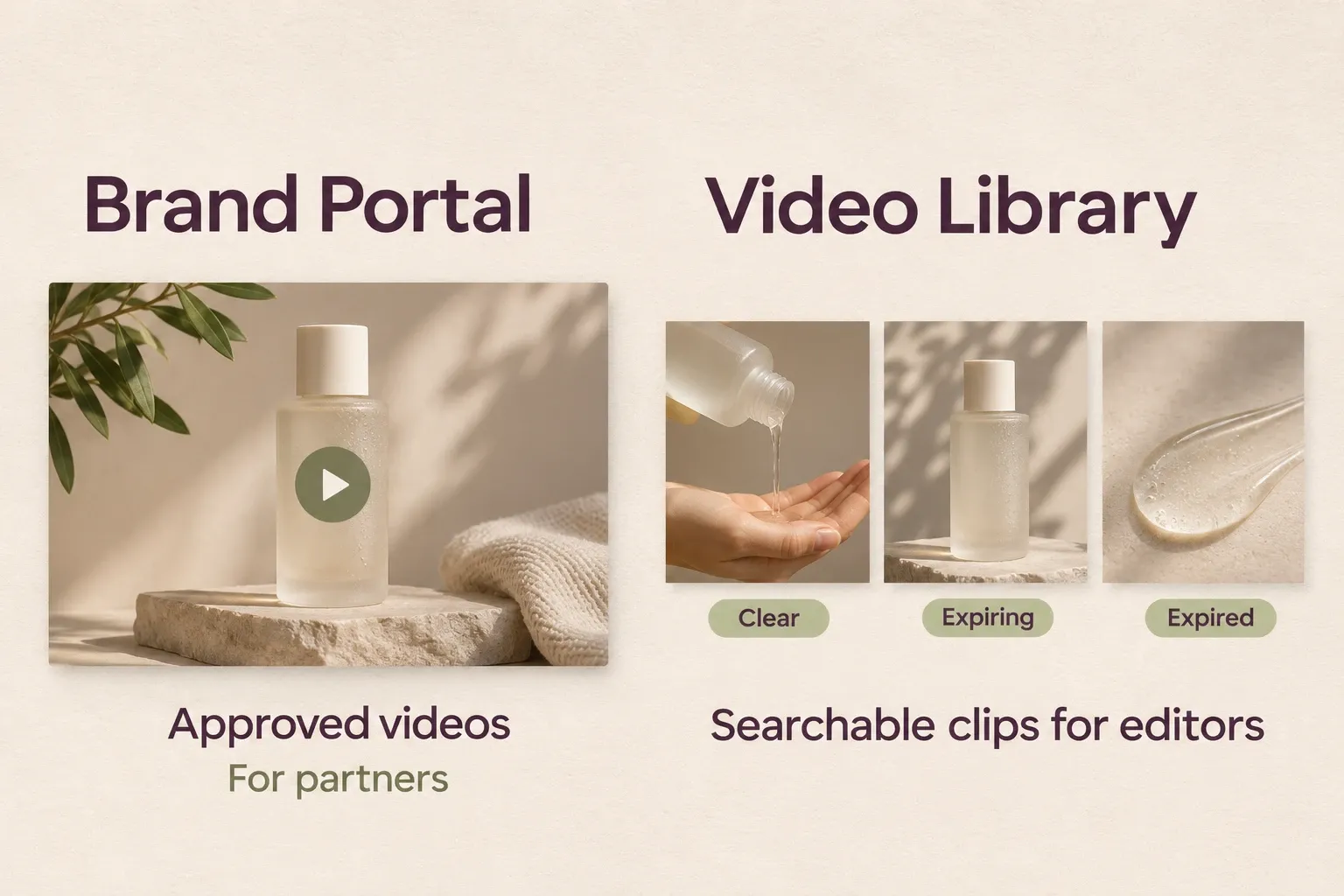
A brand portal is built to hand out finished, approved assets. For video, that means finished campaign films, product demos and cut-downs for each channel, length and aspect ratio.
Label each version clearly with its usage terms and approval status. Partners can then tell what they're allowed to publish without emailing the brand team.
Agencies making something new need more than finals, though. They need the raw material: creator footage, product close-ups, testimonials and B-roll they can recut.
Some brands share approved source footage through a restricted partner portal. Others use a separate video library where editors can search for individual scenes. Which one fits depends on how much footage you have, who needs it and how well each tool searches inside video.
Where Recharm fits: Recharm is a video-first creative library, not a full DAM or brand portal. It cuts footage into short clips, files them by scene and makes them searchable with AI visual search, so editors can find a moment without relying on filenames or manually created folders.
Every plan includes unlimited users, and teams can keep a separate library for each brand. On the Managed plan, and for AI plan teams on request, usage rights live on each source video and every clip inherits them. Clips show a clear, expiring or expired status, and downloading an expired clip shows a warning, so editors know to check permission before reuse.
Give Agencies the Footage, Not Just the Finals
Your brand portal gets approved campaign assets to partners. When agencies and editors need to make something new, they also need a way to find useful footage from past shoots.
Recharm makes existing video footage searchable, so teams can find specific moments and reuse them in new work. At Purdy & Figg, Recharm saved each video editor 5 hours every week.
See how footage organization works in Recharm, or read the Purdy & Figg case study.
FAQs
What Is a Brand Portal?
A curated, self-serve website where partners, agencies, retailers, press and employees can find and download approved brand assets and the guidelines for using them. It's also called a brand center, brand hub or brand resource center.
What's the Difference Between a Brand Portal and a DAM?
A DAM is the full library where a brand team stores, organizes and governs all its assets, including drafts and raw files. A brand portal is a curated front door to that library that shows each outside audience only the approved, current assets meant for them.
What's the Difference Between a Brand Portal and a Digital Asset Library?
A digital asset library is where a team's assets live and get organized. A brand portal is built for distribution. It shares a small, approved part of that library with people outside the core team.
Is a Brand Hub the Same as a Brand Portal?
Usually, yes. Brand hub, brand center, brand resource center and brand portal all describe a self-serve site for approved brand assets and guidelines. The name changes by company, not the job.
What Is Brand Portal Software?
Software for sharing approved brand assets with people outside your team. Most enterprise DAMs include it. Adobe AEM Assets has Brand Portal, now in maintenance mode with new development going into Content Hub. Canto and Brandfolder have Portals, Bynder offers portal experiences for each audience and Frontify is built around brand portals.
What Should a Brand Portal Include?
Logos and lockups, brand guidelines, product images, approved campaign assets and videos, templates, a press kit and clear usage terms for each asset. Start with the assets people request most.
Who Should Have Access to a Brand Portal?
Anyone who regularly needs approved brand assets: retail and channel partners, agencies, franchisees, sales teams, press and employees in other regions. Give each group its own view, and tie partner access to the relationship so it ends when the relationship does.
How Do You Keep a Brand Portal Up to Date?
Give it one owner, publish only approved and cleared assets, set expiry or review dates on every asset, remove old versions the same day you add new ones and review downloads and requests every month.
What Is Walmart Brand Portal?
A different kind of tool. Walmart Brand Portal is where brand and rights owners create an account and report intellectual property issues on Walmart.com. It isn't used for sharing brand assets with partners. Faire's brand portal is different too: it's the signed-in dashboard where brands that sell wholesale on Faire manage orders, products and their shop. Amazon's closest equivalent is Amazon Brand Registry.