Teams relying on scattered Google Drive folders or messy shared drives often waste countless hours hunting for the right asset. Studies show knowledge workers spend roughly 1.8 hours a day (about 9 hours a week) just searching for information.
A digital asset library fixes this by giving every brand file, images, videos, documents, and more, a single, structured home. It's a central, searchable repository where your approved logos, photos, and creative files live. Unlike basic cloud storage, it layers on metadata tags, robust search, version control, and access permissions, so teams can find exactly what they need instantly (searching "approved 2026 logo" instead of digging through folders).
This article covers what to look for in a digital asset library, its features and integrations, and the steps to set one up, so your team never wastes time on "where is that file?" again.
TL;DR
-
A digital asset library is a single, organized hub for all your brand's images, videos, documents, and other digital files.
-
It adds what cloud drives lack: metadata tagging, advanced search, version control, and permissions, so teams find the approved asset and avoid off-brand or outdated files.
-
The payoff is faster workflows. Searchable DAMs have been shown to cut asset search time by roughly 40 to 60%.
-
It enforces brand consistency. With one single source of truth, everyone uses the same correct logos and images.
-
Key features to look for: strong AI-assisted tagging, natural-language search (including image/video content search), tight version control, and integrations with your creative tools. Good governance (naming rules, regular audits, team training) keeps it running smoothly.
What Is a Digital Asset Library?
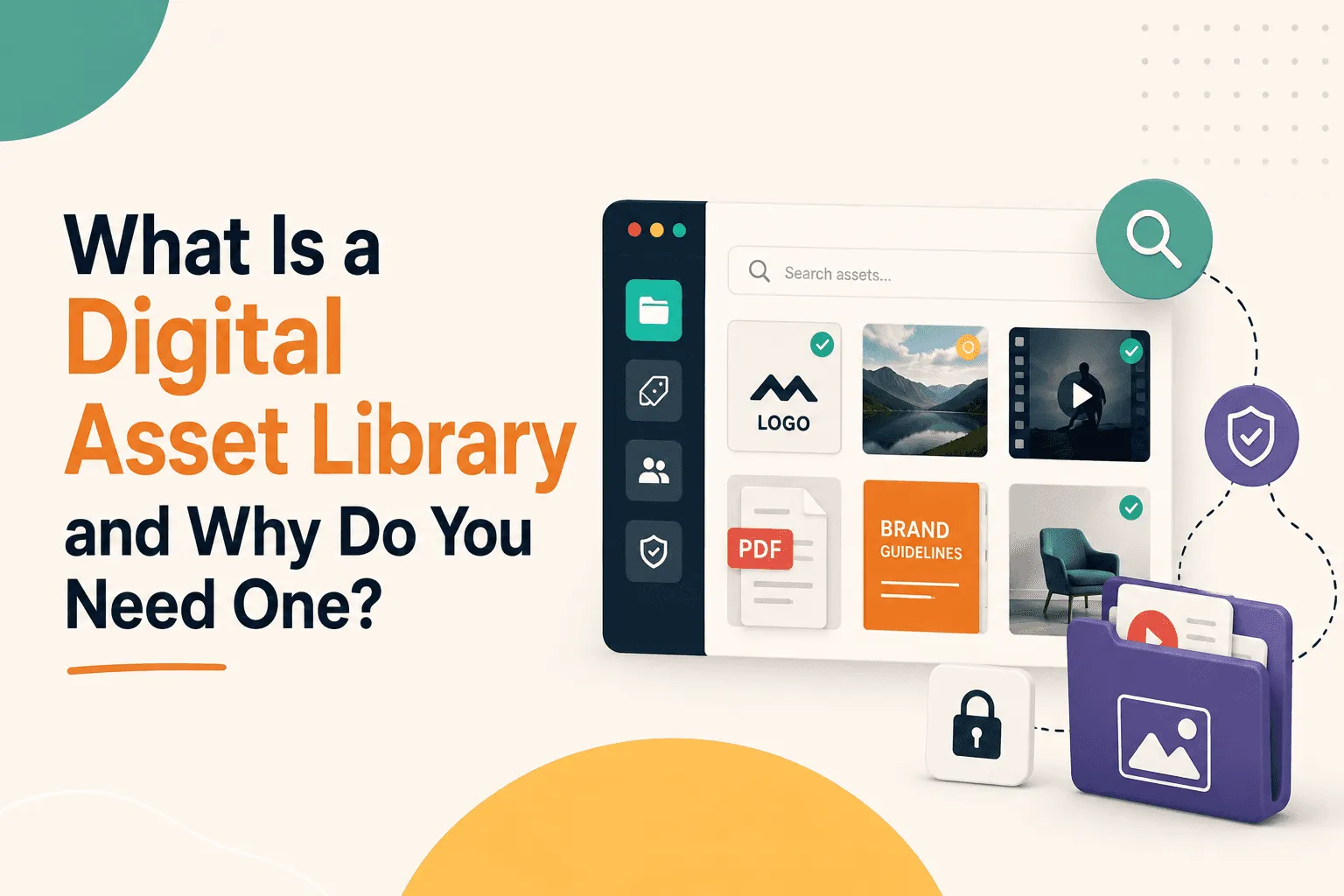
A digital asset library is a centralized, managed repository for all your brand's digital content, not just images and videos, but design files, logos, marketing documents, and presentations. Every approved asset gets uploaded to this system, and users browse or search by keyword, tag, or other criteria.
Crucially, it's not just a plain shared drive. A true asset library lets you attach rich metadata (keywords, project tags, usage rights) to each file. It also tracks versions, so only the latest approved file gets used, and enforces user permissions, so only authorized people access sensitive assets.
For example, instead of manually sorting folders, a marketing team could tag a logo "2026 campaign" and "approved," then a designer filters for "approved 2026 logo" and finds it in seconds. As one guide puts it, effective libraries store and tag files so they're easily searchable by any team member. In short, a digital asset library is a smarter, more disciplined way to manage files than generic cloud folders, becoming a single source of truth that eliminates guesswork about whether you have the right version.
Why Your Brand Needs a Digital Asset Library
Without a library, file chaos breeds waste and errors that get more expensive as a company grows.
Teams duplicate effort recreating assets they can't find, and campaigns launch later than planned. Marketing leaders have calculated teams can lose tens of thousands of dollars a month just in people-hours spent searching and emailing files. One example: 40 employees spending 25 hours a month searching at $50/hr amounted to $50,000 per month wasted on finding files. A centralized library stops that drain.
Left unchecked, disorganization also causes off-brand mistakes, like team members grabbing outdated logos or old brochures from a random folder. A library keeps all approved assets in one place, so people always use the correct version, meaning colors, logos, and messaging don't drift just because someone grabbed the wrong file.
Time-to-market improves too. If a team needs product photos for a quick social campaign, they search the library instead of asking coworkers or digging through email. One organization noted that with a library there are no more repeated requests for files, since people find and download what they need themselves, saving hours every week.
Once a company has enough assets or enough people, scattered files become genuinely costly. Beyond a few dozen files or a small team, nearly every brand needs a digital asset library to scale efficiently. It prevents duplicate work (some stats suggest 80% of employees resort to recreating assets they can't find), stops off-brand content, and gets projects moving faster. At that point, a library isn't a luxury, it's the organized backbone a growing marketing operation needs.
Key Features of an Effective Digital Asset Library
A handful of core features separate a real asset library from a glorified shared drive. Here's what to look for.
Tagging and metadata: The heart of an asset library is how it labels and categorizes files. Metadata tagging lets you add searchable keywords or attributes to each asset, like project name, product line, or campaign.
The best libraries automate much of this. AI-assisted tagging can analyze images or video and suggest tags ("beach," "smiling person," even a person's name) so you don't have to label everything by hand. This makes searching faster than rummaging through folders, and a user could type "happy family under beach umbrella" and find matching photos even if none of those words appear in the file name.
Advanced search (natural language and visual): Search today should be as easy as asking in plain English. Leading platforms support natural-language queries, so a search like "latest summer campaign images" gets interpreted as a date filter plus a tag match.
Many libraries also offer visual or similarity search: upload an example image or describe content, and the tool finds assets with similar visuals or subjects. For video, AI can index frames so you search for clips by describing scenes. Recharm's visual search, for example, recognizes visual and contextual elements inside videos, letting you find clips by describing people, objects, or actions. Expect to search by keyword, phrasing, or content itself, and the library should handle all three.
Version control and permissions: A good library tracks file versions and access rights. When a new logo or video version gets approved, it replaces the old one in the library while the old file gets archived, not deleted. This prevents team members from accidentally using outdated assets.
Permissions let you specify who can view or download each asset, restricting high-res masters to designers only, or letting partners view but not edit. Well-defined permissions (users, roles, groups) keep sensitive or raw content secure, for example, marketers getting read-only access to brand logos while the creative team has full edit rights.
Integrations: Effective libraries plug into your existing stack, with native connectors to the apps and storage you already use. Many systems offer plugins for Adobe Creative Cloud, so a designer can search and insert approved assets directly from Photoshop without downloading files manually.
Without these links, assets stay scattered across Google Drive, Dropbox, and Slack, making search difficult. With integration, your library becomes the searchable hub for all your tools, letting your team find files across Google Drive, SharePoint, and the DAM in one place. Look for syncing with Google Drive, Dropbox, Adobe, WordPress, or Shopify, so approved assets feed directly into whatever workflow your team is already using.
Hybrid tagging (Recharm's edge): Some solutions combine AI with human oversight. Recharm's hybrid tagging approach lets AI auto-tag assets while still allowing manual adjustment or human review.
This AI plus human model ensures high accuracy at scale, giving teams speed without sacrificing the context only humans provide. Most competitors rely solely on AI or manual processes.
In summary, an effective digital asset library combines robust metadata and tagging (ideally AI-augmented), powerful search across keywords, natural language, and visuals, strict version control and permissions, and tight integrations with your daily tools. Together, these keep every asset organized, easy to find, and always up to date.
Benefits of a Digital Asset Library
These features translate into real, measurable gains across speed, brand consistency, and collaboration.
Speed and efficiency
By cutting search time and repetition, a digital asset library dramatically speeds up work. With smart search and well-tagged content, teams locate files in seconds instead of minutes, accelerating every project.
Searchable DAM systems can reduce asset-finding time by about 40 to 60%, and one case study showed that a team goes from 25 hours a month searching to just 10 hours with a DAM. One brand was able to easily find and repurpose video creative from its library, enabling it to produce 4x as many new ads as before. Less time hunting files means more time creating impact.
Brand consistency
A core benefit is having one single source of truth for brand assets. When every department draws from the same library of approved logos, fonts, images, and templates, off-brand mistakes are eliminated.
Designers know they're using the current logo and color palette, and social media managers know they're grabbing the right product shots, eliminating the risk of an old, unapproved image slipping into a customer touchpoint. Over time, consistent use of branded visuals strengthens recognition and trust.
Collaboration and access
Libraries break down silos between teams and agencies. Instead of emailing assets back and forth or waiting on a gatekeeper, anyone with permission can instantly browse and download what they need, which is especially useful for distributed teams and outside partners.
A sales team can pull the latest brochures directly, and an ad agency can access campaign media without chasing marketing for files. Many libraries also support comments or annotations, turning the DAM into a creative collaboration hub where multiple users work off the same content and add value in one place.
Cloudinary notes increased efficiency and collaboration as top outcomes: reduced time spent searching leads to higher productivity, and letting multiple users access and work on assets fosters teamwork. Put simply, a digital asset library means projects move faster and everyone from designers to partners stays in sync, while reuse like this also saves money by reducing extra shoots or edits.
How to Choose the Right Digital Asset Library
When evaluating options, focus on the features that actually align with your team's needs.
Search quality
Look at how well the system actually finds things. Does it index all metadata, transcriptions, and even image/video content? Some platforms, like Recharm, support searching by spoken or written text within videos, or by objects and people detected in images, adding transcript search and AI tagging on top of existing tools.
Make sure your tool's search handles natural language and multiple asset types. Test it with everyday queries: can a marketer type "Q4 2026 hero banner" and get the right file, or find clips from a video just by asking in plain English?
Integrations
The library should work where your team already works. Priority integrations include cloud storage (Google Drive, OneDrive, Dropbox), creative apps (Adobe CC, Canva), CMS/eCommerce platforms, and advertising channels. Pre-built connectors let teams open assets directly in design tools or sync with a CMS without re-uploading.
Check that the system offers the plugins you actually need. A few clicks should let you search assets right inside Photoshop or Sketch, or automatically publish approved images to your website. Linking your DAM to Google Drive, Adobe, or other systems turns it into a central hub and ends the time lost moving files manually.
Tagging automation
Manual metadata upkeep is brutal at scale, so choose a tool that automates tagging as much as possible. This includes AI-based content recognition (people, objects, scenes) and batch-editing of tags. Some platforms even queue AI tag suggestions for human review to ensure accuracy.
Look for nice-to-haves like automatic transcription of video/audio or barcode scanning for products. If you handle a lot of video or image assets, check whether human-assisted tagging is available for fine-tuning. Recharm, for example, supplements its AI with optional human review so tags stay accurate as the library grows, a hybrid approach many competitors lack.
Scalability and support
Think ahead to next year's needs. Will the solution handle your future asset volume and user count without lag or extra fees? Many systems are modular, so you might start with images only and expand to large video libraries later. Cloud storage limits, API rates, and user permissions should scale smoothly.
Also consider vendor support, like onboarding help or training. Good onboarding, such as workshops to set up taxonomy, can smooth the rollout considerably. A tool's ability to grow with you matters as much as its initial feature set.
When comparing vendors, weigh their unique strengths. Recharm's human+AI hybrid tagging, for instance, may be a differentiator for video-heavy teams. Even without committing to one brand, use these criteria to score candidates: check integration depth by seeing whether you can truly open and edit DAM assets from within Adobe or Microsoft tools, so your team isn't jumping between apps.
Ultimately, prioritize search effectiveness and integrations, since those drive daily usage. A useful test is the one-minute trial: give a non-technical team member a description and see if they can find the asset in under a minute. If they can, the search is robust.
How to Set Up and Maintain a Digital Asset Library
Getting a library up and running takes planning across migration, ownership, and ongoing governance.
Migration planning
Moving assets into a new library should be deliberate, not chaotic. Start with a content audit, reviewing all existing files and deciding what to migrate. Bynder's migration guide recommends categorizing assets into three buckets: move first (core files in active use), move later (less critical materials), or archive/delete (duplicates, obsolete designs). This audit delivers a prioritized roadmap, reduces clutter, and confirms compliance needs before import.
Next, define your taxonomy and metadata strategy. Use the migration as a chance to build a clean tagging scheme, mapping out which categories, tags, and rights information each file gets. A solid metadata structure is the backbone of your library and determines how searchable assets will be later. Bring in a DAM consultant or use vendor onboarding if you need help refining taxonomies.
Then execute a phased migration. A curation sprint works well: have your team or vendor tag and upload the core working set first, the files people need most, like the current year's logos, brand images, and project files. Budget roughly a week of effort per 50,000 files to tag and import them, though AI tagging can compress that workload considerably.
The goal is to give users a working library right away, then gradually import the rest in batches. Avoid migrating everything at once; it's better to launch with a lean, clean library than with millions of untagged files that overwhelm search.
Throughout setup, designate clear ownership. Assign one internal admin or project lead to own the library before launch. Successful rollouts tend to have one named person managing taxonomy and permissions at roughly 25 to 50% of their time during deployment. This person, often a digital asset manager, creative ops lead, or brand manager, makes final calls on keyword definitions and quality control.
Governance and maintenance
A library needs rules and regular upkeep to stay useful. Establish naming conventions and taxonomy guidelines up front, like a standard file-name format and tag usage, so everyone applies metadata consistently.
Plan routine audits too, such as quarterly spot-checks to review random assets for correct tags, remove duplicates, and archive old versions. Best practice is a post-migration model with defined governance roles, review cycles, regular metadata audits, and versioning policies.
Build in user training as well. Onboard each team or new hire with a quick guide covering how to upload assets, where to find specific categories, and why proper tagging matters. Integrate asset updates into everyday workflows, for example, a policy where the final approved creative automatically gets uploaded and tagged in the library, so teams treat the library as part of their process rather than an afterthought.
Finally, keep an owner assigned to the system long-term. After rollout, this role can scale back to part-time, roughly 10 to 20% of their time, handling requests, reviewing new uploads, and tweaking structure as needed. In larger organizations, a dedicated librarian or ops person is common. With clear roles and steady governance, periodic training refreshers, audit calendars, and so on, your digital asset library stays organized, current, and genuinely useful.
FAQs
What is the difference between a digital asset library and a DAM system?
A digital asset library is essentially the foundation of a Digital Asset Management (DAM) system.
On its own, a library provides centralized storage, search, and basic governance of files. A full DAM builds on that foundation with advanced features like automated workflows, analytics, and compliance tools. Think of the library as the "smarter folder" for your assets, while a DAM connects those assets to broader business processes and strategy.
How much does a digital asset library cost?
Pricing varies widely depending on your setup.
Most asset libraries are offered as SaaS subscriptions, priced by factors like number of users, storage volume, and feature set, usually billed monthly or annually. Lower-cost or free options exist for small teams (sometimes built on shared drives), while enterprise solutions with robust features can run into thousands of dollars per month. It's best to get quotes tailored to your asset count and team size, but expect bigger teams and more storage to mean higher fees.
Who should own and maintain a digital asset library?
Typically, a person or small team within marketing, creative operations, or brand management manages the library, and having a dedicated owner matters.
Enterprise implementations often assign a single library owner or admin before launch, spending roughly 25 to 50% of their time on setup and then scaling back to part-time. This person defines metadata rules, oversees tagging, and supports users. In smaller organizations, these duties might fall to a Marketing Ops specialist or Creative Ops manager. The key is clear responsibility: one person or a well-coordinated team should be accountable for the library's organization and upkeep.
Can a digital asset library handle video as well as images?
Absolutely. A digital asset library is meant to store all types of brand media, including images, video, audio, PDFs, and presentations.
Cloudinary notes these systems store images, videos, documents, and other media together. In practice, choose a library that supports video files and ideally can index or preview them, since many creative teams work with a mix of photo and video content.
How long does it take to migrate to a new digital asset library?
Migration time depends on your asset volume and complexity.
Small launches, a few thousand assets, might take a few weeks, while large enterprises can take several months. Referenced roll-out studies show implementing a sophisticated DAM can range from roughly 2 to 6 weeks for mid-sized solutions up to 6 to 12 weeks for enterprise platforms like Bynder. A useful rule of thumb is one week of effort per 50,000 assets for auditing and tagging, though AI tagging can speed that up.
Plan several weeks up front for audits and taxonomy setup, followed by phased uploads. Bynder and others recommend breaking the project into stages: audit, pilot import, full import, to keep downtime minimal and data organized as you go.