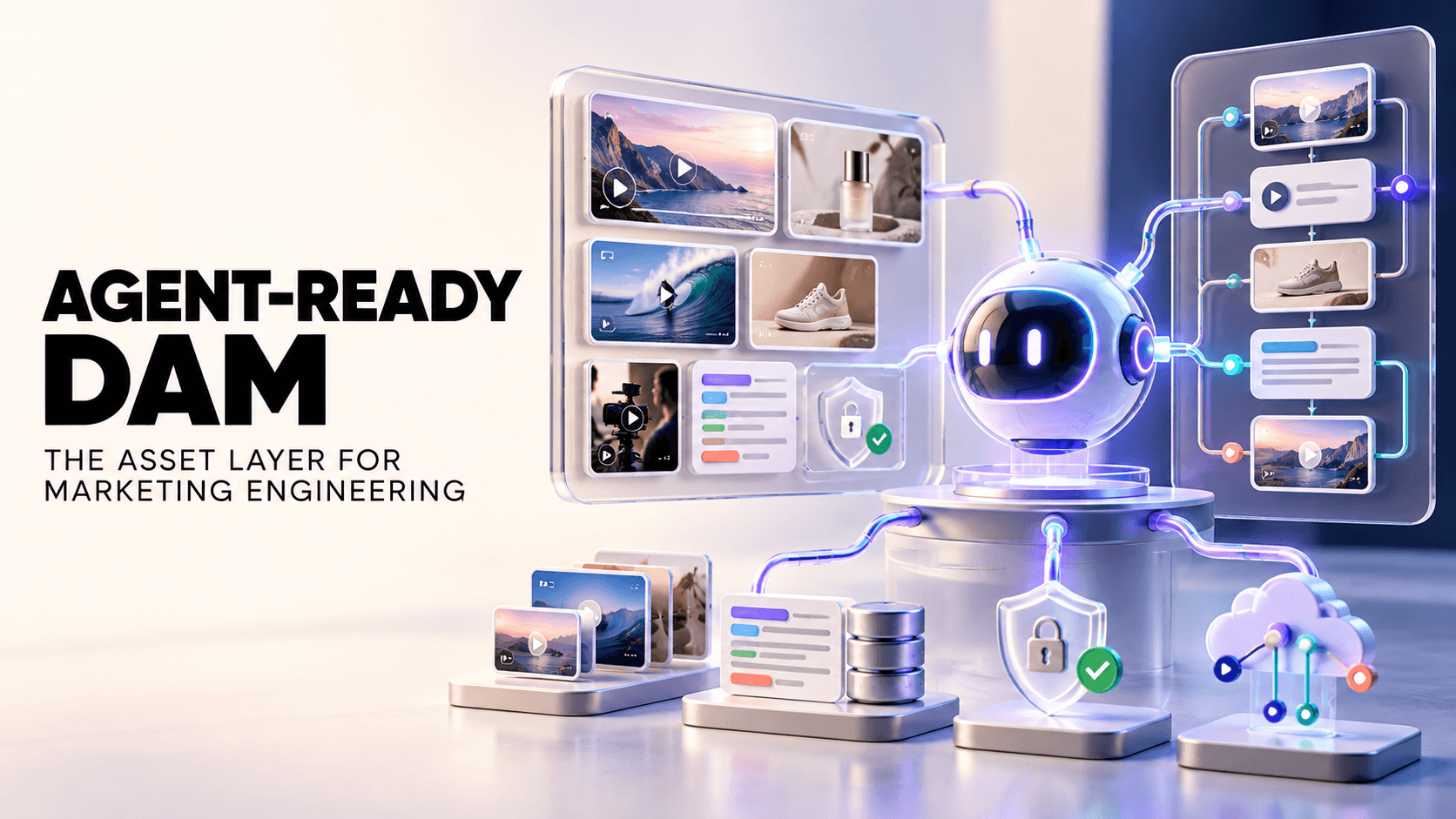
Marketing teams lose hours hunting for approved images, videos, and final files scattered across drives. A Digital Asset Management (DAM) system fixes this by centralizing every campaign asset, from brand logos and creative templates to product videos, in one searchable library. Creative strategists find visual hooks quickly, video editors pull the footage they need instantly, and campaign managers distribute on-brand ads without delay. The result is faster and more reliable campaign execution.
TL;DR
DAM is more than a storage vault. It is software that organizes and tags images, videos, graphics, and other marketing assets in one central hub.
Key benefits for marketing: faster campaign launches, fewer repetitive tasks, and tighter brand consistency. DAM users save up to 1,000 hours per year by cutting manual searches and finding clips twice as fast.
Who uses it: creative strategists, video editors, performance marketers, and agencies, all using DAM to speed up briefs, find winning clips, and iterate on ads more efficiently.
What Is Digital Asset Management (DAM)?
A DAM platform is marketing's single source of truth for creative content. It is cloud software where teams store, tag, and distribute all campaign files: images, video clips, design templates, social posts, PDFs, audio, and more. Unlike a simple drive or network folder, a DAM adds rich metadata to each file (campaign name, product SKU, usage rights) so assets never get lost in unlabeled folders.
Think of it as the organized media library behind your campaigns. Every approved logo, hero image, brand video, and promotional GIF lives in one place. Teams upload content directly from tools like Adobe CC or via integrations, and the DAM captures version history and context automatically. Marketers then spend minutes, not hours, finding files. They search by keyword, campaign, or even visual content like "product demo" or "red sneaker".
The point is not just storing files. It is speeding up marketing production. Assets stop dying on someone's desktop and become instantly shareable and reusable, so teams produce more ads, launch more campaigns, and respond to trends faster.
How Does DAM Work?
Modern DAM platforms turn asset management into a simple three-step workflow: everything gets centralized, tagged, and shared from one place.
Centralize and tag: All assets upload to one hub. Advanced DAMs extract metadata automatically (date, product, featured people) and teams add campaign, format, or content-type tags. For video-heavy brands, specialized DAMs (also called Video Asset Management) index each clip with scene tags and transcripts. Every asset enters the system's taxonomy the moment it is checked in.
Search instead of scroll: Users search by file name but also by content, like the objects or colors inside an image, or what is happening in a video frame. Anyone can query the library ("show me all product demo clips") and get results in seconds instead of opening folders blindly.
Share and control: Approved assets are shared via secure links or portals instead of email attachments and re-uploads. Admins set granular permissions for who can view, edit, download, or publish each asset. Many DAMs push assets directly to CMS, ad platforms, or social accounts, which keeps outdated logos and leaks out of live campaigns.
By centralizing, tagging, and streamlining approvals, DAM removes countless manual steps. Questions like "Where is the latest hero banner?" get answered in moments.
Key Benefits of DAM for Marketing Teams
DAM tackles the biggest campaign pain points: inefficiency, inconsistency, and slow time-to-market.
Operational efficiency
Replacing ad-hoc file hunts with search gives teams back hours every week. Industry studies show people spend nearly 9.3 hours a week just searching and gathering information. With a DAM, one report finds it is "5 times faster to find assets", and streamlining content creation can help companies save 1,000 hours annually. Teams stop rebuilding graphics or footage from scratch. As one puts it, "less time chasing files and more time delivering results…we move faster, launch on time, and keep campaigns consistent".
Common mistake: Relying on personal drives or messaging apps creates repetitive work. Without DAM, 83% of staff had to recreate an asset because they could not find the original. A DAM stops this duplication, so budget and creative hours are not wasted on redundant edits.
Brand consistency
Because the DAM library only contains approved files, every team across regions and agencies uses the latest version of logos, images, and guidelines. As Adobe notes, a centralized DAM "eliminates content silos and ensures that all stakeholders access the correct, approved versions of digital assets". If a logo or tagline updates, it updates in the DAM and cascades everywhere instantly. Multi-brand companies and franchises can also segment libraries per brand or market to maintain strict visual standards.
Faster time-to-market
When a trend or launch hits, delays in finding creative cost opportunities. With instant access to templates and components, teams assemble campaigns instead of remaking content. Contentful reports that unified asset hubs let marketers "launch campaigns faster" by eliminating re-uploads and bottlenecks, which means reacting to trends within hours, not days. One vendor notes that with the right system "you move faster, launch on time, and keep your campaigns consistent—no matter how many teams or channels are involved". Another study found marketers with DAM accelerate ad creation by over 3× thanks to auto-tagging and template reuse.
Pro tip: Integrate your DAM with creative tools like Adobe CC and Canva, plus your ad platforms, so assets flow straight from the library into ads without redundant uploading.
Capabilities of DAM Platforms
Modern DAM tools pack several features that matter specifically to marketing teams, and together they turn a passive library into an active workflow engine.
Advanced search (visual and text): Search by keywords, image content, or video transcripts. Recharm's AI visual search lets users "search your footage the way you think about it" by people, products, scenes, or actions. Type "person applying lipstick" and find that exact clip instantly, without manual tagging. Transcription search jumps to any spoken phrase in videos. No more scrolling through endless folders or scrubbing footage.
AI auto-tagging: Manual tagging is tedious, so modern DAMs label files with AI. Systems recognize faces, objects, locations, and even emotional tone. Recharm "watches your videos and automatically detects visual attributes" like age, emotion, and angle so editors can filter by them. AI tagging by product or campaign saves hundreds of tagging hours, and tags like "young entrepreneur, enthusiastic, unboxing" help marketers instantly find suitable clips for new ads.
Version control and workflow: Every iteration of an asset is tracked. Old versions get archived, and only the latest approved files are visible by default. Review and approval happen inside the tool instead of messy email threads. Adobe highlights DAM's ability to "streamline collaboration with centralized editing and feedback" through in-platform commenting and version tracking, which prevents unapproved designs from slipping through and speeds up sign-offs.
Integrations: Top DAMs sync with cloud storage (Google Drive, Dropbox), creative suites (Adobe, Canva), CMSs, and marketing platforms. For video workflows, connecting Frame.io or Premiere is a game-changer. Content platforms advise keeping assets synced: "built-in DAM integrations…connect media directly… for seamless publishing. No reuploading, no bottlenecks". Recharm auto-syncs with Google Drive and Dropbox, so editors upload as usual while Recharm indexes and tags behind the scenes.
Analytics and reporting: Many DAMs track asset usage, showing which images or videos get used most, which generate leads, and which expire. Teams learn what performs and prioritize updating or reusing top performers instead of dumping assets blindly.
Digital Asset Management Use Cases
DAM proves its value in everyday marketing scenarios. Here is where it shines:
Campaign launches: Campaign managers assemble all creative pieces (ads, banners, social posts) in seconds because assets are pre-tagged by campaign. A clothing brand can launch a new collection across every channel simultaneously with graphics, video ads, and product images ready in one unified library.
Multi-brand management: Agencies and multi-brand firms give each client or brand its own library or partition, so there are no mix-ups or file collisions when spinning up a new campaign. A snack company, for example, keeps one official DAM so all regional teams use the same product photos and messaging guidelines.
UGC and creator content: Without DAM, hours of influencer footage sit unusable in folders. A DAM with VAM features indexes creator videos by person, product, and scene, so marketers can surface a reaction clip or product demo instantly. After a marathon, a sports brand can tag runner testimonials by distance and emotion and pull exactly the right soundbite for each ad variant.
Ad testing and iteration: Performance marketers find their original winning creative components, like a product shot or hook phrase, without digging through old projects. If a spring shoe ad outperformed, the DAM locates that exact demo clip and user reaction to reuse as the base for new variants, speeding up A/B testing cycles.
Cross-channel distribution: When content is reused across email, web, and paid social, a DAM hands off the right format every time. Automated publishing connectors push assets to email campaigns, CMS, or social schedulers all at once.
Each case underscores the same point: DAM is not just for storing content; it is the engine driving every creative process. (Learn how to integrate DAM into your creative workflow for even smoother campaigns.)
Who Uses Digital Asset Management?
DAM is not a tool for one person on the team. Nearly every role in modern marketing leans on it daily:
Creative strategists: They develop campaign concepts and briefs, and DAM shows them exactly what footage already exists. Recharm reports that strategists who once spent hours combing folders now get "instant visibility into their entire content library". They pull exact clips as references for new briefs instead of vague ideas, which means stronger initial concepts and fewer revision rounds.
Video editors: Editors used to burn time organizing clips before cutting anything. Now, AI tags by creator, product, and angle let them filter straight to the footage they need. Recharm notes editors achieve "3× faster editing workflows" because they "find the right shots instantly". They search "A-roll basketball" or "customer reaction" and start cutting, rather than scrubbing raw footage.
Performance marketers: They use DAM to iterate fast. Instead of telling editors "we need a better hook", marketers browse the library themselves to find or remix existing clips. Recharm customers say performance teams "skip tedious prep work and jump straight into the creative flow", using DAM to suggest "exact modular clips" to test next and requesting specific edits to combat ad fatigue.
Brand managers: With DAM as the single source, they enforce guidelines by locking down or retiring older logos and visuals. User roles ensure only trained designers upload master assets, preventing unauthorized content use.
Creative operations teams: These specialists run the campaign pipeline. They set up the taxonomy, automate tagging, and train the team. DAM connects asset intake, review, and distribution in one system so nothing falls through the cracks.
Marketing agencies: Agencies manage multiple clients with separate libraries per client, quickly cloned asset sets, and branded portals that share only relevant content with each client securely.
Beyond Storage: Scaling Creative Output with Video Asset Management (VAM)
Creative content today is heavily video-first, and pipelines must support it. Enter Video Asset Management (VAM), the next evolution of DAM built for video.
Modern campaigns run on short-form video ads (TikToks, Reels, stories), creator clips, and multi-asset templates. This content explosion creates a creative crisis: ad lifespans are shrinking to just a few weeks, and teams must produce dozens of fresh concepts per campaign to combat fatigue. Traditional DAMs, built for images and docs, cannot keep up with that scale or the need for diversity.
VAM solves this by treating videos not as opaque files but as libraries of clips. It "breaks longer videos into reusable segments" like hooks, testimonials, and product demos. Every raw upload is auto-transcribed and scene-indexed, so users can search inside the video by spoken words or specific visuals. Recharm's VAM, for example, lets editors search "product close-up" or "customer smiling" and instantly retrieve that exact segment.
This matters because a single minute of footage can hold dozens of potent ad moments. Without VAM, they stay hidden. With VAM, locating a product demo in a 10-minute raw shoot takes seconds instead of hours.
That unlocks unlimited remixing. High-performing clips, like a funny reaction, get repurposed in future ads easily. It also aligns with new platform algorithms: Meta's AI (Andromeda) now favors truly distinct video ads, and VAM helps you catalog all variations, avoid duplicates, and feed the algorithm more unique concepts.
VAM also improves collaboration. Instead of a folder of raw footage, you get a structured library where clips are tagged by campaign, persona, product, or emotion. Editors, strategists, and marketers instantly see what exists. The impact:
Footage is no longer a black hole, with clip retrieval going from hours to seconds.
Creative teams A/B test new ads faster by pulling from a well-organized clip library.
Output scales. One DTC brand (FabFitFun) saw quarterly video production jump 4× after tagging footage into hooks and testimonials.
In short, VAM "turns large video libraries into structured, searchable systems" so teams can treat clips like inventory, not a dump site. That level of organization is essential for content-first marketing.
The Recharm Advantage: Elevating Your Creative Workflow
As the DAM landscape evolves, Recharm positions itself as the creative ops hub for video-centric marketers. It goes beyond storage and acts as an active, creative operating system. Here is what sets it apart:
Strategic creative platform: Recharm is built for ads, not archives. As one DAM guide notes, "an intelligent DAM built for ads isn't optional"; it becomes "the backbone of everything" for high-speed marketing. Recharm automates the busywork by auto-sorting clips into hooks, testimonials, and more, creating a self-organizing library. Top brands report that Recharm "turns your archive into a self-organizing creative engine where strategists and editors spend less time coordinating and more time making ads that win."
AI visual search: Recharm lets you "search your footage the way you think". Its AI recognizes scenes, people, and actions inside videos, so strategists can describe the shot they need ("toddler playing with toy") and jump straight to that moment. Strategy leads find exact B-roll in seconds and drop it into briefs, while editors preview and download just the needed clip instead of handling whole large files.
Modular asset mining: The moment footage enters Recharm, it is auto-segmented into units of creative use. Recharm's AI identifies and tags hooks, testimonials, and product shots, which editors then drag into new ads. One client went from 100 to 400 videos per quarter using these auto-generated modules. In practice, an editor can quickly swap a new testimonial or hook into an existing ad body, which is exactly how performance teams refresh creatives on the fly.
Creative similarity scoring: Recharm's Asset Similarity tool flags near-duplicate creatives before launch, warning you if your 20 new ads are essentially the same. This helps teams avoid ad fatigue, maximize Meta's serving, and align with Andromeda's requirement that ads occupy distinct "thematic nodes".
Together, these features make Recharm the modern DAM for video-first marketing. It handles the heavy lifting (AI tagging, indexing, modularizing) so your team executes faster and at larger scale.
Practical Checklist: Is Your Marketing Team Ready for DAM?
Run through this quick self-check. The more boxes you tick, the more a DAM will pay off:
✔️ Your team frequently struggles to find or organize images and videos.
✔️ You often recreate content because originals are "lost."
✔️ Multiple stakeholders (designers, agencies) share assets, but versioning is chaotic.
✔️ You run multi-channel campaigns requiring many asset formats (sizes, resolutions).
✔️ Creative volume is growing (TikTok ads, UGC, social posts).
✔️ You have seen ad fatigue or slow campaign launches due to asset delays.
If you tick several boxes, a DAM like Recharm can streamline your operations.
FAQs
What is DAM in marketing?
A DAM for marketing is a cloud platform that stores and organizes your entire collection of marketing and creative assets: images, videos, audio, documents, design templates, and more. It acts as the single source of truth so any marketer or creative can quickly find the right version of a file. Think of it as the library of your brand's visual and creative resources, complete with tags and metadata for easy retrieval.
How does DAM improve campaign turnaround time?
DAM cuts turnaround time by eliminating manual searches and redundant work. Studies show DAM users find files up to 5× faster, and one result shows 75% faster asset retrieval after switching to a DAM. Teams reuse existing assets instead of recreating them, so strategists prepare briefs in minutes rather than days, and campaigns launch on schedule. Some teams even produce 3× more ads after adopting DAM-driven workflows.
What's the difference between DAM and a shared drive?
A shared drive (Google Drive, Dropbox) is basic cloud storage built on folder hierarchies and file names. A DAM adds structured metadata, AI indexing, and collaboration tools. Recharm, for example, offers visual search and auto-tagging, which a drive lacks. In a drive, finding a moment inside a video means opening the file and scrubbing; in a DAM, you search by keyword or object. DAMs also handle version control and permissions natively, preventing the "final_v3_FINAL.mp4" chaos. In short, a drive is manual while a DAM is an intelligent workflow engine.
Can small marketing teams benefit from DAM?
Yes. The biggest gains appear at scale, but even small teams save time and keep branding sharp. If your team produces assets regularly (even a few videos or campaigns a month) and struggles with organization, a lightweight DAM helps. For teams of 2 to 5 people, features like auto-tagging and instant search mean a one-person creative can find old assets without digging. Bottom line: if you have ever lost hours hunting for content or accidentally used an old logo, a DAM pays for itself.
What features should marketing teams look for in a DAM tool?
Before comparing vendors, know what actually matters. These are the essentials:
Powerful search: Keyword and faceted search, ideally with visual or transcript search so you can query "sunset beach" or spoken phrases.
Metadata and AI tagging: Tag assets by campaign, product, or creator, with AI auto-generating tags for faces, objects, and scenes.
Modular video support: If you run video ads, look for VAM capabilities like transcript search, clip segmentation (hooks, testimonials), and storyboard creation.
Integrations: Connectors to your existing tools (Adobe Creative Cloud, Canva, Google Drive, Frame.io, CMS, social schedulers) so content flows smoothly.
Versioning and workflows: Built-in approval routing, version history, and user roles to maintain control and speed up reviews.
Scalability and security: Cloud hosting with permissions, encryption, and usage tracking.
Analytics (optional): Usage reporting is a bonus that shows which content works.
Your DAM should match your team's creative workflow, not just store files. Pick one your marketers and editors find intuitive so it becomes the pulse of your marketing operation.