Creative team onboardingTurn your content library into an instant onboarding system.
Recharm organizes your creative library so new editors instantly understand your hooks, testimonials and product shots, and learn how your ads are built without a single folder walkthrough.
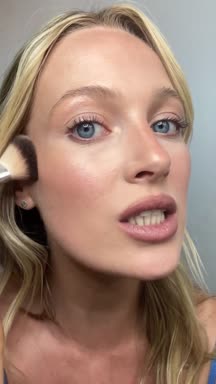
Our demo library: 701 clips cut from 205 ILIA Beauty creator videos.
5 hrsa week saved per editorPurdy & Figg
83%less time to find a clipHexClad
3×more ad editsHexClad
Sound familiar?
Why onboarding editors takes four weeks.
Tick the statements that are true for your team. If two or more are, your creative library is slowing ramp-up.
0 of 6
Tick the ones that are true for your team.
Creative strategy context
Learn how your ads are built.
Editors don’t just see files; they see the structure behind your creative. Every clip is filed under the scene it plays in an ad, so a new hire can read your playbook straight from the library.
See the scenes that make up a typical ad.
Learn what your team counts as a strong hook.
Pick up the patterns behind past campaigns.
Anatomy of a 15s ad4 scenes
0:06Hook01
0:14Product Benefit02
0:06Testimonial03
0:05CTA04
205source videos
701clips
86creators
Scenes
Product Benefit112
Product Description95
Hook81
Testimonial79
CTA59
Makeup Application56
Results34
How to Use29
Product Intro26
Holding Product23
Personas
Beauty Enthusiast137
Skincare-First117
Clean Beauty Advocate59
Everyday User58
Natural Makeup Lover57
Asset organization
A library that’s easy to navigate.
Recharm organizes footage by scene, creator and creative component. Editors can tell at a glance what kind of shot something is and where it belongs.
Scenes, creators and personas instead of nested folders.
Raw uploads and cut clips kept apart.
Footage keeps syncing from Drive, Dropbox and Frame.io.
Learn without hand-holding
Answers live on the clip.
The questions new editors usually ask, like who this is for or what this shot is meant to do, are answered by the tags on every clip. They learn the system by exploring it.
Persona, emotion and scene tagged automatically.
Searchable by what’s on screen or said.
Fewer “where is…” questions for creative leads.
0:15
Uploaded asqC1LKi96LIx7K927Bj48x.mp4
SceneMakeup Application
CreatorPositive-Wolf
PersonaSkincare-First
EmotionConfidence
Tagged byRecharm AI, on upload
Usage rights
Know which clips are safe to use.
Expired footage is flagged on every clip cut from it, and one toggle hides it. New editors can’t accidentally cut an ad from content you no longer have the rights to.
Ramp up editors quickly while scaling ad production.
Creative agencies
Onboard freelancers across multiple client libraries.
DTC brands
Help new editors understand your creative system instantly.
Content studios
Give every new hire a structured library from day one.
Purdy & Figg saves 5 hours a week per editor
“New editors can easily identify clips for sequences without manually searching through Google Drive folders, making onboarding much simpler.”
Jordan Perez-HughesSr Creative Strategist, Purdy & Figg
Frequently asked questions
Why does onboarding video editors take so long?
Most creative teams store footage in deep folder systems that are hard to understand. New editors have to learn where clips live, which assets are safe to use and how past ads were structured, which usually takes several walkthrough calls.
How does Recharm improve editor onboarding?
Recharm organizes the library by scenes, creators, personas and angles instead of folders. New editors can browse it and understand how your ads are built without long onboarding sessions.
Can freelancers or external editors access the library?
Yes. You can give freelancers and agencies controlled workspace access, so external editors understand the creative system and start producing ads without lengthy onboarding.
Do editors still need onboarding meetings?
Some creative context is still worth sharing, but editors no longer need walkthroughs of folder structures or asset locations. The organized library explains itself.
Does Recharm replace Google Drive or Dropbox?
No. Recharm works alongside your existing storage. Footage can stay in Google Drive, Dropbox or Frame.io while Recharm organizes the creative layer on top, making clips searchable and easy to understand.
 0:02
0:02 0:03
0:03 0:05
0:05 0:06
0:06 0:05
0:05 0:06
0:06 0:14
0:14 0:06
0:06 0:05
0:05 0:15
0:15 0:09
0:09 0:03Expired
 0:03
0:03 0:02Expired
 0:10
0:10 0:04Expired
 0:18
0:18 0:07Expired
 0:04
0:04 0:05Expired
 0:06
0:06 0:04Expired