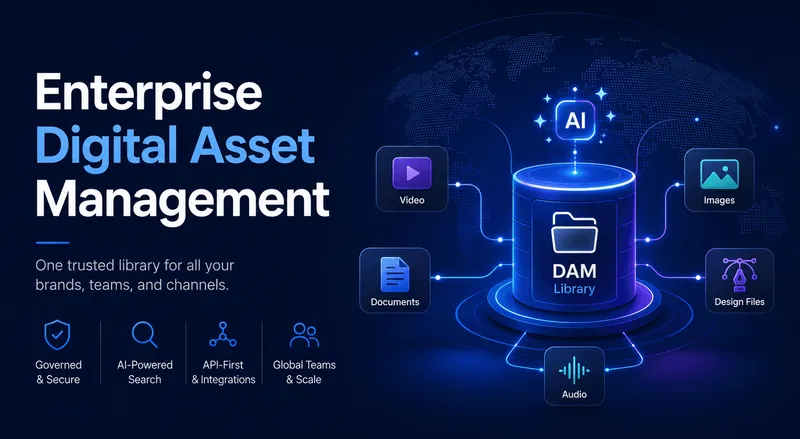
Choosing between cloud and on-premise deployment is one of the first big decisions teams make when adopting a DAM system.
A cloud-based DAM is a software-as-a-service (SaaS) platform hosted on remote servers. You access it through a browser or dedicated app over the internet, while the vendor handles servers, hosting, and updates. An on-premise DAM, by contrast, is installed on your own company servers and maintained by your IT team. Cloud DAMs use subscription pricing instead of heavy upfront hardware investment, eliminating the need to set up and patch servers yourself.
Since it lives in the cloud, the vendor also handles routine maintenance and security updates. In short, a cloud DAM gives you a ready-to-use asset library accessible anywhere there's internet, while on-premise DAMs require internal deployment and ongoing IT work. We'll compare the two approaches below and look at why many teams now choose cloud DAM for flexibility, scale, and collaboration.
TL;DR
-
Cloud DAM is hosted off-site and accessed via browser, with no in-house servers needed.
-
It uses subscription pricing (predictable monthly/annual fees) instead of heavy capital expenditure.
-
Remote teams and external partners can securely access assets from anywhere, boosting collaboration.
-
Leading cloud DAM providers implement strong security (encryption, backups, certifications) that meets or exceeds on-premise standards.
-
Key features to look for: AI-powered tagging, advanced search (including visual search for videos), and integrations with your creative and marketing tools.
What Is Cloud-Based DAM?
A cloud-based digital asset management (DAM) system is essentially an online platform for storing, organizing, and distributing your media files. It lets users log in from any device or location to find the latest approved assets.
Cloud DAM is hosted on remote servers, often across a network of data centers, and accessed through a browser. You subscribe to the service instead of buying perpetual software licenses. The vendor owns the hardware and software, and you pay a recurring fee that covers hosting, support, and feature updates.
The system comes already configured for security and performance, so you typically just create an account and upload assets, no complex installation needed. Cloud DAMs require minimal setup knowledge, while on-premise systems must be installed on local servers and demand in-house IT expertise. A cloud DAM can include the same core capabilities as on-premise (version control, metadata, permissioning), but everything lives off-site. Your images, videos, and documents sit on secure cloud servers, and you just log in to organize or download them.
An on-premise DAM, by contrast, is installed within your company's own network or data center. You'd need to purchase server hardware and license the software upfront, then manage installation and updates internally. This gives you full control over the infrastructure, but also means you or your IT staff handle backups, patches, and troubleshooting on your own. On-premise systems offer more control over privacy, but require dedicated expertise to keep them running safely.
Most organizations find cloud DAMs simplify this considerably: updates and security patches get applied automatically by the vendor, and the system scales in the background without any work on your end.
Cloud DAM vs. On-Premise DAM
The two approaches differ across cost, maintenance, and control. Here's how they stack up.
Cost and pricing: Cloud DAMs typically use a subscription model, spreading costs evenly over time. You pay for the number of users and storage you need each month or year, with the option to scale up or down. On-premise DAM, by contrast, requires significant upfront investment in servers, storage, and IT infrastructure. Cloud deployment follows predictable monthly costs, while in-house systems require high initial investments, avoiding large capital expenditures and letting you add capacity incrementally. This is often more budget-friendly for growing teams, though cloud costs are ongoing rather than one-time.
Maintenance and updates: One of the biggest operational differences is who maintains the system. With a cloud DAM, the vendor handles routine maintenance, software updates, and security patches, so you always get the latest features automatically. On-premise installations require dedicated IT teams to manage software updates and security patches themselves. A marketing coordinator using a cloud DAM sees new tools and fixes roll out immediately, while on-premise teams might need a scheduled upgrade outage instead.
Control and compliance: On-premise DAM offers maximum infrastructure control, which some highly regulated industries like finance or healthcare value. You keep all hardware on-site and decide exactly how data is stored. But cloud DAMs have closed that gap considerably. Modern cloud providers invest heavily in security, implementing enterprise-grade encryption, redundancy, and compliance with standards like SOC 2, GDPR, and ISO 27001. Large cloud providers often achieve security measures and compliance certifications that an individual company would struggle to match on its own.
In practice, this means a reputable cloud DAM can be just as secure as on-premise, or even more so, since the vendor's dedicated security team continuously monitors for threats. Agile vendor updates and disaster-recovery measures often make cloud DAMs just as secure, if not more so, than legacy on-prem systems. That said, you should always verify that any DAM, cloud or on-prem, meets your industry's specific compliance needs.
In summary, on-premise DAM gives you full control over hardware and might suit strict-security scenarios, but demands large capital expense and an IT team for upkeep. Cloud DAM offers lower upfront costs, managed maintenance, and easy scalability, at the cost of relying on the vendor for hosting. The right choice depends on your priorities: budget, regulatory requirements, and available IT resources.
Benefits of Cloud-Based DAM
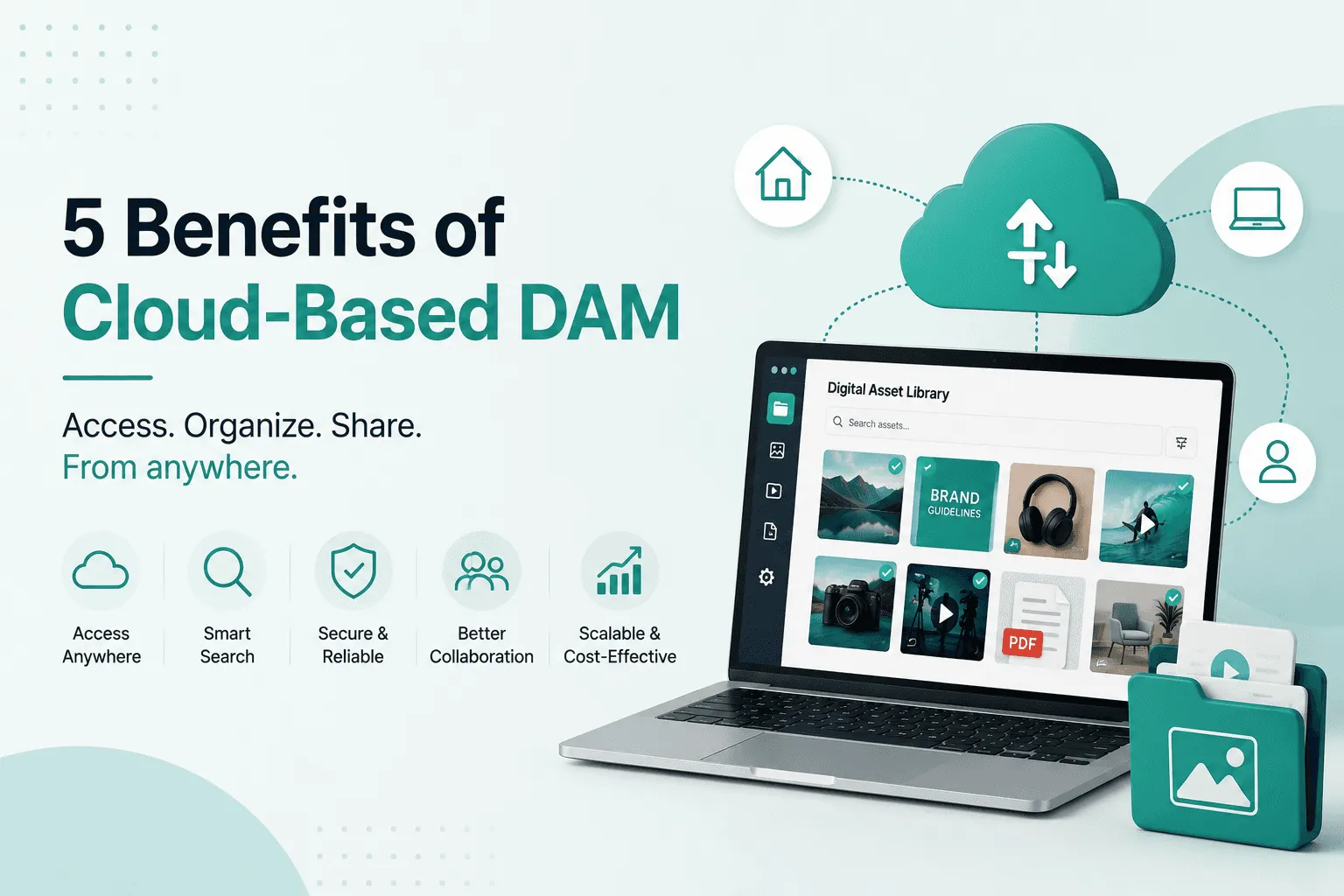
Cloud DAM's biggest advantages come down to five things: access, scale, security, IT relief, and constant improvement.
1. Anywhere access and collaboration
By design, cloud DAMs let users access assets from anywhere with an internet connection, so teams distributed across countries can all work in the same system. A cloud DAM enables global accessibility and collaboration, for example, a design team in Berlin working seamlessly with marketing colleagues in New York on the same project. There's no need for VPN or a specific network; users simply log in and see the latest files.
This is a huge advantage for remote work or agencies. An external creative agency reviewing files can be granted time-limited access to the DAM directly, rather than sending large files over email. Multi-step VPN logins are no longer required, letting you give the right people, even outside contractors, access to exactly what they need, when they need it. In short, cloud DAM breaks down geographic barriers.
2. Scalability and flexibility
Cloud-based DAMs scale on-demand without new hardware. You start with whatever storage or user count you need now, and grow as your asset library expands. Cloud users only pay for the resources they actually use and can scale quickly if necessary, so you don't have to guess years in advance how much storage you'll need. The system simply adds more space and performance as required.
Practically, this means a small startup can begin with a modest DAM and seamlessly ramp up when a big campaign launches, without costly new server purchases.
3. Security and compliance
Data security is often a top concern, and cloud DAMs typically offer strong protections. Leading providers implement encryption in transit and at rest, perform regular backups, and have disaster recovery measures by default, ensuring automatic backups and redundancy that greatly reduce data-loss risk.
They also pursue industry certifications, with enterprise DAM clouds adhering to standards like SOC 2 and GDPR. Robust user permissions and encryption protocols safeguard against unauthorized access, making cloud DAMs suitable for cross-border collaboration under strict privacy laws. In many cases, the scale of cloud operations means better security than a typical on-site team could achieve alone, so cloud DAMs often come with the same or higher level of compliance as on-prem systems.
4. Reduced IT burden
Since the vendor handles the tech stack, your IT team is freed from routine DAM maintenance. Upgrades, backups, and server tuning happen remotely, letting internal IT focus on strategic projects instead. Cloud DAM removes repetitive, reactive tasks for IT, since the vendor takes over maintenance and monitoring, with no need to replace aging servers or manually install patches.
In practice, this means your IT staff don't have to schedule downtime or worry about applying updates; the cloud system stays up-to-date automatically.
5. Automatic upgrades and new features
Cloud platforms continuously deploy improvements, and users instantly get bug fixes and new features without downloading anything. Cloud DAM vendors are always making improvements, and any new feature gets added to the platform centrally. Unlike on-prem systems, which can lag multiple versions behind, cloud DAM users always have access to the latest tools.
This agile approach lets teams take advantage of innovations like AI-powered analytics or new search capabilities as soon as they're ready.
In short, the move to cloud DAM brings broad benefits: teams collaborate in real time globally, the system grows with your needs, and providers take care of security and updates. These translate into real-world efficiencies, like your marketing team in London and sales team in Sydney sharing files instantly, without you losing sleep over server failures or missed patch cycles.
Key Features to Look For in a Cloud DAM
When evaluating cloud DAM solutions, make sure they offer the modern features teams actually expect.
Advanced search and AI tagging
At a minimum, the DAM should have robust metadata and search. Look for automated AI tagging that generates keywords and labels for each asset on upload, for example, computer-vision tagging identifying objects, themes, or people in images to create searchable metadata. This saves time and makes assets instantly findable.
Equally important is smart search: filters on tags, file type, date, and even full-text search inside documents. Many cloud DAMs go further with visual search, where you describe an image or video ("person running," "blue product") and the system uses AI to find matching assets without any manual tags. These AI-driven features turn your asset library into a truly searchable database.
Integrations
A cloud DAM should plug seamlessly into your existing creative and business tools. Check if it integrates with cloud storage (Google Drive, Dropbox, Frame.io) so assets can auto-sync from those sources, and look for plugins or connectors to design software like Adobe Creative Cloud or Figma, so editors can browse and import approved assets right inside Photoshop or Premiere.
Also make sure it links to your content tools: common CMS platforms (WordPress, Contentful), e-commerce/PIM systems, and marketing platforms (HubSpot, Salesforce, social schedulers) should all be supported. A good DAM lets teams pull approved assets directly into campaign tools and web CMS, cutting manual file transfers, so your DAM should meet you where you already work.
Recharm, for example, can auto-sync folders from Google Drive and automatically ingest and tag those files, so teams don't have to re-upload assets. See Recharm's guide on DAM integrations for more.
Cloud-native workflows
Check whether the platform is built cloud-native, meaning everything from user access to backend services is designed for the cloud. This allows on-demand scaling and continuous deployment, so updates and new AI features roll out regularly and automatically without you needing to install anything.
It also means the platform can adapt to sudden load, like thousands of designers searching at once, without performance drops. When comparing tools, consider whether they use an API-first, microservices architecture (which Recharm does), since this often translates to faster innovation and easier custom workflows for your team.
Security features
Ensure the DAM offers enterprise-grade security, including single sign-on (SSO) options like SAML or OAuth, role-based permissions, watermarking, and digital rights management (expiring links, license tracking). Many cloud DAMs also provide audit logs to track who accessed or changed what, keeping assets safe and usage compliant.
Collaboration and sharing
Useful cloud DAMs support collaboration through version history, comments or annotations on images, and easy sharing links with custom permissions. Some platforms let you generate a secure shareable link that expires after a set date or is view-only, eliminating the need to email large files. This matters especially if teams and external partners frequently need to review or use assets.
In practice, a strong cloud DAM combines built-in AI search and tagging with a rich integration ecosystem, so it becomes part of your workflow rather than a separate step. Recharm's own cloud DAM, for instance, offers AI tagging of images and visual search over video clips as core features, while integrating with common tools like Adobe, Drive, and various CMS platforms so assets flow without friction. These are exactly the capabilities worth demanding from any cloud DAM solution.
How to Choose and Implement a Cloud DAM
When evaluating cloud DAM vendors, focus on the factors that affect long-term success.
Security and compliance
First, ensure the provider meets your industry's security standards. Look for recognized certifications like ISO 27001, SOC 2, HIPAA, and GDPR compliance. Vendors should offer encryption at rest and in transit and maintain strong access controls.
Cloud DAM providers often invest heavily in security, but verify certifications in writing. If you handle regulated data, choose a DAM that explicitly supports those requirements; some vendors list their compliance directly on their sites.
Integration ecosystem
Make sure the DAM fits into your existing tech stack, with out-of-the-box connectors or APIs for the tools your team already uses (creative apps, CMS, CRM, PIM). Read the vendor's documentation or ask for an integrations list. Recharm's documentation, for example, shows integrations with Google Drive, Adobe, Webflow, HubSpot, and more.
Prioritize solutions that can exchange assets and metadata with your core systems, since this saves time and reduces double-handling of files.
Time to value (implementation speed)
Consider how quickly you can get up and running. Cloud DAMs generally deploy faster than on-prem systems, with a cloud DAM environment often set up in as little as a few days or weeks, depending on complexity.
Ask the vendor about their onboarding process: do they provide migration tools, training, or dedicated support? Recharm, for instance, offers an automated Drive folder sync to ingest assets without manual upload. Also ask about data migration, whether they'll help transfer existing libraries and metadata. A good vendor has a clear migration plan and support in place.
Budget and contracts
Compare pricing models carefully. Cloud DAMs typically charge per user and storage volume, so make sure you understand what's included, since some vendors tier features differently. Also check contract terms for data ownership and exit clauses.
While on-prem might look cheaper long-term, factor in IT overhead. Cloud solutions have predictable monthly costs, whereas in-house systems often rack up additional hardware and personnel costs.
If you're considering Recharm, note that it's cloud-native by design, so you don't need to buy or provision any servers to migrate your assets. A cloud-native DAM like Recharm handles all the infrastructure behind the scenes, meaning moving your library into it requires minimal technical changes.
Ultimately, the best approach is to define your priorities, security, cost, or speed, and evaluate vendors against them. Security certifications, rich integrations, and vendor support are usually top of the list. Once you pick a solution, plan your rollout with a pilot group, set up user permissions, and schedule training to maximize adoption.
FAQ
Is cloud-based DAM as secure as on-premise DAM?
Modern cloud DAMs are designed to be very secure. Many vendors deploy enterprise-level security measures that match or exceed on-prem systems, typically encrypting data, offering strong user permissions, and meeting certifications like SOC 2, ISO 27001, or GDPR.
The advantage is that a dedicated cloud provider constantly updates and patches the system. Cloud DAMs can be just as secure, if not more so, than legacy on-prem solutions, thanks to vendor expertise and disaster recovery plans. On-premise DAM gives you full control, but cloud platforms often have more resources to implement advanced protections.
How much does cloud-based DAM typically cost?
Pricing varies by vendor, but it's usually a subscription model, monthly or annual. You pay for a license per user (or seat) plus the storage you need, for example, a per-user monthly rate plus an extra charge per gigabyte of storage.
Unlike on-prem, where you buy servers outright, cloud costs spread out over time, making budgeting easier, and many plans bundle support and upgrades into the fee. Expect basic packages to start at a few hundred dollars per user per year, scaling up for larger teams and more advanced functionality. It's best to get a custom quote, comparing features across price tiers and factoring in any setup, training, or overage fees.
Can cloud DAM handle large video files as well as images?
Yes. Almost all cloud DAMs support video, audio, and other large file formats just like images. Brandfolder, for instance, explicitly allows upload of an unlimited number of media files of any size, including high-resolution images, audio, and video.
The main limitation with video is bandwidth: very large files take longer to upload, though once in the system they stream and preview smoothly. Many cloud DAMs also auto-generate low-res proxies or video thumbnails to speed up browsing. Some platforms even include AI-driven video indexing, like Recharm's visual search, to speed up finding the right clip.
What happens to my assets if I switch cloud DAM providers?
Your assets remain yours to take with you. Reputable DAM platforms let you export all your files and metadata, typically through the platform's export tools or APIs, often downloading everything in bulk ZIPs before importing into the new system.
Plan this process in advance by asking potential vendors how migration is handled; most offer migration assistance or partner tools. As a best practice, back up your original files before switching, and confirm how historic metadata and folder structures will transfer so nothing important gets lost.
How long does a typical cloud DAM migration take?
The timeline depends on size and complexity, but cloud DAMs deploy much faster than on-prem systems. Initial setup, creating your account, configuring settings, training users, can often be done in a few days to weeks.
The longer part is moving existing assets: uploading large libraries and assigning metadata. For a small to medium library (tens of thousands of files), expect anywhere from a few weeks to a couple of months, especially if you need to clean up tags or custom fields along the way. Larger enterprises with millions of assets might plan a multi-month migration in phases.
The good news is that cloud DAM vendors usually let you run uploads in the background, so your old system can stay live during the transition. Overall, plan for at least 4 to 12 weeks for a smooth migration, factoring in time for testing and training.