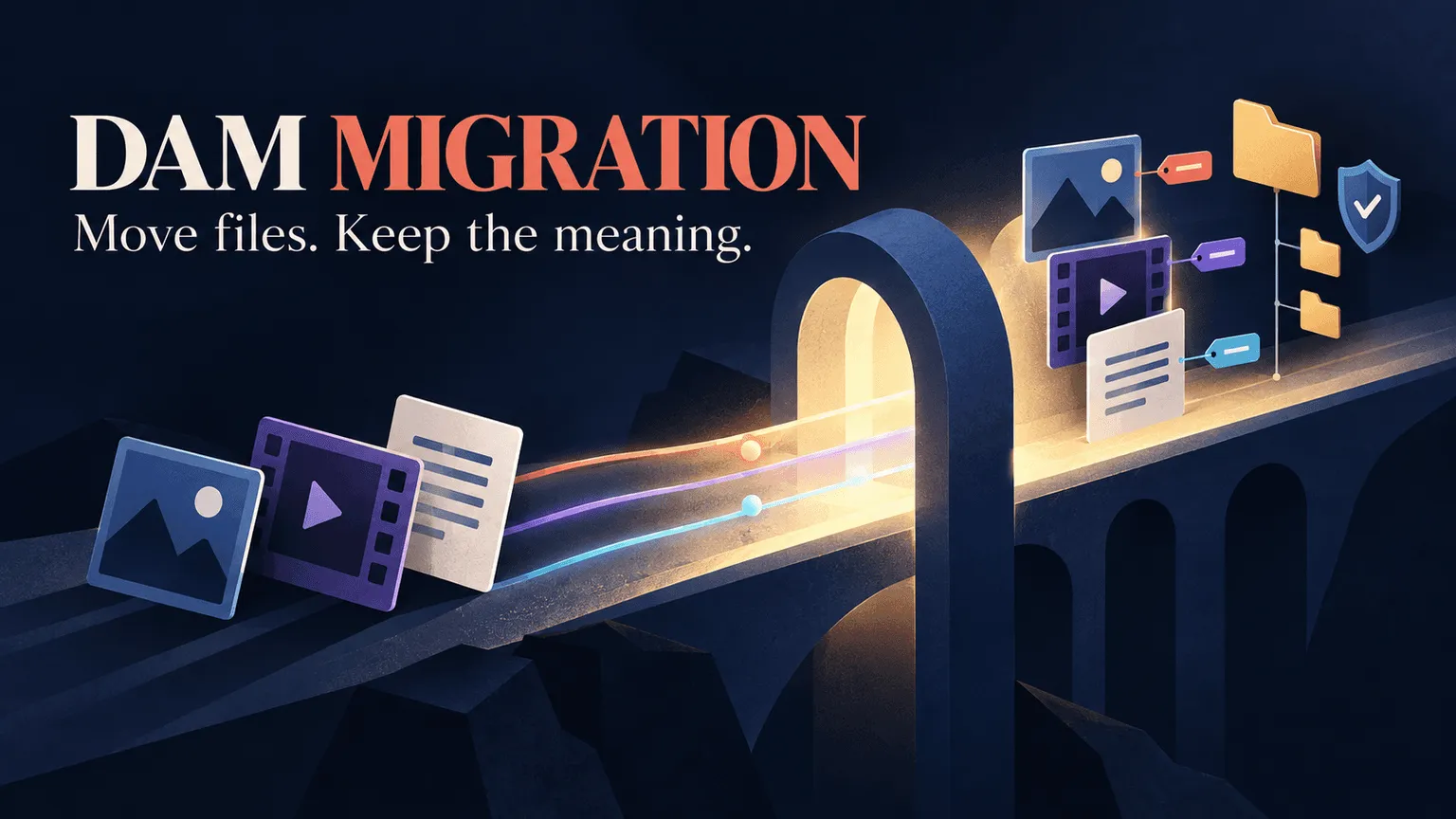
A DAM migration isn't just about moving files from one system to another. The bigger challenge is preserving the metadata, folder structures, permissions, and usage rights that make those files useful and searchable.
An asset can arrive safely in the new system and still be difficult to find if its tags, metadata, or organizational context didn't make the move with it. That's why a successful migration requires more than transferring files. It requires auditing what you have, deciding what should move, mapping metadata and permissions, testing the migration, and validating the results.
This guide breaks the process into seven phases, from auditing your existing library to launching the new DAM and getting your team to adopt it.
TL;DR
-
A DAM migration moves assets, metadata, permissions, and other organizational information into a new system. Preserving that context is just as important as moving the files themselves.
-
Common signs you've outgrown your current setup include unreliable search, scattered shadow libraries, and a system that no longer fits the scale or needs of your team.
-
The migration scope can include assets and derivatives, metadata and taxonomy mapping, permissions and usage rights, and integrations with other tools.
-
A test import helps identify metadata, permissions, file, and search issues before the full migration takes place.
-
Migration timelines depend on more than asset count. Metadata cleanup, taxonomy mapping, permissions, integrations, and the complexity of the existing library can all affect the time and effort required.
What is a DAM migration?
A DAM migration is the process of moving your digital assets, metadata, permissions, and related organizational information from an existing storage system into a new digital asset management platform. The source might be a shared drive, a legacy DAM, cloud storage, or a combination of different systems.
The assets themselves are only part of the migration. You also need to determine how existing tags, metadata fields, folder structures, permissions, and usage rights will map to the new system. Depending on the platforms involved, some information may transfer directly while other data may need to be cleaned up, transformed, or mapped manually.
The goal isn't simply to move every file. It's to make sure the new library remains organized, searchable, accessible, and usable after the migration.
Signs it's time to migrate off your current system
There isn't a single asset count or usage threshold that tells you when it's time to switch DAMs. Instead, look at how well your current system supports the way your team actually works.
Search has become unreliable.
If people regularly ask colleagues to find assets instead of using the DAM's search, that's a sign that the library isn't as searchable as it needs to be. Poor metadata, inconsistent naming, and limited search capabilities can all make finding the right asset harder than it should be.
Shadow libraries are appearing.
Teams may start keeping copies of assets in personal folders, shared drives, or local storage when the primary system doesn't fit their workflow. This can create duplicate files and make it harder to know which version is current. It can also make a future migration more complicated because important assets may be scattered across multiple locations.
Your current system no longer fits your workflow.
Growth isn't just about the number of assets. Your team may have more brands, users, video content, integrations, or permission requirements than your current system was designed to support. If the DAM can no longer keep up with your team's search, organization, collaboration, or access needs, it's worth evaluating whether a different system would be a better fit.
What a DAM migration actually includes
A DAM migration involves more than moving files from one system to another. Before you estimate the project, you need to account for the assets, metadata, permissions, usage rights, and integrations that need to move or be configured in the new system.
-
Assets and derivatives. Don't just count the original files. Consider renders, crops, resized exports, subtitled versions, and previous versions that your team still needs. If these are stored separately, they should be included in your migration inventory so you have a realistic picture of the library you're moving.
-
Metadata and taxonomy. Review existing tags, custom fields, naming conventions, and folder structures that carry useful information. Determine how each should map to the new DAM's metadata fields and taxonomy. If information doesn't have a clear destination, decide whether it should be retained, transformed, or removed before migration.
-
Permissions and usage rights. Document who should be able to view, edit, download, or share different assets. Depending on your library, this may also include talent releases, licensing terms, usage restrictions, and expiration dates. These details can affect how assets should be organized and accessed in the new system.
-
Integrations. Identify the tools and workflows connected to your current DAM or storage system, including editing tools, ad platforms, CMSs, and other creative or marketing systems. Test these connections as part of the migration so they continue to work when the new library goes live.
The seven phases of a DAM migration
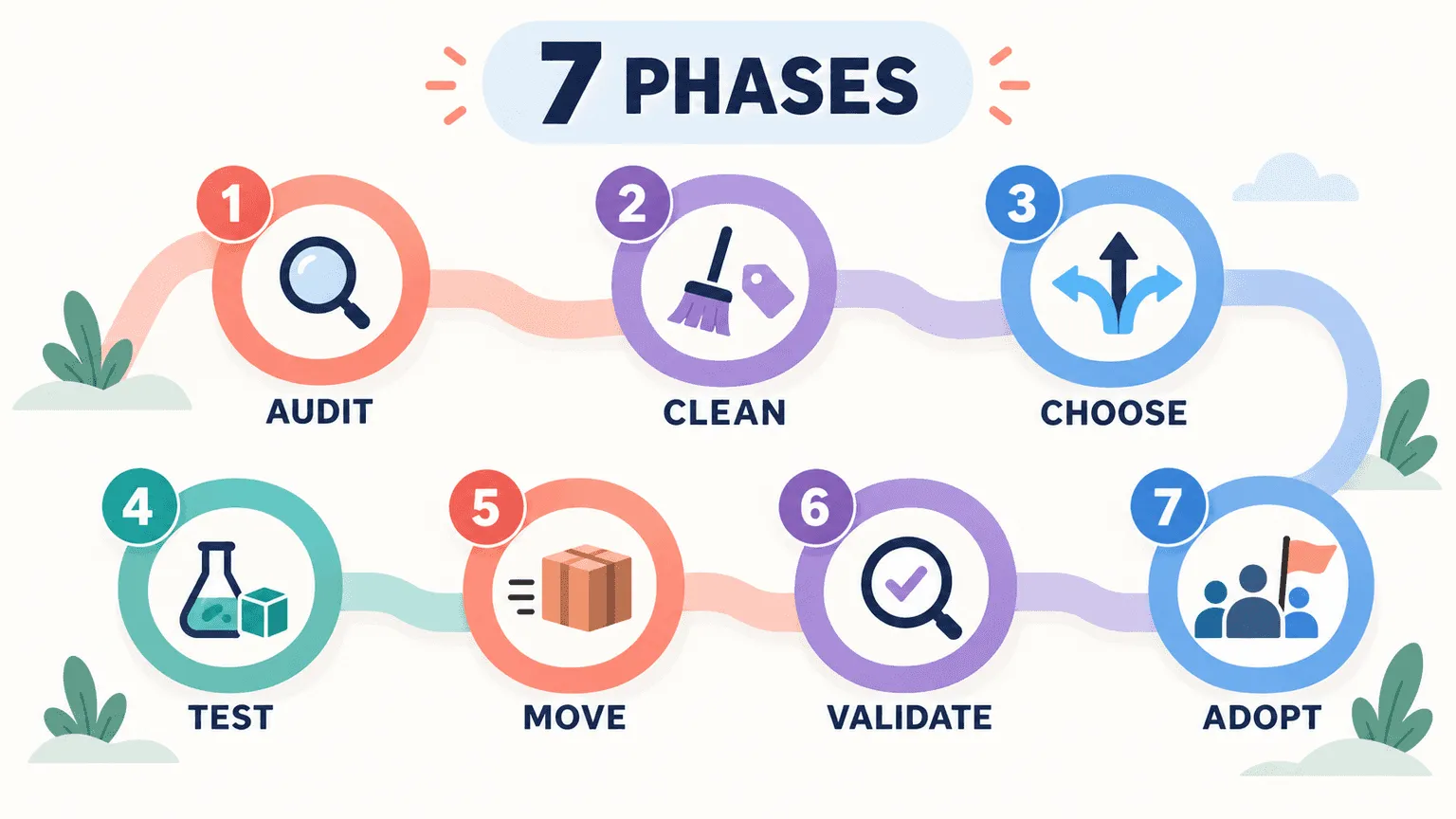
DAM migration is more than moving files from one system to another. It involves auditing your existing library, cleaning and restructuring metadata, choosing the right migration approach, and validating everything before your team fully switches over. These seven phases give you a practical framework for moving your assets without carrying old problems into the new system.
Phase 1: Audit your existing assets and storage sources
Before moving anything, get a complete picture of where your assets live and what is actually worth migrating. This phase helps you avoid missing important content or wasting time moving files your team no longer needs.
Find every location. Assets are almost never in one place. Inventory Google Drive, Dropbox, local drives, whatever agency or freelancer handoffs exist, and the old DAM itself if you're replacing one. Skipping a location doesn't make that content disappear, it just means it surfaces as a surprise later, usually mid-migration.
Decide what not to move. The single most common, and most expensive, mistake in this entire process is migrating everything by default. Not every asset earns a spot in the new system. Content that's outdated, duplicated, or has no plausible future use should be archived or deleted before migration starts, not carried forward out of habit.
Phase 2: Clean up and define your metadata and taxonomy architecture
Once you've identified what you're moving, clean up the library and decide how its structure will work in the new DAM. This is where you fix inconsistencies and establish how existing metadata will translate into the new system.
Clean before you move, not after. Deduplicate files, standardize inconsistent terminology, and fix broken naming conventions now. A migration doesn't fix a messy library. It just reproduces the same mess inside a more expensive system.
Map old fields to new, explicitly. Build an actual field-by-field mapping document: this old tag goes to this new field, this folder structure becomes this taxonomy branch. Flag anything that has no clear destination rather than letting it fall through silently.
This is also where video libraries diverge sharply from document or image libraries, and it's worth naming explicitly because most migration guides don't. A document DAM migration is largely about preserving metadata that already exists.
A video library migration is often the opposite problem: most legacy systems never generated content-level metadata for video in the first place. There was no transcript index, no scene-level tagging, no way to search inside a clip by what's actually said or shown. So "migrating metadata" for video isn't really migration at all; it's generation- building searchable structure that never existed, at the same time the files move.
That distinction changes how you should scope the project: budget time for creating metadata, not just preserving it.
Phase 3: Choose your migration approach: bulk, phased, or incremental
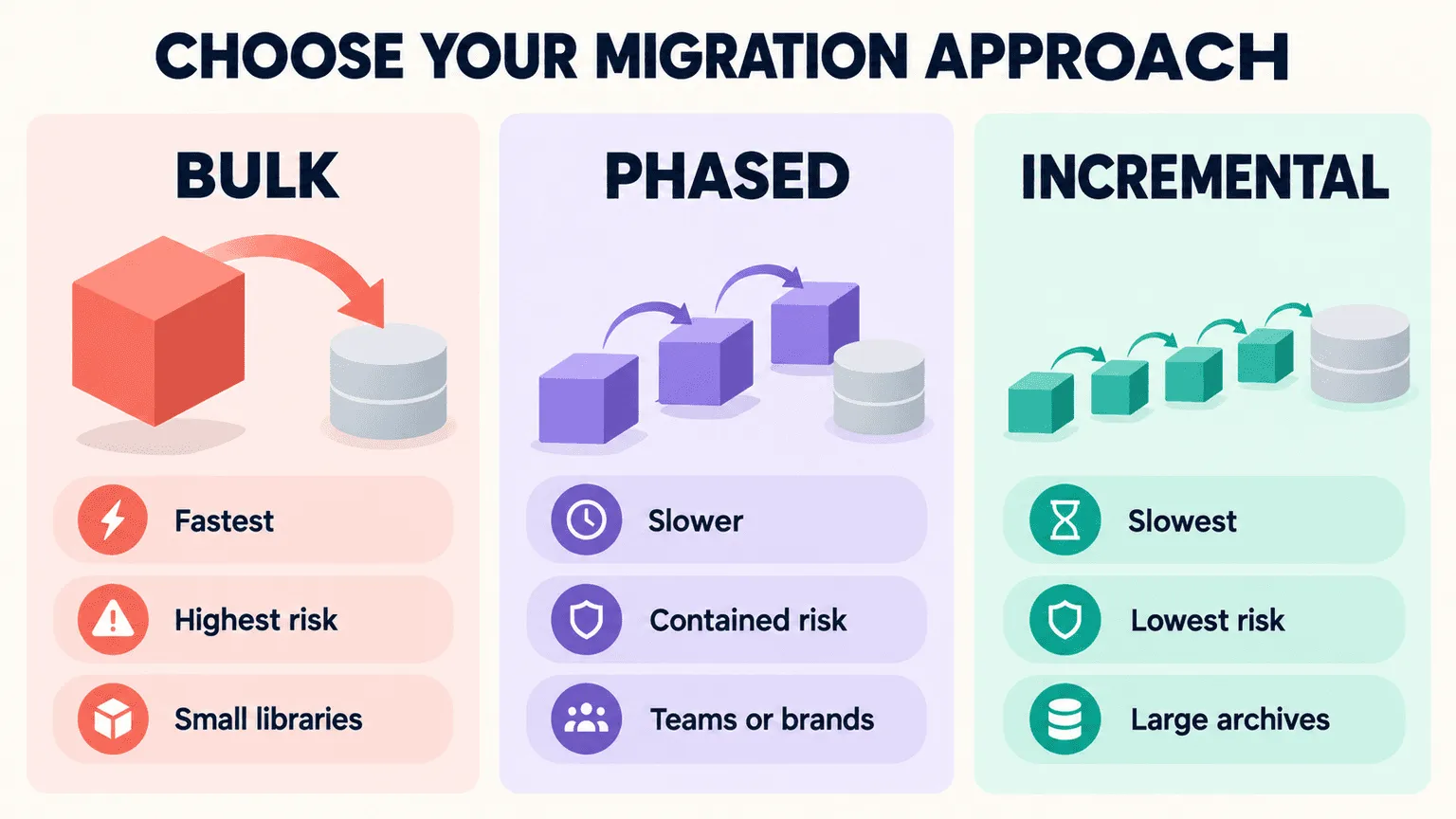
The right migration approach depends on your library size, how much active work is happening, and how much disruption your team can tolerate. Choosing the right model upfront can reduce risk and make the migration easier to manage.
| Approach | Cutover speed | Risk | Cost | Freeze window | Best-fit library size |
|---|---|---|---|---|---|
| Bulk | Fastest, single event | Highest, a mapping error affects everything at once | Lower upfront, higher if something fails | Hard freeze on new uploads required | Smaller libraries, or teams that can tolerate a short full stop |
| Phased | Slower, rolls out by team or brand | Contained, a failure affects one segment | Moderate, spread over time | Rolling freezes per phase | Mid-size to large libraries with distinct teams or brands |
| Incremental | Slowest overall, active content first | Lowest ongoing risk, archive moves later on its own timeline | Spread furthest, easiest to budget in stages | Minimal, active work continues alongside migration | Large libraries where most volume is archival, not active |
Bulk means everything moves at once. It's the fastest way to be done, but it's also the highest-risk option, since a mapping error surfaces across your entire library simultaneously, and it requires a hard freeze on new uploads while it runs.
Phased migration moves content by team, brand, or campaign. It's slower end to end, but failures stay contained to whichever segment is currently in motion, which makes it easier to catch and fix problems before they spread.
Incremental migration moves active, currently-used assets first and leaves the archive for later. This is the pragmatic default for most large libraries, since it gets the content people actually touch every day into the new system fast, while archival material, which nobody's searching for urgently, can move on a slower, lower-pressure timeline.
Phase 4: Run a test import before the full migration
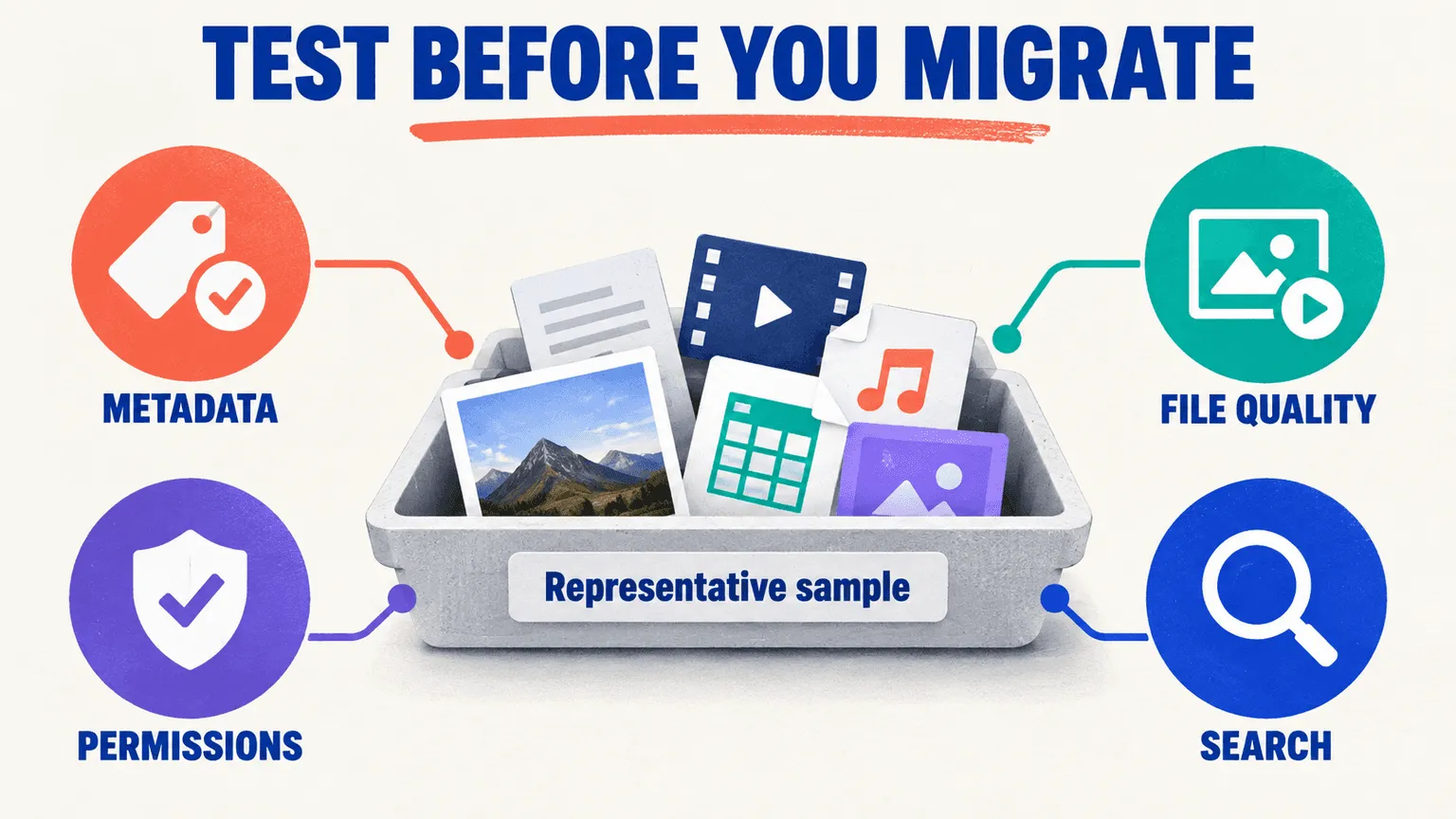
Before committing to the full migration, test the process on a representative sample of your library. This gives you a chance to catch mapping, metadata, permissions, and file-quality issues while they're still cheap and easy to fix.
Pick a genuinely representative sample. A few hundred assets that span every format, every field type, and every known edge case in your library, not just the easy, clean examples.
Check everything, not just that files arrived. Metadata integrity, file fidelity, permissions, and actual search results. This is where mapping errors get caught cheaply. Catching the same error after a full-scale migration means re-running the whole thing.
Phase 5: Execute the migration
Once the test import passes, move into the actual migration with a clear cutover plan. The goal is to move assets in a controlled way while preventing new uploads or changes from being missed during the transition.
Freeze and communicate first. Set a defined upload freeze window and tell every team who touches the library, including external agencies, before it starts. A migration that runs while people are still actively uploading to the old system is a migration that will have gaps.
Run in batches. Batch by category or team rather than as one undifferentiated mass, so that if something fails, it affects one segment instead of the entire library.
Phase 6: Validate and QA the migrated library
Migration isn't finished when the files arrive in the new DAM. You need to verify that the right assets, metadata, permissions, and search functionality made it across correctly before the new library becomes the team's source of truth.
Count and reconcile. Compare source and destination asset counts directly, and investigate every discrepancy before signing off. A small gap in the numbers is usually not a rounding error, it's a missed folder or a failed batch.
Test with real searches, not spot checks. Have actual users run the ten searches they perform most often in their day-to-day work. Findability, not file count, is the only pass criterion that actually matters here. A library where every file transferred but nobody can find anything has failed the migration regardless of what the numbers say.
Phase 7: Launch, train, and drive adoption
The final phase is about getting people to actually use the new DAM as their everyday workspace. A technically successful migration still fails if teams fall back to the old system because they don't understand the new workflows.
Train by role, not as one generic session. Editors, strategists, and agency partners each need a different fifteen-minute walkthrough focused on what they'll actually do in the system, not a single all-hands overview that half-applies to everyone.
Set a hard shutdown date for the old system. Leaving the old library accessible "just in case" is close to a guarantee that people will keep using it out of habit. A defined shutdown date forces the adoption that training alone rarely achieves on its own.
Why DAM migrations take longer and cost more than expected
The initial migration estimate rarely captures all the work that happens once teams start examining the library in detail. Metadata cleanup, field mapping, permissions, and legacy content decisions can add significant time, especially when the existing library has accumulated years of inconsistencies.
The gap between the quoted timeline and the actual one comes down to invisible work. Metadata cleanup and field mapping consume the majority of real effort on most migrations, and neither one typically appears as a line item on the initial estimate, because they're hard to scope until someone is actually inside the data.
Asset count alone is also a misleading predictor of difficulty. A library of 200,000 straightforward product images can genuinely be easier to migrate than 20,000 assets carrying complex rights structures, multiple versioning layers, and inconsistent historical tagging. Complexity, not volume, is what drives timeline.
As a realistic band: a clean, well-organized library of moderate size can migrate in a matter of weeks. A large library with significant metadata debt, complex permissions, or heavy video content routinely stretches into months, and the deciding factor is almost always how much cleanup work Phase 2 uncovers once someone actually looks.
Common migration pitfalls and how to avoid them
Even with a structured migration plan, a few mistakes repeatedly create extra cost, delays, and messy libraries. Knowing where migrations commonly go wrong makes it easier to address those risks before they become expensive problems.
-
Migrating everything by default. This is the most expensive mistake on the list, and it's almost entirely avoidable. Archive or delete before you move, not after, when the cost of storage and confusion has already compounded in the new system.
-
Skipping the test import. Mapping errors caught at full scale don't get fixed in place, they force a re-run of the entire migration, which is the most expensive possible way to discover a problem that a few hundred test assets would have surfaced cheaply.
-
No single accountable owner. Migrations without one clearly named owner tend to stall in the gap between IT, who control access and infrastructure, and marketing or creative ops, who understand what the metadata actually needs to mean. Someone needs to own the whole thing end to end.
Building your post-migration operating model and governance
Getting the library into the new DAM is only the beginning. Without clear rules for new uploads, metadata, taxonomy changes, and ongoing cleanup, the library can gradually become as disorganized as the system you just replaced.
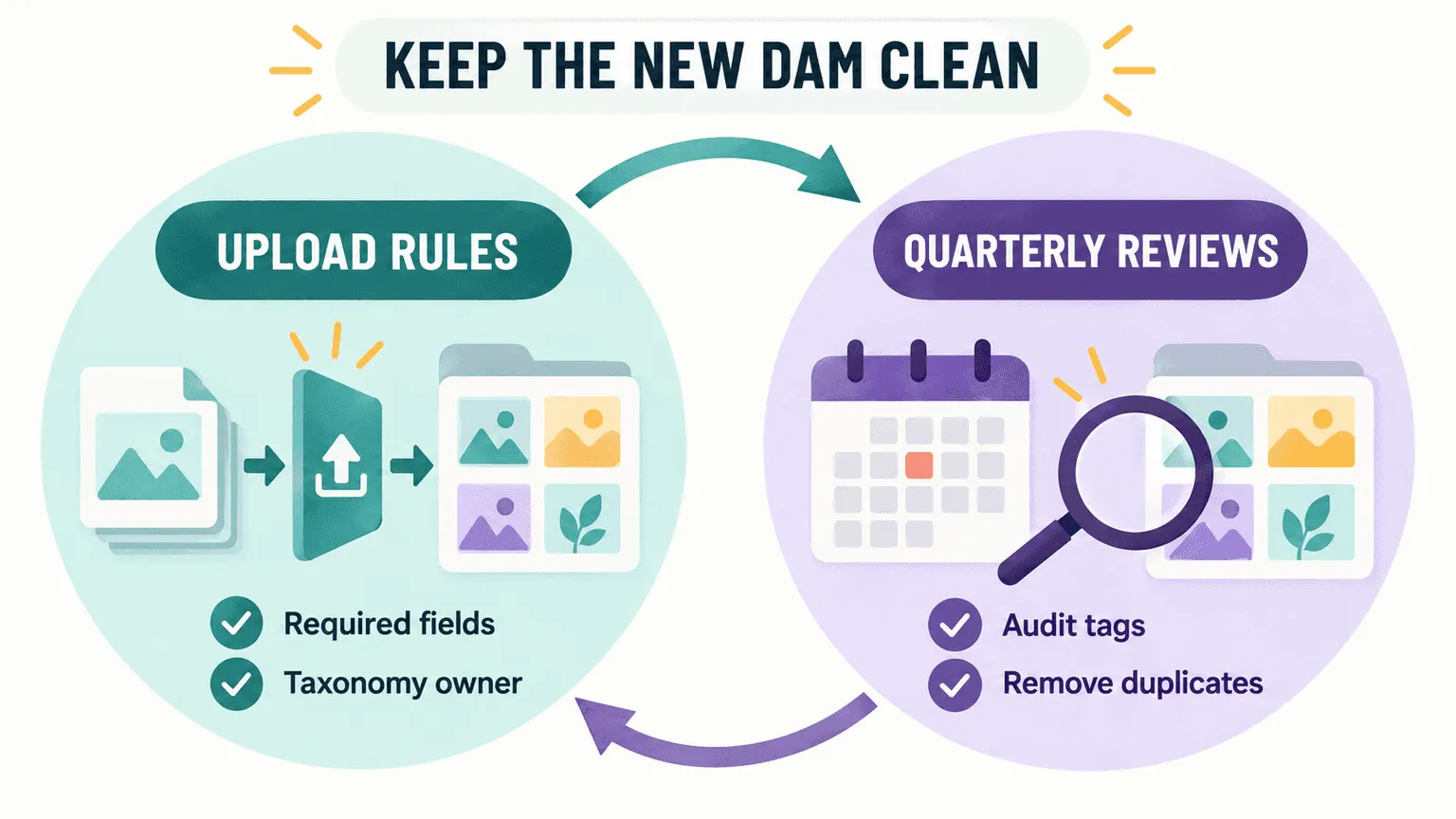
A migration that succeeds on day one and decays by month six hasn't actually succeeded. Two habits keep a freshly migrated library from drifting back into the same mess it just left.
Define the intake rules up front. Decide who is allowed to upload, which metadata fields are mandatory versus optional, and who has the authority to approve new taxonomy terms. Without this, the taxonomy you just spent weeks building starts fragmenting again within a quarter.
Schedule recurring library reviews. A defined cadence, quarterly works for most teams, for auditing tags, catching duplicates, and retiring content that's aged out prevents the new system from slowly becoming the old system under a different name.
Questions to ask a DAM vendor about migration support
Choosing a DAM isn't only about the features you'll use after migration. You also need to understand how the vendor will handle the move itself, what your team is responsible for, and where additional costs or technical limitations might appear.
Scope questions. Who actually runs the migration, your team or theirs? What does the quoted price include, and what counts as a billable extra once work is underway?
Technical questions. Are there limits on custom metadata fields? What bulk-import formats are supported? Is there API access for a custom migration path, and what happens if something needs to be rolled back mid-process?
Timeline questions. Ask for a reference migration of comparable size and complexity to yours, and ask specifically how long it actually took, not how long it was quoted to take. The gap between those two numbers tells you more than either number alone.
How migrating into Recharm works
If you're considering Recharm, it's useful to understand what the migration process actually includes and where Recharm's approach differs from a basic file transfer. The key distinction is that video metadata can be created during ingestion rather than relying entirely on metadata from the old system.
Recharm handles migration from existing storage as part of onboarding. On the Managed plan, a dedicated library owner runs the process directly rather than leaving your team to self-serve the entire import.
The tagging happens as assets arrive, not as a separate step afterward. Recharm's hybrid AI and human tagging applies your taxonomy to footage on ingestion, which matters most for exactly the video-migration gap described in Phase 2: if your legacy system never generated searchable, content-level metadata for your video library, the migration itself becomes the point where that metadata gets created for the first time, rather than something to be preserved from a system that never had it.
To be precise about scope: this covers current, shipped capability. Any features still in preview are labeled as such, and migration support doesn't extend to performance-analytics claims about assets it hasn't processed yet.
If you're weighing a move off Google Drive specifically, this comparison covers what actually changes. And if you want a second pair of eyes on your own migration plan before committing to a timeline, book a call and walk through your specific library with someone who's done this before.
FAQs
How long does a DAM migration take?
It depends far more on complexity than raw asset count. A clean, moderately sized library can migrate in a few weeks. A large library with significant metadata debt, complex rights structures, or heavy video content can stretch into months. The single biggest variable is how much cleanup work surfaces once someone actually looks closely at the metadata, not how many files there are.
Will I lose my metadata during a DAM migration?
You will, unless every field is explicitly mapped before the migration runs. This is the single biggest risk in the entire process, and it's also the most preventable one: a field-by-field mapping document created during Phase 2, followed by a genuine test import in Phase 4, catches nearly every metadata loss issue before it happens at scale.
Should you migrate every asset or only the active ones?
Only what earns a spot. Migrating everything by default is the most common and most expensive mistake teams make. Content that's outdated, duplicated, or has no realistic future use should be archived or deleted before the migration starts, not carried forward simply because moving it felt easier than deciding not to.
What is a test import and why does it matter?
A test import moves a representative sample, ideally a few hundred assets spanning every format and edge case in your library, before the full migration runs. It's where metadata mapping errors, permission issues, and search problems get caught cheaply. The alternative, discovering the same errors after a full-scale migration, means re-running the entire process.
Do you need a consultant to run a DAM migration?
Not always, but it depends on complexity. A small, clean library can often be self-managed by an internal team. A large library with significant metadata debt, complex permissions, or heavy video content usually benefits from either a managed service through the vendor or dedicated project support, since the cleanup work in Phase 2 is where most timelines slip.
How do you get teams to actually adopt the new DAM?
Role-specific training and a hard shutdown date for the old system, together. Training alone rarely drives adoption on its own, since people default back to familiar tools under deadline pressure. Setting a defined date after which the old system is no longer accessible removes that fallback and forces the transition.