Recharm vs Air
Why Creative Teams Are Switching from Air Inc to Recharm
Creative teams often waste up to 30+ minutes finding the right video clip — Recharm slashes that search time by 83%.

Air
Purpose-built for ad creative organization
Store and manage video files
Create modular video clips
Categorize videos based on scenes
Categorize images based on themes
Auto-sync with Google Drive, Dropbox, Frame.io
Fast visual workspace
Fast scrubbing
Transcript search (find by spoken words)
AI visual search (find by appearance/objects/scenes)
Deep links to specific clips or moments
Collections and boards for grouping clips
Usage rights tracking
Commenting and feedback on videos
Auto-tagging by creators
Auto-tagging by products
Custom tags as per brand needs
Custom a-roll splicing
Custom b-roll splicing
Duplicate detection (best effort)
Re-organization as business needs evolve
Understanding Air Inc
Air Inc is a creative operations platform designed for marketing and design teams. It acts as a central system to manage assets, approvals, and creative workflows.
While Air works well for organizing creative assets and managing approvals, its search and organization systems are general-purpose and not specifically built for video-focused teams that need to quickly locate moments inside long footage.
Key Differences
Search
In Recharm, visual AI, transcript search, face detection, and automatic tagging work together to help teams find precise moments inside videos. Teams can search by actions, spoken words, people, or objects.
In Air Inc, search works across assets using keywords, colors, or facial recognition. While it is useful for broad asset searches, it lacks detailed scene-level indexing for video.
Workflow
In Recharm, workflows are designed for ad production. Teams can create briefs by selecting modular clips and sharing timelines directly with editors without downloading files.
In Air Inc, workflows focus more on creative production management with tools like Canvas for editing and built-in approval workflows. Assets remain in full raw form rather than pre-cut clips.
Organization
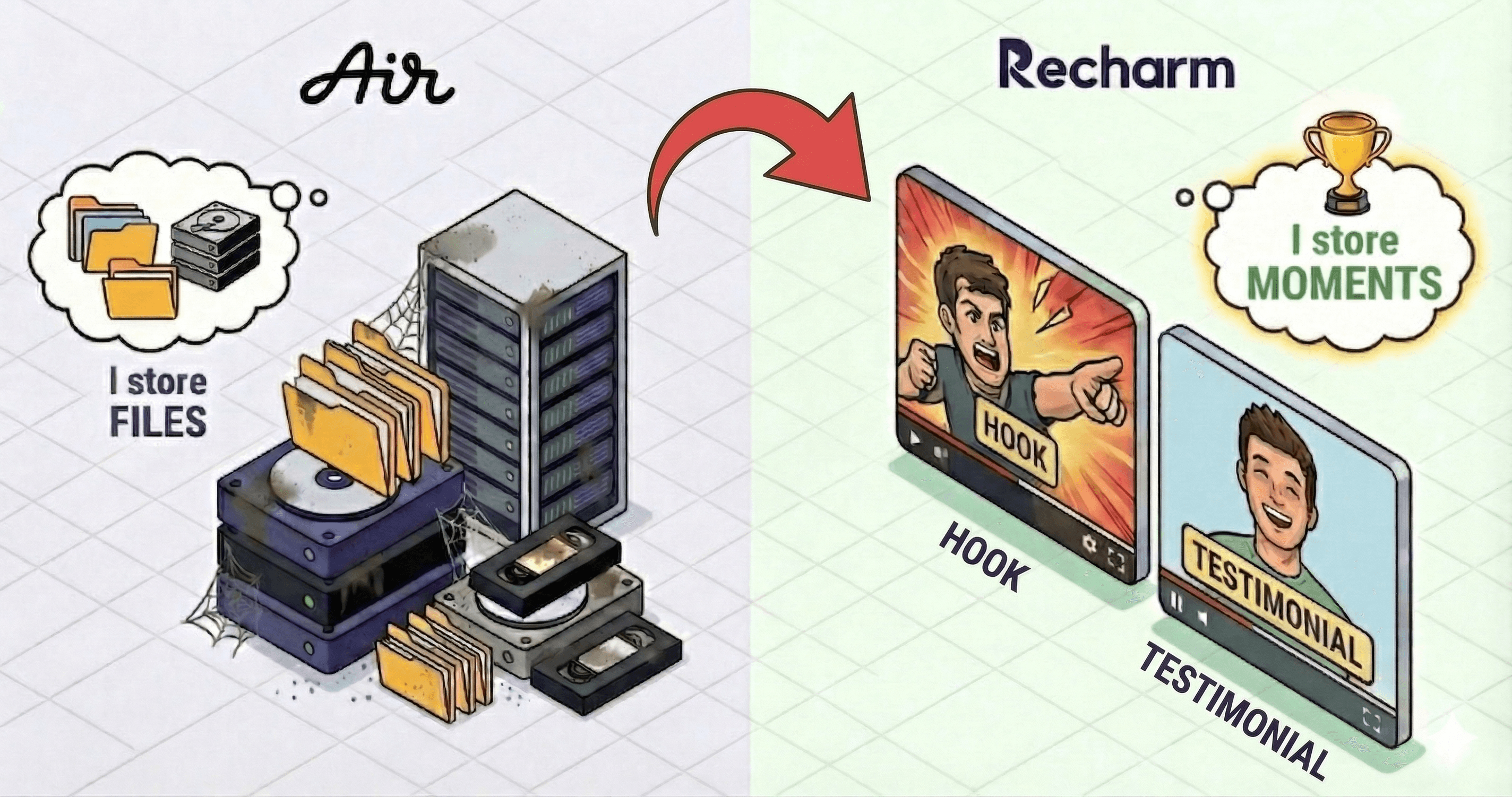
In Recharm, media is organized at the scene level. Videos are automatically sliced into smaller clips and tagged so teams can browse footage shot by shot.
In Air Inc, assets are organized at the file level within project or brand libraries. Clips are not automatically extracted, so users must open full videos to locate specific moments.
Service
In Recharm, onboarding and workflow support are tailored specifically for creative teams working on ads and video content.
In Air Inc, enterprise support and generous free plans are available, but onboarding and integrations are more focused on the Air ecosystem.
When to Choose Air vs Recharm
When to stay on Air
Free plan availability
Air provides a free workspace with AI features and about 20GB of storage, which can work well for smaller teams with limited budgets.
In-app design editing
The Canvas tool allows designers to resize and modify creative assets directly inside the platform without switching tools.
Campaign-level collaboration
Air connects creative assets with campaign performance data and structured approval workflows, making it useful for marketing teams that need formal review systems.
When Recharm wins
Video-focused workflows
Recharm is purpose-built for teams producing large volumes of video ads and social content.
Faster ad iteration
Performance marketing teams can quickly test different ad hooks, clips, and creative angles using searchable footage.
Clip-level organization
Recharm automatically organizes footage into scene-level clips, making it easier to reuse moments across multiple campaigns.
Scaling creative production
Growing teams producing more video content can prevent footage from getting lost in storage and keep every shoot searchable and reusable.
Real numbers from real creative teams
Teams that switched to Recharm report measurable workflow improvements
3x
Faster brief preparation

75%
Faster Asset Retrieval

3×
More ad edits produced

Migrating to Recharm
Most teams complete the migration process in just a few days, and onboarding support is available to guide the transition.
Import your assets
Connect Recharm to Google Drive, Dropbox, Frame.io, or other storage sources to pull in existing video libraries.
Automatic clip indexing
Recharm analyzes videos and automatically breaks them into clips like hooks, product shots, or testimonials.
Invite your team
Add editors, strategists, and agencies instantly. Recharm’s unlimited user model ensures everyone can access the creative library.
Onboarding support
Recharm’s team helps map your existing content structure and accelerate the transition.
Pricing Comparison
Recharm Pro
$299
per month
1TB Storage
AI
scene
clipping
Cuts hooks, testimonials, & b-roll etc
AI
visual
search
AI
identifies
creators
and
tags
AI
creative
strategy
tags
Tags based on: Angles, Persona, Problem, Emotion, Age, Gender
Unlimited users
Transcript search
Deep linking for collaboration & briefs
Air Business Plan
$900
per month
30,000 AI credits per month
Creative asset management tools
Sharing permissions and collaboration features
Enterprise plans available with advanced security
Dedicated onboarding and customer success support
Custom pricing for large teams
No modular video clip workflows