

A freelance editor finishes a campaign, keeps their download access active, and eighteen months later, that same footage shows up in a portfolio reel they never had permission to publish. Nobody stole anything in the traditional sense. The access simply never got closed.
Digital Rights Management (DRM) uses technology to control who can view, copy, edit, or reshare digital content, and under what conditions. For brand and creative teams, the stakes are practical: unmanaged access can leave outdated assets circulating past their expiration, allow drafts to leak before launch, or create confusion over who is authorized to use an asset. This guide covers what DRM does, the types that matter for creative work, and how to use it without making your asset library harder to work with.
TL;DR
DRM uses access controls to determine who can view, copy, edit, or reuse digital content and under what conditions.
The types most relevant to creative and brand assets include watermarking and fingerprinting, expiring links, role-based permissions, and separating proxy access from master files.
DRM helps enforce rights that already exist in a license or contract. It does not create those rights or replace the underlying legal agreement.
For external collaboration, DRM can give agencies, freelancers, and regional teams the access they need without permanently handing over original files.
For time-bound projects, automatic expiration can reduce reliance on manual access revocation.
What Is Digital Rights Management (DRM)?
Digital Rights Management is a technology layer that controls access to digital content based on defined rules. Those rules can determine who can access a file, what they can do with it, and how long that access remains available.
The important distinction for creative teams is that having a file does not necessarily mean having the right to use it. DRM helps enforce access conditions set by the content owner or license, so the system can control access rather than relying entirely on someone to manage permissions manually.
This matters in everyday creative workflows. A licensed stock clip might remain accessible after its usage period ends, an unreleased campaign draft might be shared with more people than intended, or an old logo might continue circulating in a partner's folder long after a rebrand. These situations are often less about a dramatic security breach and more about access that was granted once and never properly managed.
How Digital Rights Management Works
At a practical level, DRM defines three key things: who can access content, what they can do with it, such as view, download, edit, or share, and how long that access remains valid.

Depending on the system, DRM can use encryption, authentication, licensing, permissions, and other technical controls to enforce those rules. When someone requests access, the system can verify whether they are authorized and apply the appropriate restrictions. The exact implementation varies between DRM systems, so there is no single process that applies to every platform.
The important point for creative teams is that access can be managed beyond the initial moment when a file is shared. If an agency contract ends or a freelancer no longer needs access, permissions can be changed or access can expire without requiring the team to manually track every copy or shared link.
This is also where DRM and digital asset management can work together. A DAM platform organizes, stores, and shares content, while rights and permissions can provide additional control over how that content is accessed. A central asset library that keeps usage-right information alongside an asset can make those rules easier to manage than a separate spreadsheet or disconnected process.
Types of Digital Rights Management for Creative & Brand Assets
Most DRM explainers use long, technical taxonomies built around software licensing and media distribution. For marketing and creative teams, a few practical mechanisms matter much more.
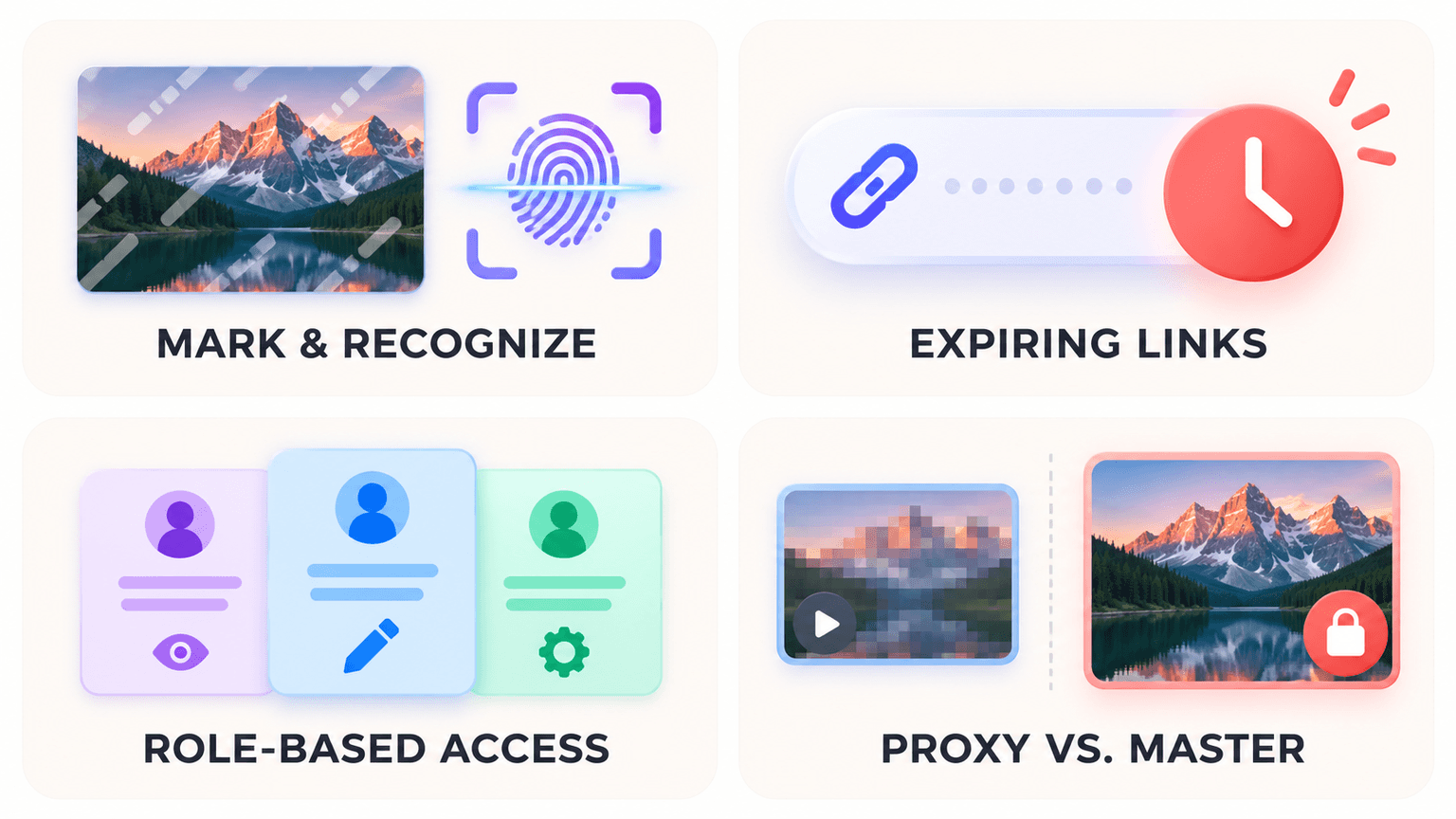
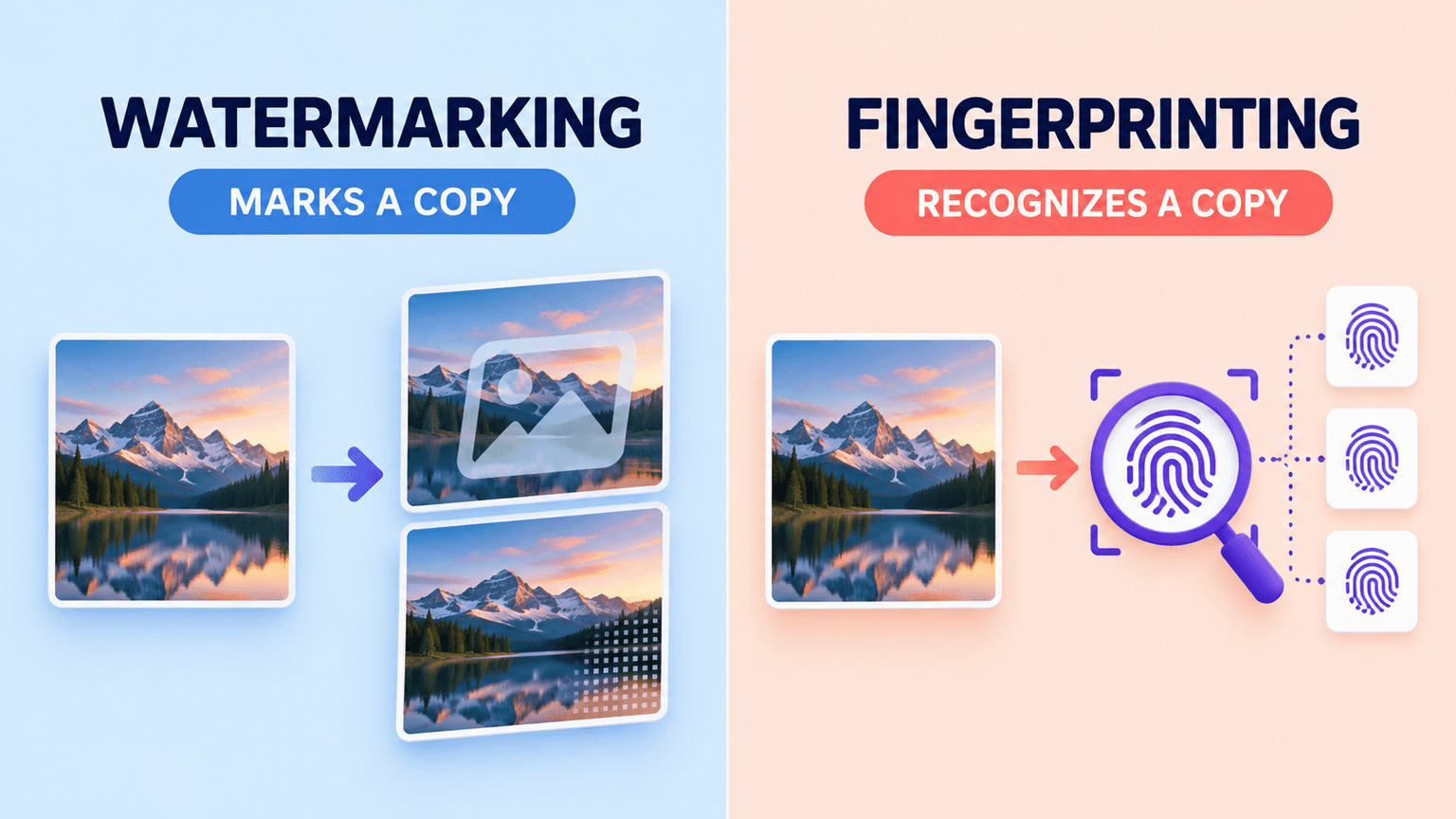
Watermarking and fingerprinting. These are often confused, but they work differently. Watermarking embeds new information into a file, such as a visible mark or an invisible signal added to the image or video data. It can help identify ownership or trace where a copy came from. Fingerprinting does not alter the file. Instead, it analyzes characteristics already present in the content to create a unique identifier, which can then be compared against a database to detect matching or reused content.
In simple terms, watermarking marks a copy; fingerprinting recognizes a copy. Creative teams are more likely to use watermarking on review or preview assets, while fingerprinting becomes more useful for detecting unauthorized reuse of high-value content at scale.
Expiring links and time-locks. Access automatically shuts off after a defined period instead of remaining active until someone manually revokes it. This is particularly useful for contractor and campaign-based work. A freelance editor working on a three-week campaign, for example, can receive a download link that expires when the engagement ends.
Role-based permissions. Different people receive different levels of access based on their role and what they need to do. A regional marketing coordinator reviewing approved assets may only need viewing and download access, while an agency editor working with raw footage may need broader permissions. Defining these roles helps prevent unnecessary access from becoming the default.
Proxy versus master file access. Teams can share compressed, watermarked, or lower-resolution proxy files for review while keeping original master files restricted to a smaller group. This allows more people to participate in the review process without giving everyone access to export-ready assets.
Benefits & Use Cases of DRM
DRM is most useful when teams need to share creative assets beyond their immediate organization without losing control over who can access them or for how long. These use cases show where the controls have the most practical impact.
Safer external collaboration. DRM can make it easier to work with agencies, freelancers, and regional partners without giving them unrestricted access to original files. Each external collaborator can receive the access needed for a specific project without treating the entire asset library as available by default.
Lower leak risk through automatic expiration. When access expires automatically, fewer old links and permissions remain active indefinitely. This reduces reliance on someone remembering to revoke access after a project or engagement ends.
Better control across agencies and partners. Common use cases include agencies working on defined campaigns, freelance contractors brought in for specific projects, and regional marketing teams that need access to only part of a brand's asset library. For agencies managing several client relationships at once, role-based permissions for agencies can help keep each client's assets separated and access aligned with the work being performed.
Signs Your Creative Library Actually Needs This
Not every team needs every DRM control from day one. A few practical signals suggest it's time to add more structure: you've lost track of who currently has download access to sensitive campaign files; an agency relationship ended months ago, and nobody knows whether its access was revoked. The same asset exists in multiple partner folders, and nobody is sure which version is current and approved, or a draft has leaked before its official launch.
Any one of these might be manageable on its own. When several happen together, it is a sign that manually tracking access is no longer reliable.
Copyright, IP & Compliance Considerations
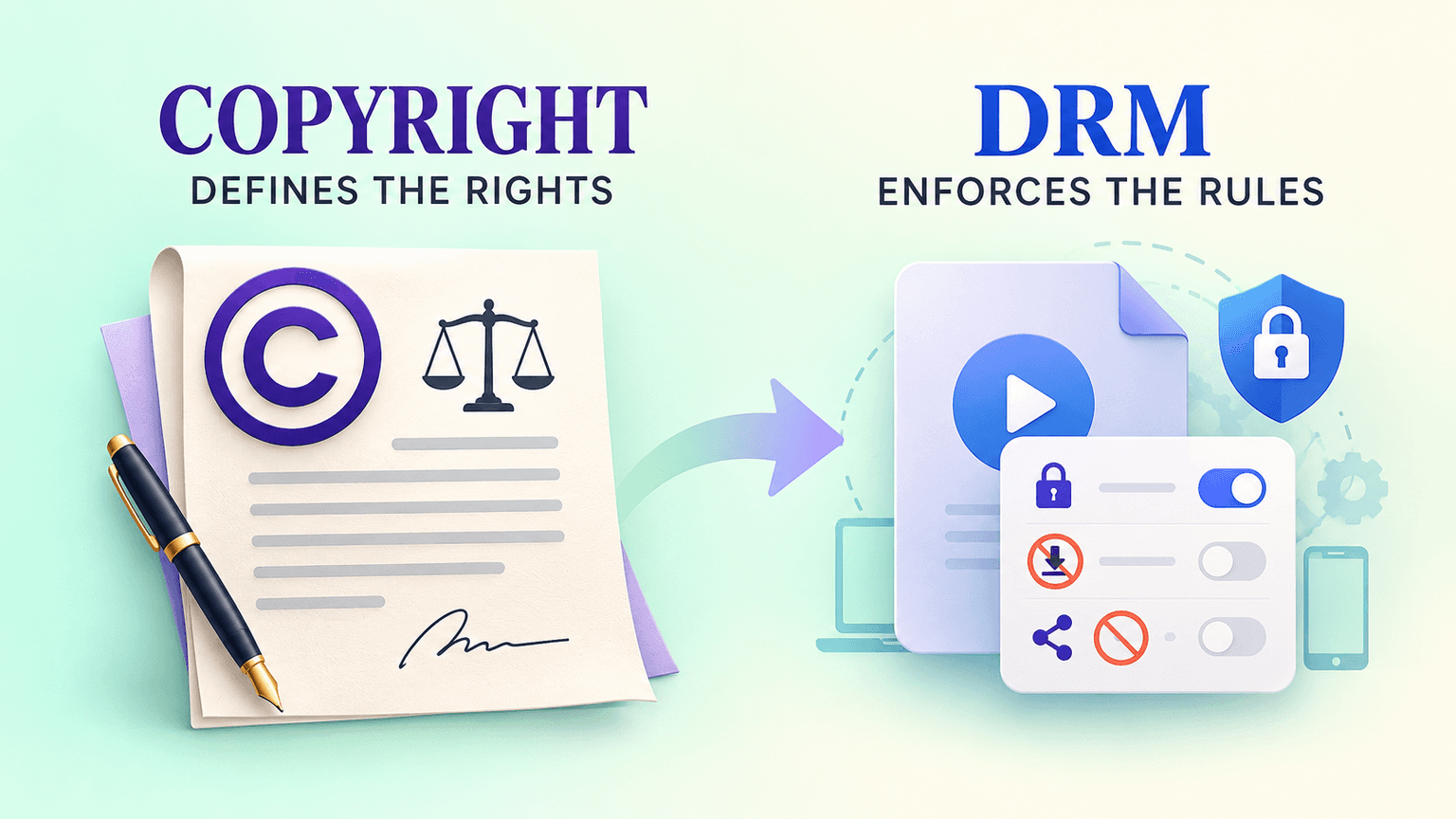
One distinction is important: DRM enforces access rules; it does not create the underlying rights. If a usage agreement grants rights for six months, DRM can help ensure that technical access ends when that period expires. It does not grant those rights in the first place.
Copyright law, licensing terms, and contracts define what someone is actually allowed to do with an asset. DRM supports those agreements by helping technical access match the permissions that were granted. It is a practical enforcement layer, not a replacement for the legal agreement itself.
Best Practices for Implementing DRM
Implementing DRM effectively is less about adding as many restrictions as possible and more about matching access controls to how your team actually works. These practices help keep permissions useful without creating unnecessary friction.
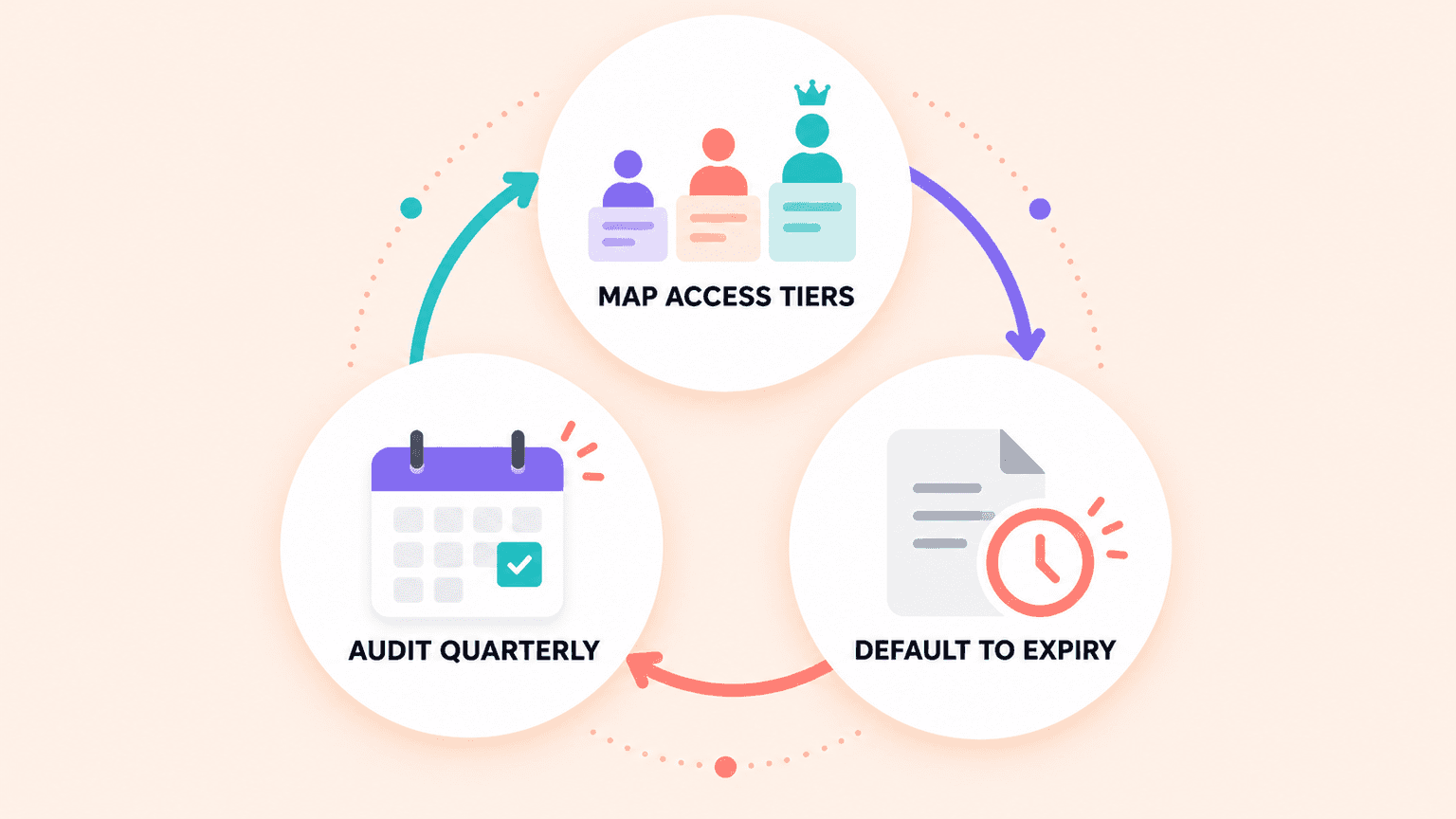
Map access tiers before picking a tool. Define who actually needs view-only access, who needs edit access, and who needs full download rights before evaluating any platform. Choosing a tool first and retrofitting your access structure to whatever it supports tends to produce permissions that don't match how your team actually works.
Default to expiration, not manual revocation. Time-box contractor and agency access from the start, rather than planning to manually revoke it once an engagement ends. Manual revocation depends on someone remembering to do it on a specific date, which is precisely the kind of task that slips when a team is busy. Usage rights tracking that attaches expiration directly to an asset removes that dependency on human memory.
Audit on a recurring schedule. Set a regular check, quarterly is reasonable for most teams, of who currently holds active access to sensitive or high-value files. Access that made sense six months ago, when a project was live, often doesn't make sense anymore. The only way to catch that drift is to actually review permissions on a schedule.
Challenges & the Future of DRM
DRM can improve control over creative assets, but the way those controls are designed matters. If permissions become too restrictive or disconnected from how people work, they can create friction instead of solving the access problems they were meant to address.
The common criticism, and it's a fair one. Overly strict or poorly explained permissions genuinely frustrate legitimate users. If a marketer on a regional team can't access an asset they clearly should have access to, and nobody's told them why or how to request it, the system reads as an obstacle rather than a safeguard. People may then start finding workarounds, which defeats the purpose of the controls.
Where this is heading. A clearer trend is DRM built directly into the asset management platform itself, with permissions, expiration, and rights metadata living alongside the file rather than being managed through a separate system. That matters because a rights rule stored in a disconnected system is a rights rule someone has to remember to check. When those rules live with the asset, they can be applied as part of the normal asset workflow.
For teams weighing how much of this to build versus buy, tracking usage rights directly inside a central asset library is one practical approach. It keeps expiration and access rules attached to the asset instead of being managed separately in a spreadsheet or another tool.
Ready to keep usage rights attached to your assets automatically? Recharm's usage-rights tracking is one way teams can handle this today, keeping expiration and access details tied directly to the asset instead of being managed separately.
FAQs
What Is Digital Rights Management in Simple Terms?
It's the set of rules controlling who can view, copy, edit, or share a specific file, and for how long. Instead of a file being either fully open or fully locked, DRM lets you set precise conditions, like allowing someone to view a file but not download it, or granting access that automatically expires after a set period.
How Is DRM Different From Copyright?
Copyright is the legal right itself, the law that establishes who owns a piece of content and what they're allowed to do with it. DRM is the technical enforcement of that right. Copyright says you have the right to control your work; DRM is one practical way of making that control actually happen at the file level, rather than relying purely on legal recourse after a violation.
Does DRM Apply to Images and Documents, Not Just Video?
Yes. DRM applies to any digital asset, including images, PDFs, design files, documents, and video. Video tends to get more attention because of watermarking and streaming controls, but the same underlying mechanisms, permissions, expiration, and access tiers, apply to licensed photos and confidential documents as well.
Can DRM Restrict Access to a File After It Has Been Downloaded?
This depends heavily on the specific implementation. Some DRM systems embed persistent controls that continue restricting a file even after download, such as preventing further copying or requiring ongoing authentication to open it. Others primarily control access at the point of download or viewing, without extending control to a copy once it's already left the system. This is an important question to ask when evaluating a DRM approach because the two models solve different problems.
What Happens to a File Once Its DRM Access Expires?
Typically, the file becomes inaccessible through whatever link, login, or permission previously granted access, though the underlying file itself isn't necessarily deleted. In practice, this usually means a shared link stops working, a download button disappears, or a login no longer has permission to view the asset, while the original file remains stored and accessible to whoever still has active rights to it.

