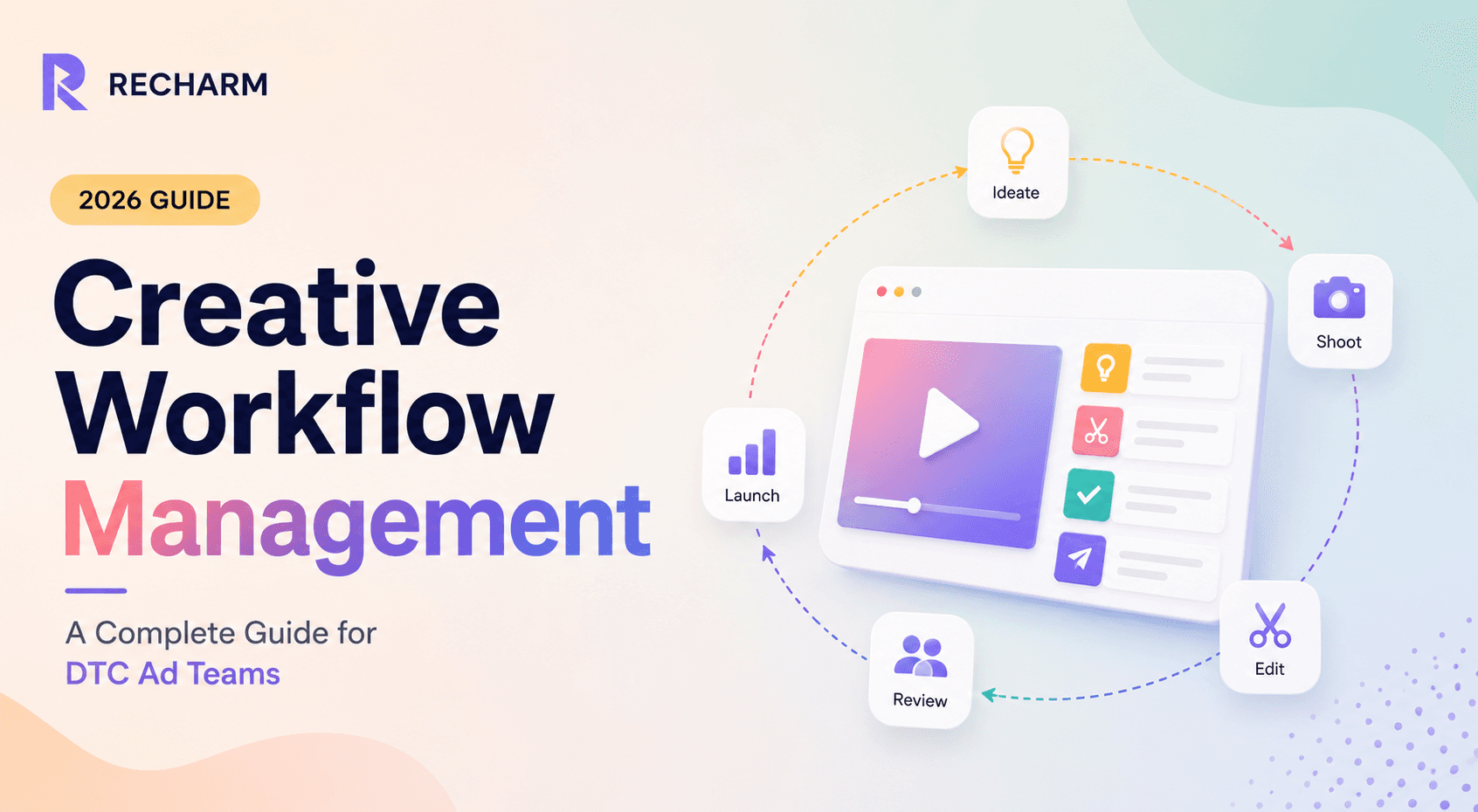

In 2026, Meta's Andromeda algorithm rewards creative diversity at scale, and TikTok burns through ad creatives 5x faster than before. A hook that wins in week 1 is stale by week 3. But the real problem isn't a lack of ideas, it's broken processes. Raw UGC vanishes into Drive, briefs get buried in email chains, approvals drag, and every launch feels like starting from scratch. The result: slow iterations, ad fatigue, and wasted budget.
This guide breaks down a 5-pillar workflow system that top DTC teams use to produce 3-5x more ad variants without starting from zero. We'll cover the biggest bottlenecks: disorganized footage, vague briefs, scattered feedback, and show how automation and tools like Recharm solve them.
TL;DR
DTC Creative Crisis: Meta’s Andromeda now prioritizes new, distinct ads. Brands running 5–10 similar ads perish next to those pushing 50+. Meanwhile, TikTok ad creative burns out 5× faster than Meta, forcing constant refreshes. The real choke point is messy ops (lost footage, slow briefs, chaotic approvals) – not creativity.
5-Pillar Framework: Structure your workflow around Ideation & Briefing, Production & Shooting, Post-Production & Versioning, Review & Approval, and Distribution & Testing. Each pillar has concrete practices (e.g. data-driven briefs, modular editing, tagged launches).
Workflow Bottlenecks: We’ll expose pain points like the “footage black hole” (hours wasted searching raw clips), 2–3hr briefs compiling references, and multi-day approval loops. These kill creative velocity.
Automation & Tools: Automate routine steps: AI-tag new videos on import, use deep-linked clips instead of attachments, auto-route reviews, and sync ad performance back to assets. This frees humans for creative work.
Recharm’s Role: A modern video asset management platform ties it all together. Recharm’s AI auto-cuts and tags clips (hooks, demos, testimonials), makes every word searchable, and even tags strategy attributes like angle and persona. It turns your footage into a self-organizing creative engine – e.g. FabFitFun quadrupled output using Recharm.
Intake and Triage: Standardize how requests enter the pipeline, with intake forms, capacity-based prioritization, and clear ownership, before any brief gets written
The DTC Creative Crisis: Why Your Current Workflow is Stalling Growth
Meta's Andromeda doesn't reward small tweaks. It wants genuinely different ads. Ten nearly identical ads collapse into "one creative node" in Andromeda, which means you need dozens of unique concepts, not just reskins. TikTok is even harsher: teams report needing 30 to 50 new videos per week just to outrun ad fatigue.
But most teams aren't short on ideas. They're being sabotaged by their own workflows. Raw UGC lands in Google Drive and becomes instantly unfindable. Strategists spend hours hunting for reference clips. Editors ask for files that already exist. Feedback gets buried in Slack threads. By launch day, everyone's on version 8 with no idea which is final. FabFitFun's team used to spend 2 hours just to find a single clip before editing could even begin.
Workflow problems, not creativity, are the real crisis.
What Is Creative Workflow Management?
Creative workflow management is the end-to-end system of people, processes, and technology that takes an ad from ideation to performance analysis.
It covers every step:
Briefing and idea generation
Filming and production
Editing and versioning
Review, approval, and launch
Post-launch performance feedback
Unlike generic project management, which tracks timelines and budgets, creative workflow management governs the full asset lifecycle. Raw footage is treated as a strategic resource, not a forgotten file.
In a DTC context, the workflow doesn't end at "sent to campaign." A smart system logs which hook and angle ran in each ad, so when performance data comes back, you know exactly what worked. As Recharm puts it, "the heartbeat of any DTC e-commerce company lies in the hands of the ad creative team."
The goal is a creative operating system where every clip and brief is tracked and searchable, new hires ramp up faster, and creative velocity scales instead of resetting with every campaign.
Why Creative Teams Need Structured Workflow Management
Without defined processes, every campaign is a reset. Strategists hunt for old footage, editors renegotiate timelines, and nobody knows what assets exist. Productivity actually regresses every time someone leaves the team.
FabFitFun felt this firsthand. Their editors were "overwhelmed by raw footage, projects were siloed, and older footage was inaccessible," making it impossible to reuse clips even after a winning ad.
A structured workflow changes the math entirely:
Teams generate 3 to 5x more variants from the same clip pool
FabFitFun went from 100 videos a quarter to 400 after implementing a modular, tagged library
Performance marketers can run true A/B tests because the system logs exactly which hook or testimonial ran in each ad
Without structure, a "winning" ad is just a standalone file with no traceable links. With a proper DAM (Digital Asset Management) system in place, you can find the footage behind any winning ad and multiply it.
When you connect creative tasks, assets, and analytics in a repeatable system, you stop firefighting and start scaling.
The 5 Pillars of a High-Velocity DTC Creative Workflow
Top DTC creative teams don't wing it. They operate on a repeatable framework built around five core pillars.
Pillar 0: Request Intake and Triage
Before a single brief gets written, someone has to decide what's worth making. Without a system for this, requests arrive by Slack DM, email, or a hallway conversation, and the loudest voice in the room wins, not the highest-impact idea.
Standardize the intake form. Every creative request, whether from performance marketing, a brand partnership, or a founder's idea, should go through one form. Capture the same fields every time: business goal, target audience, urgency, budget tier, and any existing performance data that justifies the request. This alone eliminates the back-and-forth of "wait, what exactly are we making?"
Prioritize by capacity, not urgency alone. Every request feels urgent to whoever submitted it. Score incoming requests against your team's actual bandwidth: how many editors are free this week, what's already in the pipeline, and which requests tie to a live testing calendar versus a "nice to have." A simple scoring matrix (impact vs. effort) keeps the queue honest.
Assign before you brief. Once a request clears triage, assign an owner (strategist or creative lead) immediately. This person becomes accountable for turning the request into a proper brief within a set SLA, for example, 24 hours. Teams that skip this step often find requests sitting untouched for days because no one technically owns them yet.
Getting intake right means Pillar 1 (Ideation and Briefing) starts with a vetted, prioritized request, not a vague ask that still needs interpretation.
Pillar 1: Ideation and Briefing
A weak brief kills good creative before it starts. Here's what a strong one looks like:
Structured format: Every brief should outline the hook, target persona, key claim, format specs, and a test hypothesis with example clips attached
Data-driven ideation: Start from past performance. Which hook variants had the highest engagement? Build on proven angles, not guesses
Deep-link references: Instead of describing what you want, link to the exact clip moment. Recharm lets strategists drop timestamped clip links directly into briefs, resulting in 66% faster briefing and 3x more ad variants
Keep it tight: A brief should cover hook, message, and visuals. When the right clips are attached, editors can execute immediately without back-and-forth
Pillar 2: Production and Shooting
How you capture footage determines how fast you can edit later.
Intake protocol: The moment raw footage arrives, upload it to your VAM and run auto-tagging. New clips should be organized within 48 hours of upload
UGC metadata: Tag every incoming creator video with creator name, usage rights status, products featured, and scene type. As Recharm notes, UGC brings "relatable authenticity" but only if it's properly logged
Shoot for modularity: Brief creators to record separate clips for the hook, demo, testimonial, and CTA instead of one long take. Recharm's AI automatically breaks raw videos into these segments, giving editors a library of interchangeable building blocks
Pillar 3: Post-Production and Versioning
This is where most teams lose control. Structure it tightly.
Modular editing: Swap modules to multiply variants. Test multiple hooks on the same demo, or pair different testimonials with one CTA
Naming convention: Use a system like Hook1_Body2_CTA3_v1 so every file's lineage is embedded in its name
Single source of truth: Every time you finalize an edit, upload it to the VAM and retire older versions. No more "final_v3_FINAL.mp4"
Auto-export by platform: Use integrations to auto-export at the right aspect ratios (9:16, 4:5, etc.) so editors deliver one project and get all formats without manual re-exports
Pillar 4: Review and Approval
Approval delays are one of the biggest killers of creative velocity.
Centralized feedback: Drop Slack and email threads. Use a review tool like Recharm or Frame.io where reviewers leave timestamped comments directly on the video
Give feedback that's specific and stage-appropriate. Vague notes like "make it pop more" or "not feeling this" waste an entire revision cycle, since the editor has to guess at intent. Effective feedback names the exact timestamp, the specific problem, and what success looks like, for example, "at 0:04, the hook reads as too salesy, try leading with the customer's actual words from the testimonial clip instead." It also helps to match feedback to the review stage.
A creative director's first pass should focus on concept and brand fit, not shot-by-shot notes on pacing. A performance lead's final pass should focus on whether the ad matches the test hypothesis, not creative taste. When every reviewer gives the same type of feedback regardless of stage, editors get contradictory notes and revision cycles multiply. Defining what each role is actually reviewing for (see the ownership section above) keeps feedback focused and cuts down on unnecessary rounds.
Defined approval tiers: Set a clear chain, for example Editor → Creative Director → Performance Lead → Brand Lead, with a 48-hour SLA at each stage
Automate routing: When an editor uploads the first cut, the system notifies the next reviewer automatically. No manual handoffs
Client portals: Agencies should give clients a secure share link instead of raw Drive folders so they always see the latest version
Pillar 5: Distribution and Testing
Launching is not the finish line. Testing is.
Launch tagging: Label every ad by its creative components, for example, "H2_B4_C1" for hook 2, body 4, CTA 1. This ties CTR and ROAS directly back to specific clips
One-variable testing: Test 3 hook variants first (same body and CTA). Once you find the best hook, test body variants. Then test CTAs. This isolates exactly what is driving performance
Feed winners back to the library: After each test, tag winning clips in the DAM. Over time, the system builds a ranked database of what works for each product and persona
Who Owns Each Stage of the Workflow
A workflow only runs smoothly when everyone knows exactly what they're responsible for. Here's how ownership typically breaks down across the five pillars.
Strategist / Performance Marketer: Owns intake, triage, and briefing. Responsible for translating performance data into a clear creative hypothesis and attaching the right reference clips before handing off to production.
Creator / Videographer: Owns raw footage capture. Responsible for shooting modularly (separate hook, demo, testimonial, and CTA clips) and uploading footage promptly so it can be tagged and organized within 48 hours.
Editor: Owns post-production and versioning. Responsible for assembling modular clips into finished ads, following naming conventions, and uploading final cuts to the single source of truth.
Creative Director: Owns the first review pass. Responsible for checking brand fit, creative quality, and whether the ad matches the brief's intent before it moves further down the approval chain.
Performance Lead: Owns the final sign-off before launch. Responsible for confirming the ad aligns with the current testing plan and tagging it correctly for post-launch performance tracking.
Brand Lead (where applicable): Owns final brand compliance, particularly for agencies working across multiple client accounts or larger DTC brands with strict guidelines.
Assigning clear ownership at each stage prevents the most common failure mode: an ad sitting in limbo because everyone assumes someone else is reviewing it. Pair this with the approval tiers and SLAs covered in Pillar 4 to keep handoffs moving.
Common Bottlenecks in DTC Creative Production
If any of these sound familiar, you have a workflow problem, not a creativity problem.
The Footage Black Hole Raw videos arrive and never get organized. Teams produce hundreds of hours of UGC and brand footage, but without tagging, "it's difficult to find anything." Editors end up spending hours scrubbing for a 5-second clip. FabFitFun's team experienced this directly: what used to take 2 hours to find became 30 seconds once footage was properly tagged.
Brief-Writing Lag Strategists spend 2 to 3 hours per brief just gathering screenshots, deep links, and timestamp references. When clips aren't attached, first drafts miss the intended idea and trigger rounds of revisions. The "ideation phase" is really just file-finding hell.
Approval Delays Without a structured review process, feedback comes in through free-for-all Slack threads and email chains, adding 3 to 5 days of delays per ad launch. Stakeholders often don't even know which version they're reviewing.
Version Confusion Without a naming system and a single source of truth, you end up with files like "ad_final_v3_FINAL.mp4" floating across drives. Multiple editors make separate "final" versions, work gets repeated, and nobody knows what's current.
Knowledge Loss at Offboarding When a key team member leaves, their mental index of the library goes with them. As one DTC brand put it, "we relied on the editor's memory of past projects" and when he left, the context vanished. Before using Recharm, FabFitFun noted that "projects were siloed and older footage was inaccessible," a problem a proper DAM solves directly.
How to Implement Creative Workflow Automation
Automation isn't about replacing creative judgment. It's about removing the busywork that buries it.
Automate Intake Tagging Connect your storage (Google Drive, S3, etc.) to an AI video tagging service. Every new upload triggers a script that generates a transcript, detects scene content, and labels the file by speaker, product, and emotion automatically. Humans review and correct tags instead of logging everything from scratch. Recharm customers report 75% faster asset search as a result.
Automate Brief Composition Instead of emailing files, strategists click on clips in the VAM and drop their URLs directly into the brief. Recharm auto-segments footage into hooks, demos, and testimonials, so the right clip can be dragged into a brief in seconds. Teams report writing briefs in minutes instead of hours and producing 3x more ads as a result.
Automate Approval Routing Set conditional rules in your project tool so drafts automatically notify the right reviewer. Static image ads go to the art director, video ads go to the editorial lead first. As each person signs off, the asset moves itself to the next stage. Tools like Wrike and Monday support multi-stage approvals with auto-notifications, eliminating the "who's next?" bottleneck entirely.
Automate Performance Tagging After an ad launches, sync its results back into your DAM via the ad API. When a campaign ends, the winning creative's CTR, CPA, and ROAS automatically attach as metadata to that asset in Recharm. Over time, your library becomes a ranked creative intelligence database where every clip shows its historical performance, making it easy to surface top performers for future briefs.
Teams using these methods have seen 3x faster creative cycles and significant output gains overall.
The Recharm Advantage: Building a “Self-Organizing” Creative Engine
For modern DTC teams, an intelligent DAM built specifically for ads isn't optional. It's the backbone of everything. Recharm acts as your creative operating system with three core capabilities:
AI-Powered Discovery: Recharm auto-generates transcripts for every clip and detects visual content, so anyone on the team can search by a spoken line, a product in frame, or even a mood. No more guessing file names.
Recharm's AI tags also include strategy metadata like angle, persona, emotion, and product category. Search "young mom humor" and instantly pull every clip tagged with that persona and angle.
Modular Video Libraries: The moment footage is uploaded, Recharm auto-cuts it into hooks, testimonials, demos, and more. Ad assembly becomes a drag-and-drop exercise instead of a manual hunt.
FabFitFun used this to organize all their UGC into labeled scenes, and their output went from 100 videos a quarter to 400. Editors stopped wasting hours searching and spent that time cutting ads instead.
Creative Strategy Integration: Recharm lets your team embed strategy-level tags directly onto clips. Each asset can be tagged with the message it conveys, such as Problem-Solution, Comparison, or Trend.
When briefing a new ad, performance marketers can specify "use footage tagged Problem-Solution and E-commerce Intro," ensuring every creative matches the planned test. It connects your creative playbook directly to your footage.
Together, these three capabilities turn your archive into a self-organizing creative engine where strategists and editors spend less time coordinating and more time making ads that win.
Onboarding Freelance Editors and Agency Partners
DTC teams rarely run production entirely in-house. Freelance editors, agency partners, and outside creators regularly join and leave projects, and without a system, every new collaborator means re-explaining where files live, what's approved, and what the brand guidelines are.
Give external collaborators scoped access, not full access. Rather than sharing an entire Drive folder, grant freelancers and agencies view or edit access to only the specific project or client folder they're working on. This protects other clients' assets while still letting the collaborator work efficiently.
Attach context to the library, not to a person's memory. When a freelance editor joins mid-project, they shouldn't need a 30-minute onboarding call to understand what's already been shot or what's approved. A properly tagged asset library, where footage is labeled by campaign, status, and usage rights, lets a new collaborator get oriented in minutes by searching rather than asking.
Standardize the offboarding handoff, too. When a freelancer's engagement ends, their work should already live in the shared system rather than their personal drive or local machine. This avoids the "knowledge loss at offboarding" problem covered earlier, where an editor's departure erases institutional knowledge that was never captured anywhere else.
This is one area where Recharm has a real edge: because the library itself carries the context (tags, rights, approval status, usage history), new collaborators ramp up by searching the system instead of depending on a teammate's memory or a lengthy handoff call.
Best Practices for Creative Workflow Management
These are the habits that separate high-output DTC teams from the ones constantly playing catch-up.
Standardize intake first. Decide exactly how every clip gets ingested, named, and tagged, and enforce it from day one. Tag footage before editing begins, not after. This one habit alone turns your storage from a random dump into a searchable library.
Prioritize brief quality over brief speed. A well-prepared brief saves far more time than a rushed one. Include the right reference clips and a clear hypothesis upfront. As Recharm notes, attaching exact clips "dramatically reduces" misinterpreted edits and revision rounds.
Treat footage as inventory, not a dump site. Every raw clip has future value, but only if it's findable. As Recharm's VAM guide puts it, video asset management "turns large video libraries into structured, searchable systems," freeing teams from endless folder browsing.
Run data-driven creative reviews. In your weekly meeting, look at the numbers. Which hook had the highest CTR? Which creative fatigued fastest? Let ad performance dictate creative direction, not gut feelings.
Flag winners, retire losers. Mark high-performing clips with a "star" or "high performer" tag. Archive stale assets regularly. A clean, focused library means your team always starts from the best available material.
Structured creative ops don't just improve organization. They directly improve ROI.
How to Map and Roll Out Your Creative Workflow
Reading about the 5-pillar framework is one thing. Actually implementing it without disrupting live campaigns is another. Here's how to roll it out without breaking what's already working.
Step 1: Document your current state. Before changing anything, map exactly how a request moves from idea to launch today. Who touches it, in what order, and how long does each handoff take? Most teams discover this step alone is revealing, since the "official" process and the actual process rarely match.
Step 2: Identify your biggest bottleneck. Look at where time actually gets lost. Is it footage search, brief writing, approvals, or version confusion? Don't try to fix all five pillars simultaneously. Rank them by time lost per week and start with the worst offender.
Step 3: Pilot on one campaign. Pick a single upcoming campaign, ideally a medium-stakes one, and run it through the new process end to end. Keep the rest of the team on the old process during this window so you have a clean comparison.
Step 4: Measure before and after. Track brief-to-launch time, number of revision rounds, and time spent searching for footage, both before and after the pilot. Concrete numbers make the case for full rollout far better than "it felt smoother."
Step 5: Roll out team-wide with a short transition window. Once the pilot proves out, migrate the rest of the team over a 1 to 2 week window rather than overnight. Give editors and strategists time to adjust naming conventions, tagging habits, and tool logins without disrupting active launches.
This staged approach matters because creative teams can't pause ad production while they overhaul the process. A phased rollout lets you improve the system without missing a launch window.
How to Choose the Right Tool for Your Bottleneck
Not every team needs the same tool. Before comparing platforms, identify which pillar is actually costing you the most time, then match your choice to that specific problem.
If your bottleneck is footage search and reuse, prioritize a video-native asset management platform with AI tagging and transcript search, like Recharm.
If your bottleneck is approvals and feedback, prioritize a tool built around timestamped, frame-accurate commenting, like Frame.io.
If your bottleneck is cross-functional coordination across a large team with many concurrent campaigns, prioritize a project management platform with strong automation and proofing workflows, like Wrike.
If your bottleneck is visual task tracking for a small to mid-size team, a flexible board-based tool like Monday.com may be enough, though it lacks video-native features.
Many teams end up combining two tools: one for asset management and one for task coordination. The comparison table below breaks down where each platform's strengths lie.
Best Creative Workflow Management Software for 2026
In a survey of [top creative ops tools], these platforms emerge as leaders (each serving different needs):
Recharm: DTC brands and agencies scaling video ad production. Strengths: AI-organized modular creative library with transcript search and strategic tagging. Built specifically to handle high volumes of ad clips and tie them to strategy and performance. (Start a 14-day free trial.)
Wrike: Cross-functional teams managing complex campaigns. Strengths: Gantt charts, custom request forms, resource planning, and robust proofing workflow. Wrike also offers built-in Adobe integration and a DAM connector for assets. Good for agencies needing enterprise-level structure.
Monday.com: Mid-size DTC teams wanting visual, drag-and-drop workflows. Strengths: Flexible boards/Kanban views, ready-made creative project templates, and easy automations. It provides a colorful, intuitive interface for task management (however, it’s not video-native and has limited AI/media features). Entry-level plans start around $9–$12 per seat.
Frame.io: Video editors and agencies focusing on review and approval. Strengths: Frame-accurate commenting, Adobe Premiere integration, branded share links, and secure client portals. It’s essentially a specialized video proofing platform: great for getting detailed feedback, but it doesn’t manage raw footage beyond storage.
ClickUp: Agencies wanting an all-in-one workspace. Strengths: Combines docs, tasks, and boards with deep customization. Supports docs, wikis, tasks and has AI-assisted workflows. Entry price is very low (free for small teams, from ~$7/user for pro features). However, it’s general-purpose; creative-specific asset tools are minimal.
Tool | Best For | Asset Management | Video-Native | AI Tagging | Entry Price |
Recharm | DTC brands/agencies scaling video ads | Yes (purpose-built VAM) | ✔️ Yes | ✔️ Yes | ~$299/mo (Pro, 1TB storage) |
Wrike | Large creative teams with complex projects | Basic (via DAM integration) | ✖️ No | ✖️ No | ~$25+/user/mo (Business) |
Monday.com | Mid-size DTC teams wanting visual workflows | Limited (file attachments, 100GB) | ✖️ No | ✖️ No | $9–$19+ per seat/mo |
Frame.io | Video editors focused on reviews/approval | Yes (video storage & review) | ✔️ Yes | ✖️ No | $15+/member/mo (Pro plan) |
ClickUp | All-in-one task/workspace for agencies | Minimal (attachments, no DAM) | ✖️ No | 🟢 Limited (AI tasks) | Free–$12+ per user/mo |
For teams that want everything in one place, Recharm handles asset management, brief building, and performance tracking without needing a second tool.
How to Track and Optimize Creative Workflow Performance
A great workflow only compounds if you measure it. Here's what to track:
Define your KPIs upfront. Quantify your creative throughput. Track metrics like:
Brief-to-launch cycle time (days per ad.)
Edits per editor per week.
Footage utilization rate (what percentage of ingested clips ever make it into a final ad.)
CTR trends over time. Research shows that after 3 to 4 exposures, a creative's CTR can fall by ~45%. A steady CTR decline is your signal to refresh.
Run weekly creative reviews. Every Monday, review last week's top-performing ad components by CTR and conversion. Identify which hook or testimonial won and which flopped. Use those insights to write this week's briefs. If Hook A beat Hook B, run Hook A against new product demos this week. Keep strategy data-driven, not gut-driven.
Audit your library quarterly. Identify the most-used and least-used clips. Archive stale assets and double down on categories that consistently perform. As Recharm recommends, "audit existing workflows to define how the VAM platform should be used." Add new tagging categories for emerging trends where needed.
Tracking both workflow metrics and ad results lets you continuously tighten the system. The data will surface new bottlenecks before they slow you down.
FAQs
What is creative workflow management?
It is the system of people, processes, and tools that takes ad creative from ideation to launch and performance analysis. It covers briefing, shooting, editing, asset tagging, reviews, approvals, and analytics, acting as the operating system for your creative team.
How is this different from project management?
Traditional project management tracks tasks, timelines, and budgets. Creative workflow management goes deeper by managing creative assets, ad variations, approvals, and performance data. For DTC teams, it connects creative decisions directly to results like CTR, CPA, and ROAS.
What are the key phases of a DTC creative workflow?
A high-performing workflow runs through five phases:
Ideation and Briefing.
Production and Shooting.
Post-Production and Versioning.
Review and Approval.
Distribution and Testing.
What is the best creative workflow management software in 2026?
It depends on your needs. Recharm is built for video-heavy DTC teams needing fast asset search and modular clip management. Wrike and Monday.com work better for project coordination. Frame.io is the go-to for video reviews. Many teams combine two or more tools.
How does Recharm help with creative workflow management?
Recharm automatically segments footage into hooks, demos, and testimonials, making every clip searchable by transcript, object, or tag. Teams can deep-link exact clip moments into briefs and tag assets by angle, emotion, or persona. FabFitFun reported 4x higher creative output after implementing Recharm.
How can I reduce approval cycle time?
Centralize feedback using a tool that supports timestamped comments directly on videos. Set clear reviewer roles, automate notifications, and define turnaround times at each stage. Platforms like Frame.io, Wrike, and Recharm all support structured multi-stage approvals.