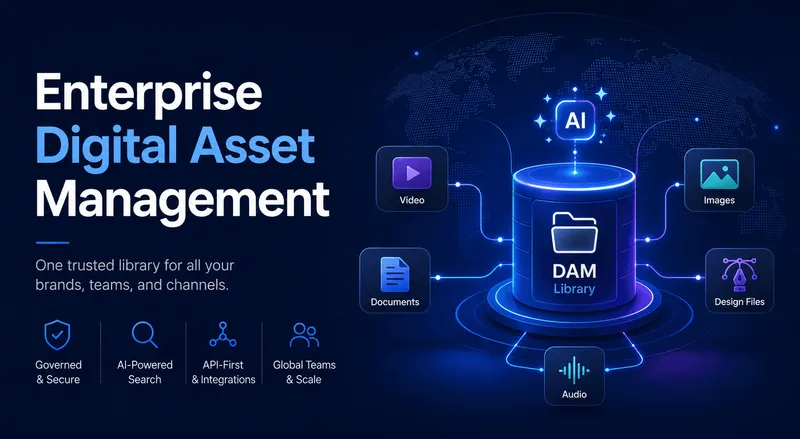

The best enterprise DAM software depends on what your organization already runs and where the pain sits. Adobe Experience Manager Assets fits Adobe-first stacks, Bynder and Aprimo fit brand and content operations at global scale, Orange Logic fits complex governance and hybrid storage, and MediaValet fits Microsoft-centric teams that want unlimited users. If your biggest bottleneck is finding usable moments inside large video libraries, pair your DAM with a video-first layer rather than replacing it.
This guide compares seven enterprise DAM platforms on the details that decide a purchase: security, governance, integrations, migration, total cost, rollout and video at scale.
Disclosure: Recharm publishes this guide. Recharm is a video and image library with AI tagging and AI visual search, not a full enterprise DAM, so we cover it separately as a layer that works next to one. We name each tool's limits, including ours.
TL;DR
No single enterprise DAM wins for every organization. The right pick depends on your existing stack, how strict your governance and security needs are, and how much of your library is video. Here is the short version by scenario.
- Adobe-first enterprises: start with Adobe Experience Manager Assets, which ties into AEM, Content Hub and Firefly.
- Global brand and content operations: shortlist Bynder for brand governance across markets and Aprimo for DAM inside a wider content operations platform.
- Regulated industries or data residency needs: look at Orange Logic, which publishes a long compliance list and supports hybrid and multi-cloud storage.
- Broad access without per-seat costs: consider MediaValet, which runs on Microsoft Azure with unlimited users and strong video support.
- Where Recharm fits: keep your enterprise DAM as the system of record and add Recharm as a video-first layer when teams need to find specific moments inside large video libraries.
How We Evaluated These Platforms
We built this shortlist for enterprise buyers: marketing ops, creative ops, brand leads and IT teams choosing a system of record for thousands of users, multiple brands and outside agencies. Every vendor fact below comes from that vendor's own website, checked November 26, 2026. Where a vendor doesn't publish pricing, we say "custom" and explain who the plan suits.
We scored each platform on six criteria that matter most once a DAM has to serve IT, legal and creative teams at the same time. Feature counts were not the goal; we looked at how each platform handles the work enterprise buyers ask about most in evaluations.
- Security and identity: SSO, published certifications and where data can live.
- Governance: permissions, rights, approvals, audit trails and multi-brand controls.
- Integrations and APIs: creative tools, CMS, PIM, work management and AI assistants.
- AI search: how people find assets without perfect metadata.
- Video at scale: transcripts, previews and whether search reaches moments inside a file.
- Pricing model: what drives the bill as users, storage and modules grow.
If you are still defining requirements, start with our enterprise DAM guide, which covers the core checklist, and our DAM assessment criteria scorecard. This post assumes you have a requirements list and need to narrow vendors.
Enterprise DAM Software Compared
The table summarizes each platform at a glance. Pricing models and features reflect each vendor's site as checked November 26, 2026.
| Platform | Best For | Pricing Model | SSO | AI Search | Video Handling | Main Limit |
|---|---|---|---|---|---|---|
| Adobe Experience Manager Assets | Adobe-first enterprises | Custom | SAML 2.0 SSO through Adobe Admin Console | Conversational search, AI tagging | Rich media and 3D support | Value depends on Adobe stack depth |
| Bynder | Global brand governance | Custom, modular | Included in all packages | Natural language, face, image and similarity search | Speech-to-text search | Workflow and studio tools are separate modules |
| Aprimo | DAM plus content operations | Custom, by users and modules | SSO with enterprise identity providers, plus MFA | AI metadata, AI agents | Images, video and audio | Broad platform; you pay by module |
| Orange Logic | Complex governance, hybrid storage | Custom | SSO and MFA | AI and agentic workflows | Large-file streaming to desktop apps | Configurability needs a dedicated owner |
| Acquia DAM | Marketing plus product content | Custom, by size, users, storage | SAML or simple one-way SSO | Intent-based search | Brand templates for video | Search optimized for English today |
| Brandfolder | Brand distribution to partners | Custom, Premium and Enterprise tiers | Premium tier and up | AI tagging, OCR | Video AI on Premium | Multi-brand controls need Enterprise |
| MediaValet | Microsoft-centric orgs, unlimited users | Custom, unlimited users | SSO and multi-SSO | AI tagging of people, objects, speech | Clip and frame search, 8K, subtitles | Pricing requires a sales call |
| Recharm (video layer) | Finding moments in video libraries | $299/mo AI plan or custom Managed | Not supported | AI visual search, transcript search | Footage cut into scene clips | Not a full DAM: no approvals or portals |
The 7 Best Enterprise DAM Platforms
Each profile covers what the platform does well, who it suits, its pricing model and its real limits.
1. Adobe Experience Manager Assets
Best for: enterprises already running Adobe Experience Manager and Creative Cloud.
Adobe positions AEM Assets as an agentic DAM. Conversational search works across multiple Experience Manager Assets instances and Content Hub, and AI tagging groups assets with brand-specific metadata. Teams can create missing assets with Adobe Firefly, ingest any asset type including 3D, and pair brand guidelines with AI governance. Usage analytics show how content performs across channels.
- Pricing: custom; Adobe doesn't publish prices. It suits large organizations that will use AEM across sites, personalization and content supply chain work.
- Limits: the strongest case is inside the Adobe ecosystem. Agentic ingestion was listed as coming soon when we checked, so confirm what is live during your demo.
2. Bynder
Best for: global brands that need strict brand governance across markets and agencies.
Bynder is sold as a core DAM plus modules. Every package includes single sign-on, rights management, a custom URL, onboarding, 24/7 support, APIs, SDKs and prebuilt components. Its AI covers natural language search, face recognition, OCR, search by image, similarity search, duplicate management and speech-to-text search for video and audio. Bynder lists 170+ integrations.
- Pricing: custom and modular. Price depends on users, storage, martech usage, products and support level. It suits enterprises that want one vendor for DAM, workflow and templating.
- Limits: asset workflow, content workflow, Studio and brand templates are separate modules, so scope creep shows up in the quote. Test how search handles long videos with your own footage.
3. Aprimo
Best for: enterprises that want DAM inside a wider content operations platform.
Aprimo combines DAM with planning, review, brand portals, guidelines, compliance reviews, automated approval workflows and audit trails. Its AI agents handle metadata, enrichment and brand risk checks, with administrators deciding where human review is required. Aprimo supports images, video, audio, InDesign files and PDFs, offers API and SDK support, and lists SOC 2 Type II and ISO 27001 among its security credentials.
- Pricing: custom, based on the products and number of users you choose. It suits organizations that will use planning and workflow modules, not just the library.
- Limits: the breadth is the point. If you only need a governed library, you may pay for capabilities you won't adopt.
4. Orange Logic
Best for: regulated or complex organizations that need deep governance and flexible storage.
Orange Logic publishes a long compliance list: ISO/IEC 27001, SOC 2 Type 2, HIPAA, GDPR, PCI DSS, CCPA, CSA STAR, TX-RAMP and FINRA Rule 4511. Data is encrypted with AES-256 at rest and TLS 1.2+ in transit, with SSO, MFA and audit logging. It supports AWS, Microsoft Azure, Google Cloud, on-premises and hybrid storage, which helps with data residency. Developers get APIs, SDKs, webhooks and MCP, and File on Demand streams large files into Adobe apps without full downloads.
- Pricing: custom; no public pricing. It suits enterprises with legal, product and video teams that each need their own workflows on one system.
- Limits: that level of configurability needs a clear owner and taxonomy plan, or teams end up with inconsistent setups.
5. Acquia DAM
Best for: marketing and ecommerce teams that manage product content alongside brand assets.
Acquia DAM (formerly Widen) offers AI tagging and deduplication, intent-based search in plain language, and portals that auto-populate with the latest approved assets. Rights management stops expired assets from going out, and brand templates with locked fonts, colors and layouts let regional teams create collateral and video without waiting on creative. It connects to Adobe Creative Cloud and Microsoft Office, includes a PIM option, and offers a native MCP server so assistants like Claude or Microsoft Copilot can find and resize assets.
- Pricing: custom, based on organization size, users, storage and features. It suits brands that want DAM and product information in one vendor.
- Limits: Acquia says its search is optimized for English today, which matters for multilingual libraries.
6. Brandfolder
Best for: brands distributing assets to retailers, partners and regional teams.
Brandfolder sells two quote-based tiers. Premium adds asset analytics, OCR document search, bulk management, SAML-based SSO, publish and expiry dates, and Video AI with auto-tags, scene count detection and speech-to-text. Enterprise adds custom automation, tighter permissions, controls for running several independent brands or teams, a BI data connector and a vanity URL.
- Pricing: custom, by tier. Premium suits single-brand marketing teams; Enterprise suits multi-brand organizations.
- Limits: SSO and Video AI start at Premium, and multi-brand separation needs Enterprise, so confirm which tier your requirements land in before comparing quotes.
7. MediaValet
Best for: Microsoft-centric organizations that want broad access without per-seat costs.
MediaValet runs on Microsoft Azure and lists SOC 2 Type II, ISO 27001, GDPR, HIPAA, CCPA and PIPEDA, with SSO and multi-SSO options and a 99.9% uptime guarantee. For video, it supports 400+ file types, AI tags for people, objects, text and spoken word, search down to clips and frames in footage up to 8K, and subtitles in more than 60 languages. Integrations include Adobe Creative Cloud, Okta, SharePoint, OneDrive, Wrike, Canva, Contentful and Akeneo.
- Pricing: custom, with unlimited users and permission groups. It suits universities, nonprofits and enterprises that want many contributors without seat math.
- Limits: no published price points, so budget comparisons wait until the first sales call.
Where Recharm Fits Next to an Enterprise DAM
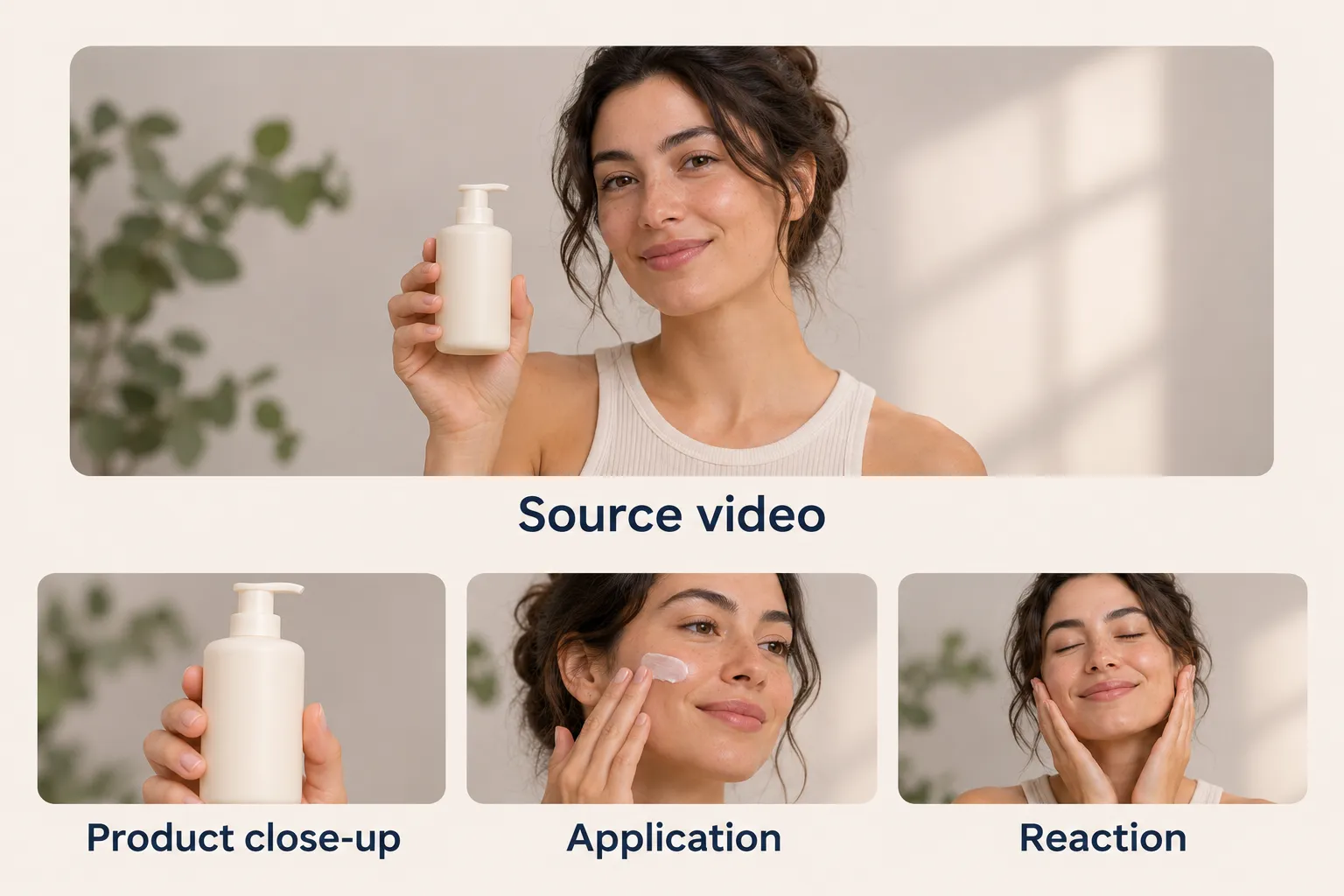
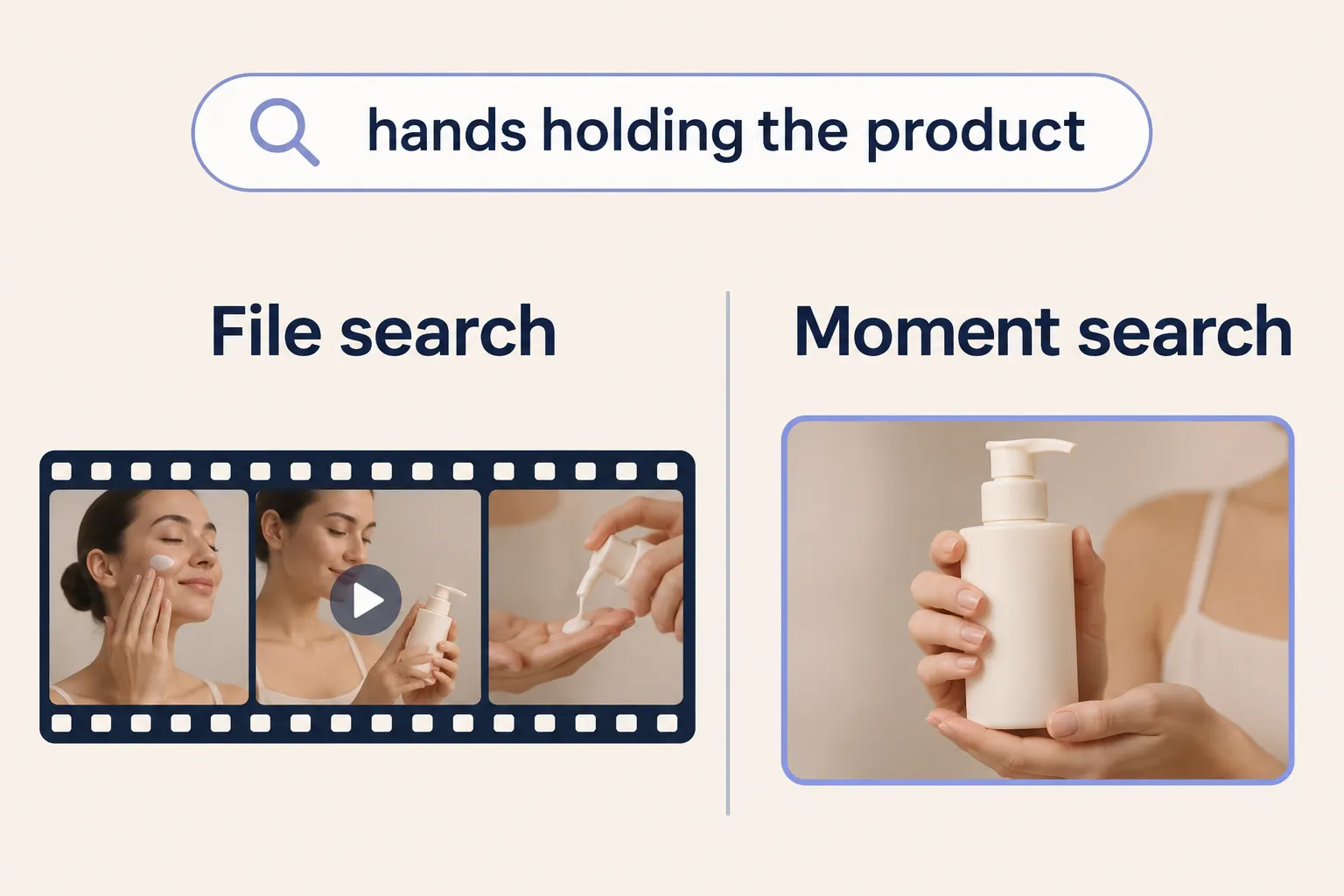
Most enterprise DAMs manage video as files: a file has metadata, a transcript and a preview. Creative teams usually need something smaller, the eight seconds of a product close-up or the line a customer says on camera. Recharm is built for that layer.
Recharm cuts footage into clips by scene and applies AI tagging by scene, persona, angle, problem and emotion. Teams find clips with AI visual search, transcript search and creator tagging. New files are picked up from connected Google Drive, Dropbox and Frame.io folders, each brand gets its own library, and the Recharm plugins for Claude and ChatGPT let people search footage from their AI assistant.
Recharm's pricing has two plans plus optional add-ons. Every plan includes unlimited users, so agencies and regional teams don't change the bill. The Managed plan adds human review on top of the AI.
- AI plan: $299 a month with 1TB storage, unlimited users and a 14-day free trial.
- Managed plan: custom pricing, with human reviewers adding product tags and custom categories, plus human clip creation.
- Add-ons: AI image intelligence (preview, +$99 a month), human product tagging (+$300 a month) and AI tagging agents (beta).
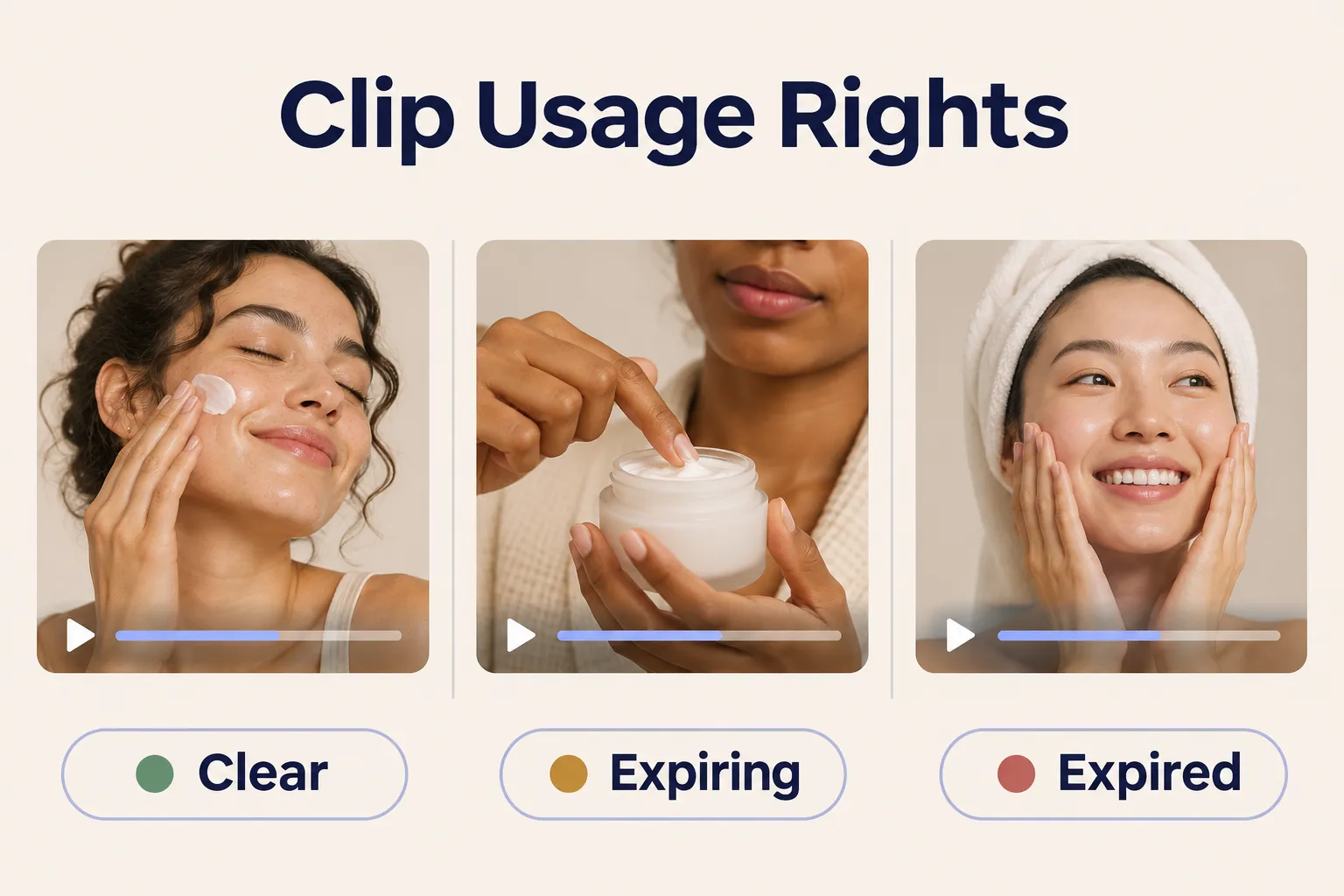
Usage rights come with the Managed plan, and Recharm can turn them on for AI plan teams on request. Clips inherit rights from their source video and show clear, expiring or expired status.
Customer results on Recharm's case study pages show what moment-level search changes. FabFitFun cut clip search from 2 hours to 30 seconds, HexClad cut the time to find a specific shot from 30 minutes to about 5, and Purdy & Figg saved editors 5 hours a week.
Recharm's limits: it doesn't support SSO, and it has no approval workflows, brand portals or brand guidelines, or Shopify, Figma, Canva or Slack integrations. For enterprise teams, Recharm works best as the video-first layer next to the DAM that stays your system of record.
Video at Enterprise Scale: File Search vs Moment Search
Video is where enterprise DAM evaluations most often go wrong. Demos use tidy sample files, but real libraries hold hours of raw footage, creator takes and agency exports with file names nobody can read.
Ask each vendor to show three things with your own footage, not their sample library. Bring a long raw recording, a batch of badly named creator files and one video with an expired license, then watch how each platform handles them live.
- Moment retrieval: can a search return a specific scene inside a 20-minute file, or only the file?
- Visual search without metadata: can it find "hands holding the product" when nobody typed that tag?
- Rights at the clip level: if a creator license expires, does every cut from that footage show it?
Our enterprise video platform vs video DAM post explains where streaming platforms, DAMs and MAMs split, and our video asset management comparison covers video-specialist tools.
Decision Guide: Which Enterprise DAM Fits Your Scenario
Match your starting point to a shortlist instead of demoing every vendor. Each scenario below reflects the strengths documented above, and most enterprise teams fit one or two of them. Two or three finalists is enough for a meaningful pilot.
- You run Adobe Experience Manager for your sites: start with AEM Assets, then benchmark one independent DAM so you have a price reference.
- You need one brand system across many markets and agencies: shortlist Bynder, Aprimo and Brandfolder Enterprise.
- You are in a regulated industry or need data residency: shortlist Orange Logic and MediaValet, and request their SOC 2 reports up front.
- You manage product content for ecommerce and retail: shortlist Acquia DAM, and check PIM fit for the others.
- You want thousands of contributors without seat math: shortlist MediaValet and confirm how other vendors count external users.
- Your DAM works, but video teams still can't find footage: keep the DAM and add a video-first layer such as Recharm for scene-level search.
Total Cost and Rollout: What Moves the Number
List price is rarely the deciding cost in enterprise DAM. Our DAM pricing guide breaks down pricing models in detail. For an enterprise shortlist, these are the levers to pin down in writing before you compare quotes side by side.
- Modules: workflow, templates, portals and analytics are often priced separately from the core library.
- Users: confirm whether agencies, regional partners and view-only users count toward your license.
- Storage and video: raw footage grows fast, so get overage rates and transcoding limits in the quote.
- Implementation: ask who builds the taxonomy, metadata schema and integrations, and what that costs.
- Migration: moving assets, metadata, versions and rights from a legacy system is its own project. See our DAM migration guide.
- Administration: budget for a DAM owner or librarian after launch; adoption drops when nobody owns the taxonomy.
Rollout time depends on library size, metadata quality and integrations. A clean library with standard connectors can go live in weeks; global rollouts with custom integrations and multiple brands often take several months. Ask each vendor for a phased plan and the customer references that match your scale.
Enterprise DAM Buyer Checklist
Use this list in your RFP and pilot. It focuses on what enterprise buyers most often miss, and it complements the broader requirements in our enterprise DAM guide. Ask vendors to answer each point in writing so you can compare them side by side.
- Identity: SAML SSO, MFA and automated user provisioning through SCIM, so leavers lose access the day they leave.
- Security evidence: a current SOC 2 report, not just a badge on the website, plus encryption details and data hosting regions.
- Governance: role-based permissions per brand, audit logs you can export and retention rules. Our DAM governance guide covers policies.
- Rights: license dates, territories and creator restrictions stored on the asset. See our UGC usage rights guide.
- AI controls: whether your assets train vendor models, who can approve AI-generated tags and how AI-created assets are labeled.
- Integrations: test the connectors you'll use daily, such as creative tools, CMS, PIM and work management. Our DAM integration guide lists what to check.
- Taxonomy: confirm the vendor can support a shared schema across brands with local fields. See DAM taxonomy.
- Exit terms: how you export assets, metadata and version history if you leave.
Build Your Shortlist With Your Own Footage
Pick two or three platforms from the decision guide, then run a two-week pilot with a real slice of your library: messy file names, long videos and expired licenses included. Measure time to find an asset, search success rate and how many people use it without help.
If video is the part your current DAM struggles with, try Recharm's AI visual search on your own footage with the 14-day free trial, and keep your DAM as the system of record. For a broader view across team sizes, see our best DAM software comparison.
FAQs
What Is the Best Enterprise DAM Software?
There is no single best option. AEM Assets suits Adobe-first enterprises, Bynder and Aprimo suit global brand and content operations, Orange Logic suits complex governance and hybrid storage, and MediaValet suits organizations that want unlimited users on Azure. Shortlist by your stack and governance needs, then pilot with real assets.
Does Microsoft Have a DAM Solution?
Microsoft 365 and SharePoint store files with metadata, but they aren't purpose-built DAMs with rights management, AI visual search and brand portals. Many enterprise DAMs connect to Microsoft tools instead. MediaValet runs on Azure and integrates with SharePoint and OneDrive, and Acquia DAM connects to Microsoft Office.
Is Google Drive or Dropbox Enough for an Enterprise?
Not usually. Cloud storage organizes by folder and file name, so it can't enforce usage rights, brand-level permissions or search inside video. Enterprises often keep Drive or Dropbox for raw files and connect a DAM or video layer on top. Recharm, for example, picks up new files from connected Drive and Dropbox folders.
Can an Enterprise Run Two DAMs at Once?
Yes, and many do on purpose. A common setup is one enterprise DAM as the system of record for approved, distributable assets, plus a specialist tool for raw video or product content. The key is clear ownership: decide which system holds final assets and rights so the two don't drift apart.
How Long Does It Take to Implement an Enterprise DAM?
A clean library with standard integrations can launch in weeks. Large migrations, multiple brands and custom integrations often take several months. Messy metadata is the most common delay, so clean and map your taxonomy before migration starts.
Should IT or Marketing Own the DAM?
Both have a role. Marketing or creative ops should own taxonomy, adoption and day-to-day governance, because they know how assets are used. IT should own identity, security review, integrations and vendor risk. Name one accountable DAM owner so decisions don't stall between teams.
What Should an Enterprise DAM Pilot Include?
Use real assets, including long videos, poorly named files and expired licenses. Test SSO, permissions for an outside agency, three daily integrations and five real search tasks per team. Track time to find an asset and search success rate, and compare against your current process.
How Do Enterprise DAMs Handle AI on Your Assets?
It varies by vendor. Ask whether your assets are used to train shared models, whether AI tags can be reviewed before they go live, and how AI-generated assets are labeled. Aprimo, for example, lets administrators decide where human review is required in its AI agent workflows.