Your company already has somewhere to upload videos. Training recordings have a home, webinars are available on demand, and finished campaigns reach their channels. Yet editors still spend too long finding footage for the next campaign.
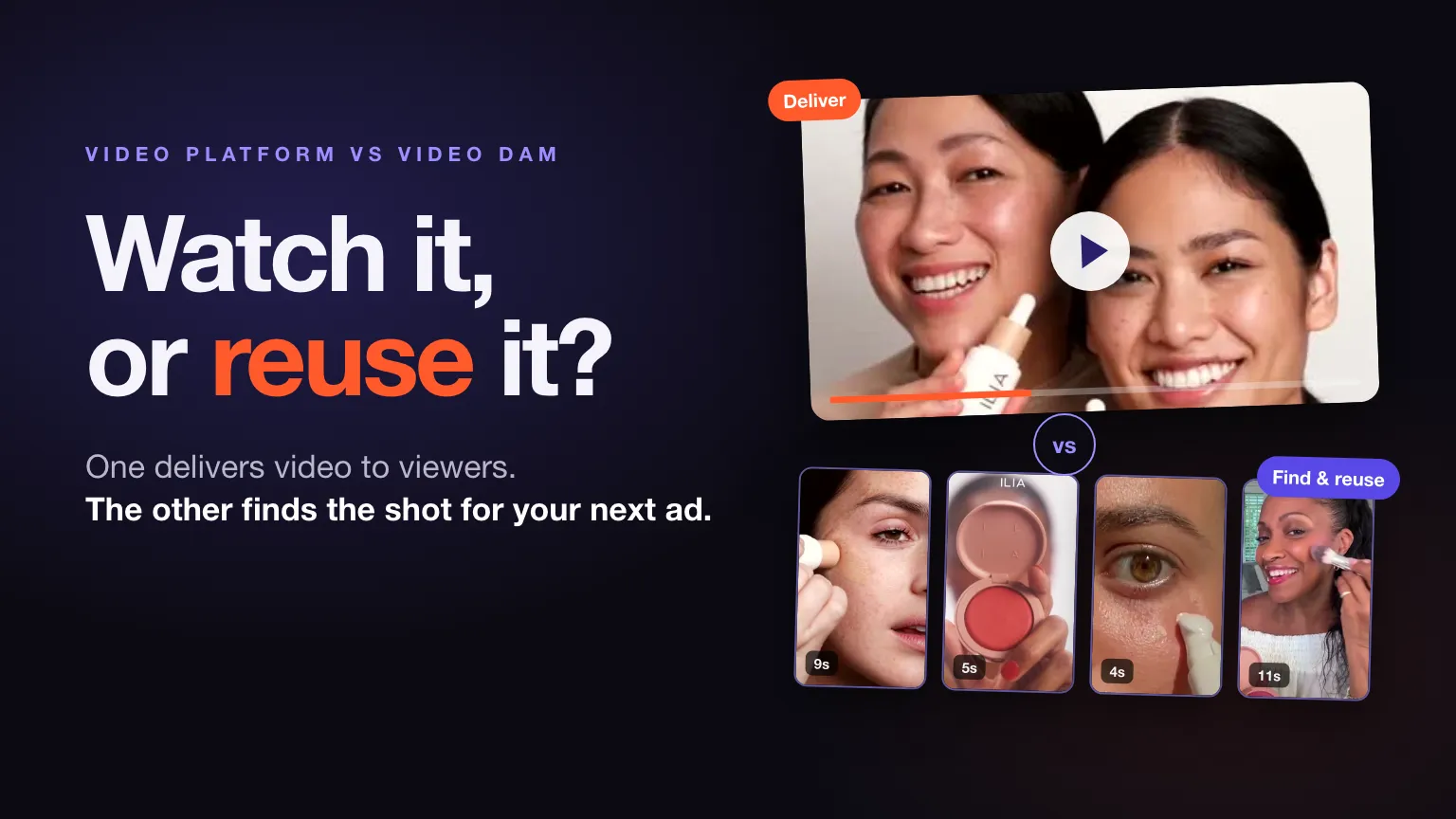
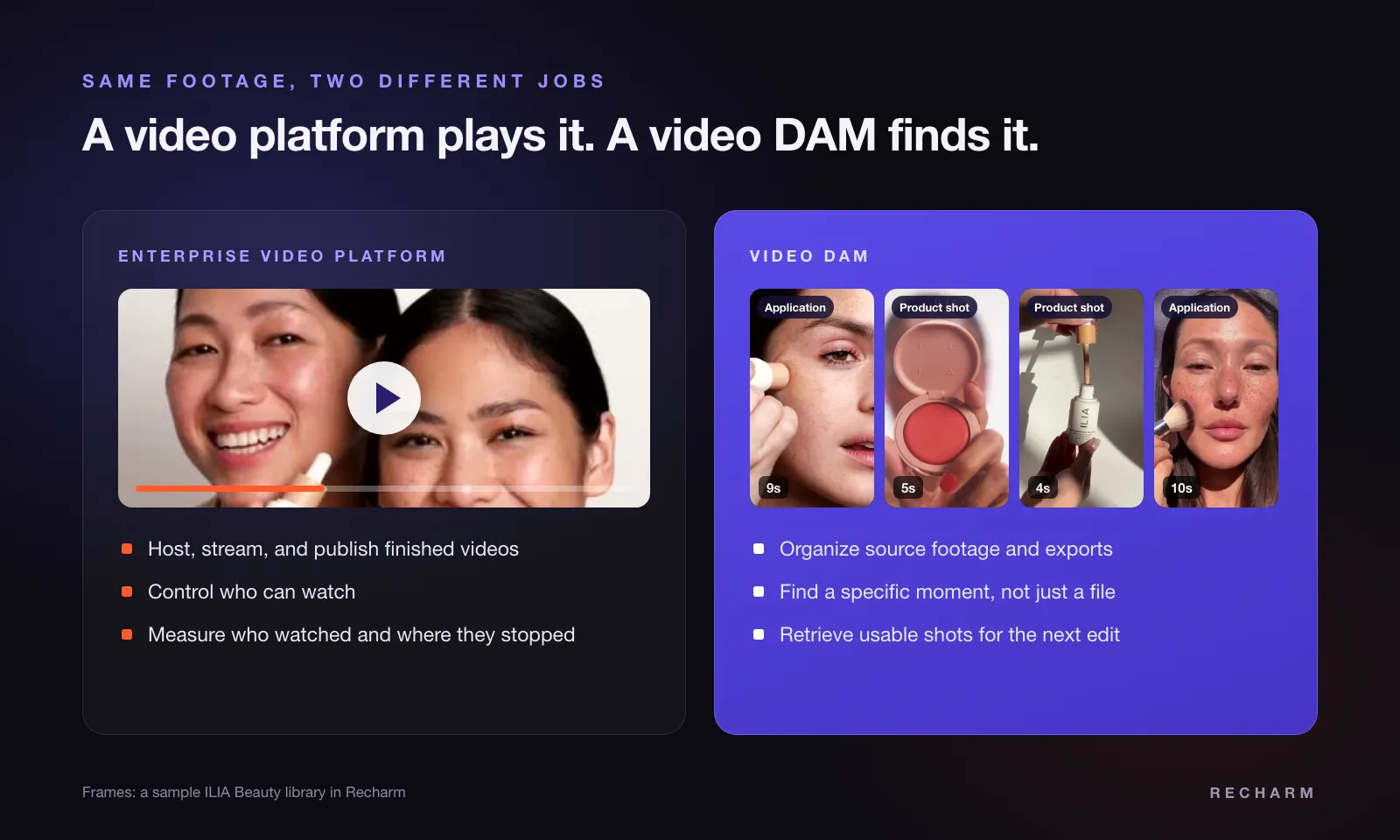
That is why “we need a video platform” is an incomplete brief. Choose an enterprise video platform when the bottleneck is delivering video to viewers. Evaluate a video DAM when the bottleneck is organizing, finding, and reusing footage. If both workflows need attention, assess both capabilities.
The enterprise video platform vs video DAM decision comes down to the task your team cannot complete easily. For a broader look at asset organization, permissions, and governance, see our enterprise DAM guide.
TL;DR
- Enterprise video platforms focus on delivery. They help teams host, stream, publish, and measure video content for employees, customers, and other audiences.
- Video DAM focuses on footage management. It helps creative teams organize, find, govern, and reuse existing video assets.
- Some teams need both. A company may use a video platform to publish webinars and a video DAM to retrieve footage for future campaigns.
- Test before choosing. Compare search, playback, permissions, footage retrieval, and integrations using your own videos rather than relying on feature lists.
Enterprise Video Platform vs Video DAM at a Glance
These are typical priorities, not fixed feature boundaries. Both categories may support storage, permissions, search, transcription, and sharing, with different depth and availability.
| Evaluation Area | Enterprise Video Platform | Video DAM |
|---|---|---|
| Primary job | Publish, stream, and measure video viewing | Organize, find, govern, and reuse video assets |
| Common content | Town halls, training, webinars, published videos | Source footage, reusable shots, campaign assets, finished exports |
| Main users | Communications, learning, events, and publishing teams | Editors, strategists, content managers, creative operations |
| Core workflow | Upload or broadcast, control access, deliver, measure | Ingest, describe, discover, retrieve, reuse |
| Search priority | Help viewers find recordings and relevant information | Help creators find assets and material for production |
| Typical evaluation criteria | Playback, delivery reliability, audience controls, reporting | Search relevance, retrieval, metadata, governance, production fit |
What Is an Enterprise Video Platform?
An enterprise video platform helps an organization host video and deliver it to an audience. Depending on the product, that audience might be employees, customers, webinar attendees, or visitors watching an embedded website video. Well-known examples include Kaltura, Brightcove, Vimeo Enterprise, and Panopto.
Common capabilities include video hosting and playback, live and on-demand delivery, audience access controls, and viewing analytics. Marketing might publish a customer webinar and inspect where viewers stop watching.
Capabilities vary by product and plan, so evaluate the specific offering rather than assuming the category defines its limits.
What Is a Video DAM?
Video digital asset management, or video DAM, helps teams organize and work with a library of video assets. Vendors also describe it as video asset management software or digital asset management software for video. Its purpose is to make footage discoverable, understandable, and accessible to the people who need to use it.
Buyers should evaluate metadata, search, access controls, asset governance, and footage retrieval. Metadata means descriptive information attached to an asset, such as product, campaign, creator, or usage status. For a comparison of available tools, see our video asset management software guide.
Imagine a strategist needs a product close-up from an older shoot but knows neither the filename nor the folder. The useful result is the relevant footage, with enough context to decide whether it belongs in the next campaign.
Some systems rely heavily on filenames and manually added descriptions. Others offer transcripts, visual search, or searchable scenes. Advanced search and clip extraction must be demonstrated, not inferred from the DAM label.
Where the Differences Matter in Your Workflow
Finding a Video vs Finding a Usable Moment
A viewer might need the complete onboarding recording about expense claims. An editor might need ten seconds showing a product being applied, without captions covering the packaging.
Those requests require different kinds of discovery. When vendors say “video search,” ask which information the search actually uses.
- File-level search finds assets through filenames, titles, tags, and other metadata.
- Transcript search finds spoken words and may take users to matching timestamps.
- Visual or scene-level search identifies what appears or happens within footage.
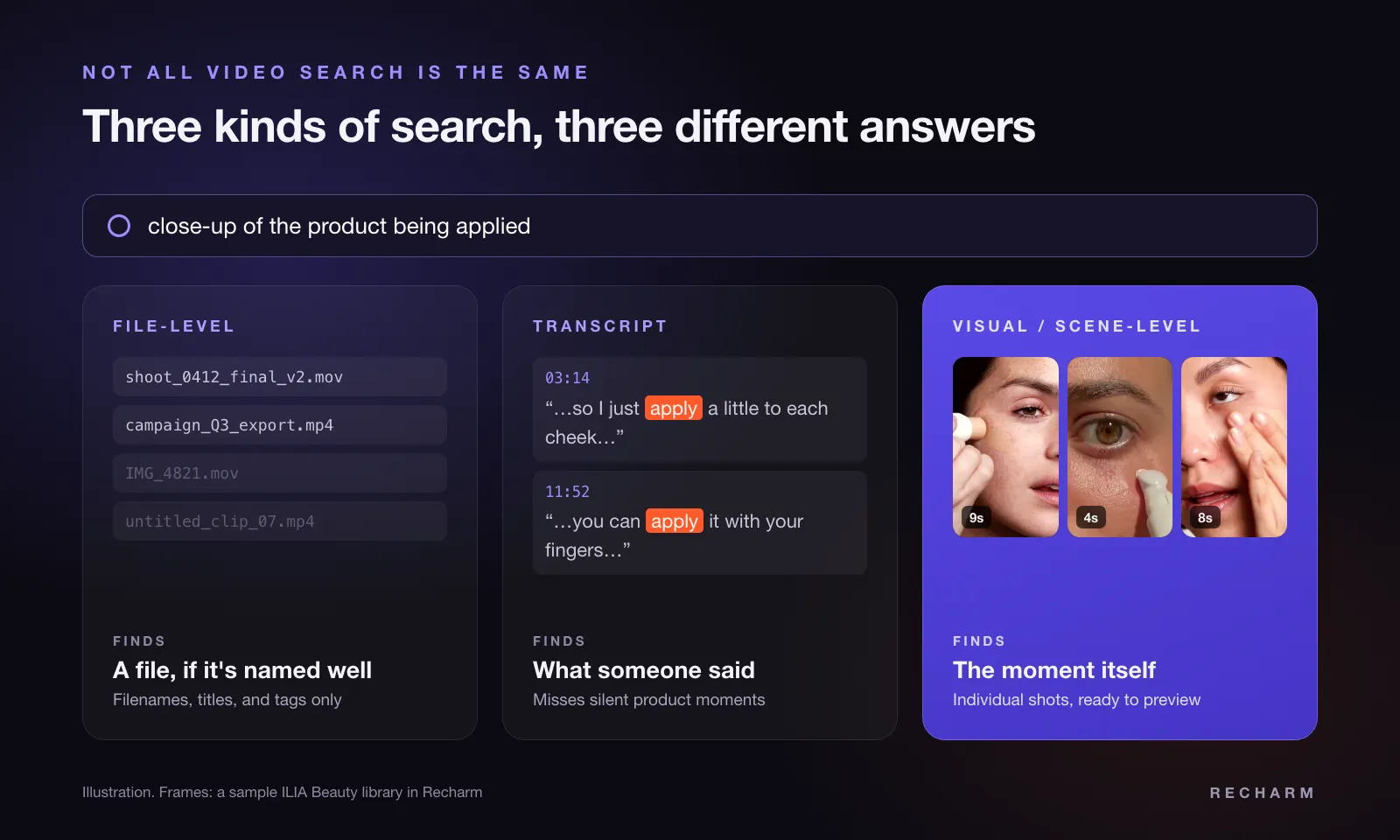
Some enterprise video platforms offer transcript and timestamp search. That can be enough for a viewer who wants to revisit an explanation.
An editor needs another step: retrieving footage that works in an edit. Previewing a timestamp and downloading a usable clip are different capabilities. Test whether the result is an individual shot, a marked range, or an entire recording requiring manual trimming.
Publishing Content vs Preparing the Next Edit
Publishing teams prioritize how a finished video reaches its audience. They need suitable playback, access settings, and distribution options.
Production teams need usable source material. They care about resolution, audio, shot boundaries, and whether an export already contains music, captions, or graphics that limit reuse.
A finished customer video can serve both purposes. It may be published on a website while its clean interview recording supplies material for future edits.
Teams also need to distinguish an approved finished video from footage that requires fresh review before another use.
Measuring Viewing vs Measuring Creative Operations
Viewing analytics answer questions such as: Are people watching? Where do they stop? Which recordings attract attention?
Creative operations asks different questions: Can editors find the footage? How many steps does retrieval require? Is existing material being reused?
For marketing directors planning creative production, both may matter, but one does not substitute for the other. A well-watched webinar says little about how easily an editor can retrieve its best demonstration.
Check which measures a product actually reports. Search success, retrieval time, and reuse may require your own workflow observations rather than a built-in dashboard.
When Your Team Needs an Enterprise Video Platform
Start here when the recurring problem happens between the finished recording and its viewers. Your existing upload destination may lack the delivery or access experience the business needs.
Look for these buying signals:
- Employees need a viewing destination for training, company updates, and recorded presentations.
- The business runs live events or broadcasts and needs appropriate delivery and operational support.
- Marketing needs embedded playback and viewing analytics for published website content.
- Different audiences need controlled access, such as separate employee and customer recordings.
Build the evaluation around a real event or recording. Test the viewer’s experience, including signing in, playing the video, navigating it, and watching on relevant devices.
Buying takeaway: Prioritize delivery reliability, viewer experience, audience access, and reporting. Confirm that required live capabilities and reports are included in the proposed plan.
When Your Team Needs a Video DAM
Start here when the footage exists but people struggle to find or use it. A better viewing destination may leave those production problems unresolved.
These patterns suggest the library needs attention:
- Editors repeatedly scrub through long recordings to locate familiar shots.
- Strategists depend on colleagues who remember which shoot contains the footage.
- Existing material gets overlooked because finding it takes too much effort.
- Source footage and exports are scattered across drives, project folders, and handoffs.
- Teams struggle to identify approved or usable assets before starting an edit.
For content managers maintaining a shared library, the evaluation should include how assets remain understandable after upload. Someone still needs to own naming, metadata requirements, and status updates.
A DAM’s approval visibility, rights information, search depth, and version handling vary. Software also needs a workable system for organizing video files, with clear ownership and consistent practices.
Buying takeaway: When comparing video asset management software, prioritize search relevance, retrieval, organization, governance, and production fit. Ask vendors to demonstrate your difficult tasks rather than accepting a general promise of a searchable library.
When Your Team Needs Both
Consider a company running a customer webinar that includes a product demonstration. The event team needs dependable viewing, while the creative team wants material for follow-up content.
A combined workflow could look like this:
- Host the webinar through an enterprise video platform, with the required audience access and viewing reports.
- Manage the source recording in a video DAM, alongside product footage and supporting assets.
- Retrieve useful moments for follow-up videos and ads, checking context, quality, and permission to reuse.
- Send finished content to the appropriate publishing channels, whether that means the video platform, a website, or an advertising channel.
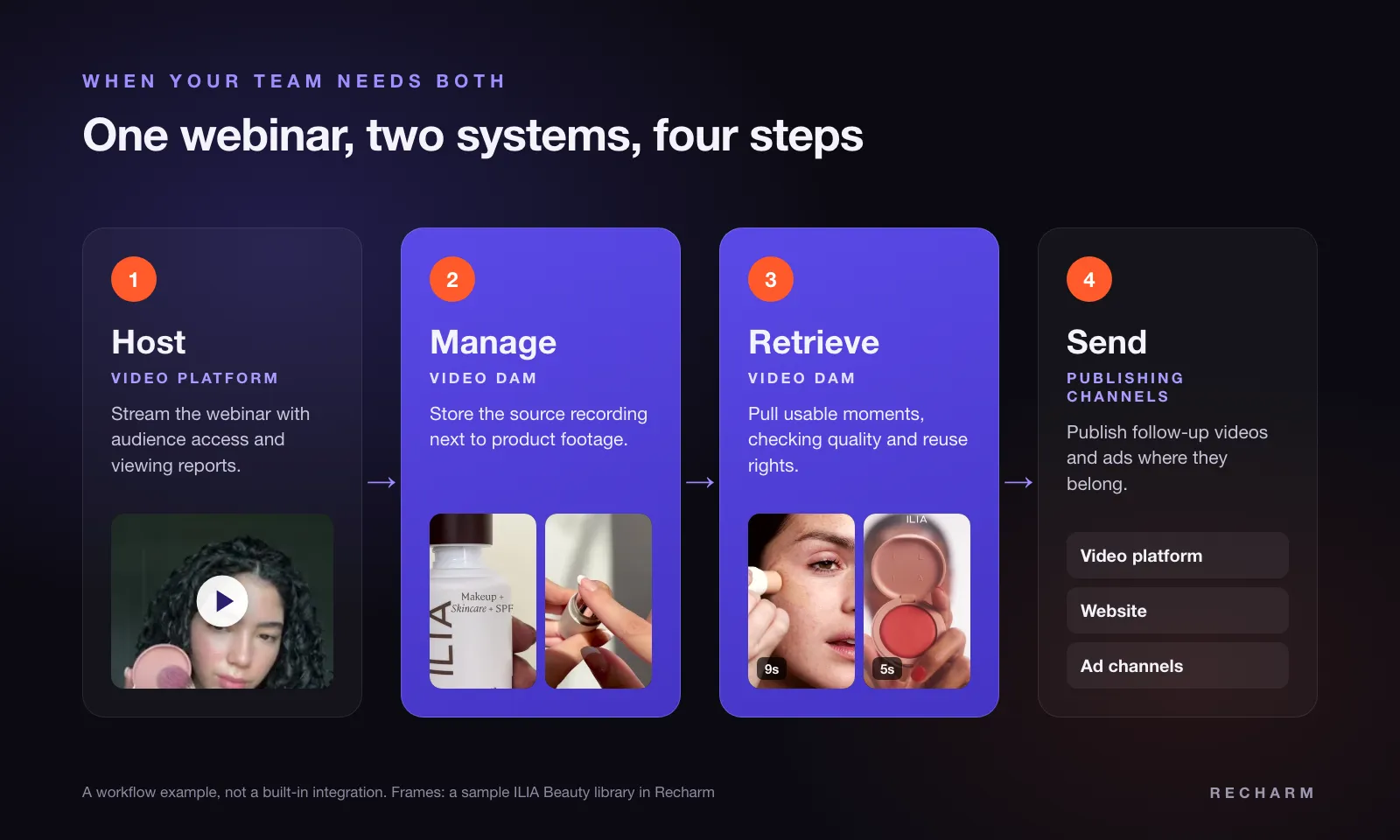
This is a workflow example, not an assumption that two products connect. Ask vendors to show how files move and who handles the transfer.
Verify integrations, metadata mapping, permissions, source quality, and duplicate storage. Metadata mapping means deciding which asset information transfers between systems and how corresponding fields match.
Also establish which system holds the authoritative source. A compressed playback copy may be sufficient for viewing but unsuitable for the next edit. A viewer’s access permission should not automatically be treated as permission to download and repurpose footage.
Video DAM vs MAM: Where Media Asset Management Fits
Some buyers comparing video tools also come across media asset management, or MAM. The DAM vs MAM question is different from choosing an enterprise video platform, but it often appears on the same shortlist.
Video DAM commonly emphasizes organizing, governing, discovering, and reusing video assets across marketing and creative teams. MAM often emphasizes media production workflows, including source media, editing collaboration, technical metadata, and long-term archives.
| Evaluation Area | Video DAM | MAM |
|---|---|---|
| Typical users | Marketers, strategists, editors, content managers | Post-production, broadcast, and media operations teams |
| Main focus | Finding, governing, and reusing finished and source assets | Managing media through production and archive |
| Common strengths | Search, metadata, permissions, sharing, reuse | Technical metadata, editing integrations, storage tiers, archiving |
| Good fit when | Teams struggle to find and reuse footage for campaigns | Teams run demanding post-production with large media files |
The categories overlap considerably, and vendors use the labels differently. Teams with demanding post-production requirements should evaluate formats, storage architecture, and editor workflows directly. Teams whose bottleneck is finding footage for the next campaign should test search and retrieval first.
For a closer look at production workflows and technical requirements, read our media asset management guide.
How to Evaluate Platforms With Your Own Footage
Bring representative material to the evaluation: a long recording, an older product shoot, and campaign exports.
Not every task below applies to every buyer. Select the tasks that reflect your bottleneck and make vendors demonstrate them from beginning to end.
| Evaluation Task | What to Check |
|---|---|
| Publish a recording for a restricted audience | Playback experience and access controls |
| Find a spoken phrase in a long video | Transcript accuracy and timestamp relevance |
| Find a specific visual moment | Whether search identifies the required scene |
| Retrieve a moment for an edit | Download options, source quality, and manual steps |
| Locate an approved campaign asset | Metadata, permissions, and approval visibility |
| Estimate the full cost | Applicable storage, delivery, processing, seat, and migration costs |
For visual search, describe something visible but unspoken, such as a hand opening the product packaging.
For retrieval, take the result into your editing software. Check resolution, audio, file format, and whether the clip includes enough footage before and after the action to cut naturally.
For governance, use a draft and an approved export with similar names. Ask a new team member to identify the correct asset without guidance from the person who uploaded it.
A convincing search preview is useful, but the buying test ends when the team has usable output.
Where Recharm Fits for Video Ad Teams
Recharm is a video-first DAM for teams creating video ads, with a focus on organizing, discovering, and reusing existing footage.
Recharm uses AI to organize footage into searchable shots, including hooks, product demonstrations, and other reusable moments. Its visual search lets users describe what appears in footage and find relevant scenes without relying only on filenames or manually added tags.
For example, a strategist could search for “a close-up of the product being applied” to locate footage for a new ad. The results depend on the available footage and how accurately the system identifies the requested moment.
This approach helps creative strategists and editors spend less time searching through recordings and more time selecting footage for production.
Recharm is designed for creative production workflows, not as a replacement for every enterprise video platform. Organizations needing live-event delivery, enterprise streaming, specialist post-production, or broader enterprise DAM governance should evaluate those requirements separately.
Find the Footage Your Next Campaign Needs
Your next video ad might not need another shoot. The right product shot, demonstration, or creator moment could already exist in your footage library.
Recharm helps creative teams organize existing videos, find specific moments with AI-powered search, and reuse footage across campaigns.
Explore Recharm to see how a searchable video library can support your next campaign.
FAQs
Is an Enterprise Video Platform the Same as a Video DAM?
The categories overlap, but their typical priorities differ. Enterprise video platforms focus on delivering video to viewers, while video DAM platforms focus on organizing and reusing assets. Both can include search, permissions, and sharing. Compare the specific product’s workflow rather than assuming its category tells you everything it can do.
Can an Enterprise Video Platform Manage Raw Footage?
Some can store, organize, search, or edit raw footage. Suitability depends on supported formats, source retention, metadata, search depth, and download options. Ask the vendor to demonstrate a real production task, including retrieving material at the quality your editor needs. Hosting the file alone does not establish production fit.
Does Every Video DAM Support Scene-Level Search?
No. Some systems search filenames and metadata; others add transcripts or visual analysis. Transcript search can locate spoken words without identifying a silent product action. Ask whether results identify individual scenes, and test the relevant search type with your own footage before treating scene-level discovery as a supported capability.
Can One Platform Handle Both Asset Management and Video Delivery?
Yes, a product may cover both workflows. The question is whether its capabilities are sufficient for your organization. Test audience access, playback, reporting, asset organization, search, and retrieval against your requirements. One platform may reduce handoffs, but verify that it supports the production and viewing tasks that matter most.
Is Video Asset Management Software the Same as a Video DAM?
Usually, yes. Both terms describe software for organizing, searching, governing, and reusing a library of video. Vendors use the labels differently, so check what the search actually covers, whether results are whole files or individual scenes, and how clips are downloaded for editing.