Ask five DAM vendors whether they have AI, and you'll probably get five yeses. Then ask each one to find "the creator laughing while holding the bottle, label facing the camera" across 400 hours of raw footage, and the differences become clear.
That's the real question. Many DAM platforms now offer AI capabilities, so the label alone tells you very little. What matters is how effectively the system helps teams find and reuse specific moments across thousands of raw creator videos.
This guide explains what AI digital asset management does, how AI search works with video, where its limitations lie, and how to evaluate a platform using your own footage.
TL;DR
- The definition: AI DAM uses technologies such as computer vision, speech recognition, and semantic search to organize and discover creative assets.
- The real difference: For video teams, the important distinction is whether a DAM can search within videos or only return entire files.
- The limitation: AI search isn't always accurate. It can struggle with object counts, similar-looking products, and unclear speech, making real-world testing essential.
- The evaluation: Test approximately 30 searches using your own footage and measure how accurately and quickly the platform finds the right moments.
What Is AI Digital Asset Management?
AI digital asset management uses artificial intelligence to help teams organize, understand, and find creative assets without relying entirely on filenames or manually entered tags.
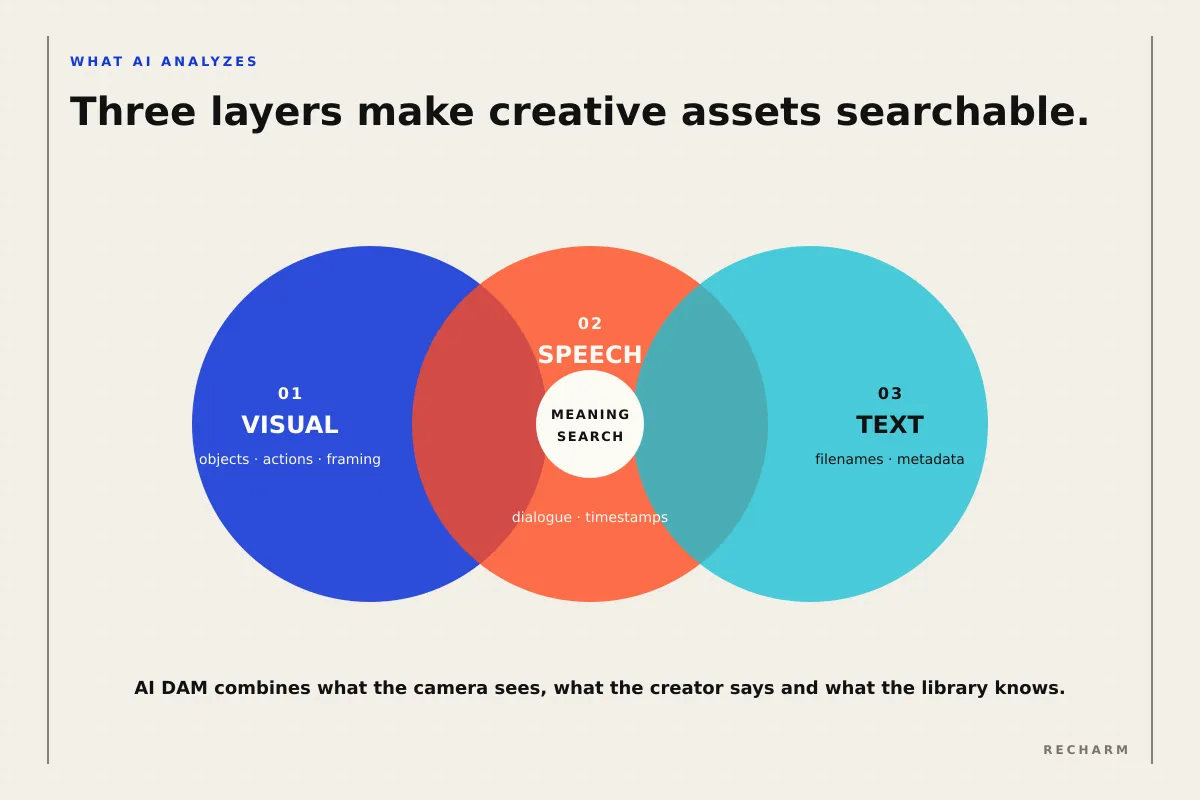
For video teams, it typically combines three capabilities:
- Computer vision: Identifies objects, people, actions, and visual details within images and video frames.
- Speech recognition: Converts spoken audio into searchable text, often with timestamps.
- Semantic search: Helps users find relevant content based on meaning rather than exact keyword matches.
In this context, digital assets include creative files such as videos, images, audio, and documents. This differs from AI-based asset management in industries where the term refers to monitoring physical equipment or infrastructure.
Many DAM platforms now include AI-powered features. The important question is what information the system can analyze and how effectively teams can search and use it.
| Layer | What AI Analyzes | What It Makes Searchable | Example Search |
|---|---|---|---|
| Visual | Video frames, images, and motion | Objects, actions, people, and framing | "Close-up of a hand applying serum" |
| Speech | Spoken audio | Words and phrases, often linked to timestamps | "It lasts all day" |
| Text | Filenames, on-screen text, and existing metadata | Keywords, descriptions, and metadata fields | "Spring launch" |
AI-Assisted DAM vs. AI-Native DAM
DAM platforms are often described as either AI-assisted or AI-native.
AI-assisted DAM generally refers to platforms that incorporate AI capabilities into an existing asset management system. AI-native DAM typically describes platforms designed with AI as a central part of their architecture and workflows.
However, these labels don't necessarily tell you how effectively a platform can search video footage.
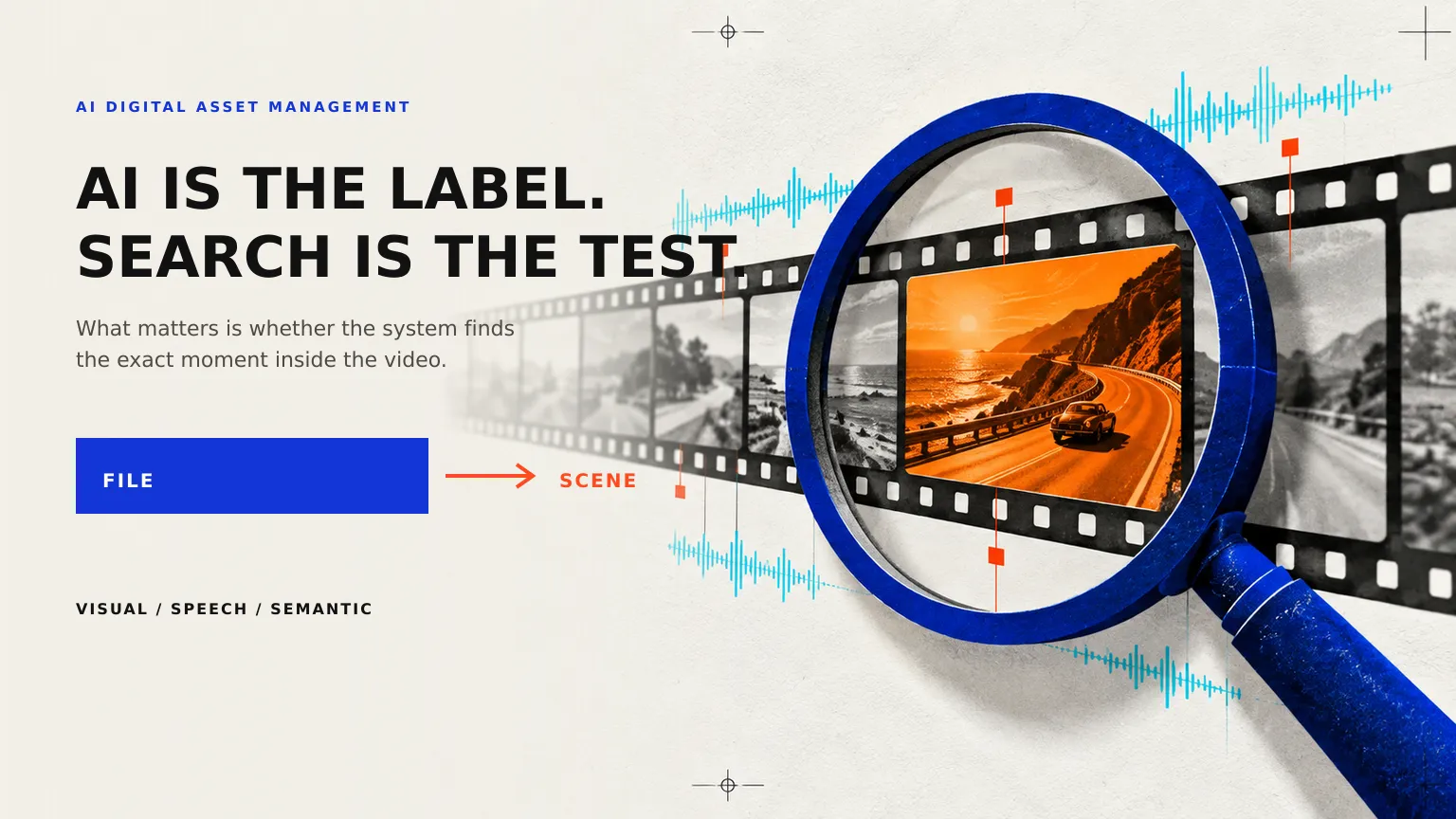
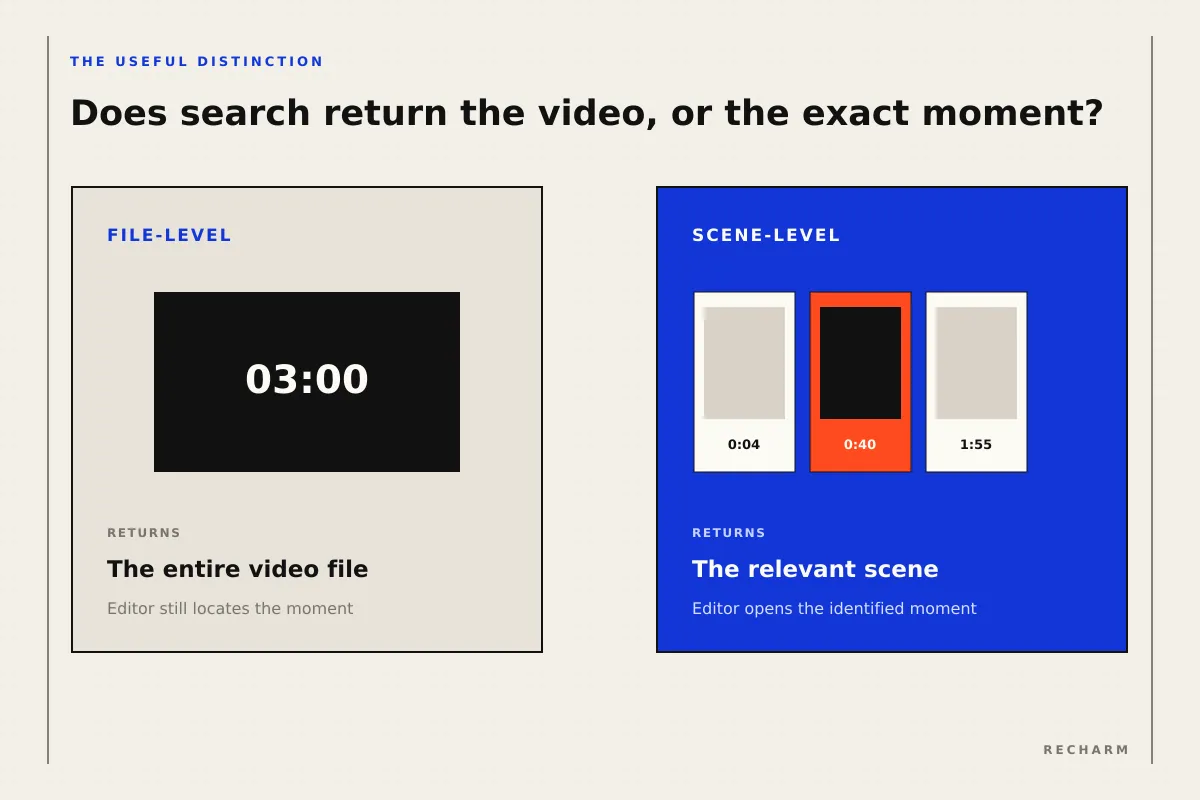
For creative teams, a more useful comparison is file-level search versus scene-level search.
| Question | File-Level Search | Scene-Level Search |
|---|---|---|
| What gets indexed? | The video file and its associated metadata | Individual scenes or moments within the video |
| What does a search return? | A relevant video file, sometimes with timestamps | A specific scene, clip, or timestamp within the video |
| How does the editor find the right moment? | Opens the file and locates the relevant footage | Accesses the identified moment directly |
| What can the editor retrieve? | Typically the source file, with options depending on the platform | A selected clip or scene, where supported |
| Best suited for | Libraries of finished assets and videos that are easy to identify | Large libraries of raw footage containing multiple reusable moments |
Both approaches have value, and some established DAM platforms already support scene-level indexing and retrieval.
If your library primarily contains finished brand assets, file-level search may be sufficient. But if your team manages hundreds of hours of raw creator footage, scene-level search can make it much easier to find and reuse specific moments.
The important thing isn't whether a vendor calls its DAM AI-assisted or AI-native. It's whether the platform can find the footage your team actually needs.
What AI Does Not Change About DAM
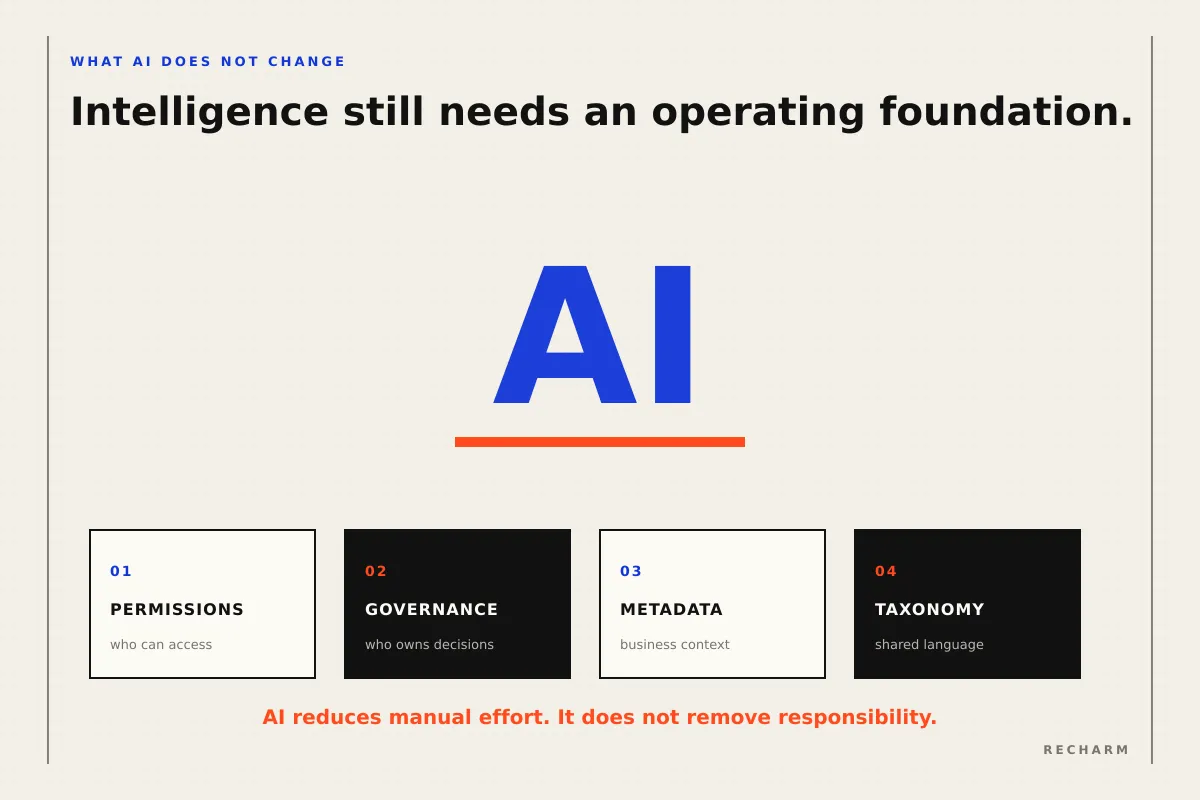
AI can make creative assets easier to find and organize, but it doesn't eliminate the need for proper asset management. Teams still need clear rules for access, ownership, metadata, and approvals.
Four areas remain essential:
- Permissions: Teams need to control who can view, download, edit, and share assets. AI features must respect those access rules.
- Governance: Naming conventions, approval processes, asset ownership, and retention policies still need to be defined.
- Structured metadata: AI can identify someone applying serum in a video, but licensing dates, approved usage, and campaign details must come from reliable business records.
- Taxonomy: A consistent set of categories and terms helps teams organize assets and retrieve them accurately.
AI reduces manual effort, but these foundations determine whether the library remains reliable as it grows.
What Changes Compared With Traditional DAM?
Traditional DAM platforms have long helped teams store, organize, version, and distribute creative assets. Many also support automated tagging, advanced search, and video management.
What AI changes is how much manual work is required to understand and retrieve content, especially within large collections of raw footage.
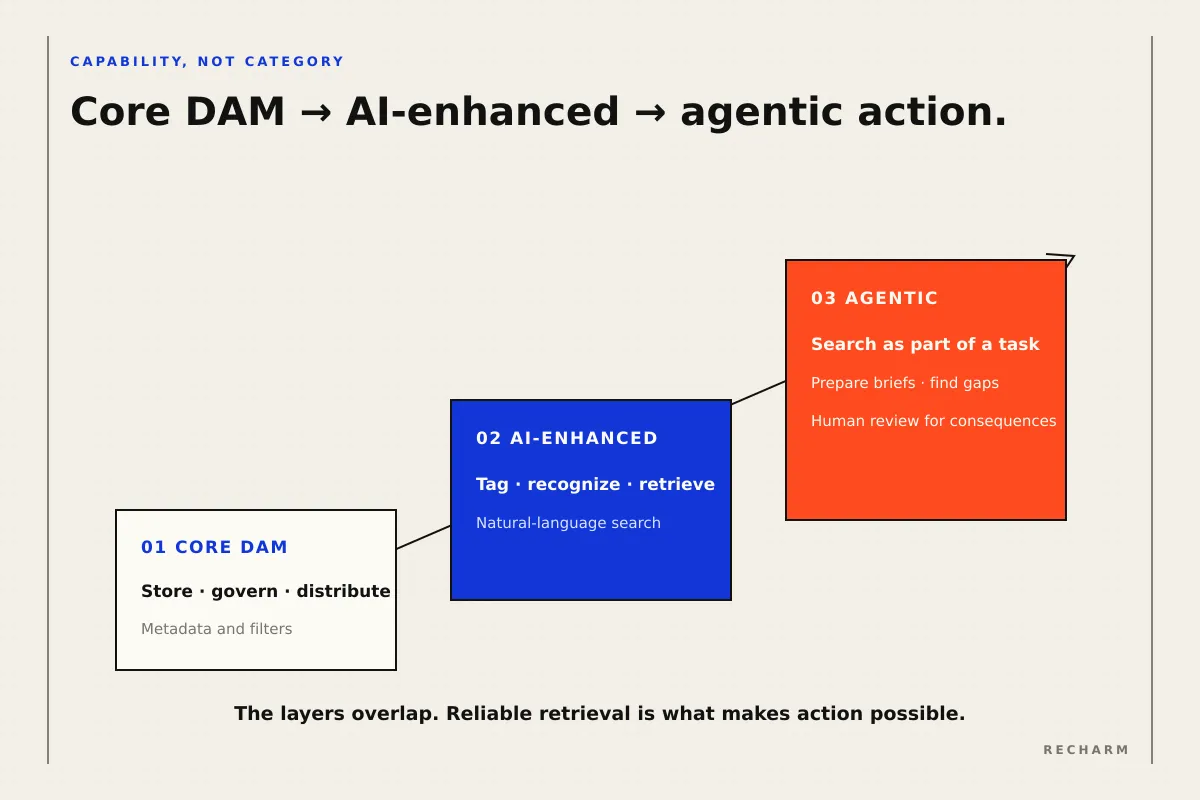
Rather than treating traditional, AI-assisted, and agentic DAM as completely separate product categories, it is more useful to compare the capabilities they bring to creative workflows.
| Area | Core DAM Capabilities | AI-Enhanced Capabilities | Agentic Capabilities |
|---|---|---|---|
| Tagging | Metadata fields, taxonomies, and manual tagging | AI suggests or generates descriptive tags | AI can apply or update tags as part of a larger task, subject to permissions |
| Search | Keyword, metadata, and filter-based search | Natural-language, visual, and semantic search | AI searches assets as part of completing a broader request |
| Video | Storage, previews, versions, and supported video workflows | Recognition and retrieval of scenes or moments | AI can select and organize relevant moments for a task |
| Workflow | Assets are organized and shared across tools | Teams spend less time manually identifying footage | AI can prepare briefs, identify gaps, or organize assets for review |
| Human involvement | People manage assets and creative decisions | AI assists people with discovery and organization | AI performs permitted steps while people review consequential actions |
These capabilities can overlap within the same platform. A traditional DAM may already include sophisticated AI features, while an agentic workflow depends on reliable asset retrieval and access controls.
For a deeper explanation, see What Is Agentic DAM?.
The AI Capabilities That Matter Most
Not all AI features deliver the same value to creative teams. When comparing platforms, look beyond the feature names and evaluate how well each capability performs on your footage.
| Capability | What It Helps Teams Do | What to Test |
|---|---|---|
| Automated tagging | Generate descriptive labels for footage | Whether tags are specific and relevant rather than generic |
| Object and action recognition | Find products, objects, and activities within clips | Whether small or partially hidden objects are identified |
| Visual similarity | Discover visually related shots | Whether the system distinguishes different products in similar settings |
| Transcript search | Find footage containing specific spoken lines | Accuracy with music, accents, and brand names |
| Semantic search | Find content using natural-language descriptions | Whether results match the intended meaning |
| Creator identification | Organize footage associated with individual creators | How creators are identified and whether the results are accurate |
| Duplicate detection | Identify duplicate or near-duplicate footage | Whether different takes and edited versions are distinguished |
| Rights-aware filtering | Help identify footage with usage restrictions | Whether rights information is accurate and restrictions are enforced |
Automated Metadata Tagging
AI-generated metadata generally falls into two categories:
- Descriptive tags: Identify what appears in footage, such as a bottle, a bathroom, or someone applying a product.
- Interpretive tags: Describe creative context, such as the target persona, advertising angle, problem being addressed, or emotion conveyed.
Descriptive tags are often easier to generate because they relate to visible content. However, their accuracy can still vary with footage quality, camera angles, and the objects being identified.
Interpretive tags require more context. A generic tagging model may not understand the creative angles, audience segments, or product terminology that matter to a particular brand.
Recharm's AI video tagging helps teams discover and organize footage using AI-generated tags. Teams can also add custom tags to capture brand-specific information.
For a closer look at the process, see our guide to video tagging.
Visual and Semantic Search
Semantic visual search can use models that represent images and text in a shared mathematical space. This allows a system to identify visual content that matches a natural-language description, even when the exact words aren't present in the asset's metadata.
OpenAI's CLIP research is a well-known example of this approach. The model was trained using 400 million image-text pairs.
However, the research also identified limitations in tasks such as counting objects and distinguishing fine-grained visual details.
For creative teams, this makes certain searches particularly important to test:
- "Three bottles on the counter."
- "The 12 oz bottle, not the 8 oz version."
- "The product with the darker label."
Newer models may perform better, but accuracy depends on the technology and footage involved.
Recharm's visual search allows teams to search footage using descriptions of people, objects, actions, and visual composition, helping them locate relevant scenes without relying entirely on filenames or manual tags.
Transcript Search
Speech recognition converts spoken audio into text, often with timestamps that help users locate specific dialogue within a video.
OpenAI's Whisper research, based on 680,000 hours of audio training data, demonstrates how speech recognition can support multilingual transcription.
However, transcription accuracy can decline with background music, unclear speech, unfamiliar brand names, and some languages or accents. Speech recognition systems may also omit words or generate incorrect text.
For teams managing creator footage, testing with real recordings is more useful than relying on clean demonstration audio.
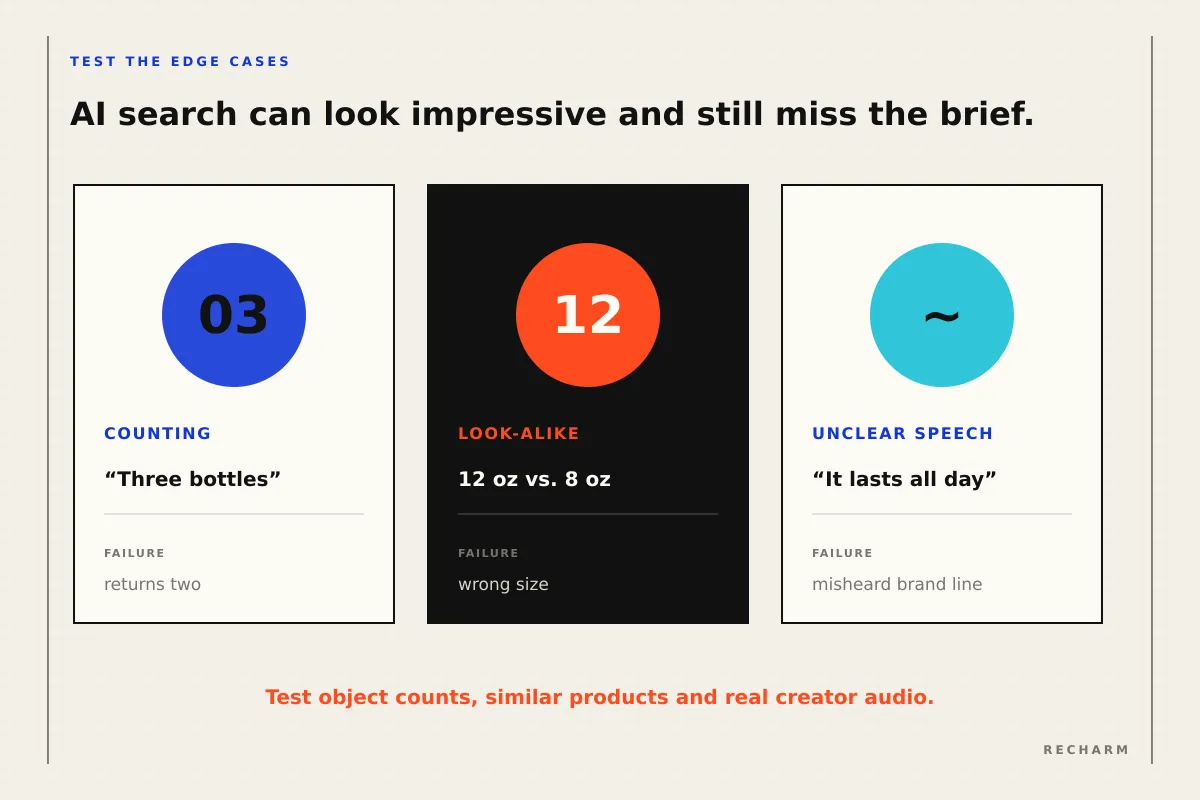
Semantic search can provide an additional layer of discovery. For example, a search for "it lasts all day" may also retrieve a creator saying "stays put through the afternoon," depending on the platform's search capabilities.
Similarity and Creator Recognition
Visual similarity helps teams find footage with similar compositions, scenes, or visual characteristics. It can support both footage discovery and creative variation checks.
Recharm's free Creative Similarity Scanner allows teams to compare multiple ads and evaluate their visual similarity.
Creator identification serves a different purpose. It helps teams organize footage associated with individual creators, making it easier to locate their assets across campaigns.
Recharm's creator tagging helps teams group and discover footage by creator.
When evaluating creator identification features, ask how the platform associates footage with individuals. Identification through creator-provided information or metadata is different from identifying people through biometric characteristics.
Under UK ICO guidance, biometric data used for uniquely identifying individuals can qualify as special category data.
The applicable requirements depend on the technology, purpose, and jurisdiction. Teams should review the vendor's data handling practices and their creator agreements where relevant.
Why Video Makes AI DAM More Valuable and More Difficult
Unlike a product photograph, a long creator video can contain multiple reusable moments: different hooks, testimonials, demonstrations, product close-ups, B-roll, and CTAs.
Each moment may serve a different creative purpose, while spoken dialogue adds another layer of searchable information.
For paid-social teams, the challenge is rarely finding the video file alone. It's locating the exact moment needed for a particular ad.
This is why scene-level indexing can be valuable for raw footage libraries. Instead of manually reviewing an entire recording, teams can search for individual moments.
However, making footage searchable is only part of the process. Creative context needs to remain connected to the footage when clips are created.
A reusable clip should retain relevant information about its creator, original source, and usage rights.
IPTC's Video Metadata Hub provides a useful reference for organizing video metadata, including descriptive, administrative, and rights-related information.
Recharm's footage organization helps teams break down long videos into searchable clips, while its usage rights management helps keep licensing information accessible.
Customer results illustrate the potential value of making footage easier to find:
- FabFitFun: Its case study reports a reduction in footage search time from approximately two hours to 30 seconds.
- HexClad: Its case study reports that finding a specific shot went from up to 30 minutes to approximately five minutes.
These are customer-reported results. Actual improvements will depend on the size of the library and the team's existing workflows.
AI DAM vs. Agentic DAM
AI-powered search and automated tagging make footage easier to discover. Agentic capabilities go further by using that information to carry out steps toward a broader goal.
Retrieval vs. Action
Retrieval means finding relevant footage, such as clips showing customers applying a product.
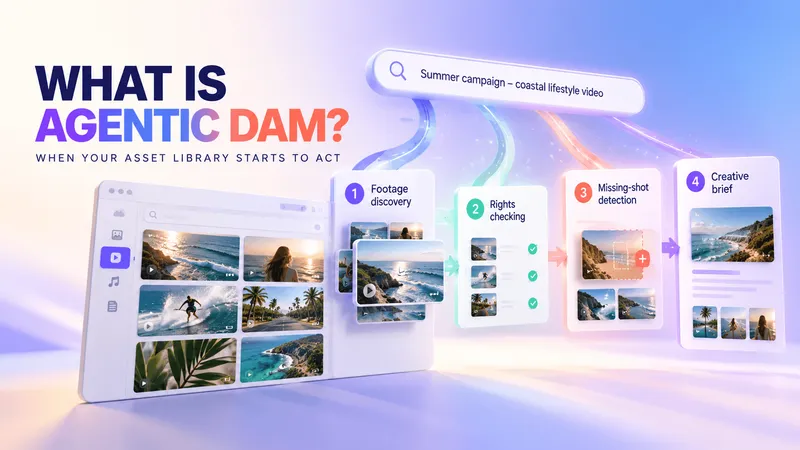
Action means using that footage as part of a workflow, such as identifying missing shots, organizing selected clips, or preparing a creative brief for review.
AI systems can connect to external asset libraries through integrations and standards such as the Model Context Protocol (MCP).
Anthropic introduced MCP in November 2024 as an open standard for connecting AI applications with external data sources and tools.
For more detail, see our guides to DAM and MCP and agentic DAM.
Recharm's Claude integration is designed to help teams search their creative libraries through Claude and use retrieved footage in AI-assisted workflows.
Where Human Review Still Matters
AI can help prepare creative work, but important decisions still need appropriate human oversight.
Teams should establish review and approval requirements for activities involving usage rights, publishing, deletion, and final creative decisions.
There are also security considerations.
OWASP identifies indirect prompt injection as a risk when AI systems process untrusted information from external sources.
In a DAM workflow, that information could include transcripts, asset descriptions, filenames, or notes. If an AI agent treats instructions embedded in those materials as authoritative, it may take unintended actions.
To reduce this risk, teams should limit AI access to the permissions required for each task and require appropriate approval for sensitive actions.
How AI DAM Fits a Modern Creative Workflow
A DAM provides the asset and context layer within creative operations. Project management, review, editing, advertising, and analytics tools handle other parts of the workflow.
For a broader explanation, see our guide to DAM for creative operations.
AI can reduce manual work across several stages, but teams still need to validate important details.
| Workflow Stage | How AI Can Help | What the Team Should Verify |
|---|---|---|
| Ingest | Organize footage received through uploads or supported integrations | Files and creator agreements are complete |
| Split and index | Identify scenes and make individual moments searchable | Scene boundaries and clip quality |
| Tag | Suggest descriptive and creative-context tags | Product names, personas, and brand terminology |
| Search | Find footage using visual descriptions or spoken dialogue | Results match the intended creative requirement |
| Check usage rights | Surface recorded licensing information and restrictions | The agreement permits the intended use |
| Select | Identify footage by creator, scene, or creative angle | Creative relevance and brand suitability |
| Brief | Help organize selected clips and prepare creative briefs | Accuracy of the concept, claims, and references |
| Edit and reuse | Surface existing footage for new creative variations | Quality, licensing status, and final creative decisions |
Usage rights require particular attention. A system may display a license as valid, but that status alone doesn't establish whether the footage is cleared for a specific platform, campaign, or type of advertising.
Teams should verify the underlying agreement before publishing or reusing creator footage.
How to Evaluate an AI DAM
A vendor demo can show what an AI DAM is capable of, but it doesn't necessarily show how well the platform will work with your footage.
The best way to evaluate a DAM is to test it using real creative assets and decide how you'll measure its performance before seeing the results.
Test With Your Own Footage
Choose footage that reflects the challenges your team handles every day:
- Long raw videos: Five to ten videos, ideally over 20 minutes each, containing multiple scenes and takes.
- Poorly named creator files: Footage with the inconsistent filenames your team actually receives.
- Look-alike shots: Similar products in different sizes, colors, or packaging.
- Different license statuses: Footage with valid, expiring, and expired usage rights.
- Challenging audio: Videos with background music, accents, slang, or unfamiliar brand names.
Ask the vendor to process this footage during the trial so you can also evaluate upload, indexing, and preparation time.
Measure Search Results, Not Just Demo Performance
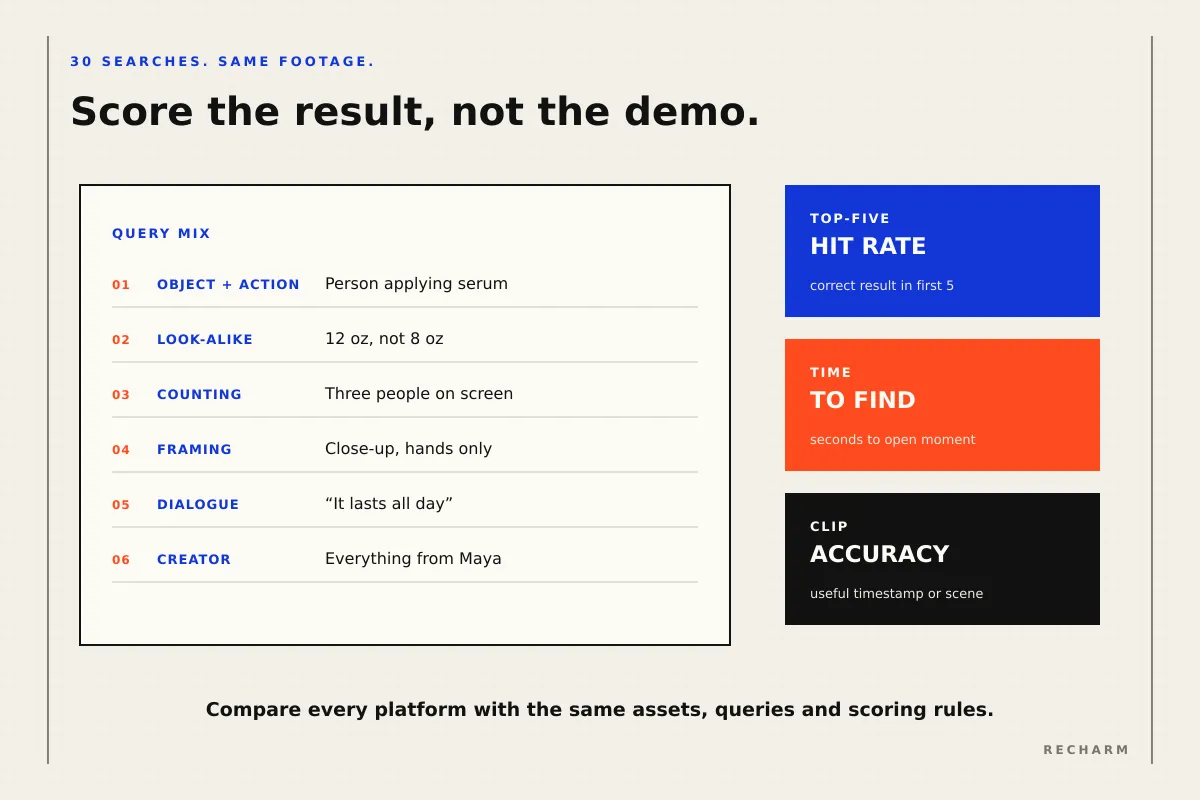
Prepare approximately 30 search queries based on real creative briefs before beginning the trial.
Include different search types to evaluate the platform's strengths and limitations.
| Query Type | Example | What It Tests |
|---|---|---|
| Object and action | "Person applying serum" | Visual recognition |
| Look-alike products | "The 12 oz bottle, not the 8 oz" | Fine-grained visual distinctions |
| Counting | "Three people on screen" | Object and person counting |
| Text in frame | "Label facing the camera" | Recognition of visible text and product orientation |
| Framing | "Close-up, hands only" | Understanding of shot composition |
| Spoken dialogue | "It lasts all day" | Transcript search accuracy |
| Paraphrased dialogue | "Stays put through the day" | Semantic search |
| Creator | "Everything from this creator" | Creator-based asset retrieval |
For each query, measure three things:
- Top-five hit rate: Does the correct footage appear among the first five results? Divide the number of successful searches by the total number of queries.
- Time to find footage: How long does it take a user to locate and open the correct moment?
- Clip accuracy: Does the result open at a useful timestamp or scene boundary, or does the editor still need to search and trim the footage?
Compare platforms using the same footage, queries, and scoring criteria.
A DAM that returns relevant files is useful. A DAM that consistently finds the exact moments your team needs can save considerably more time.
Check Governance and AI Access
Search accuracy isn't the only consideration. AI features also introduce questions about access, data handling, and accountability.
Ask each vendor:
- Permissions: Do AI features follow existing user roles and asset access restrictions?
- Data handling: Where is footage stored and processed? Is customer content used to train AI models?
- Creator information: How does the platform identify creators, and what personal information does it process?
- AI access: Can AI integrations operate with read-only permissions? Do sensitive actions require approval? Our DAM and MCP guide explains what to consider.
- Audit trails: Can administrators review changes made through AI-assisted or automated workflows?
- Export: Can the team export its assets, metadata, and rights information if it changes platforms?
These questions help determine whether the DAM fits your team's operational and security requirements, not just its search needs.
When a Traditional DAM Is Still Enough
Not every creative team needs advanced AI-powered video search. A DAM with strong organization, metadata, permissions, and standard search capabilities may be sufficient when:
- Most assets are finished creative: Your library primarily contains logos, product photographs, approved videos, and brand materials.
- Raw video is limited: Teams manage relatively few recordings and can locate what they need using filenames, folders, or metadata.
- Metadata is well maintained: Assets are consistently tagged, categorized, and updated.
- Footage reuse is occasional: Teams produce fewer campaigns and rarely need to search across large collections of creator footage.
The requirements change for high-volume paid-social teams managing raw videos, UGC, and frequent creative variations.
When editors regularly search through long recordings to find specific hooks, testimonials, or product shots, scene-level search becomes more valuable.
That doesn't necessarily mean replacing an established DAM. Some existing platforms already support AI-powered video search.
The deciding factor is whether your current system helps the team find and reuse footage efficiently, not whether the vendor describes it as traditional or AI-native.
See What Your Footage Becomes When It's Searchable by What's Inside It
The value of AI digital asset management isn't simply having automated tags or smarter search. It's helping creative teams find the exact footage they need without spending hours searching through raw videos.
Recharm brings together footage organization, visual search, AI video tagging, creator tagging, usage rights management, and Claude integration to help teams organize, discover, and reuse creative footage.
Instead of searching through entire videos, strategists and editors can locate relevant scenes and work with footage that fits their creative briefs.
See how Recharm helps teams find footage using visual search: Explore AI Visual Search.
FAQs
What Is the Difference Between AI DAM and Traditional DAM?
Traditional DAM focuses on organizing, managing, securing, and distributing digital assets. AI DAM adds capabilities such as automated tagging, semantic search, and visual content recognition to reduce manual work.
However, many established DAM platforms already include AI features. The important distinction is which capabilities a platform offers and how effectively they support your team's workflows.
Can AI DAM Search Inside Video Files?
Yes, depending on the platform. Some DAM systems search using file-level metadata, while others analyze video content to identify individual scenes, objects, actions, or spoken dialogue.
For teams managing raw footage, it's worth checking whether the platform returns a whole video file, a timestamp, or a directly accessible clip.
Does AI Remove the Need for Metadata and a DAM Taxonomy?
No. AI can generate descriptive tags and help categorize assets, but teams still need reliable business information such as campaign details, creator agreements, license expiration dates, and approved usage.
A consistent taxonomy also helps keep assets organized and searchable across teams.
For a closer look, see our guide to metadata tagging.
What Is the Difference Between AI DAM and Agentic DAM?
AI DAM uses artificial intelligence to help organize, tag, and search digital assets.
Agentic DAM goes further by allowing AI systems to perform permitted steps toward a larger goal, such as finding relevant footage, identifying missing shots, or preparing a creative brief for review.
Human oversight and access controls remain important, especially for actions involving rights, publishing, or asset changes.
For more details, see our guide to agentic DAM.
How Should a Team Test an AI DAM Before Buying It?
Test the platform using your own creative footage, including long recordings, poorly named files, similar-looking products, and assets with different licensing restrictions.
Prepare approximately 30 search queries based on real briefs. Measure how often the correct footage appears in the top five results, how long it takes to locate the right moment, and whether the returned clips are ready to use.
Also evaluate permissions, data handling, integrations, and export capabilities before making a decision.