
Raw video libraries are often chaotic, filled with terabytes of UGC, raw B-roll, and poorly organized folders. As a result, editors and creative strategists waste hours searching for the right clip.
AI metadata tagging solves this problem by automatically labeling videos with descriptive tags and searchable transcript keywords, making footage easy to find instantly.
This guide is designed for DTC ad teams, creative strategists, editors, and performance marketers managing large video libraries. We’ll break down what metadata tagging is, why manual tagging slows teams down, how AI improves the process, and which tools and workflows make it practical.
TL;DR
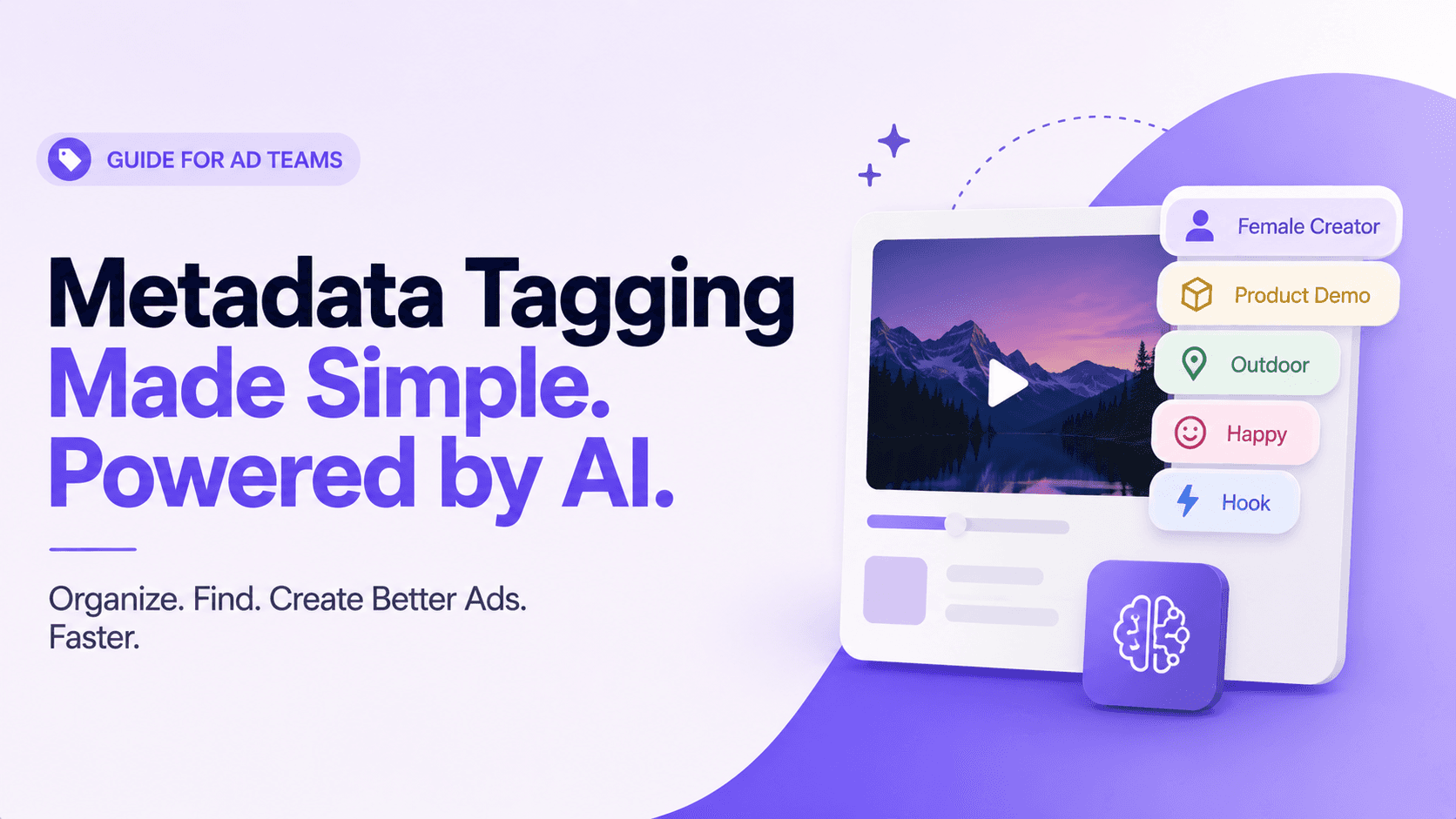
Metadata tagging is adding descriptive labels (tags) to media assets (e.g., “female creator”, “product demo”, “hook”). It’s data about data, not the actual video content.
Manual tagging is tedious and inconsistent; teams can spend 20+ hours/week on it, leading to lost files, inconsistent names, and even costly reshoots.
AI-powered tagging uses computer vision and NLP (speech-to-text) to label clips automatically. This means searching “game changer” in hundreds of videos or filtering clips by emotion/persona instantly.
Good metadata makes creative teams faster and smarter: find assets in seconds, iterate on ad concepts quickly, and measure performance of hooks, angles, and personas. It even helps beat ad fatigue by mixing and matching clips.
Top tools for video tagging include Recharm (built for creative teams), Google Cloud Video Intelligence (API-based object/transcript analysis), and Amazon Rekognition (AWS service for scenes, faces, text). Each has trade-offs in ease-of-use and features.
What Is Metadata Tagging?
Metadata is simply information about a file. It’s not the actual video itself, but the data that describes what’s inside it.
For example, a video might show a woman talking about a skincare product. The metadata attached to that clip could include tags like “female creator,” “UGC testimonial,” “outdoor,” or “product demo.” These tags help answer questions like who appears in the video, what’s happening, where it’s filmed, and what type of content it is.
Metadata is usually divided into three categories:
Descriptive metadata: Tags that describe the content itself, such as “female creator,” “campfire scene,” or “product demo.” This is what makes assets searchable.
Structural metadata: Information about how the content is organized. In videos, this could include scene hierarchy, chapters, or separate sections like hooks and testimonials.
Administrative metadata: File management details like creation date, file type, permissions, or usage rights.
Metadata tagging is the process of assigning these labels to media assets. The tags are not visible inside the video itself. They live inside your DAM or asset management system and make footage easier to search, organize, and reuse.
For ad teams, metadata often includes creative strategy labels like:
Hook
Persona: athlete
Emotion: excited
Angle: outdoors
Problem: skincare
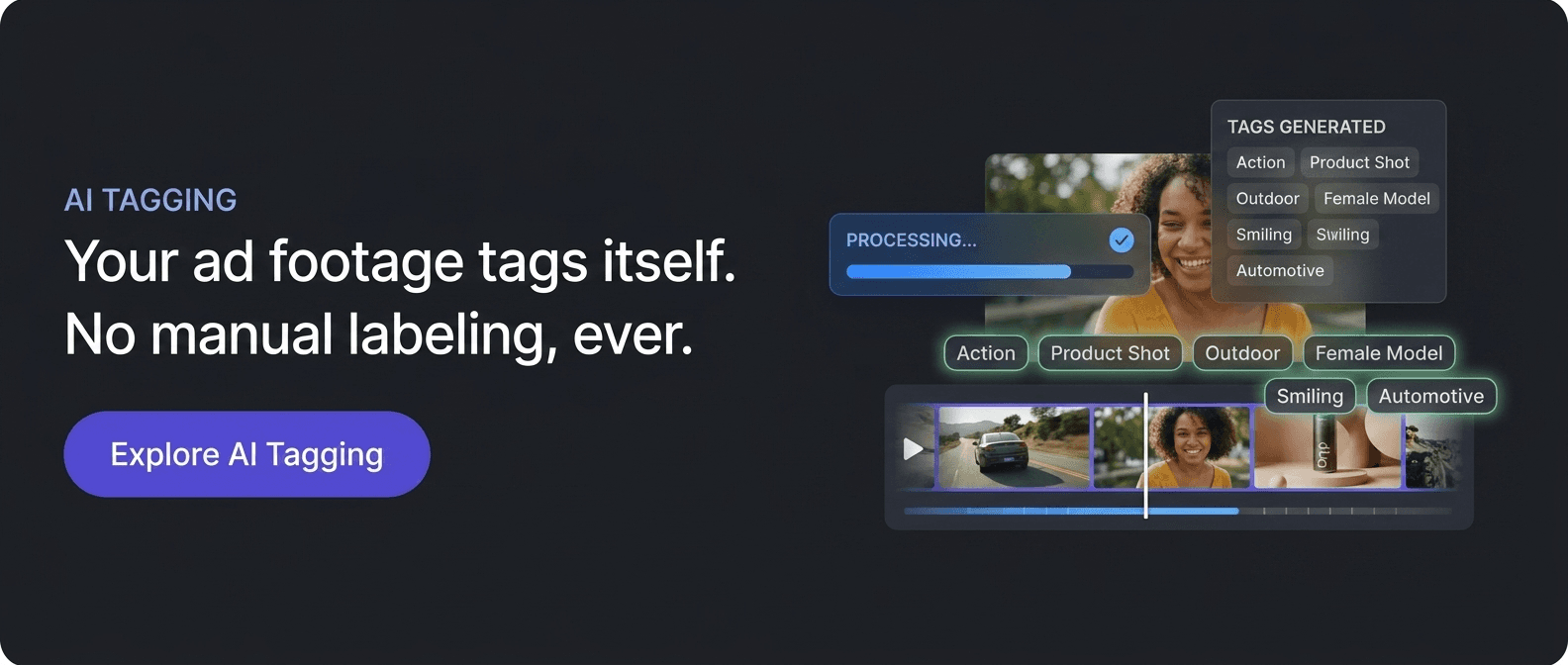
AI tools can now generate these tags automatically. For example, an AI system might scan a UGC testimonial and tag it as:
Female creator
Kitchen setting
Bright tone
Fast pacing
Hook in first three seconds
The footage itself does not change. What changes is how quickly teams can find and reuse it.
For example, an AI scan might generate a description like:
“This is a UGC testimonial video filmed in a kitchen with a bright tone and a convenience-focused value proposition. It features a female creator, vertical orientation, fast pacing, and a strong hook in the first three seconds.”
You don’t have to manually type all of that. The AI analyzed the video and created searchable metadata automatically.
The Operational Cost of Manual Metadata Tagging
Manual tagging may sound manageable at first, but it quickly becomes a major bottleneck for creative teams handling large video libraries.
Time-Consuming Workflows
When teams manage dozens or even hundreds of ads, someone ends up spending hours renaming files and adding tags manually. Research shows that teams handling 50–100 creatives can spend 20+ hours every week just organizing assets instead of creating them.
Inconsistent Tagging
Manual systems also create inconsistency. One editor may tag a clip as “outdoor testimonial,” while another writes “testimonial outside.” Over time, the library becomes fragmented, making assets harder to find and reuse.
Knowledge Dependency
In many teams, organization depends on one person remembering where everything is stored. If that person leaves or forgets the structure, the system breaks down. Even small naming mistakes can create major problems. In some cases, a single typo can make footage effectively disappear from the library.
Poor Searchability
Without proper metadata, searches become unreliable. Teams waste time digging through folders, spreadsheets, and old drives just to locate one usable clip. This often leads to duplicated work or unnecessary reshoots because existing footage cannot be found quickly.
Expensive Rework
Missing or mis-tagged footage can slow production timelines and increase costs. Instead of reusing existing assets, teams end up recreating content they already had.
In short, manual tagging is slow, inconsistent, and difficult to maintain at scale. As content libraries grow, it becomes harder for teams to search, reuse, and manage creative efficiently.
The Shift from Manual to Automatic Metadata Tagging
Creative teams once relied heavily on folder structures and naming systems to organize footage. Editors created folders like “testimonials,” “hooks,” or “UGC ads,” while some teams even tracked assets through spreadsheets.
These systems may work for small libraries, but they quickly become difficult to manage as content volume grows.
AI has completely changed this process. Modern video platforms now use machine learning to analyze video frames, audio, scenes, objects, faces, and speech automatically. Instead of manually typing tags, AI generates metadata on its own by understanding what’s happening inside the footage.
Computer vision can identify:
Products
Faces
Locations
Emotions
Actions
At the same time, NLP (Natural Language Processing) can:
Transcribe speech
Detect keywords
Understand dialogue context
Together, these technologies create a searchable index of your video library automatically.
Why This Matters
With AI tagging, footage starts organizing itself the moment it’s uploaded. Teams no longer need to manually sort clips into endless folders or rely on memory to find old assets.
Instead of spending hours managing files, editors and strategists can focus on what actually matters: creating better campaigns and testing new creative ideas faster.
How Does AI Metadata Tagging Work? Computer Vision vs. NLP
AI metadata tagging mainly works through two technologies: Computer Vision (CV) and Natural Language Processing (NLP). Together, they help transform raw footage into searchable, organized data.
Computer Vision (CV)
Computer Vision helps AI understand what’s happening visually inside a video. It can automatically detect:
Objects like phones, products, cars, or logos
Faces, people, and expressions
Scenes like kitchens, beaches, or city streets
Actions such as opening a box or pouring a drink
Emotions like excitement, happiness, or frustration
For example, AI can tag a clip with labels like:
Female creator
Outdoor setting
Excited reaction
Product demo
Fast-paced hook
These visual tags make it easier to filter footage based on specific creative needs.
NLP & Audio Analysis
At the same time, AI analyzes the audio using speech-to-text and NLP technology. This allows the system to:
Generate full video transcripts
Detect keywords and phrases
Read on-screen text using OCR
Identify tone, sentiment, and offers mentioned in the video
For example, if someone says “game changer” in a UGC clip, you can search that exact phrase and instantly jump to the relevant moment instead of manually reviewing hours of footage.
Why This Matters
AI combines both visual and audio understanding together. That means teams can search using concepts, not just file names.
For example, you could filter clips where:
A female creator appears on screen
The tone feels excited
The creator says “our product solves this problem”
Instead of digging through folders manually, teams can instantly surface the exact footage they need.
Why Metadata Tagging Matters for Creative Teams
Discoverability & Speed: With rich metadata, finding the right clip becomes instant. Instead of digging through folders or relying on someone’s memory, teams can simply search or apply filters. Google’s Video AI even describes it as being able to “search your video catalog the same way you search documents.”
In practice, a strategist can search: “15-second UGC with a founder talking head and a 50% off offer” and get results in seconds. Without AI tagging, that same search could take hours. Metadata tagging speeds up creative planning, editing, and asset reuse.
Creative Iteration: Modern ad production depends on constant testing and iteration. Teams regularly swap hooks, testimonials, and product shots to fight creative fatigue, when audiences stop responding to repetitive ads.
Metadata tagging makes this process modular. You can instantly pull all clips with a surprised reaction, a specific hook style, or a certain setting without reshooting content. Since ad fatigue usually happens at the concept level, tags help teams identify what actually needs refreshing.
Data-Driven Strategy: Tags also turn creative assets into measurable data. Teams can track which angles, personas, hooks, or emotions drive better CTR or ROAS.
This is especially important for platforms like Meta. Its Andromeda algorithm groups visually similar ads together. If you upload multiple near-identical creatives, Meta may treat them as a single entity, limiting reach. Metadata tagging helps teams maintain creative diversity by quickly surfacing different themes, personas, and formats for remixing.
Integration with Ad Workflows: On platforms like TikTok and Meta, creative performance drives distribution. Tagging helps teams understand what works across formats and audiences, from hook styles to value propositions. It also creates a tighter feedback loop between editors, strategists, and performance marketers.
Why This Matters
Metadata transforms a messy video library into a searchable creative asset system. Instead of wasting time managing files, teams can focus on ideation, testing, and scaling winning concepts. The result is faster production, smarter creative decisions, and better ad performance.
5 Metadata Tagging Best Practices for Digital Assets
1. Use a Controlled Vocabulary: Create a consistent tag library instead of letting teams use random terms. Define standard categories for personas, emotions, formats, and settings. For example, decide whether your team will use “testimonial” or “customer story” and stick to one version. This prevents duplicate tags and messy libraries.
A good tip is to align tags with your team’s actual campaign language. If your creatives often use terms like “hero shot” or “close-up reveal,” make them official tags.
2. Combine AI Tagging With Human Review: Use AI for the first pass, then review important tags manually. AI can quickly detect scenes, people, objects, and transcripts at scale, while humans can fix errors or add context-specific tags.
For example, Recharm offers human verification for critical details like exact product IDs. This hybrid approach gives teams both speed and accuracy.
3. Tag at the Clip Level: Don’t tag only the full video. Most ads contain multiple usable moments like hooks, product demos, and CTAs. Tagging individual scenes or timestamps makes footage far easier to reuse.
For example:
Intro Hook
Product Close-Up
CTA Scene
Many AI tools now auto-detect scene changes, making clip-level tagging much easier.
4. Include Rights & Administrative Metadata: Metadata is not just for discovery. It also helps manage ownership and compliance. Add tags for usage rights, licenses, expiration dates, or internal restrictions.
For example:
License expires: 12/31/2026
Internal use only
Administrative metadata reduces legal risk and helps automate processes like access control and archiving.
5. Audit Your Taxonomy Regularly: Your tag system should evolve with your campaigns. Review your taxonomy regularly to remove outdated tags, merge duplicates, and add new creative themes.
For example, if your team uses both “testimonial” and “customer testimonial,” combine them into one standardized tag. Regular audits keep your metadata clean, searchable, and scalable.
Example
One brand may define fixed personas like athlete, chef, student, or founder and ask editors to verify AI-generated tags against that list. Another may require every uploaded video to include at least three tags such as format, hook style, and emotion.
These small systems create much better consistency, searchability, and long-term organization.
Top AI Tools for Video Tagging and Metadata Generation
Recharm: A video asset management platform built for ad teams. Overview: Recharm automatically analyzes uploaded videos with AI, tagging each clip with creative strategy labels (angles, personas, emotions, age/gender). It also generates transcripts for text search.
Best for: DTC brands, agencies, and creative teams who want a UI-tailored tool (not just an API) and care about ad-specific tags.
Strengths: Creative-focused. Offers an editor-friendly dashboard to filter by tags and a built-in transcript search. Supports human-in-the-loop tagging for products. Provides “visual search” and scene-based clip editing.
Limitations: It’s a specialized SaaS, so you upload assets to Recharm (rather than self-hosting). Entry cost is higher ($299/mo for Pro). Also, mainly video-focused (images are an add-on).
Distinction: Combines object detection with marketing taxonomy. It’s one of the few tools that has built-in ad creative analytics (ROAS by scene) and creative iteration workflows.
Google Cloud Video Intelligence: An AI video analysis API by Google that detects objects, scenes, activities, and speech in videos. It can recognize 20,000+ objects, places, and actions, and index videos at shot or frame level.
Best for: Tech-savvy teams and enterprises building custom video search or analysis workflows, especially those already using GCP.
Strengths: Highly accurate, scalable, and regularly updated by Google. Supports live-stream analysis and integrates with Google Speech-to-Text for transcripts.
Limitations: API-only, so it requires developers for setup. Uses generic tags like “Person” or “Beach” instead of creative-focused metadata. Pricing starts after the first 1,000 free minutes/month at around $0.10/min.
Distinction: Enterprise-grade computer vision with strong integration across Google Cloud’s AI ecosystem.
Amazon Rekognition (Video): AWS’s AI-powered video analysis service that detects objects, scenes, faces, activities, text overlays, and inappropriate content in stored or live videos.
Best for: Teams already using AWS for large-scale media indexing, moderation, or archiving workflows.
Strengths: Strong feature set including facial analysis, person tracking, text detection, and streaming video analysis. Integrates smoothly with AWS Media services and offers a 60 min/month free tier.
Limitations: API-only with no built-in creative workflow UI. Tags are generic, and audio transcription requires a separate AWS Transcribe integration. Pricing starts around $0.008/min after free usage.
Distinction: Especially strong in face and emotion detection, with deep integration into the AWS ecosystem.
Tool | Creative UI | Transcript Search | Ad-Specific Tags | Human Review | Entry Price |
Recharm | Yes | Yes | Yes | Yes | From ~$299/month |
Google Cloud Video AI | No (API only) | Yes | No | No | 1,000 free min/month, then ~$0.10/min |
Amazon Rekognition | No (API only) | Yes | No | No | 60 free min/month, then ~$0.008/min |
The Recharm Advantage: Turning Raw Video into Searchable Intelligence
Recharm combines computer vision (CV) and NLP to turn raw footage into a searchable asset library. Its AI metadata tagging labels clips with creative attributes automatically, helping teams find the right content faster. Key features include:
Transcript Search: Every video is automatically transcribed, making it easy to search spoken keywords, product names, or phrases across all clips.
Automated Scene Clipping: Recharm detects hooks, testimonials, and B-roll automatically, then splits footage into usable scenes without manual editing.
Creative Strategy Tags: AI tags clips by persona, emotion, ad angle, setting, and more. Need clips with a founder speaking or a happy customer reaction? Just filter and find them instantly.
Visual & Deep Search: Use filters and semantic search to narrow down massive libraries in seconds. For example: “young male creator, outdoors, excited.”
By structuring all this metadata, Recharm turns unorganized footage into a modular content engine. Teams spend less time searching, move faster on creative testing, and can directly connect creative elements to performance metrics like ROAS.
Ready to see it? Book a Demo to watch how Recharm’s AI tagging powers creative workflows.
How to Implement AI Metadata Tagging for Your Video Library
Getting started is simpler than most teams think:
1. Gather and Centralize Assets: Bring all your raw footage, including ads, UGC, and B-roll, into one platform or DAM. If your files are scattered across Google Drive or folders, centralize them first.
2. Define Your Taxonomy: Create a standard tagging structure for things like personas, emotions, hooks, formats, and angles. Define key fields such as Hook Type, Ad Format, or Creator ID so your entire team follows the same system.
3. Run Automatic Tagging: Use an AI tagging tool like Recharm or a cloud API to process your videos. The AI will automatically:
Split scenes
Generate transcripts
Detect objects and people
Apply metadata tags
This usually happens automatically during upload or batch processing.
4. Review and Refine: Check a sample of the generated tags and fix any mistakes. Add missing context where needed and refine your taxonomy over time. Human review is especially useful for product-specific or campaign-sensitive tags.
5. Use and Iterate: Once your library is indexed, train your team to search using tags and transcripts. Continue using the same workflow for every new upload so your metadata library keeps improving over time. Regularly audit tags to keep the system clean and consistent.
Example
A skincare brand might tag videos by skin type, skin tone, persona, or product concern. After uploading old UGC into Recharm and running AI tagging, the team can instantly search for clips like: “fair-skinned creator talking about anti-aging.”
Over time, this turns even old footage into instantly reusable creative assets.
Conclusion: Making Your Media Assets Work for You
Your media library should be more than just storage. With AI-powered metadata tagging, every clip becomes a searchable creative asset. Instead of scattered footage sitting unused, teams can build a structured content engine that supports faster production, better creative diversity, and quicker campaign execution.
When videos are searchable by persona, emotion, hook, or script, editors and strategists spend seconds finding footage instead of hours digging through folders. That means more time for creative testing, ideation, and optimization instead of manual organization.
Teams using AI tagging also reduce unnecessary reshoots by reusing existing footage more effectively, often leading to stronger ROI and faster creative workflows.
In short, metadata tagging turns chaotic video libraries into searchable intelligence that helps teams create, test, and scale ads more efficiently.
Ready to make your footage actually work for you? Start your 14-day free trial of Recharm and turn your media library into a smarter creative workflow.
FAQs
What's the Difference Between Metadata Tagging and File Naming?
File naming is a basic way to organize assets, like naming a file “Hook_Sarah_01.mov.” But it’s fragile. One typo or an inconsistent naming format can make files difficult to find or even cause you to lose track of them.
Metadata tagging is more advanced. Instead of relying only on file names, it adds searchable labels like creator name, scene type, emotion, or product shown. These tags live inside your DAM, making assets far easier to organize and search at scale.
How Accurate Is AI Tagging?
AI tagging accuracy depends on the model and video quality. Tools like Google Cloud Video AI, Amazon Rekognition, and Recharm are highly accurate for common objects, scenes, and speech, but mistakes can still happen with blurry or complex footage.
That’s why many teams use a hybrid workflow: AI handles bulk tagging, while humans review important assets. In most cases, AI tagging is accurate enough to dramatically reduce manual work.
What Is Automatic Metadata Tagging?
Automatic metadata tagging uses AI to generate tags without manual effort. The system analyzes videos, detects scenes, objects, speech, and people, and then creates searchable metadata automatically.
Instead of manually labeling every clip, teams get an instantly searchable library with minimal effort.
Can I Use This With Google Drive?
Google Drive does not offer built-in AI metadata tagging. It mainly relies on file names and basic search.
To use AI tagging, teams usually move or sync footage into a DAM or video platform like Recharm that supports automated tagging, transcript search, and visual search.
What Are the Best AI Tagging Tools?
Popular AI tagging tools include:
Recharm for creative teams and ad workflows
Google Cloud Video Intelligence for scalable custom solutions
Amazon Rekognition for enterprise-level media analysis
Tools like Cloudinary or Adobe Premiere AI features for specific editing workflows
The best option depends on whether you need a developer-focused API or a ready-to-use creative workflow platform.
How Does Metadata Improve Meta and TikTok Ad Workflows?
Metadata tagging helps teams create more diverse and testable creatives for platforms like Meta and TikTok.
On Meta, it helps avoid creative overlap by organizing ads around different themes, hooks, and personas, especially with systems like Andromeda clustering similar ads together.
On TikTok, metadata makes it easier to remix hooks, creators, trends, and formats quickly. Overall, tagging speeds up creative iteration and helps teams align content with platform algorithms more effectively.