Ask an AI assistant to pull your brand's approved product photography, and it can't. Not because the assistant is limited, but because it was never given a door into your private asset library in the first place. It knows what's public. It has no idea what's sitting behind your login.
An MCP (Model Context Protocol) is what fixes that. It's a secure, standardized bridge that lets AI tools request approved data or actions from external systems like a DAM, under the same permissions your team already enforces. This piece covers what that actually means, the real use cases already changing how teams find, tag, and govern content, and how to evaluate MCP support in a DAM without getting lost in vendor marketing.
TL;DR
An MCP is an open standard that lets AI tools request approved data or actions from a system like a DAM, instead of every AI tool needing its own custom, one-off integration.
Without governed access, AI models either invent plausible-but-wrong content or someone manually feeds them files one at a time.
Real, current use cases include natural-language asset search, on-brand content generation grounded in actual approved assets, automated tagging, and rights enforcement that blocks expired or restricted content automatically.
Several major DAM vendors, including Cloudinary, Adobe, and Aprimo, have shipped official MCP servers in 2026, with read and write scope varying by platform.
An MCP is only as useful as the library behind it. A disorganized, poorly tagged asset library gives an AI agent very little worth surfacing, no matter how good the connection is.
What Is an MCP (Model Context Protocol)?
An MCP is an open standard that lets AI tools request approved data or actions from external systems, in a structured, permissioned way, instead of guessing or working blind.
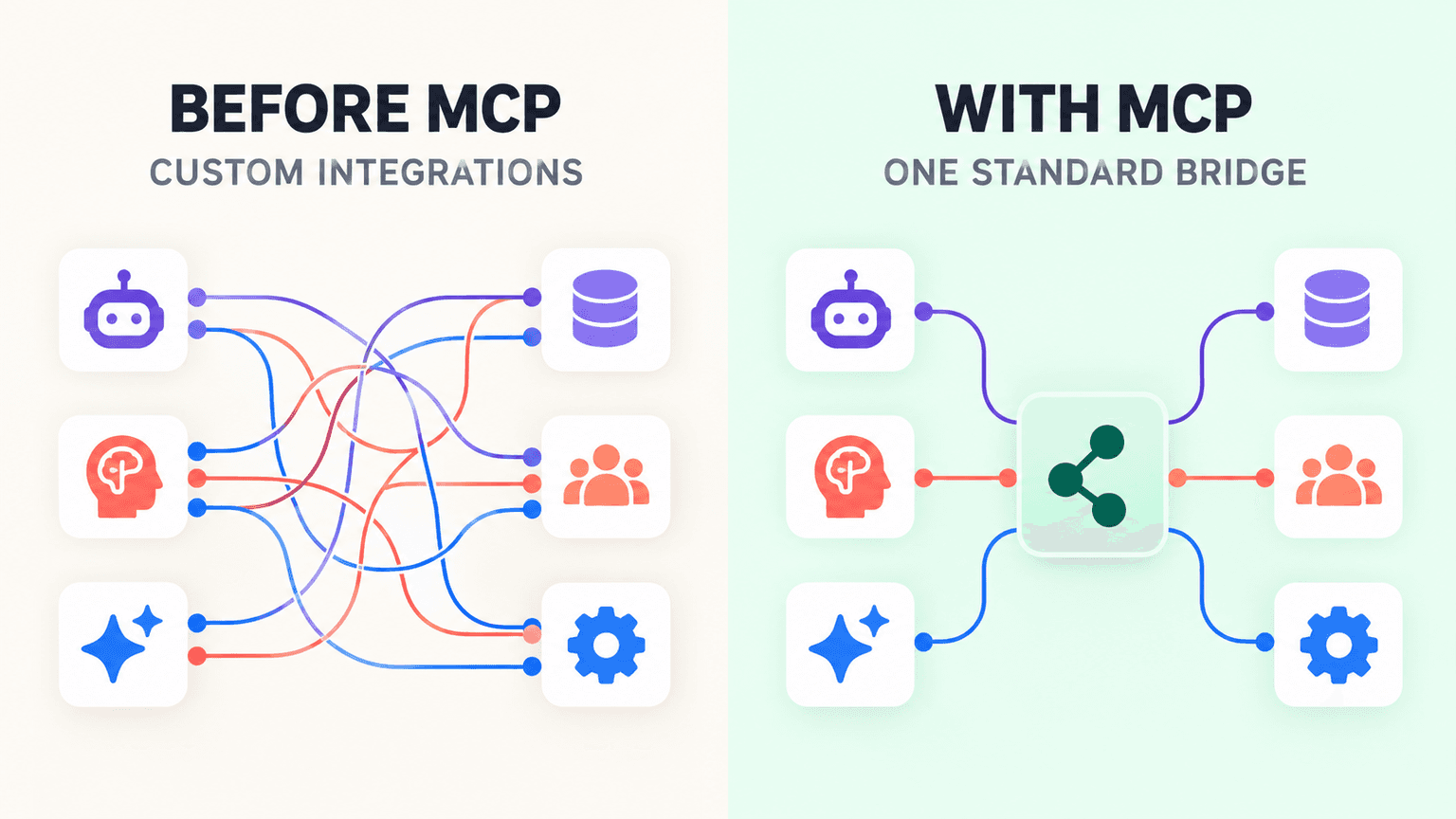
Before MCP, connecting an AI tool to a private system meant building a custom, one-off integration for every single pairing. Want an AI assistant to read your DAM? That's one integration. Want it to also read your CRM? A different integration. Every new AI tool that showed up meant repeating that work from scratch, and most teams simply didn't have the engineering time to build and maintain a growing pile of these one-off connections.
MCP isn't just another API. A general-purpose API is built to move data between two fixed endpoints, and it assumes both sides already know exactly what they're asking for. MCP is built specifically for AI agents: it lets an agent discover what tools and data a system exposes, then call them safely, without a developer having to hand-wire that specific connection in advance. The distinction matters because it's what makes the model scale. One well-built MCP server can serve any compatible AI client, not just the one it was originally built for.
Why Your DAM Needs an MCP
AI models are trained on public, general-purpose data. They have no visibility into your company's private brand library, your approved logos, your current product photography, your licensed footage, none of it. That's not a flaw in the model. It's simply never had a door in.
Without governed access, one of two things tends to happen. Either the AI invents something plausible-looking but wrong, a logo that's close but not exact, a product description built on outdated specs, or a person manually feeds it files one at a time, which defeats most of the speed an AI tool was supposed to add in the first place. Neither option scales, and both introduce real risk: the first one produces off-brand or inaccurate output that someone has to catch before it goes anywhere, and the second one is just as slow as the manual process it was meant to replace.
An MCP-connected DAM fixes this by letting any approved AI tool query the library directly, under the same permissions the team already enforces. The AI isn't given a copy of your assets to work from in isolation. It's given a live, governed line of sight into the actual, current, approved library, the same one your team already trusts.
How an MCP Connects Your DAM to AI Tools
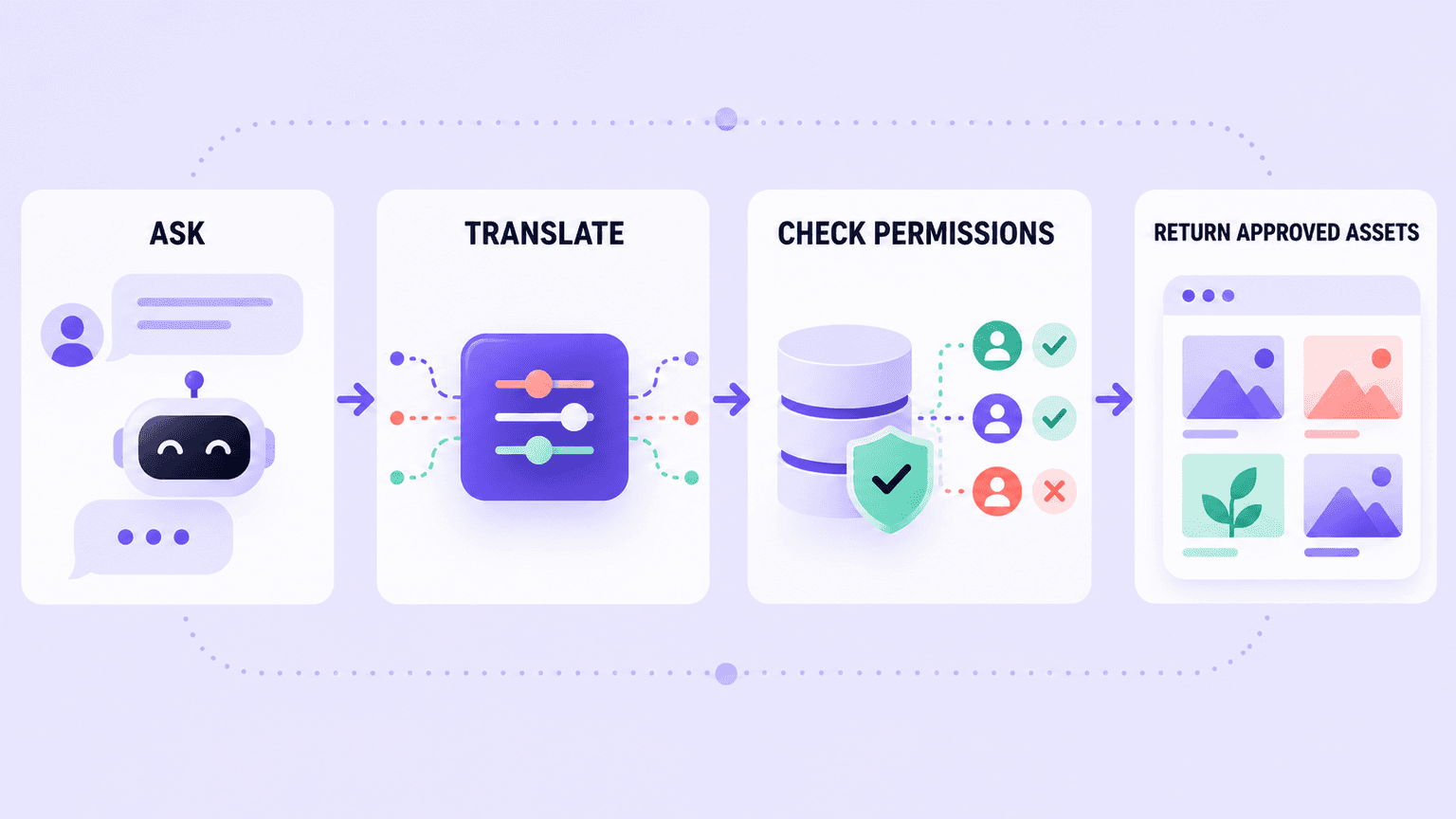
Think of an MCP server as a universal adapter sitting between your DAM and whatever AI client is asking for something. It translates a natural-language request, "find last quarter's approved product shots," into the specific actions the DAM actually understands, then hands the results back in a form the AI can use.
What gets exposed through that connection depends entirely on how it's configured. An MCP can expose safe, read-only actions like search, retrieval, and preview, which is the lower-risk starting point most teams choose first. Or it can expose write actions too, tagging, uploading, organizing, letting an AI agent actively maintain the library rather than just querying it.
Either way, control stays exactly where it already sits. Admins define precisely what's exposed and to whom, which means every request an AI tool makes still runs inside your existing permissions and approval workflows. Nothing about connecting an MCP requires loosening the access rules you already have in place, it just gives AI tools a way to operate inside them.
Real-World Use Cases: How an MCP-Connected DAM Helps Teams
Natural-Language Asset Search and Retrieval
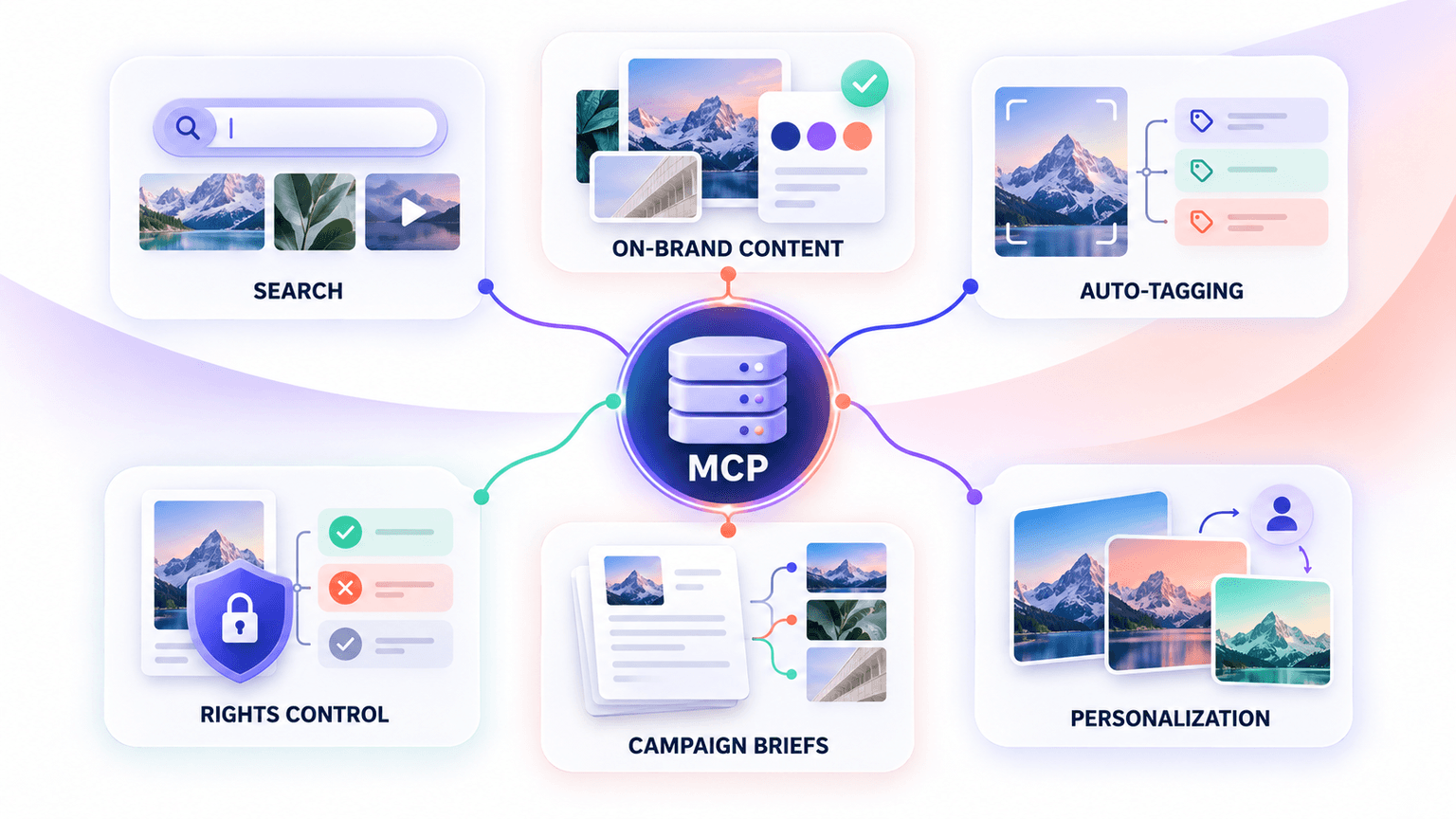
The old model was keyword and folder search: guess the right tag, dig through nested folders, hope the file was named something sensible three years ago. An MCP connection replaces that with a conversational request, something like "find last quarter's approved product photography for the summer campaign," and the AI queries the library the same way a person would ask a colleague.
The before-and-after here is concrete. What used to be several minutes of digging through folders, or worse, pinging someone who might remember where a file lives, becomes one request answered in seconds.
On-Brand Content Generation, Grounded in Real Assets
When an AI assistant is drafting a deck, an email, or a landing page, it needs real assets, not generic stand-ins or stale versions pulled from whatever it happened to be trained on. An MCP-connected DAM lets that assistant pull the current, approved logo or image directly, instead of guessing or defaulting to something outdated.
This works because brand rules can travel with the asset itself. Usage rights and brand guidelines attached to a file mean the AI's output respects them automatically, rather than depending on someone remembering to check a separate document before publishing.
Automated Tagging and Metadata Enrichment
Large or fast-growing libraries live or die by how quickly new files get properly organized. AI-assisted tagging exposed through an MCP speeds up onboarding new assets significantly, since files get meaningfully described the moment they land instead of sitting untagged until someone gets around to it.
It also solves a quieter, more persistent problem: consistency. Different people tagging the same kind of asset differently is how a library slowly drifts into a mess of near-duplicate, inconsistent terms. Standardized, AI-assisted tagging reduces that drift across the whole team, not just for whoever happens to be paying close attention that week.
Rights and Usage-Rules Enforcement
An AI agent connected through an MCP can be blocked from surfacing expired, restricted, or out-of-license assets automatically, rather than relying on a person to remember which files are still cleared for use. If a piece of licensed stock footage's usage window has closed, the agent simply doesn't return it as an option.
That translates directly into lower compliance risk for legal and brand teams. Fewer accidental uses of assets that shouldn't go out means fewer awkward conversations after the fact about a video that ran when it shouldn't have.
Creative Briefing and Campaign Kickoff
Instead of starting a new brief from a blank page, a team can ask an AI tool to pull the most-used or best-performing assets as a starting point, grounding the new concept in what's already worked rather than reinventing from zero.
A campaign that used to take a back-and-forth email thread to scope, gathering references, checking what already exists, confirming rights, can get scoped in minutes when an AI tool can just answer those questions directly from the connected library.
Personalization at Scale
Combining DAM content with audience or channel context lets teams personalize creative automatically, instead of manually swapping out assets for every segment by hand. A campaign that needs five regional variants, or a dozen audience-specific cuts, doesn't require someone manually assembling each one from the same source library.
How Current DAM Vendors Are Building MCP
Several DAM and content platform vendors have shipped MCP support in 2026, and the specifics vary meaningfully by platform. This is a fast-moving space, so treat the details below as a snapshot rather than a permanent state, and confirm current specifics directly with any vendor before making a decision.
Vendor | MCP Status | Scope / Tool Count | Read vs. Write |
Cloudinary | Multiple official MCP servers covering asset management, environment configuration, structured metadata, and content analysis, open source and remote-hosted with OAuth2 | Separate servers by function | Read and write, varies by server |
Adobe (Experience Manager Assets) | Unified AEM MCP Server, live with the July 2026 release, covers pages, content fragments, and DAM assets through one connection | One unified connection replacing older domain-specific servers | Both Read-Only and Read-Write server modes available |
Frontify | MCP server scoped to brand knowledge, lets AI agents pull assets, read brand guidelines and tone of voice, and generate on-brand variants | Brand-knowledge scoped | Primarily read-oriented, brand-grounded generation |
Aprimo | Official MCP Server, part of the May 2026 Interconnected Content Operations release, connects approved content to outside AI workflows with usage rights attached | Search-focused, tied to rights metadata | Read, with rights enforcement built in |
Air.inc | The @air/mcp package registers tools across categories covering asset search, boards, tagging, custom fields, importing, and uploading | Roughly 23 tools across six categories | Read and write |
Uplifted.ai | An 18-tool marketing MCP server ties the asset library, tags, and boards directly to live ad-performance analytics | 18 tools | Read, plus performance data |
Masset | A 35-tool MCP server, generally available since March 2026, handles business content like decks and case studies rather than creative assets | 35 tools | Read and write |
What to Look for in a DAM's MCP Support
Read-only versus full read/write. This distinction matters for security more than almost anything else on this list. Read-only access, search, retrieve, preview, is meaningfully lower-risk for a first rollout, since it gives AI tools visibility without giving them the ability to change or delete anything in your library. Write access is powerful, but it's worth earning trust in the connection before opening that door.
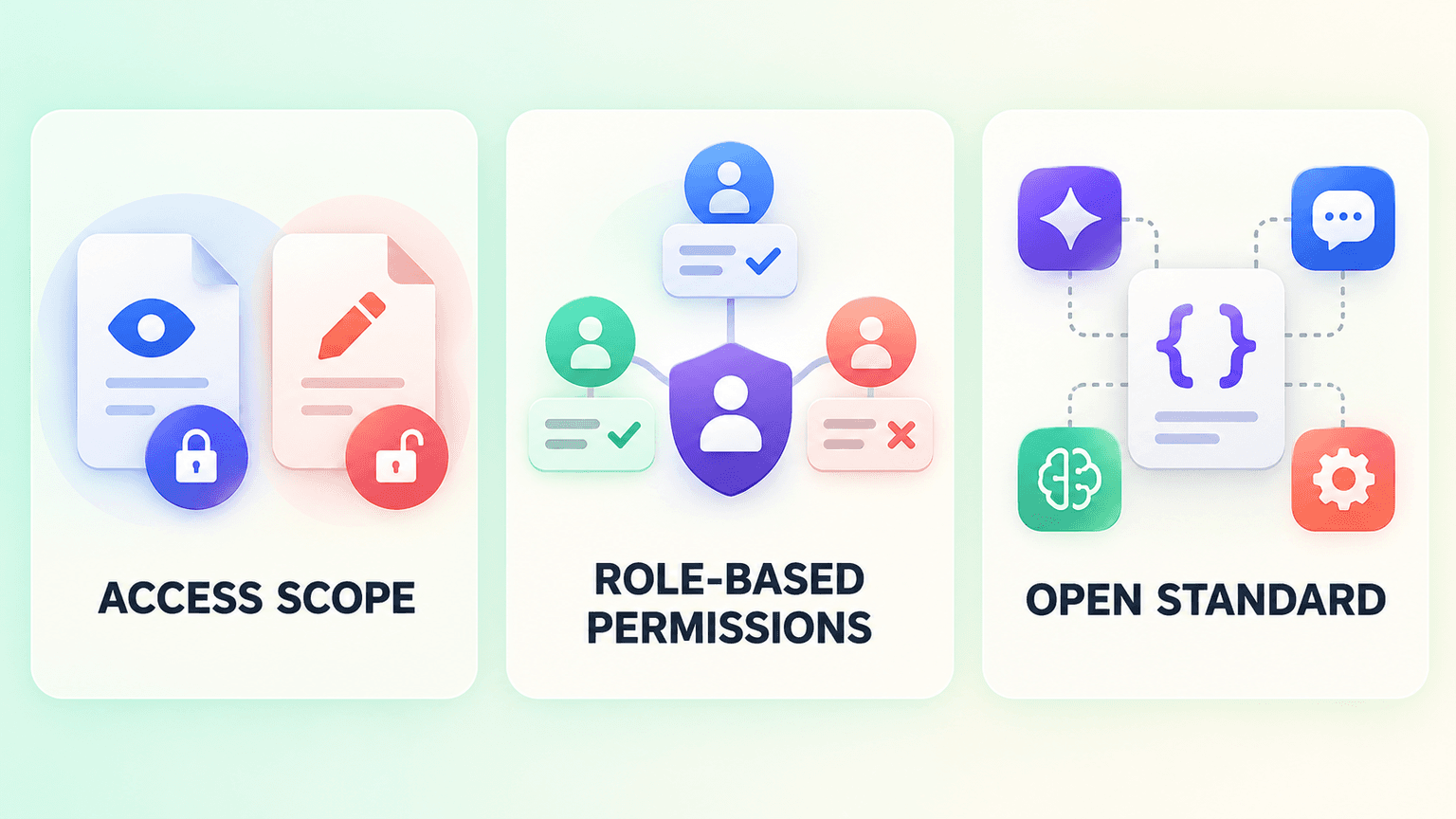
Granular, role-based permissions. Look for the ability to scope access by user, team, or asset type, rather than a single all-or-nothing switch that either exposes everything or nothing. A regional team's AI tools probably shouldn't have the same reach into the library as your central creative team's do, and a well-built MCP connection should let you reflect that difference.
An open standard, not a walled garden. Because MCP is an open protocol, a properly built connection works with any compatible AI tool, not just one vendor's assistant. That matters more than it might seem at first: it means choosing a DAM with solid MCP support doesn't lock you into a single AI ecosystem for the life of that decision.
Getting Started: Building Toward an AI-Ready DAM
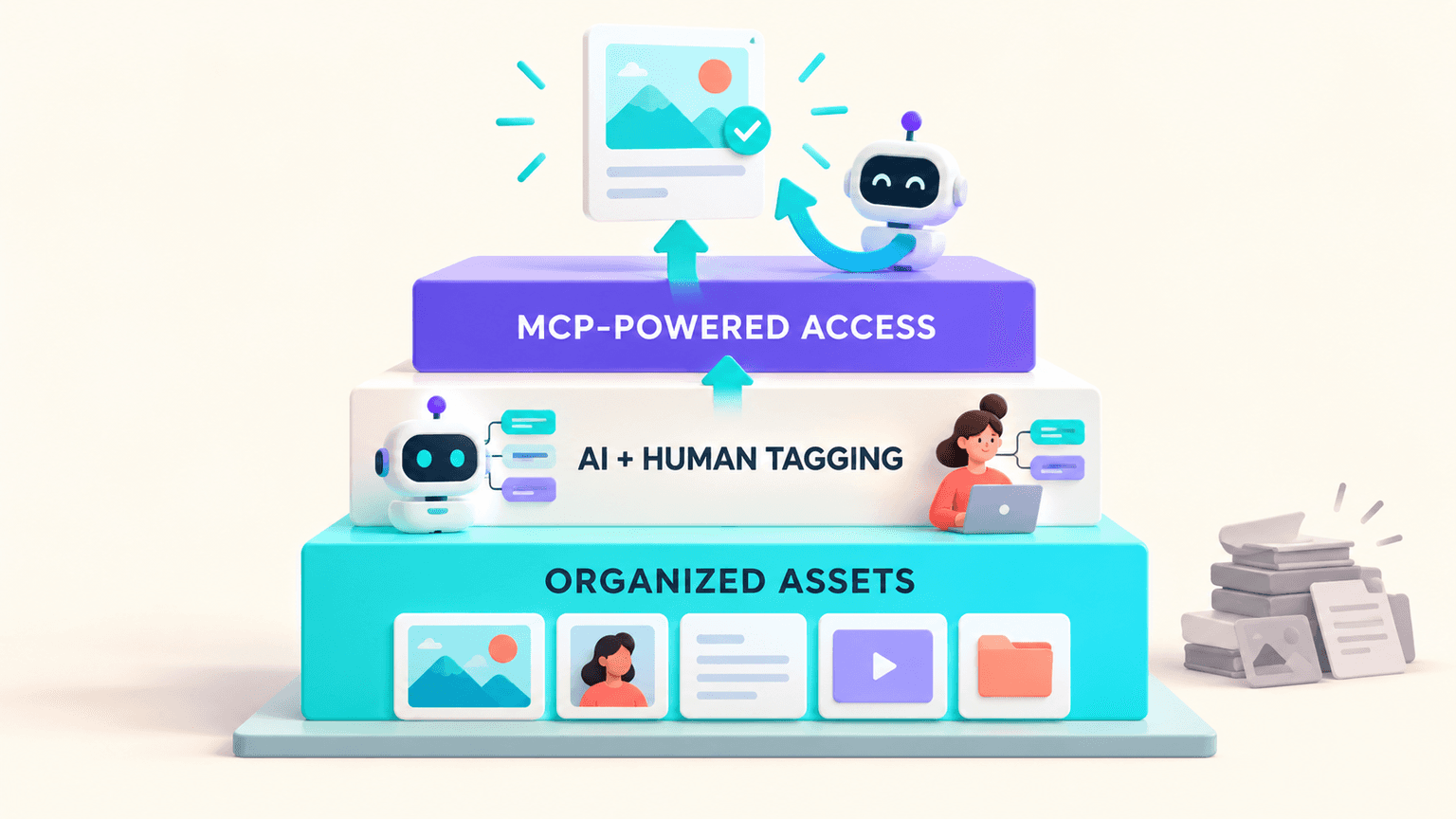
An MCP connection is only as useful as the library sitting behind it. Before any of the use cases above become real for your team, the asset library itself needs to actually be organized well.
Start with organization. A searchable, well-tagged library is the prerequisite everything else depends on. An MCP can only surface what's already organized, structured, and findable. Connect an AI tool to a messy, untagged pile of files, and you get exactly what you'd expect: an AI tool that can technically reach the library but has very little worth actually returning. Organizing your asset library well is the actual foundation this all sits on, not an afterthought to tack on later.
Hybrid human-plus-AI tagging is what makes assets genuinely usable. Pure automated tagging drifts, especially on brand-specific terms, niche products, or nuanced context a general model was never trained on. Combining AI tagging with human review is what keeps a library both fast to organize at scale and accurate enough that an AI agent querying it gets something actually correct back, not just something plausible-sounding.
This is a natural next step, not a leap. Good asset organization and AI-ready access aren't two separate projects. AI access is simply what a well-organized library eventually becomes capable of supporting. Get the organization right first, and the rest follows naturally rather than requiring a separate, disconnected initiative.
FAQs
What's the Difference Between an MCP and a Regular API?
A regular API moves data between two fixed endpoints, and both sides need to already know exactly what they're asking for. An MCP is purpose-built for AI agents specifically: it lets an agent discover what tools and data a system exposes, then call them safely, without a developer hand-wiring that exact connection in advance. That's what lets one MCP server work across multiple different AI clients instead of needing a custom integration for each one.
Is It Safe to Give AI Tools Access to My DAM Through an MCP?
It's safe when it's configured deliberately. Admins define exactly what gets exposed and to whom, so every request an AI tool makes still runs inside your existing permissions and approval workflows. Starting with read-only access, search and retrieval without editing or deleting, is the lower-risk way most teams approach a first rollout before considering write access.
Which AI Assistants Support MCP?
Support varies by vendor and is expanding quickly, since MCP is an open standard rather than something built around one specific AI tool. Several major AI clients and coding assistants already support it, and because the protocol is open, a properly built MCP server generally works with any compatible client rather than locking a team into a single AI vendor.
Do I Need Engineering Resources to Set Up an MCP Connection?
It depends on the platform. Some DAM vendors ship a ready-to-use MCP server that a team can connect to an AI client with configuration rather than custom development. Others require more setup work depending on how deeply you want to integrate. Either way, the underlying asset organization, tagging, structure, findability, still needs to be solid first, regardless of how much engineering effort the connection itself requires.
Can I Control Exactly What an AI Tool Can See or Do Through an MCP?
Yes. Granular, role-based permissions let admins scope access by user, team, or asset type, rather than exposing the entire library through a single switch. This is precisely what keeps an MCP connection inside your existing governance rather than becoming a separate, ungoverned access point into your content.