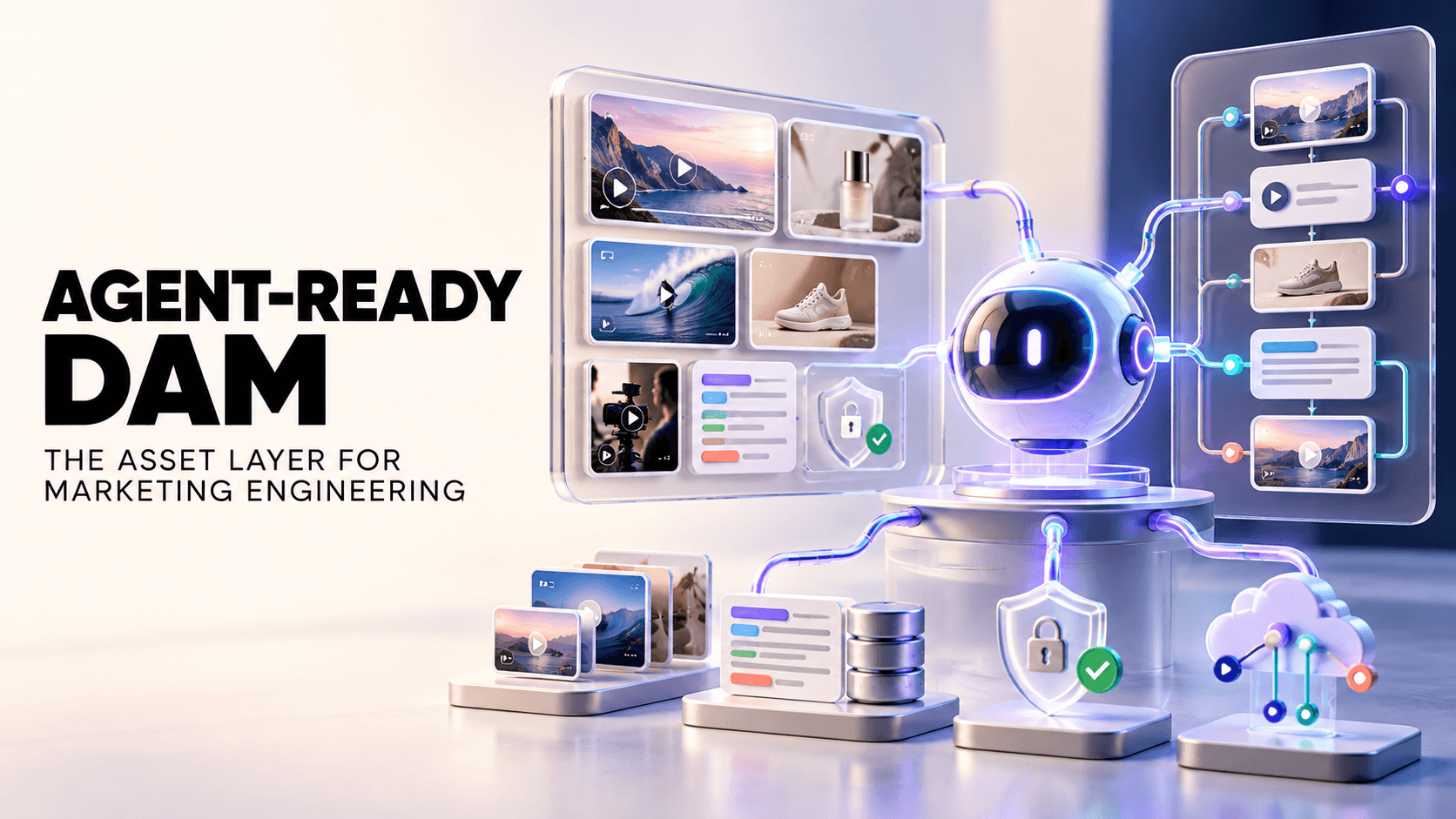

An AI agent can write a campaign brief, structure the messaging, and suggest creative angles in minutes. But what happens when it needs actual footage? It may not know where to find the right product shot, which creator's content is approved for reuse, or whether an asset is still current.
That's where the workflow breaks. An agent is only as useful as the content it can reliably access.
The scale of AI-assisted creative production makes this increasingly important. In September 2024, Meta reported that more than one million advertisers used its generative AI ad tools, creating over 15 million ads in one month.
For marketing engineers building automated creative workflows, the challenge is no longer just generating briefs and copy. It's connecting AI agents to searchable, accurately tagged, and usable creative assets.
This guide explains what makes a DAM agent-ready, compares seven tools against practical evaluation criteria, and provides a pilot framework for testing your options before committing.
TL;DR
An agent-ready DAM needs to do more than store assets or connect to an AI tool. It must help agents find the right content, understand its context, and work within the permissions set by the team.
Seven evaluation criteria matter: Programmatic access, MCP and AI connectors, metadata quality, agent search, rights data, automation triggers, and portability.
Metadata quality is critical: An API connection is less useful when assets are incorrectly tagged or missing important context.
Access and automation are different: A DAM that works through a Claude plugin may support specific AI workflows without offering a public API or MCP server.
The right choice depends on your workflow: The comparison covers seven tools, followed by a practical pilot to evaluate them.
Recharm is suited to video-first creative workflows: Its Claude plugin supports footage discovery, gap analysis, and clip-matched briefs, but it should not be treated as a general-purpose public API or MCP server.
What Is Marketing Engineering in 2026?
Marketing engineering is the practice of building and maintaining the technical systems behind marketing operations. It combines marketing knowledge with APIs, AI agents, automation, and data workflows to reduce repetitive work and connect tools that would otherwise operate separately.

A marketing engineer might build an agent that turns campaign research into a creative brief, retrieves approved assets, and prepares materials for an editor. Another might connect CRM data with an automated lifecycle campaign.
The term itself isn't entirely new. It has also been used in academic and technical marketing contexts. Here, we're focusing on its emerging use in AI-driven marketing operations, where teams build workflows rather than simply use individual marketing tools.
These workflows commonly involve LLMs such as Claude and ChatGPT, automation platforms such as n8n, Zapier, and Make, and integrations built using APIs or the Model Context Protocol (MCP).
Some teams also maintain a structured repository of marketing knowledge, sometimes called a growth repo. It may contain campaign briefs, audience research, brand guidelines, previous experiments, and other information that agents can reference.
But there's a practical limitation: a repository full of text doesn't necessarily give an agent access to the images, footage, or approved creative assets needed to execute a campaign.
That's where digital asset management (DAM) becomes relevant to marketing engineering.
Why Assets Are the Missing Input for Marketing Agents
Most marketing agents are designed around information they can read: campaign briefs, customer research, performance reports, and brand guidelines. But executing a creative campaign also requires visual assets, often stored separately across drives, folders, and DAM platforms.
Consider an agent preparing three variations of a product ad. It may understand the target audience, messaging, and creative angle. But can it find the right creator testimonial, identify footage of the current product, and determine whether those clips are suitable for reuse?
Without reliable asset access, the agent can produce a useful brief but still leave the team searching for footage manually.
The pressure to improve these workflows is growing. According to Gartner's 2025 CMO Spend Survey, CMOs reported returns from generative AI investments through time efficiency (49%), cost efficiency (40%), and increased capacity to produce content or handle more business (27%).
However, generating content faster doesn't automatically solve the problems of finding, verifying, and reusing existing creative assets.
For an agent working with a media library, two risks deserve particular attention:
1. Incorrect asset selection
An agent may retrieve footage of an outdated product, the wrong SKU, or a creator who doesn't match the campaign. If the library lacks accurate product, creator, and scene-level metadata, even a technically successful search can return unsuitable results.
2. Missing usage rights information
Finding a clip doesn't mean it is approved for every campaign. Creator agreements may limit usage by platform, region, campaign, or date. If an agent cannot access reliable rights information, it may suggest footage that needs further approval.
This is why search accuracy, metadata, and usage rights matter alongside APIs and AI integrations.
For example, Recharm's Claude creative production workflow connects briefs with footage already stored in a Recharm library. Its Footage Gap Finder searches for the shots a concept needs, evaluates possible matches, and identifies missing footage before production begins.
The distinction matters: the agent isn't simply generating another brief. It is using the existing creative library to make that brief more actionable.
The Agent-Ready DAM Rubric
A DAM can offer an API or AI integration without necessarily supporting a reliable agent workflow. Connectivity is only one part of readiness. The quality of metadata, available search functions, permissions, and integration limits determine what an agent can safely accomplish.

The following seven criteria provide a practical framework for comparing DAM platforms. Each criterion should be tested against the actual workflow your team intends to automate.
Criterion | Why It Matters | What to Test |
Programmatic access | Agents need a reliable way to retrieve assets without manual UI navigation. | Is there a documented API? What authentication methods, endpoints, and rate limits are available? |
MCP and AI connectors | Native integrations can reduce custom development for supported workflows. | Is there an official MCP server, Claude plugin, or other AI connector? What actions can it actually perform? |
Metadata quality | Agents depend on accurate descriptions, labels, and filters to retrieve suitable content. | Can assets be searched by product, creator, scene, theme, and format? Can teams review and correct tags? |
Agent search | Search must be available through the agent's connection, not just the DAM interface. | Can the agent search by natural language, visual content, transcript, or metadata? |
Rights and permissions as data | Agents need reliable usage information before recommending or reusing assets. | Can the agent read rights and expiry fields? Are restrictions enforced or merely displayed? |
Automation triggers | Event-driven workflows need to respond when assets are uploaded, updated, or approved. | Are webhooks or other event triggers available? Which changes can they detect? |
Portability and limits | Teams need to understand integration constraints and avoid unnecessary lock-in. | Can assets and metadata be exported? Are API limits, export formats, and usage restrictions documented? |
Worth flagging for the rights criterion specifically: Docker's analysis found that 5.5% of MCP servers examined in production showed a prompt injection weakness, a real governance concern when an agent has write access to a shared asset library, not just a theoretical one. What an MCP-connected DAM actually is covers the mechanics in more depth if you're new to the protocol.
Try the Recharm Claude plugin on your own library → Explore Recharm's Claude skills
Why Connector Access Alone Isn't Enough
An MCP server or API tells you that an agent can communicate with a system. It doesn't establish that the agent can retrieve accurate information, respect permissions, or complete the workflow you need.

For example, an agent may successfully find a product video but still lack the information needed to confirm whether its creator agreement permits paid advertising.
There is also a security consideration. When agents interact with external content or tools, prompt injection and excessive permissions can introduce risks, particularly when an integration allows assets or metadata to be modified.
For this reason, evaluate read and write permissions separately, test how untrusted content is handled, and require human approval for sensitive actions.
Our guide to MCP-connected DAM workflows explains how the protocol fits into asset management.
Where Recharm Fits Into This Framework
Recharm takes a more focused approach than a general-purpose API-first DAM. Its Claude skills are designed around creative tasks such as finding footage, checking concept coverage, and preparing briefs with matched clips.
For example, Footage Gap Finder evaluates the shots needed for a concept, searches the library, and returns a prioritized list of missing footage. Brief Creator works from an existing script or brief to identify matching clips for each scene.
These capabilities are relevant when the goal is to make existing footage more useful during creative planning and production.
However, teams building custom agents that require a public REST API, an official MCP server, or event-driven automation should evaluate platforms that explicitly support those requirements.
The Best DAMs for Marketing Engineering, Scored
Not every DAM is built for the same kind of automation. Some give developers direct access to assets through APIs and MCP servers. Others focus on helping creative teams find and reuse content through ready-made AI workflows.

We compared seven platforms against the agent-ready DAM criteria discussed above. The scores reflect their documented capabilities, not hands-on testing of every platform.
How We Scored These Tools
Each platform is evaluated across seven criteria, with a maximum score of 14 points.
0 = Not available or not publicly verified: The capability is missing or could not be confirmed through available documentation.
1 = Partial support: The capability exists but has limitations, requires additional configuration, or supports only certain workflows.
2 = Strong support: The capability is clearly documented and supports the intended agent workflow.
Recharm publishes this comparison and is included in the evaluation. We have also highlighted where other platforms offer stronger API access, MCP connectivity, or automation capabilities.
Last checked: October 8, 2026. AI integrations, API availability, and MCP capabilities change frequently. Confirm current functionality and plan availability before making a decision.
Tool | Programmatic Access | MCP/AI Connectors | Metadata Quality | Agent Search | Rights as Data | Triggers | Portability | Total |
Recharm | 0 | 1 | 2 | 2 | 1 | 0 | 1 | 7/14 |
Cloudinary | 2 | 2 | 2 | 2 | 1 | 2 | 2 | 13/14 |
Frontify | 2 | 2 | 2 | 2 | 2 | 1 | 1 | 12/14 |
Air | 1 | 2 | 1 | 1 | 1 | 1 | 1 | 8/14 |
Uplifted | 1 | 1 | 2 | 1 | 1 | 1 | 1 | 8/14 |
Playbook | 2 | 1 | 1 | 1 | 0 | 1 | 1 | 7/14 |
Bynder | 1 | 1 | 1 | 1 | 1 | 1 | 1 | 7/14 |
These are provisional documentation-based scores, not results from a controlled product test. The strongest candidates should be validated through the pilot below, particularly for agent-readable rights, write permissions, and API limitations.
Recharm

Best for: Video-first creative teams that want Claude-assisted footage discovery, content gap analysis, and brief creation without building a custom integration.
Recharm focuses on making existing creative assets easier to find and reuse. Its combination of AI tagging and human-reviewed metadata helps teams organize footage by products, creators, scenes, and creative context.
Through Recharm's Claude skills, teams can work with footage using purpose-built workflows rather than starting with a general-purpose API.
For example, Footage Gap Finder checks a creative concept against existing assets and identifies missing shots. Creator Finder helps locate footage featuring specific creators, while Brief Creator matches available clips to the scenes required in a script.
Access options: Claude plugin for supported creative workflows. A public REST API or standalone MCP server is not currently documented.
Metadata and rights: Recharm supports AI-assisted tagging and usage rights tracking. However, storing rights information in the library does not automatically establish that every Claude workflow can retrieve or enforce those restrictions.
The value of a searchable library is visible in Recharm's customer results. FabFitFun increased video production from 100 to 400 videos per quarter, while HexClad reduced clip search time from 30 minutes to 5 minutes.
Limitations: Recharm is not the strongest choice for developers who need direct API access, custom event-driven automations, or general-purpose MCP tools. Some advanced AI features are also marked as preview, so availability should be confirmed before purchase.
Starting price: AI plan from $299/month, including 1TB storage and unlimited users.
Cloudinary
Best for: Developer-led teams building custom asset pipelines with extensive programmatic control.
Cloudinary offers a mature set of APIs and official MCP servers for managing, searching, transforming, and analyzing media. Its infrastructure supports automated uploads, metadata management, image and video transformations, and event-driven workflows.
Its MCP capabilities cover asset management, structured metadata, environment configuration, and content analysis. This makes Cloudinary particularly relevant for teams building agents that need to perform actions directly on assets.
Access options: Public REST APIs and multiple official MCP servers, including remote-hosted connections.
Metadata and rights: Cloudinary supports structured metadata, tags, and AI-assisted content analysis. Teams can define custom fields for campaign context or rights information, although implementing rights policies may require additional configuration.
Limitations: Cloudinary offers considerable flexibility, but configuring custom metadata, authentication, transformations, and workflow rules requires technical expertise. Teams looking for ready-made creative strategy workflows may need additional development.
Frontify
Best for: Enterprise teams that need AI-generated content to follow established brand guidelines and asset governance rules.
Frontify combines brand guidelines, templates, and digital asset management. Its MCP integration allows compatible AI tools to retrieve brand information and assets, while selected tool packs support content creation and organization.
This is particularly useful when an agent needs to reference approved brand assets, colors, templates, or guidelines before generating campaign materials.
Access options: Official MCP server with dedicated tool packs for discovery, asset organization, collaboration, and other workflows. Frontify also provides API access.
Metadata and rights: Frontify supports custom metadata and can surface copyright and licensing information through its MCP tools. Access remains subject to the connecting user's permissions.
Limitations: Frontify is primarily designed around brand management and governance. Teams requiring detailed video scene search, creator-level discovery, or footage gap analysis should test those workflows separately.
Air
Best for: Creative operations teams that want agents to organize files, boards, and metadata.
Air combines a visual asset library with collaborative organization tools. Its MCP integration allows compatible AI clients to search assets, manage boards, and perform supported organizational actions.
This makes it useful for teams automating everyday creative operations, such as locating campaign assets or updating library organization.
Access options: MCP integration and developer integration options.
Metadata and rights: Air supports tagging and custom fields, which can help teams organize assets around campaigns, products, or other categories. The depth of agent-accessible rights information should be verified for the intended workflow.
Limitations: Teams should confirm API limits, available write actions, and the cost of adding collaborators before committing. A flexible asset library does not necessarily provide ready-made strategic footage analysis.
Uplifted
Best for: Performance marketing teams that want creative assets connected to advertising results.
Uplifted focuses on linking creative elements with campaign performance. Its scene-level tagging helps teams identify components such as hooks, CTAs, and product shots, while performance integrations connect those assets with metrics such as ROAS and CTR.
For marketing engineers working on paid advertising, this creates an opportunity to build workflows around creative performance rather than asset discovery alone.
Access options: MCP-based AI connectivity is described in the product's documentation. Confirm current tool availability and supported actions before implementation.
Metadata and rights: Uplifted's strength is performance-linked creative metadata. Rights management and enforcement capabilities require separate verification.
Limitations: The platform is particularly focused on advertising workflows. Teams managing broader brand libraries, editorial assets, or enterprise-wide content operations should evaluate whether it covers their requirements.
Playbook
Best for: Small creative teams experimenting with AI-connected asset management.
Playbook provides a visual asset library with AI-assisted organization and search. Its relatively accessible setup makes it worth considering for teams that want to experiment before investing in a larger DAM implementation.
Its documented API and MCP options are particularly relevant for teams exploring lightweight agent integrations.
Access options: Public API and MCP connectivity, with current plan availability and limits requiring confirmation.
Metadata and rights: Playbook supports asset organization and AI-assisted discovery. Teams with detailed licensing or compliance requirements should verify whether the necessary rights fields and controls are available.
Limitations: Advanced governance, rights enforcement, and integration limits should be tested before adopting it for business-critical automation.
Bynder
Best for: Enterprise marketing teams that prioritize controlled asset access and brand governance.
Bynder provides digital asset management for organizations managing large volumes of approved brand and marketing content. Its permissions, metadata, and integration capabilities support structured asset access across teams.
For marketing engineering, the main consideration is whether AI assistants can retrieve approved assets without bypassing the organization's existing access controls.
Access options: APIs, existing integrations, and MCP-based connectivity. Confirm the current availability, supported operations, and applicable plans.
Metadata and rights: Bynder supports governed asset access and structured metadata. Agent-level access to licensing information and enforcement rules should be validated separately.
Limitations: Enterprise implementation requirements and the scope of AI-accessible actions may be more involved than smaller teams need.
For a broader comparison of DAM options, see our guide to Bynder alternatives.
How to Pilot a DAM in One Afternoon
A feature list tells you what a platform claims to support. A short pilot shows whether those capabilities work with your actual assets, metadata, and AI tools.
Choose a small collection of approved assets, preferably including different products, creators, and usage restrictions. Then run the same five tests across your shortlisted DAM platforms.
1. Connect Your Agent
Connect the DAM to the AI client or automation environment your team already uses, whether through an API, MCP server, or vendor-specific plugin.
Record the setup time, required permissions, and any technical assistance needed. A connection that requires substantial custom development may be suitable for an engineering team but less practical for a creative operations team.
2. Test Search Accuracy
Choose ten assets you already know exist and write realistic search requests for each one.
For example, ask the agent to find a creator testimonial mentioning a specific product benefit or a close-up showing the current product packaging.
Check how many searches return the correct asset, not merely a plausible match.
Search accuracy = Correctly retrieved target assets ÷ Total search requests × 100
A result of 8 correct matches from 10 requests gives you 80% accuracy on this small test set. It is a useful pilot signal, not a comprehensive search-quality benchmark.
3. Match Assets to a Real Brief
Give the agent a creative brief that requires several different shots.
Check whether it can identify relevant footage, link to usable assets, and distinguish available shots from missing ones.
For Recharm, this is where Footage Gap Finder and Brief Creator are particularly relevant. The goal is to determine whether the workflow reduces manual footage searching and makes the brief more actionable.
4. Test Usage Rights
Include at least one asset with an expired usage window and another with restricted permissions.
Ask the agent to find footage for a campaign that would conflict with those restrictions.
Record whether the system blocks the action, flags the restriction, or returns the asset without a warning.
A visible rights field is not the same as enforced rights protection. Keep human approval in place until the relevant safeguards have been tested.
5. Test Write Actions and Export
If the integration supports write operations, try updating a tag, moving an asset, or adding campaign metadata in a test workspace.
Then check whether the changes are recorded correctly and whether they can be reversed.
Also test how easily you can export assets and metadata, and note any API limits or additional costs.
For workflows using Claude, our DAM and MCP guide explains the connection options and considerations in more detail.
Where Recharm Fits in a Marketing Engineering Stack
Marketing engineers can automate campaign planning, creative briefs, and content workflows. But those systems become less useful when the assets they depend on are difficult to find or poorly organized.
Recharm addresses a specific part of this problem: helping creative teams work with the footage they already own.
Its Claude skills support tasks that would otherwise require manually searching through a large video library.
For example, a strategist preparing a creator-led campaign can use Creator Finder to locate relevant footage. Footage Gap Finder can then compare the campaign concept against available shots, while Brief Creator helps connect a script with matching clips.
This approach depends heavily on metadata quality. An agent that retrieves the wrong product shot or an outdated creator clip can introduce more work than it saves.
Recharm combines AI-assisted discovery with human-reviewed tagging and usage rights tracking, giving teams more structured information to work with when planning creative reuse.
The impact of better asset discovery is reflected in its customer results. Purdy & Figg saves approximately five hours per editor each week, or 25 hours across its editing team, while producing around 100 new ads per week.
However, Recharm is not intended to replace every component of a marketing engineering stack.
Teams building custom applications that require extensive API access, webhooks, or direct programmatic asset transformations may find Cloudinary a stronger starting point.
For teams whose immediate problem is connecting campaign ideas with existing footage through Claude, Recharm offers a more focused creative workflow.
Find Out What Claude Can Do With Your Creative Library
If your team spends more time searching for footage than using it, start by testing how easily Claude can work with your existing assets.
Explore Recharm's Claude skills, or start a 14-day free trial to evaluate the workflow with your own library.
FAQs
What Is a Marketing Engineer?
A marketing engineer builds the technical workflows and automations that support marketing operations. The role combines marketing knowledge with APIs, AI agents, and automation tools to connect systems, reduce repetitive tasks, and improve how campaigns are executed.
What Is the Best DAM for Marketing Engineering?
The best DAM depends on the type of automation you're building. Cloudinary is a strong option for developer-led teams requiring APIs, MCP connectivity, and programmatic asset control. Recharm is better suited to teams prioritizing creative metadata, footage discovery, and ready-made Claude workflows.
What Makes a DAM Agent-Ready?
An agent-ready DAM provides reliable access to assets through supported integrations, accurate metadata, searchable content, and appropriate permissions. It should also offer clear integration limits and, where needed, automation triggers and export capabilities. Having an MCP server alone does not guarantee that an agent can complete a workflow reliably.
Do I Need an MCP Server or Is an API Enough?
A REST API can support custom agent workflows, but developers generally need to build and maintain the integration. MCP provides a standardized way for compatible AI clients to interact with external tools. The right choice depends on whether your team needs custom automation, ready-made AI connectivity, or both.
How Do AI Agents Respect Usage Rights on Assets?
AI agents need access to accurate rights information, including usage restrictions and expiry dates. However, reading those fields doesn't guarantee compliance. Teams should verify whether the DAM enforces restrictions, whether the agent receives relevant warnings, and which actions require human approval.
Can I Connect a DAM to Claude?
Yes. Depending on the platform, Claude can connect through an MCP server, supported connector, or vendor-specific integration. The available actions vary between providers. Our guide to MCP-connected DAM workflows explains the differences.