
DAM pricing looks simple until you start comparing vendors. One platform charges per user, another counts monthly active users, and a third mixes storage limits with AI credits. Some publish prices. Others want a sales call first.
For marketing leaders and creative operations teams, that makes budgeting hard. A plan that looks affordable today can get much more expensive as your asset library grows, more people need access, or a feature you need sits behind an upgrade.
This guide compares the published pricing of six DAM platforms: Air, Frontify, iconik, Pics.io, Canto, and Recharm. It also covers the common DAM pricing models, the costs beyond the subscription, and how to estimate your total cost of ownership before you choose.
TL;DR
- Enterprise pricing: Most vendors quote enterprise plans individually instead of publishing fixed prices. The final number depends on users, storage, integrations, AI usage, and support.
- Published prices: Pics.io Micro costs $225 per month and Air Business $900 per month, both billed annually. iconik lists per-user rates of $0 to $120 a month on its usage-based Starter plan. Frontify and Canto publish no prices. Recharm's AI plan costs $299 per month with unlimited users and 1 TB of storage.
- Pricing models: DAM software is priced per seat, per monthly active user, by storage tier, by AI credits, or as a flat platform fee.
- Hidden costs: Storage overages, AI add-ons, migration, training, and higher-tier features can push the total well past the advertised subscription.
- For video teams: Look past storage capacity. Clipping, tagging, visual search, and footage reuse decide how much time your editors spend hunting for clips.
How Much Does Enterprise DAM Cost?
Enterprise DAM pricing is usually quote-based, so no single price range applies across vendors. For a sense of scale, the software buying platform Vendr reports that the median buyer pays about $43,200 a year for Bynder, one of the largest enterprise DAMs, with deals ranging from about $9,900 to $108,700 (based on 83 purchases, last updated February 2026).
What you can compare is what vendors publish for team and enterprise-level plans. Pics.io Micro costs $225 per month and Small $680 per month, both billed annually. Air Business costs $900 per month billed annually ($10,800 a year). iconik's usage-based Starter plan charges by user role, from $0 to $120 per user a month, plus credits for storage and AI. Recharm's AI plan costs $299 per month with unlimited users.
These are subscription prices, not enterprise contract costs. Frontify and Canto don't publish prices, and Air, iconik, Pics.io, and Recharm all offer custom-priced higher tiers. Entry-level plans for one to five users, such as Air Free and Starter and Pics.io Solo, are left out of this guide.
Four things drive the final number:
- Users: Employees, freelancers, and agencies who need access.
- Storage: How much you store now and how fast the library grows.
- AI usage: Whether tagging, transcription, and generation are included or billed separately.
- Enterprise features: SSO, API access, advanced permissions, integrations, and dedicated support.
A lower starting price doesn't always mean a lower long-term cost. A better comparison is what each platform costs at your expected usage over the next two years.
For more on what large teams need from a platform, see our guide to enterprise digital asset management.
DAM Pricing Models
DAM vendors price in different ways, from per-user subscriptions to storage allowances and usage-based credits. Knowing how each model works makes quotes easier to compare and costs easier to predict as your team and library grow.

Per-Seat or Per-User Pricing
Per-user pricing charges for access, either through individual seats or a set number of users included in a plan.
Pics.io includes 10+ users in its Micro plan and 50+ in Small, with extra users billed separately. iconik prices its Starter plan by role: collaborators are free, and browse, standard, and power users cost $9, $65, and $120 a month.
What to watch for: Costs climb as employees, freelancers, agencies, and regional teams need access. Check whether occasional collaborators need paid seats and whether each user role has a different rate.
Monthly Active User (MAU) Pricing
MAU pricing charges for the people who access the platform in a billing period, not for every registered account.
Frontify uses this model. Anyone who logs in during a month counts, including external partners. People who only view shared content without logging in aren't counted. Frontify also averages usage over six months to smooth out short spikes. Going over your licensed count doesn't cut off access, but sustained growth can move you to a package with a higher MAU range.
What to watch for: Campaign launches and heavy agency collaboration can raise your active-user count. Ask how usage is calculated, how pricing thresholds work, and whether temporary spikes affect your bill.
Usage-Based Credit Pricing
Usage-based pricing charges for what you consume in the platform. It often sits on top of user fees and storage charges instead of replacing them.
On iconik's Starter plan, credits are consumed by storage, users, AI, and services as you go. Air includes monthly AI credits for image and video generation and editing, from 2,000 on Business to 4,000 or more on Enterprise. Its credits reset every month and don't roll over, and extra packs of 1,000 monthly credits are listed at $1,000 a year on Business and Enterprise.
We've also covered how Air's pricing model affects DTC brands.
What to watch for: AI-heavy workflows can burn through credits. Ask which actions consume credits, what each one costs, and what happens when you go over your allowance.
Storage-Based Pricing
Storage-based pricing ties cost to how much content you keep. Most platforms include an allowance in each tier and charge for going over it. Examples:
- Air: Business includes 2 TB, and Enterprise starts at 5 TB. Extra storage is listed at $500 per TB annually on both plans.
- Pics.io: Micro starts at 1 TB and Small at 3 TB. Extra storage is sold in 100 GB increments.
- Bring Your Own Storage (BYOS): Pics.io also offers BYOS as an alternative to its own storage, which separates storage costs from the DAM subscription.
What to watch for: Video libraries grow fast when teams keep raw recordings, multiple takes, and edited versions. Estimate future storage and check overage rates before you pick a plan.
Flat Platform Fees With Unlimited Users
Some platforms charge one fixed subscription that includes unlimited users, instead of raising the price with every seat. That suits teams working with many agencies, freelancers, and stakeholders.
Air offers unlimited users on Business and Enterprise. Recharm includes unlimited users on its AI and Managed plans. Canto lists unlimited end users on DAM Essentials, though you should confirm which roles and permissions that covers.
What to watch for: Unlimited users doesn't mean unlimited costs. Storage, AI usage, premium features, and support can still move the final price.
Custom Enterprise Pricing
Custom enterprise pricing isn't a separate billing model. Vendors quote each organization individually, often combining the structures above. Frontify and Canto don't publish standard subscription prices, and Air, iconik, Pics.io, and Recharm also offer custom-priced higher tiers.
Quotes can reflect storage, user access, security requirements, integrations, implementation, and support.
What to watch for: Ask for an itemized quote that shows subscription costs, included allowances, extra services, renewal terms, and how pricing changes as usage grows. That makes it easier to estimate total cost of ownership instead of comparing first-year license fees.
DAM Pricing Compared: What Six Vendors Publish
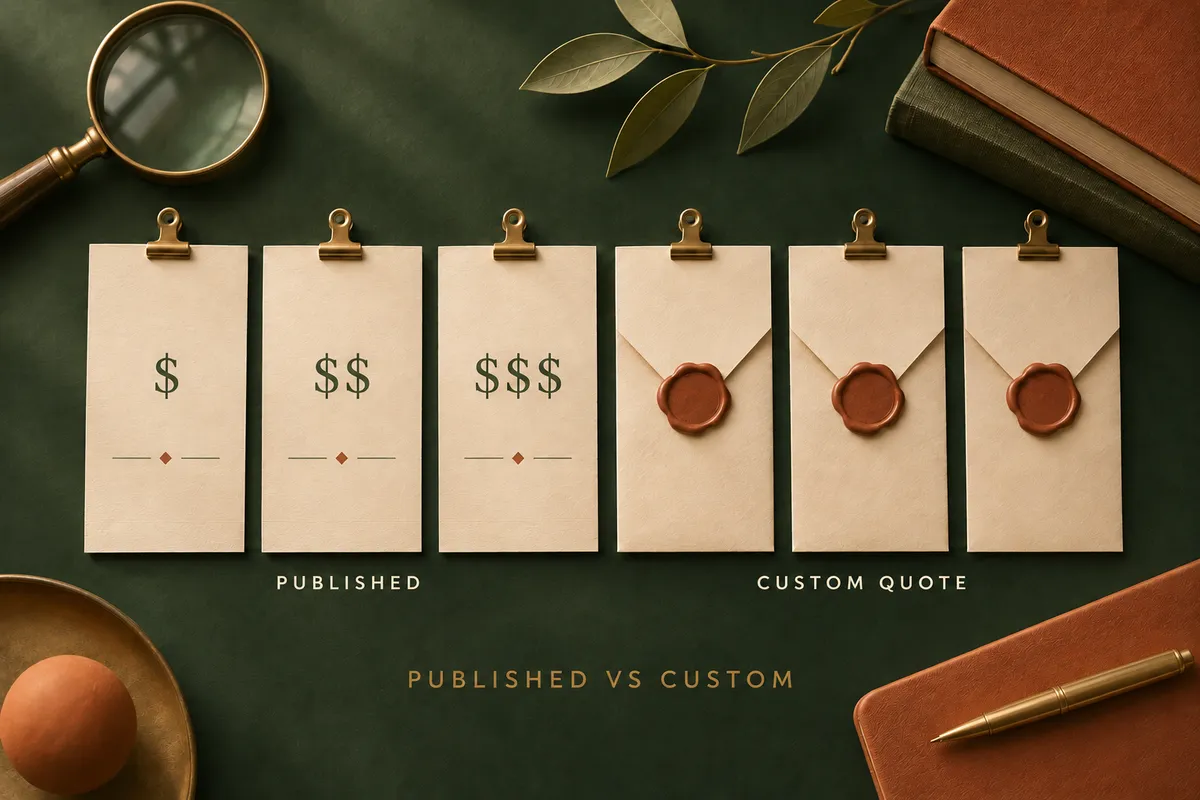
Not every vendor publishes prices. Some list fixed plans with defined storage and user allowances, while others only quote on request. The table below compares the six platforms using vendor pricing pages reviewed in November 2026. It covers team and enterprise-level plans.
| Vendor | Pricing Model | Published Team Plans | Enterprise Pricing |
|---|---|---|---|
| Air | Subscription + storage + AI credits | Business: $900/month, billed annually (unlimited users, 2 TB) | Custom |
| Frontify | Monthly active users | Not published | Custom |
| iconik | Per-user roles + usage credits | Starter: $0–$120 per user/month by role, plus credits | Professional and Enterprise: custom |
| Pics.io | Subscription + users + storage | Micro: $225/month, billed annually (10+ users, 1 TB+); Small: $680/month, billed annually (50+ users, 3 TB+) | Custom |
| Canto | Custom quotes based on requirements | Not published | Custom |
| Recharm | Flat subscription + optional add-ons | AI plan: $299/month (unlimited users, 1 TB) | Managed plan: custom |
All prices are in USD. Prices marked "billed annually" are monthly equivalents of annual subscriptions. Enterprise quotes and optional add-ons are not included. Entry-level plans capped at one to five users (Air Free and Starter, Pics.io Solo) are left out; check each vendor's pricing page if you're a small team.
Air Pricing
Air's pricing combines subscription tiers, storage allowances, and monthly AI credits. For larger teams, the plans are:
- Business: $900 per month billed annually ($10,800 a year), or $1,100 billed monthly, with unlimited users, 2 TB, and 2,000 monthly credits. It includes advanced sharing permissions, comment-only collaborators, fast CDN delivery, public API access, and MCP server access.
- Enterprise: Custom pricing with 5+ TB, 4,000+ monthly credits, SAML-based SSO, access-controlled libraries, custom roles and permissions, and dedicated onboarding and customer success support.
Air also offers reduced pricing for eligible early-stage startups and nonprofits.
Pricing consideration: Business and Enterprise remove per-user limits, which helps teams with many collaborators. Storage and AI credit use can still raise the bill.
Frontify Pricing
Frontify combines digital asset management with guidelines and portals, templates, and analytics. Pricing is custom and based on monthly active users rather than published tiers.
Employees and external partners count when they log in, and people who only view shared content don't. Frontify estimates your expected MAU from industry averages, your use case, and your team structure, reviews it yearly, and averages usage over six months.
Pricing consideration: MAU pricing can suit organizations where participation varies. If you work with several agencies or regional teams, estimate how many people will actively log in across the year.
iconik Pricing
iconik is a media asset management platform built around video workflows, review, and collaboration. It has three plans:
- Starter: Usage-based, with published per-user rates. Collaborators are free, browse users cost $9 a month, standard users $65, and power users $120. Credits cover storage, users, AI, and services as you go.
- Professional: Custom pricing. Includes SSO, an iconik MCP server, included monthly AI credits, facial recognition, the Desktop Player, synchronized review for up to 10 users, and a customer success manager.
- Enterprise: Custom pricing. Adds a complete audit trail through iconik Shield, unlimited synchronized review, guaranteed premium support SLAs, custom terms, and a technical account manager.
Pricing consideration: Starter's role-based rates make small teams easy to cost, but storage and AI run on credits. For Professional or Enterprise, ask for an itemized quote that shows users, storage, AI credits, and support.
Pics.io Pricing
Pics.io sells subscription plans with defined user and storage allowances. AI features are optional paid add-ons on Micro and Small, and Enterprise lists them as included. The published plans are:
- Micro: $225 per month billed annually ($2,700 a year), with 10+ users and 1 TB+ of Pics.io storage or BYOS.
- Small: $680 per month billed annually ($8,160 a year), with 50+ users and 3 TB+ of Pics.io storage or BYOS.
- Enterprise: Custom pricing with 100+ users and 5+ TB.
Image and video intelligence kits are priced separately from the base subscription. On annual billing they range from $600 to $10,800 a year, depending on the tier. A CDN add-on, currently in beta, is listed at $1,200 a year and works only with Pics.io storage. Enterprise lists it as included.
Pricing consideration: If you need AI intelligence, extra storage, or a CDN, add those costs before comparing plans.
Canto Pricing
Canto is a DAM platform for brand assets, digital content, and distribution. It offers five plans: DAM Essentials, DAM Plus, DAM Pro, DAM Retail Suite, and DAM Brand Suite.
Canto doesn't publish prices. Each plan has a "Get pricing" button, and Canto says it customizes every plan to fit your needs. According to its pricing page, SSO, API access, and MCP access start at DAM Plus, while the CDN and extended storage start at DAM Pro.
Pricing consideration: Confirm which tier includes your required integrations, security features, and storage before you request a quote.
Recharm Pricing
Recharm is a video-focused DAM for brands and agencies managing paid-social ads, creator footage, and frequent creative variations. Its published AI plan costs $299 per month and includes:
- Unlimited users
- 1 TB of storage
- AI scene clipping
- AI visual search
- AI creator detection and tagging
- AI creative strategy tags
- Transcript search
- Deep linking for collaboration and briefs
- A 14-day free trial
Creative analytics is free with or without a Recharm plan. Other capabilities are paid add-ons:
| Add-On | Published Price |
|---|---|
| AI Image Intelligence | $99/month |
| Human Product Tagging | $300/month |
| AI Tagging Agents (beta) | $50/month per agent |
| All four AI Tagging Agents (beta) | $99/month |
The custom-priced Managed plan includes everything in the AI plan and adds custom storage and hands-on services: human clip creation, human tags for custom categories, a dedicated library owner, monthly library reviews, and upload management.
Pricing consideration: Unlimited users help teams with several editors, creative strategists, and external agencies, since no seat charges are added as the team grows.
Recharm isn't meant to replace every kind of DAM. If you mainly manage brand guidelines, print collateral, or large product photography libraries, a broader brand management platform may fit better.
What Drives the Total Cost of a DAM?
The subscription is only part of what a DAM costs. Total cost of ownership (TCO) also includes the money and time spent implementing, maintaining, and using the platform. Seven factors matter most when you compare vendors.

1. Storage Overages
Most plans include a fixed storage allowance. Once your library passes it, you buy more capacity or move up a tier.
That matters most for video teams storing raw footage, multiple takes, and edited variations. Air lists extra storage on Business and Enterprise at $500 per TB annually, and Pics.io sells extra storage in 100 GB increments.
What to check: Compare your current storage with projected growth over two years. Ask whether archived files, duplicate versions, and video proxies count toward the allowance.
2. AI Features and Usage
AI isn't always part of the base subscription. Some vendors sell it as add-ons, and others meter it with credits. For example:
- Pics.io: On Micro and Small, image and video intelligence come as separately priced kits.
- Air: Monthly AI credits cover generation and editing, with more credits available to buy.
- iconik: Starter bills AI use through credits as you go, and Professional includes monthly AI credits.
What to check: Confirm whether tagging, transcription, visual search, and video processing are included. If credits apply, ask which actions use them and what happens when you run out.
3. Users and External Collaborators
The number of people who need access changes the bill. Per-seat pricing can require paid accounts for extra employees and collaborators. MAU pricing depends on how many people log in each period. Both matter if you work with several agencies, freelancers, and regional teams.
What to check: Confirm whether external partners, occasional users, and read-only accounts need paid access.
4. Features Reserved for Higher Tiers
SSO, API access, custom roles, and content delivery networks often require a higher-priced plan. For example:
- Air: SSO is on Enterprise.
- Canto: SSO and API access start at DAM Plus.
- iconik: SSO starts at Professional.
- Pics.io: Okta SSO is an optional add-on on Micro and Small, and included on Enterprise.
Advanced permissions, custom integrations, and audit logs are also worth checking.
What to check: List your must-have security and integration requirements first. A cheaper plan may not cover them.
5. Implementation and Migration
A DAM migration takes more than transferring files. Teams often audit existing assets, remove duplicates, rebuild metadata, set permissions, and train users. The cost depends on the size and condition of your library, the integrations involved, and whether you or the vendor handle the move.
Our DAM best practices guide covers how to audit and clean up assets before you migrate.
What to check: Ask whether onboarding, metadata migration, configuration, and implementation support are in the quote or billed separately.
6. Ongoing DAM Administration
Even with automated tagging and search, someone has to look after the library. The usual jobs are:
- Managing uploads and organizing incoming assets.
- Maintaining metadata and taxonomy standards.
- Updating creator information and usage rights.
- Managing permissions and access requests.
- Reviewing incorrectly tagged or outdated assets.
This is an ongoing operating cost, whether an internal team or a managed service does the work.
What to check: Estimate how many hours your team spends maintaining the library each month and include that labor in the budget.
7. Support and Training
Support and training may be included or charged separately, depending on the vendor and plan. Some platforms bill for extra training sessions, dedicated onboarding, or premium support. Pics.io, for example, includes one training session on Micro and three on Small, and lists extra sessions at $50 each.
What to check: Confirm what the subscription covers, especially onboarding, administrator training, response times, and dedicated account support.
How to Estimate Your DAM Budget
Before you request enterprise quotes, estimate what your organization is likely to spend over the next two years. A consistent method lets you compare platforms on your actual requirements, not on advertised subscription prices.

Step 1: Estimate Your Requirements
Start by answering six questions:
- How many users need access? Include employees, agencies, freelancers, and occasional collaborators.
- How much storage do you need? Measure your current library and estimate its growth.
- Which AI capabilities matter? Decide whether you need visual search, automated tagging, transcription, scene clipping, or content generation.
- Which enterprise features are essential? List requirements such as SSO, API access, permissions, and integrations.
- What will implementation involve? Count migration, onboarding, training, and ongoing administration.
- How will costs change over time? Ask vendors to estimate pricing at your expected usage after 12 and 24 months.
Step 2: Calculate Your Two-Year DAM Cost
Once you know your requirements, calculate the full cost of ownership, not just the subscription. Use this formula:
Two-Year DAM TCO = Subscription Costs + Storage and AI Add-Ons + Implementation and Migration + Training and Support + Internal Administration
Include any upgrades, new users, or growth in storage and AI usage you expect in year two.
Step 3: Calculate a Realistic Pricing Scenario
Take a creative team with 25 users and a 4 TB video library. Air Business includes unlimited users and 2 TB of storage at $900 per month, billed annually, and extra storage is listed at $500 per TB per year. Here's how the math works:
| Cost Component | Air Business |
|---|---|
| Monthly subscription | $900 |
| Annual subscription | $10,800 |
| Included users | Unlimited |
| Included storage | 2 TB |
| Additional storage required | 2 TB |
| Additional storage cost per year | $1,000 |
| Annual subscription + additional storage | $11,800 |
| Two-year subscription + additional storage | $23,600 |
This is an illustration using published prices reviewed in November 2026. It assumes a constant 4 TB requirement and unchanged pricing. AI add-ons, implementation, migration, training, and internal labor are excluded.
In this scenario, the extra storage alone adds $1,000 a year. If the library keeps growing or the team needs more AI credits, the total rises again.
Run the same calculation for every shortlisted DAM. Where storage or enterprise pricing isn't published, request a quote based on the same team size, storage needs, and expected usage.
Step 4: Evaluate Cost Against Value
Once you have a total, weigh it against the time the DAM could save, using the method in our guide to DAM ROI. For video teams, that means fewer hours spent searching for footage, organizing creator uploads, preparing assets for editing, or recreating content that already exists.
Measure those savings against your real workflows instead of assuming every advertised feature will pay off. Our guide to DAM for creative operations covers the metrics worth tracking.
Choosing a DAM for Video Ad Teams
For teams producing video ads, DAM pricing should be judged on more than storage and user limits. A platform can store thousands of videos and still leave editors scrubbing through raw footage to find one hook, testimonial, or product demo.

For video-heavy workflows, look for capabilities that make existing footage easier to organize, find, and reuse:
- Scene clipping: Breaking long recordings into reusable moments with footage organization.
- Video tagging: Organizing footage by objects, actions, creators, or creative context with AI video tagging.
- Visual search: Finding footage by what's happening on screen.
- Transcript search: Locating spoken dialogue within recordings.
- Creator organization: Keeping footage tied to the right creators with creator tagging.
Recharm is built around these workflows, and its AI plan includes unlimited users, so editors, strategists, and external collaborators can all use the library without per-seat charges. If you mainly manage brand guidelines, print collateral, or product photography, a broader DAM may be a better fit.
For video ad teams, the key question is whether the platform cuts the time spent finding and preparing footage for new creative work.
Find the Right Footage for Your Next Ad With Recharm
Organize your video library, search for specific clips, and reuse footage across campaigns without digging through folders.
FAQs
How Much Does DAM Software Cost?
Among published team and enterprise-level plans, Pics.io Micro costs $225 per month and Air Business $900 per month, both billed annually. Recharm's AI plan costs $299 per month, and iconik's usage-based Starter plan charges $0 to $120 per user a month, depending on the role. Frontify and Canto don't publish prices.
These are published subscription prices, not enterprise contract costs. Enterprise DAM pricing is usually custom, with extra costs for storage, AI usage, integrations, and implementation.
Why Don't DAM Vendors Publish Enterprise Pricing?
Enterprise requirements vary a lot between organizations. Vendors price quotes around user access, storage, security requirements, integrations, AI usage, and support.
Frontify, for example, uses custom pricing based on customer requirements and monthly active users instead of a fixed subscription price.
What Is MAU Pricing in a DAM?
Monthly active user (MAU) pricing charges for the people who actively use the platform in a billing period, not for every registered account.
Frontify uses this model and counts external agencies and freelancers who log in. People who only view shared content without logging in aren't counted.
Do DAMs Charge Extra for AI Features?
Some do. Pics.io sells AI as optional add-ons on Micro and Small, Air includes monthly AI credits for generation and editing, and iconik bills AI through credits on Starter and includes monthly AI credits on Professional.
Recharm's $299-per-month AI plan includes AI scene clipping, visual search, creator detection and tagging, and creative strategy tags. AI image intelligence and AI tagging agents are paid add-ons. Always confirm which AI features are included and whether usage limits apply.
What Is Included in the Total Cost of Ownership of a DAM?
DAM total cost of ownership covers the software subscription, extra storage, AI usage, user charges, implementation, migration, training, support, and internal administration.
Also account for higher-tier features and expected usage growth when you estimate costs over several years.
Is There a DAM With Unlimited Users?
Yes. Air offers unlimited users on Business and Enterprise, and Recharm includes unlimited users across its plans.
Canto also lists unlimited end users on DAM Essentials, though you should verify the access rights and user categories your contract covers.