Canto is a solid DAM for many teams, with strong metadata, dependable search across large image libraries, and a relatively easy onboarding experience. But it's designed primarily around images and documents. Teams that work heavily with video, especially those that need to search footage by what is said or shown, may find its capabilities more limited.
This guide covers six Canto alternatives, what each platform is best suited for, where it has limitations, and what to consider when choosing a DAM for your team's workflow.
TL;DR
Canto works well for image-heavy libraries, with strong metadata, dependable search, and straightforward onboarding. Teams with large video libraries may need more specialized capabilities.
The right alternative depends on your content mix, team size, workflow, and budget rather than a single "best" option.
For video-heavy creative and ad teams, look for a platform that can search inside footage using transcripts, visual content, or other video-specific metadata.
For enterprise governance and compliance, platforms such as Bynder and MediaValet offer broader enterprise capabilities, typically with higher costs and more involved implementations.
For smaller teams and tighter budgets, options such as Pics.io and Dash offer core DAM functionality at lower published price points, with trade-offs in video capabilities and feature depth.
Why Look Beyond Canto?
Canto does the fundamentals well. Metadata and tagging are strong, search is dependable across large libraries, and the platform is relatively easy to get started with. Teams that primarily manage product photography, brand assets, and documents may find that its core capabilities cover their needs.
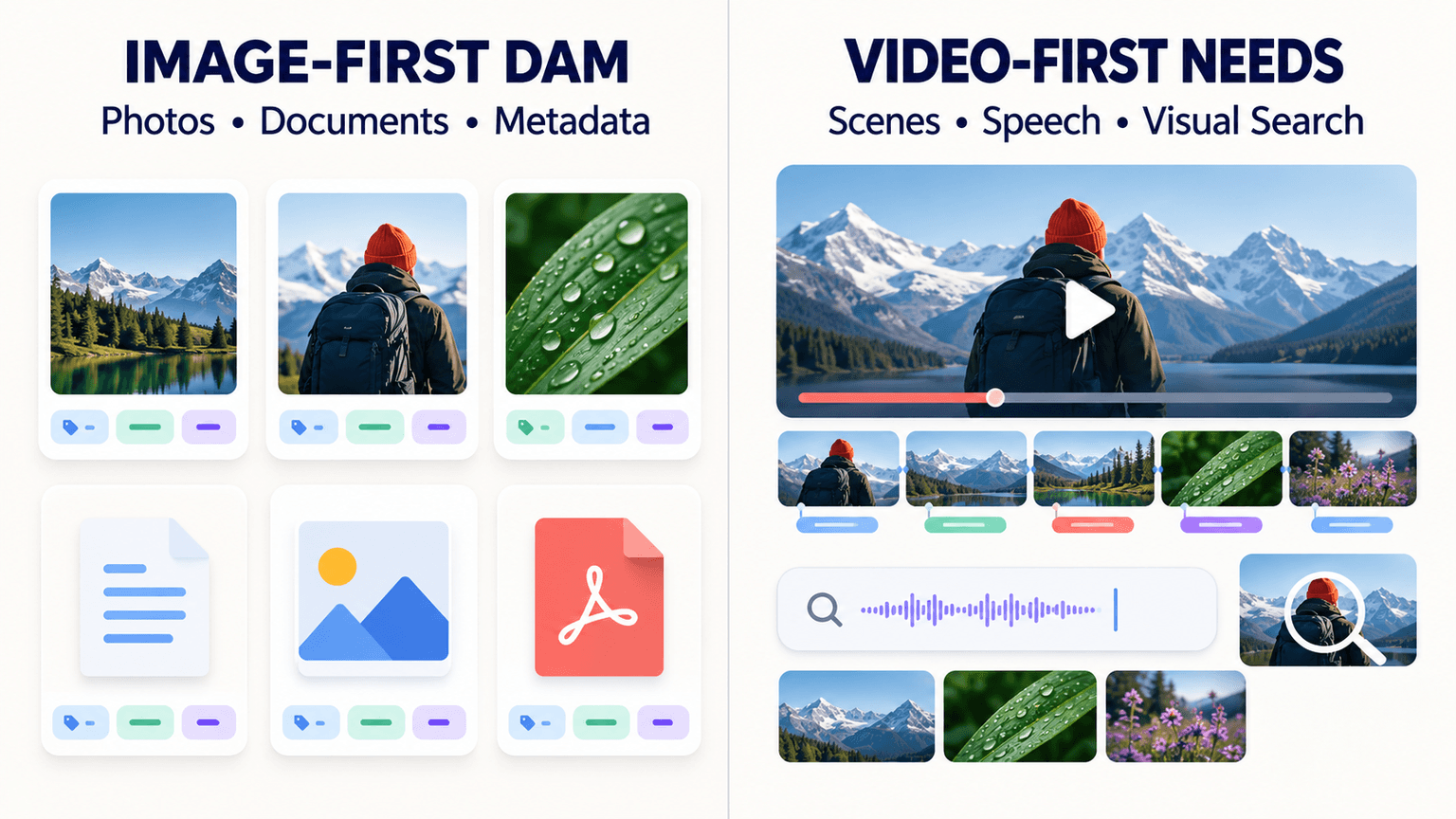
The bigger question is how well Canto fits teams with significant video libraries. Canto's AI capabilities include image recognition and facial recognition for photos, but its publicly documented feature set does not appear to offer the same kind of transcript-level or scene-level search inside video that some video-focused DAMs provide. If your team's library is mostly images and documents, that difference may not matter. If video makes up a meaningful share of your content, it becomes a more important consideration.
Pricing is another factor to consider. Canto does not publish standard pricing on its website and requires teams to request a quote. Because pricing can vary based on users, storage, and plan requirements, teams comparing DAMs should look at the total cost for their specific setup rather than comparing headline prices alone.
The interface also receives different types of feedback from users. Some appreciate its straightforward experience and ease of adoption, while others find the interface less modern than newer DAM platforms. This makes it worth evaluating the actual workflow with your team before committing.
How We Evaluated These Alternatives
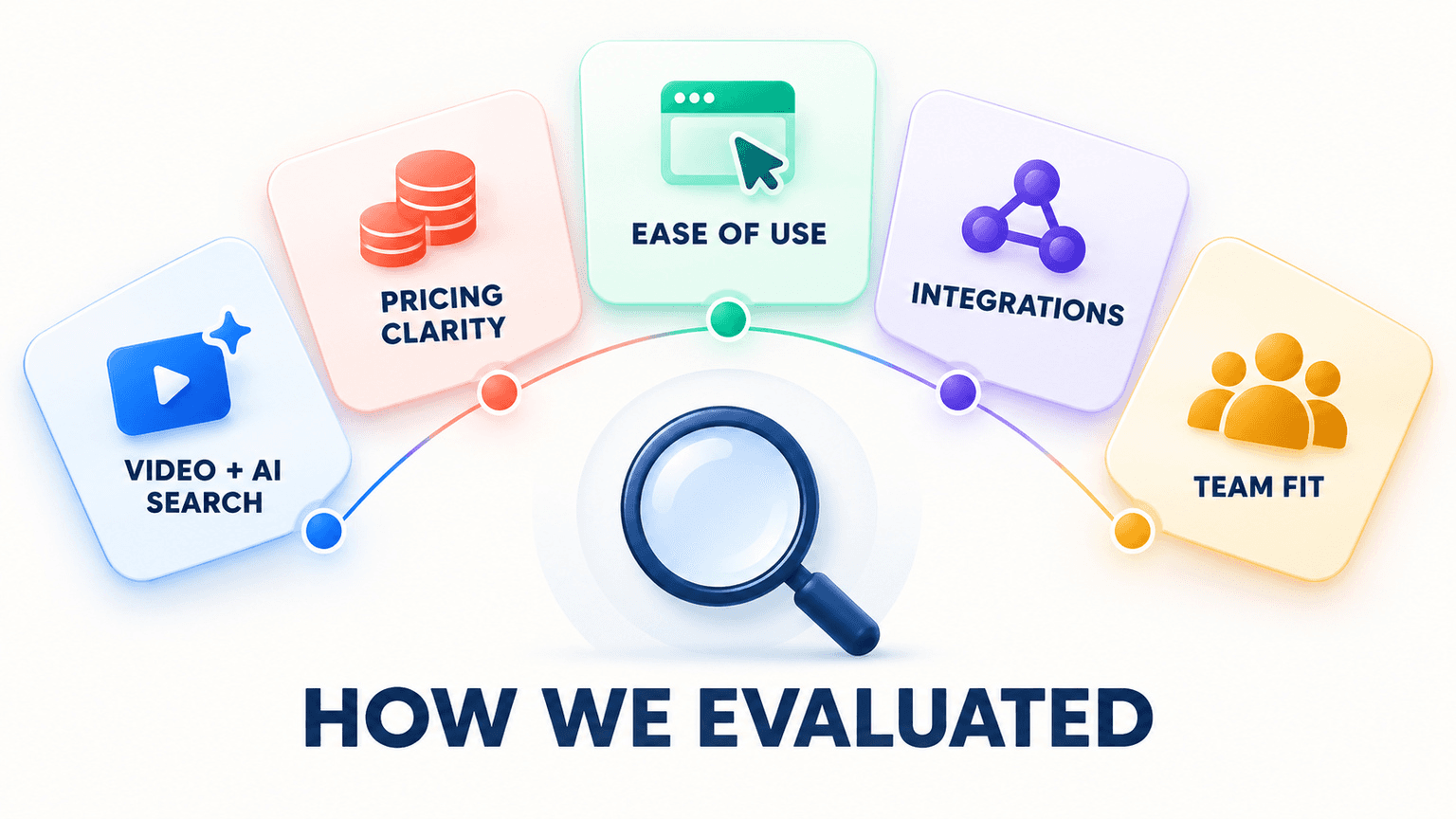
Each platform below was assessed across five areas that matter in day-to-day DAM workflows: video and AI search depth (including whether users can find information inside a video rather than only through file-level metadata), pricing transparency, ease of use and onboarding, integration breadth, and best-fit team size. Pricing and feature details reflect information published by the vendors at the time of writing. Since DAM pricing and feature sets can change, confirm current details directly with each provider before making a decision.
Canto Alternatives Comparison Table
Platform | Video AI Search | Pricing Model | Best For |
Recharm | Transcript and visual search built for video ads | Published, from $299/month, unlimited users | Video-first creative and ad teams |
Bynder | AI search including speech, part of broader enterprise suite | Custom quote, entry around $450/month | Large enterprises needing governance and compliance |
MediaValet | Deep video analysis via Microsoft Azure AI Video Indexer | Quote-only, no published pricing | Broadcast, post-production, and archive teams |
Pics.io | Face recognition and video transcription via add-on | Published, from $100/month | Small to mid-size teams on Google Drive |
Tagbox | Transcription, in-video face and visual search included | Published, from around $400/month, unlimited users | Budget-conscious teams needing real video AI |
Dash | None | Published, flat pricing | Small teams wanting simple, image-only asset management |
1. Recharm — Best for Video-First Creative and Ad Teams
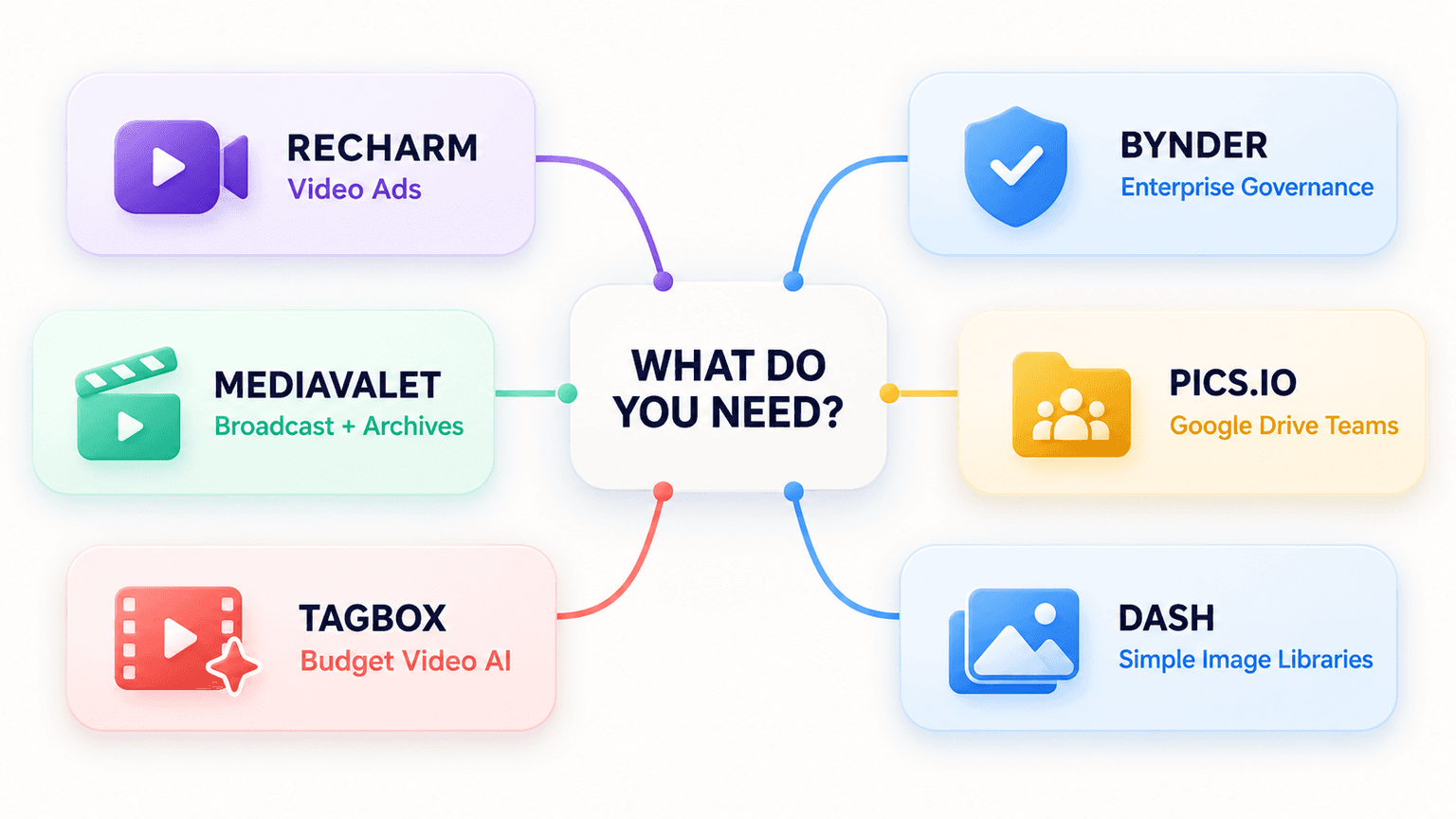
Recharm is built around a gap many general DAMs leave open: making footage searchable and reusable, not just stored. Instead of treating a video as one file, it breaks raw footage into tagged clips, including hooks, testimonials, product shots, and B-roll, so teams can search by content instead of scrubbing through timelines.
Transcript search finds the exact moment someone says a specific line. AI visual search finds shots based on what's shown on screen. Tagging combines automated AI with human review for brand-specific accuracy, which can be particularly useful for niche products or terminology that a general model may not recognize on its own.
The results show up in production volume, not just search speed. HexClad's editors now produce 3x more ad edits in the same amount of time, while briefs take half as long to draft. Clip search also dropped from 30 minutes to under 5 minutes, an 83% reduction, after the footage library was organized. FabFitFun scaled from roughly 100 to 400 videos per quarter after organizing its footage library. Cat Person found 4x more winning ads and a 25% lower CPA, while cutting more than $60K in annual agency costs by working from its broader footage library. Lume saw 2x more winners and a 25% lower CPC, with media buyers producing 800 video ads within two months of onboarding without a video editing background.
Pricing: Published, starting at $299/month for the AI plan, with unlimited users included.
Best for: Teams running paid video ads at volume, where finding and reusing footage quickly is important to keeping creative production moving.
Not the right fit if: Your library is mostly static images and print collateral with little to no video. In that case, a more general DAM such as Canto, Pics.io, or Dash may be a closer fit.
2. Bynder — Best for Enterprise Governance and Compliance
Bynder is an established enterprise DAM platform built around centralizing brand assets with governance, permissions, and workflow controls. It supports a broad range of integrations and offers AI-powered search capabilities, along with additional functionality for areas such as brand guidelines and creative workflows.
The main tradeoffs are cost and implementation complexity. Pricing is not published as a standard self-serve rate, so the actual cost depends on the organization's requirements, including users, storage, and selected capabilities. Implementation can also be more involved than with lighter-weight DAM platforms, particularly for larger organizations with multiple teams and governance requirements.
Pricing: Custom quote.
Best for: Large organizations with complex brand governance needs, multiple business units, and the budget and implementation runway for an enterprise DAM rollout.
Not the right fit if: You're a small or mid-size team that needs to get operational quickly or wants to evaluate pricing without going through a sales process.
3. MediaValet — Best for Broadcast and Archive Teams
MediaValet leans into video intelligence through its Audio Video Intelligence (AVI) capabilities, which use Microsoft Azure's AI Video Indexer technology for capabilities such as face recognition, scene detection, on-screen text recognition, speaker identification, and transcription. This gives it deeper video analysis capabilities than a DAM focused primarily on file-level organization.
It's positioned for enterprise-scale use, with features for security, branded portals, integrations, and large media libraries. Pricing is quote-based rather than publicly listed, so teams need to speak with the vendor to determine the cost for their setup.
Pricing: Quote-only, with no standard public pricing tiers.
Best for: Broadcast, post-production, sports, and archive teams managing substantial media libraries where deeper video analysis is important.
Not the right fit if: You want transparent pricing before speaking with sales or need a simpler platform that can be onboarded quickly.
4. Pics.io — Best for Small Teams Already on Google Drive
Pics.io adds DAM functionality on top of Google Drive, allowing teams that already use Google Drive to keep their existing storage while adding capabilities for tagging, search, and asset organization. It has a relatively accessible published starting price compared with enterprise-focused DAM platforms.
Video capabilities are available through its AI features, rather than being the central focus of the platform. Teams considering it for video-heavy workflows should check which AI capabilities are included in their selected plan and which require additional features or add-ons.
Pricing: Published pricing, with plans starting around $100/month according to the pricing information available at the time of writing.
Best for: Small to mid-size teams already using Google Drive that want stronger organization and search without moving away from their existing storage setup.
Not the right fit if: Video is central to your workflow and you need deep transcript or visual search as a core part of the DAM rather than an additional capability.
5. Tagbox — Best Budget Option With Real Video AI
Tagbox stands out for its focus on AI-powered video search and analysis, including capabilities such as transcription, in-video face recognition, and visual search. For teams that need to search inside video without moving to a larger enterprise DAM, these capabilities can make it worth comparing alongside more general-purpose platforms.
Pricing is published, with plans positioned below the cost of many enterprise DAM deployments. The main consideration is whether its video search capabilities match the depth of workflow organization your team needs.
Pricing: Published pricing, with plans starting around $400/month according to the information available at the time of writing.
Best for: Teams that specifically need in-video search and transcription without moving to a more complex enterprise DAM.
Not the right fit if: You need deeper modular clip organization or ad-specific workflow tooling built around the creative production process.
6. Dash — Best for Simple, Image-Only Asset Libraries
Dash takes a simpler approach to DAM, focusing on straightforward asset management rather than the broader feature set of enterprise platforms. It offers features such as deduplication, expiration dates, and approval workflows, with a pricing structure designed to keep the platform relatively simple to manage.
The clearest limitation for this comparison is video. Dash does not offer the same type of in-video AI search, transcription, or visual search available in video-focused platforms. For teams working primarily with images and documents, that may not be an issue. For teams with a substantial video workflow, it becomes a more important limitation. Teams should also consider how storage and download limits affect the total cost for their expected usage.
Pricing: Published monthly pricing, with unlimited users and features included according to the vendor's current plan structure.
Best for: Small marketing teams or startups managing primarily images and documents that want a simple DAM without extensive video requirements.
Not the right fit if: Video is a meaningful part of your content workflow and you need search capabilities that work inside video.
How to Choose the Right Canto Alternative
The right Canto alternative depends less on the number of features a platform offers and more on how your team manages and uses its assets. Start with your content mix, then consider pricing, workflow complexity, team size, and the depth of video capabilities you actually need.

Start with your content mix. If video makes up a meaningful share of what your team produces and searches for, prioritize a platform with video capabilities built into the core workflow rather than relying on an add-on. If your library is mostly images and documents, that requirement matters much less, and a general DAM such as Canto or Dash may already cover your needs.
Weigh transparent pricing against depth. Published pricing from platforms such as Recharm, Tagbox, Pics.io, and Dash makes it easier to compare costs before starting a sales conversation. Quote-based platforms such as Bynder and MediaValet may offer broader enterprise capabilities, but teams need to speak with the vendor to understand the actual cost and implementation requirements.
Match the platform to your team size. A small creative team may not need the governance and implementation requirements of an enterprise DAM, while a large organization with complex compliance and approval workflows may outgrow a simpler tool. Consider the number of users, asset volume, workflows, integrations, and governance requirements you expect to manage rather than choosing based on feature count alone.
Looking for a DAM built around video specifically? Start a free trial of Recharm and see how transcript and visual search work with your own footage.
FAQs
Which Canto Alternatives Support Video Search?
For teams with video-heavy libraries, look for a platform that can search inside footage, using capabilities such as transcripts, visual analysis, or other video-specific metadata. Recharm and Tagbox both offer in-video search capabilities, although their broader workflows and areas of focus differ.
Is Canto Good for Video Asset Management?
Canto's strengths include image and document management, metadata, and asset search. Teams with significant video workflows should check whether its current video capabilities meet their needs, particularly if they need to search footage by spoken content or what's shown on screen rather than relying primarily on file-level metadata.
Which Canto Alternatives Have Lower Published Pricing?
Among the platforms covered here, Pics.io and Recharm publish relatively accessible starting prices, while Tagbox and Dash also publish their pricing structures. Pricing alone does not determine the right fit, however. Teams should also compare user limits, storage, AI capabilities, integrations, and any features that require an additional plan or add-on.
How Do I Migrate From Canto to Another DAM?
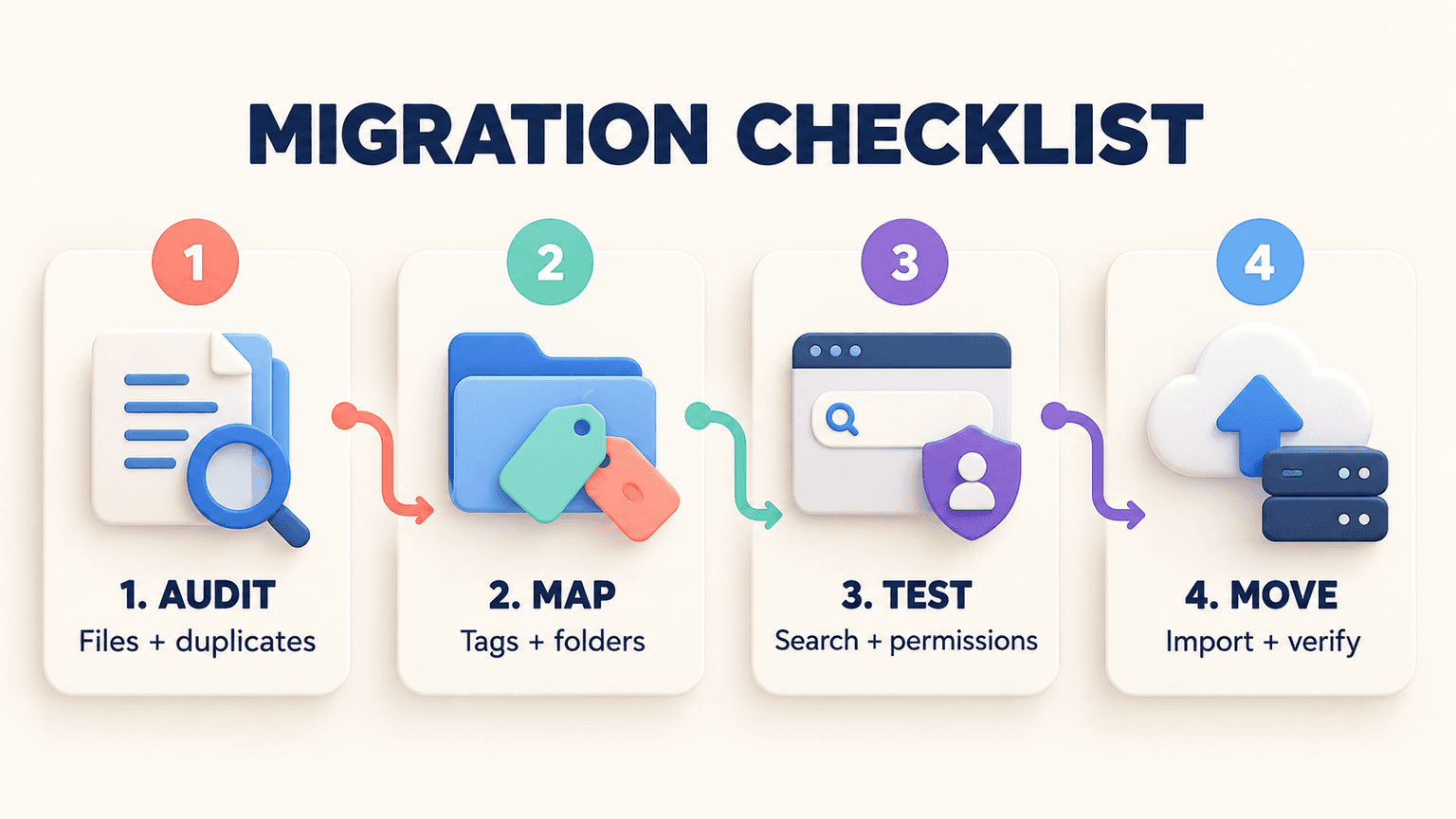
Migration processes vary by platform. Depending on the vendor, assets may be moved through bulk upload, cloud storage connections, APIs, or other migration tools. Before switching, ask how the platform handles existing tags, metadata, folder structures, permissions, and other asset information. It's also worth testing a sample migration first so you can identify any metadata or organizational issues before moving the full library.
Do Any Canto Alternatives Offer Transparent, Published Pricing?
Yes. Recharm, Tagbox, Pics.io, and Dash publish pricing information, while Bynder and MediaValet use quote-based pricing. Published pricing can make initial comparisons easier, but teams should still check exactly what is included in each plan and whether storage, AI features, users, or other requirements change the final cost.