
Brandfolder is a well-known digital asset management platform for organizing, managing, and distributing brand assets. But it may not fit every team, especially businesses looking for simpler pricing, different creative workflows, stronger video capabilities, or a lighter DAM experience.
In this guide, we compare six Brandfolder alternatives for DTC brands and creative agencies based on features, pricing, strengths, limitations, third-party ratings, and best-fit use cases.
TL;DR:
Recharm – Best for video-heavy DTC brands and creative agencies that want to make existing footage easier to search and reuse.
Bynder – Best For: Large global enterprises (extensive brand governance, content ops, security).
Canto – Best For: Mid-market marketing teams (user-friendly DAM, solid portal and search, basic ecommerce support).
Air – Best For: Creative/design teams focused on visual collaboration (canvas UI, generative AI, but not built for ad iteration).
Dash – Best For: Small e-commerce brands (lightweight, Shopify-integrated, all-features-included pricing).
Pics.io – Best For: Teams wanting storage flexibility (keep-your-own-storage model, transparent pricing, broad file support).
Why DTC Brands & Agencies Look for Brandfolder Alternatives
Brandfolder (now part of Smartsheet) is a well-known DAM platform built for centralized asset storage, brand governance, and enterprise collaboration. It offers features like permissions, analytics, usage reporting, and secure asset sharing, making it a strong choice for large organizations managing brand consistency at scale.
However, many fast-moving DTC brands and creative agencies find Brandfolder too enterprise-heavy for modern ad workflows.
Enterprise Complexity Slows Creative Teams
Brandfolder is designed for structured, multi-team environments with layered permissions and approval workflows. While useful for large enterprises, these systems can slow down lean DTC teams that need to launch and test creatives quickly.
Expensive, Quote-Based Pricing
Brandfolder does not publish standard pricing. Plans are customized based on factors such as team size, storage, and feature requirements, so businesses need to contact the company for a quote.
For smaller teams and growing brands, this can make it harder to estimate costs upfront compared with DAM platforms that publish their pricing.
Different Priorities for Performance Creative Teams
Brandfolder covers traditional DAM needs such as asset organization, permissions, distribution, analytics, and brand governance. Its higher-tier plans also include capabilities such as Video AI, speech-to-text transcription, auto-tagging, and scene detection.
However, performance creative teams may evaluate DAMs differently. Instead of focusing primarily on governance and distribution, they may prioritize workflows around finding reusable footage, organizing raw creative, building new variations, and managing high volumes of video content.
That difference in workflow, rather than a simple lack of DAM functionality, is one reason DTC brands and creative agencies may compare Brandfolder with other platforms.
Limited E-commerce Integrations
Modern DTC workflows rely heavily on platforms like Shopify and Klaviyo. Brandfolder currently lacks native integrations for directly pushing approved assets into e-commerce stores or email campaigns. As a result, teams still depend on manual exports and uploads, creating unnecessary bottlenecks during campaign launches.
Brandfolder After the Smartsheet Acquisition
Smartsheet acquired Brandfolder in 2020, bringing digital asset management into a broader work-management ecosystem.
Since then, Brandfolder has increasingly sat alongside Smartsheet's capabilities for project management, approvals, collaboration, resource management, and content operations. For larger organizations, this can be an advantage: assets and the work surrounding those assets can live within a more connected enterprise workflow.
But it also creates an important question when comparing Brandfolder alternatives: Do you need a DAM connected to a broader work-management system, or a platform built more narrowly around your creative workflow?
Teams managing complex approvals, governance, and cross-departmental operations may benefit from the Smartsheet ecosystem. Smaller creative teams, agencies, and performance marketers may instead prioritize faster setup, simpler asset retrieval, video-specific workflows, or more predictable pricing.
The acquisition itself isn't a reason to leave Brandfolder. It simply makes the intended workflow and ecosystem an important part of the comparison.
Essential Features in a Brandfolder Alternative
Before choosing a DAM, make sure it supports the fast-moving workflows modern DTC brands and creative agencies actually need.
AI-Driven Organization
Modern DAMs should organize assets intelligently, not just by folders or file names. Look for AI-powered tagging that understands ad-specific context like product names, hook types, testimonials, creators, or CTAs. Some platforms, like Recharm, also break long videos into searchable clips, making it easier to reuse winning moments instead of manually scrubbing through footage.
Seamless Agency Collaboration
For agencies and multi-brand teams, separate client workspaces are essential. The right DAM should let each brand operate inside its own organized library while still being managed from one dashboard. This prevents asset mix-ups and keeps workflows clean as teams scale across multiple accounts.
E-commerce & Marketing Integrations
A modern DAM should connect directly with platforms like Shopify, Klaviyo, and content publishing tools. Instead of manually downloading and re-uploading assets, teams should be able to push approved creatives directly into stores, email campaigns, or marketing workflows with minimal effort.
Transparent, Scalable Pricing
Fast-growing teams need predictable pricing. Look for DAMs with transparent monthly plans, self-serve onboarding, and scalable storage or usage tiers. Hidden enterprise pricing and lengthy sales processes often create unnecessary friction for startups and agencies.
Proven Creative Velocity
The best DAMs don’t just store files, they help teams produce more winning creatives faster. Look for real-world outcomes like reduced search time, faster editing workflows, or increased ad output. For example, some Recharm users report 3× faster clip discovery and significantly higher creative production volume after implementation.
Top Brandfolder Alternatives Compared (2026)
Below we compare six leading DAMs from the perspective of a DTC growth team or creative agency. Each entry ends with a “Best For” summary to help you decide which fits your situation.
Platform | Best for | Pricing approach | Video focus | Standout strength | |
Recharm | Video-heavy DTC teams & agencies | From $299/mo* | High | Searchable, reusable video footage | |
Bynder | Large enterprises | Custom quote | Moderate | Governance and enterprise workflows | |
Canto | Mid-market marketing teams | Custom quote | Moderate | Ease of use and asset organization | |
Air | Creative teams | Published plans / verify current price | High | Visual collaboration | |
Dash | Small ecommerce teams | From $109/mo* | Moderate | Simplicity and ecommerce workflows | |
Pics.io | Teams wanting storage flexibility | From $100/mo* | Moderate | Bring-your-own-storage option |
1. Recharm: The AI-First DAM for Modern DTC Brands & Agencies
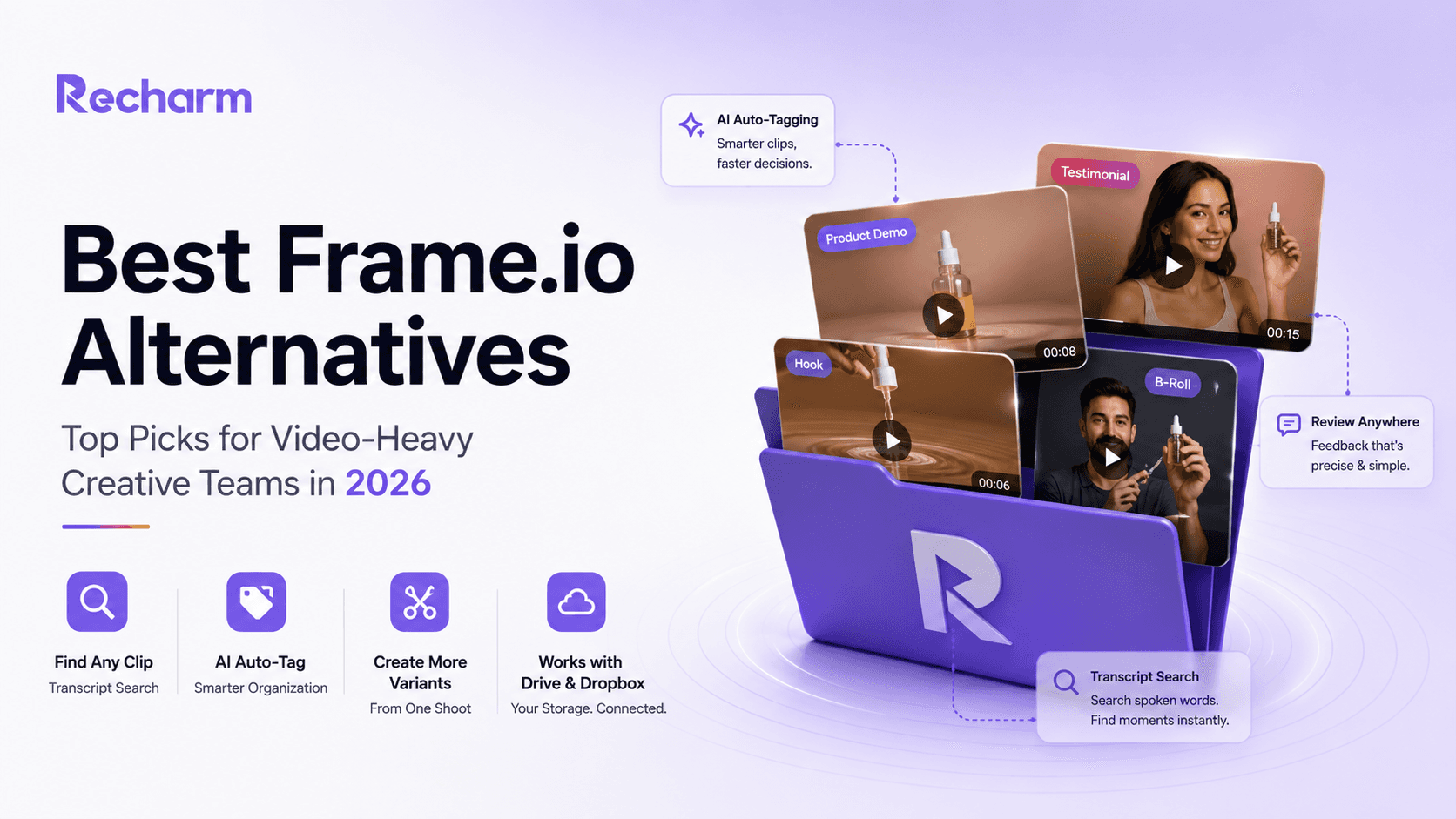
Recharm is a video-first DAM built for fast-moving DTC brands and creative agencies. Instead of treating videos as single files, it automatically breaks long-form footage into searchable clips like hooks, testimonials, product demos, and B-roll. Teams can search footage by spoken words, creators, products, emotions, or ad angles, making content reuse dramatically faster. Instead of losing winning hooks inside raw footage folders, teams can instantly turn old content into new ad variations.
Key Strengths
AI + human tagging for more accurate organization
Transcript and visual search to instantly find clips inside videos
Modular clip library for faster ad iteration and remixing
Agency hubs with separate branded libraries for multiple clients
Approved creatives can flow directly into Shopify and Klaviyo through native integrations
Transparent pricing starting at $299/month with a 14-day free trial
Recharm is especially strong for performance teams producing large volumes of ad creatives weekly. Brands using Recharm have reported major efficiency gains:
HexClad reduced clip search time by 83% and tripled ad output
FabFitFun scaled from 100 to 400 videos per quarter
Lume doubled winning ads while reducing CPCs by ~25%
Limitations
Because Recharm is optimized for creative velocity and video workflows, it lacks some enterprise-focused features like advanced approval systems or deep PIM integrations. It also does not yet include built-in Meta or Google Ads analytics integrations.
Best For
Recharm is best suited for:
DTC brands running high-volume paid social campaigns
Creative agencies managing multiple e-commerce clients
Teams prioritizing creative velocity, rapid ad iteration, and content reuse over governance-heavy workflows.
2. Bynder: Best for Massive Global Enterprises
Bynder is an enterprise-grade DAM built for global organizations managing large-scale brand operations. It focuses heavily on governance, offering advanced permissions, workflow automation, localization tools, and strong brand consistency controls across teams and regions.
Key Strengths
Advanced brand governance with approvals, version control, and permissions
Enterprise integrations with tools like SAP, Adobe, CMS, and PIM platforms
AI-powered search, including OCR and image recognition
Workflow automation for content operations and localization
High scalability with enterprise security and SOC2 compliance
Bynder is designed for enterprises that need structured workflows, compliance, and centralized asset management across large organizations.
Limitations
Bynder can feel heavy for smaller or fast-moving creative teams. Setup and onboarding often require dedicated admin support, and implementation can take months. Its pricing is also enterprise-focused and not publicly available. Unlike video-first DAMs like Recharm, Bynder does not automatically break videos into reusable ad clips or support rapid social ad iteration workflows.
Best For
Bynder is best suited for:
Global enterprises with strict governance requirements
Organizations managing multi-region publishing and compliance
Teams operating in governance-heavy environments where compliance and workflow control matter more than rapid creative iteration.
3. Canto: A Mid-Market Staple for Traditional Marketing
Canto is a user-friendly DAM platform designed for mid-sized marketing teams that need organized asset storage without enterprise complexity. It offers clean visual portals, smart search, metadata tagging, approval workflows, and support for both images and video assets.
Key Strengths
Simple and intuitive UI for marketers and creatives
Smart visual search with facial and image recognition
Shopify integration for publishing approved assets directly to storefronts
Broad integrations with tools like Adobe CC, Slack, Box, and Google Drive
Straightforward pricing compared to enterprise DAM platforms
Canto works well for teams transitioning away from scattered folders and manual asset management while still wanting a structured DAM experience.
Limitations
While Canto supports video storage, it lacks advanced video-first workflows like transcript search, modular video clipping, or AI-powered hook tagging. Videos are still managed mostly as standalone files. It also doesn’t offer deep integrations with platforms like Klaviyo or ad managers, so some publishing workflows remain manual.
Best For
Canto is best suited for:
Mid-market marketing teams
E-commerce brands managing large image libraries
Teams need easier asset organization and Shopify publishing without enterprise-level complexity.
4. Air: For Creative Teams Focused Purely on Video/Photo Collaboration
Air.inc is a modern creative collaboration platform that combines DAM functionality with AI-powered editing tools. Its visually-driven “Canvas” workspace lets teams organize assets, review designs, resize creatives, remove backgrounds, and collaborate in real time, all inside the browser.
Key Strengths
Beautiful, creator-friendly UI with kanban-style asset boards
Frame-accurate video commenting and timestamped reviews
AI-powered editing tools for resizing, variations, and background removal
Unlimited users across plans, making freelancer/client collaboration easier
Free plan available with limited storage and AI credits
Air is built around visual collaboration, making it especially appealing for design-heavy teams and creative agencies.
Limitations
Air focuses more on the creative workflow than high-speed ad iteration. It does not automatically break videos into hooks, testimonials, or ad-ready clips, and its AI tagging is relatively generic (objects, colors, visuals) rather than campaign-focused. Teams still need manual organization for performance marketing workflows. Pricing can also climb quickly, especially for advanced AI and video features.
Best For
Air is best suited for:
Design-first creative teams
Agencies handling visual collaboration and approvals
Brands prioritizing in-browser editing and feedback workflows over rapid ad production scale.
5. Dash: A Lightweight Option for Small Boutique Shops
Dash is a lightweight DAM built for growing e-commerce brands, especially Shopify stores. It focuses on simplicity, helping teams organize product images, videos, and brand assets without the complexity of enterprise DAMs. Its biggest advantage is seamless Shopify integration, allowing teams to push approved assets directly to storefronts and marketing channels.
Key Strengths
Simple, clean interface with fast onboarding
Direct Shopify integration for quick asset publishing
All features included even in lower-tier plans
Unlimited users and predictable pricing (starting around £79/month)
Integrates with BigCommerce, Google Drive, Dropbox, Canva, and social platforms
Helpful built-in tools for cropping and resizing creatives for ads
Dash is especially useful for small teams that want to organize and publish assets quickly without managing a complicated DAM setup.
Limitations
Dash is intentionally lightweight. It lacks advanced AI features like transcript search, modular video clipping, or deep auto-tagging. Video workflows are basic, and it doesn’t support multi-brand agency workspaces. Compared to enterprise or video-first DAMs, scalability and governance features are limited.
Best For
Dash works best for:
Small DTC and Shopify brands
Boutique e-commerce businesses
Teams looking for a simple, affordable DAM with fast publishing workflows rather than advanced creative operations features.
6. Pics.io: Best for Teams Who Want Storage Control
Pics.io is a DAM platform that sits on top of your existing cloud storage, such as Google Drive or Amazon S3. Instead of forcing teams to migrate files, it follows a “bring your own storage” (BYOS) model. Teams can organize, search, share, and manage assets directly from their existing drives while keeping full control over storage.
Key Strengths
Uses your existing Google Drive or S3 storage
Transparent pricing with plans starting around $100/month
Supports a wide range of file types, including 4K video, 3D, and GIS files
Includes features like version control, collections, and asset sharing
Optional AI add-ons for:
Speech-to-text transcription
Facial recognition
Automated tagging
Pics.io is especially appealing for teams that want DAM functionality without paying for additional storage infrastructure.
Limitations
Pics.io is more of a general DAM than a video-first creative operations platform. It doesn’t automatically break videos into ad-ready clips or provide advanced creative workflows like Recharm. Collaboration tools are basic, and there are no native Shopify, Klaviyo, or ad-platform integrations. The interface is functional but less polished compared to newer DTC-focused DAMs.
Best For
Pics.io works best for:
Teams already invested in Google Drive or Amazon S3
Mid-size agencies needing flexible storage control
Organizations managing unusual file formats
Businesses looking for a cost-effective DAM without vendor lock-in.
How to Choose the Best Brandfolder Alternative for Your Team
1. Identify Your Team Type
Different DAMs solve different problems:
Bynder → Best for enterprise governance and compliance
Canto → Strong for traditional marketing teams
Recharm → Ideal for fast-moving DTC brands and agencies focused on ad velocity
2. Find Your Biggest Bottleneck
Choose a DAM based on what slows your team down:
Need faster video reuse? → Look for transcript search and modular clip libraries
Need stronger approvals and governance? → Consider Bynder or Canto
Need Shopify/Klaviyo workflows? → Prioritize e-commerce integrations
3. Test Workflows, Not Just Features
Instead of comparing feature lists, run a real campaign workflow:
Upload raw footage
Search clips
Build ad variations
Publish to Shopify or campaigns
The best DAM is the one that reduces production time in real-world use.
4. Prioritize Usability
Even powerful DAMs fail if teams avoid using them. Look for:
Fast onboarding
Intuitive UI
Easy collaboration
Minimal workflow friction
In the end, the choice usually comes down to speed vs governance. Enterprise DAMs prioritize control, while modern DTC-focused platforms like Recharm prioritize rapid creative iteration and ad production.
Is It Time to Switch? The Cost of Staying with “Legacy” DAMs
Legacy DAMs often slow down modern DTC teams in ways that aren’t obvious at first. Every hour spent searching for assets, managing folders, or manually moving creatives between tools is time lost on launching new ads. On top of that, enterprise DAM contracts like Brandfolder can cost $20k+ per year, reducing the budget available for actual campaign growth.
Meanwhile, faster creative teams are testing more concepts, launching more variations, and finding winning ads sooner. Studies suggest modern DAMs can reduce asset search time by 40–60% and save 55+ hours per week in creative operations.
The impact compounds quickly. A team producing 25 ads per month today could potentially scale to 75 ads monthly with a workflow-focused DAM, while also uncovering more winning creatives from existing footage.
The real question is simple: Is your DAM helping your team move faster, or slowing it down?
Choosing the Right DAM for Your 2026 Goals
The DAM landscape is changing fast. In 2026, the biggest advantage for DTC brands and creative agencies is no longer just storing assets securely, it’s the ability to move faster, test more creatives, and unlock value from existing footage.
Legacy DAMs still serve enterprise governance and compliance-heavy workflows well. But for performance-focused teams running constant ad iterations, speed and usability matter far more than rigid approval layers.
Modern DAM platforms are shifting toward:
AI-powered organization
Transcript and video search
Modular creative workflows
Shopify and marketing integrations
Faster collaboration across teams and agencies
The right platform should reduce operational friction, not add to it. If your team spends more time searching for assets than launching campaigns, it may be time to rethink your DAM stack.
Ultimately, the best DAM is the one that helps your team produce more winning creative faster.
FAQs
What is Brandfolder used for, and why are DTC brands switching away?
Brandfolder is a DAM platform built for storing, organizing, and distributing brand assets across large organizations. It’s strong in governance features like permissions, analytics, and brand consistency. However, many DTC brands move away because it isn’t optimized for fast-paced ad production.
Which businesses should choose Bynder over Brandfolder?
Bynder is a better fit for large enterprises that need strict brand governance, advanced workflows, and enterprise-level security. Businesses managing multiple regions, languages, or compliance-heavy operations often benefit from Bynder’s deeper workflow automation and PIM integrations. It’s ideal for organizations prioritizing control and consistency over rapid creative iteration.
Is there a Brandfolder alternative built specifically for Shopify and Klaviyo workflows?
Yes. Platforms like Recharm and Canto are better suited for e-commerce-focused workflows. Recharm offers direct Shopify and Klaviyo integrations, allowing approved creatives to flow into stores and email campaigns automatically. Canto also supports Shopify publishing, helping teams reduce manual downloads and uploads.
Does any Brandfolder alternative work well for creative agencies managing multiple clients?
Yes. Recharm is designed with agency workflows in mind, offering separate branded libraries for each client within one account. This keeps assets organized without overlap between brands. Air.inc supports collaboration with unlimited users, but Recharm provides a stronger multi-client organization for agencies handling high volumes of creative assets.
How does Brandfolder’s pricing compare to alternatives like Recharm?
Brandfolder uses custom enterprise pricing, which can become expensive for growing DTC teams. Industry estimates place entry pricing around $1,600/month or higher. Recharm follows a transparent self-serve model, with plans starting at $299/month and a 14-day free trial. This makes it easier for startups, agencies, and fast-growing brands to test and scale without lengthy sales processes.
Can I migrate my existing Brandfolder library without losing tags or metadata?
In most cases, yes. Assets and metadata can usually be exported from Brandfolder and imported into another DAM. Platforms like Recharm and Canto also support integrations with Google Drive or cloud storage, reducing migration complexity. However, custom taxonomies and proprietary tags may require remapping during onboarding.