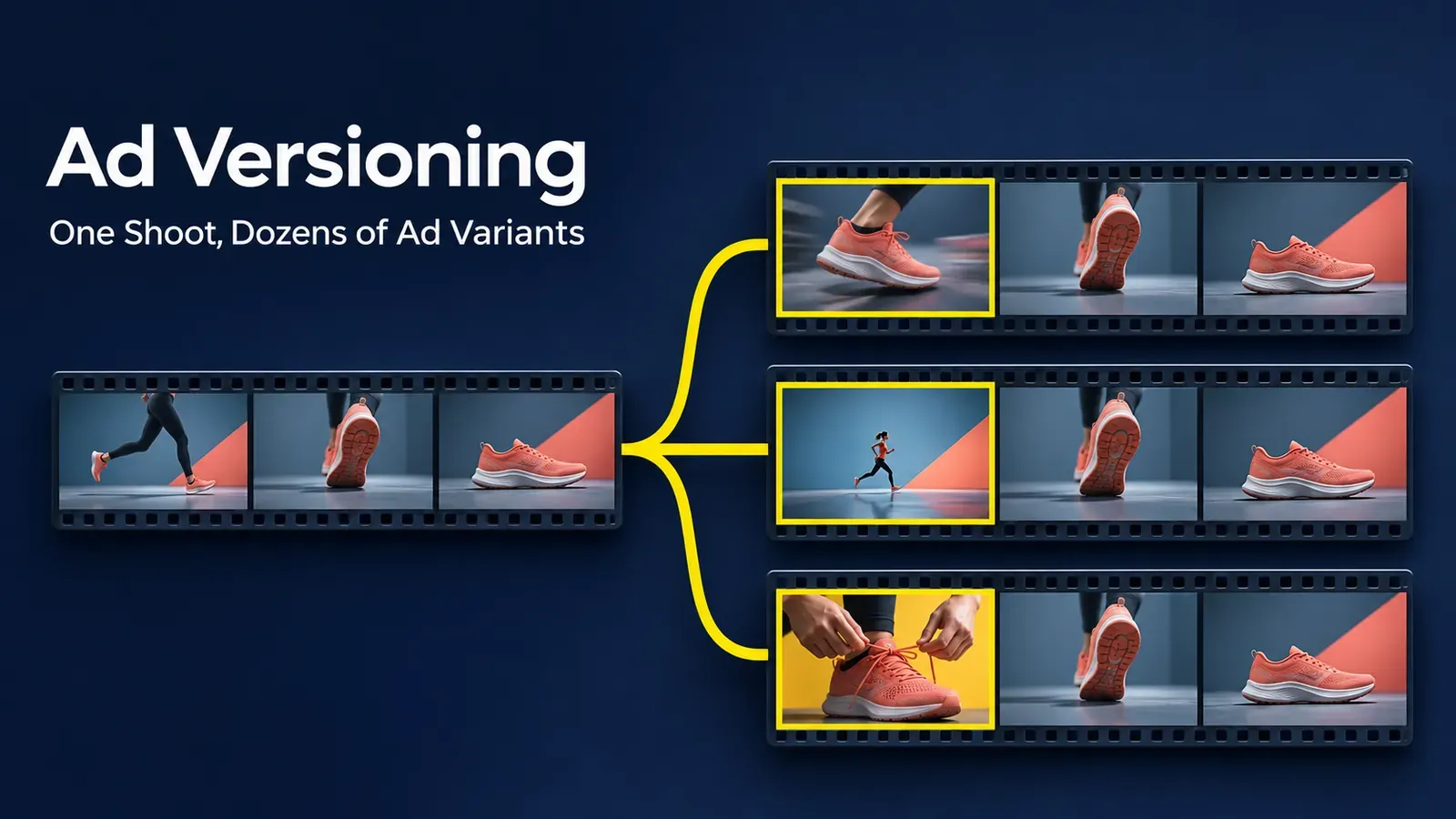
Ad versioning is the practice of turning one piece of creative into many ad variants by swapping parts like the hook, body, call to action, creator and format. Done well, a single shoot can feed weeks of testing across Meta, TikTok and YouTube without booking another day on set.
The catch is that not every variant counts as new. Ad platforms can treat near-identical edits as the same ad, so versioning only pays off when the variants are different in ways that matter.
TL;DR
Here is the short version for brand and performance teams that want more variants without booking more shoots. Each point below is covered in its own section, with examples, platform specs and a step-by-step workflow. Start here if you need the plan, then jump to the section you need.
- Versioning changes the edit, iteration changes one element of a working idea and a new concept changes the idea itself. You need all three.
- Meta compares the images and video thumbnails in an ad set to score creative diversity, so variants that open on the same frame do little.
- Plan the shoot for versioning: multiple hooks, angles, b-roll, product close-ups, testimonials and both vertical and horizontal coverage.
- Build variants from a hooks x bodies x CTAs x formats matrix, then ship the combinations most likely to look and feel different.
- Name every file so winners can be found and recut later.
- Keep creator footage inside its license. A clip cut from a creator's video carries that video's usage rights.
What Is Ad Versioning?
Ad versioning sits between production and testing. You start with raw footage or a finished ad, break it into reusable parts and recombine those parts into new ad versions for different audiences, placements and tests.
Common things teams version include:
- Hooks: the first few seconds, where most variants should differ.
- Bodies: the middle section, such as a demo, a testimonial or a problem and solution sequence.
- CTAs: the closing line, offer or end card.
- Creators: the same script delivered by different people.
- Formats: vertical, square and horizontal cuts for different placements.
- Copy and on-screen text: headlines, captions and supers.
Versioning is a core part of creative production for performance teams. Our guide to creative workflow management covers where it sits in the full pipeline, and our roundup of creative operations tools compares the software teams use to run it. This post focuses on the versioning step itself.
Ad Versioning vs Dynamic Creative Optimization
Dynamic creative optimization (DCO) is when an ad platform assembles and serves combinations of assets automatically. Meta, for example, offers Advantage+ creative, which Meta says automatically creates variations of your ad from a single image or video and shows each person the version they are most likely to respond to.
DCO and dynamic creative tools optimize what you give them. They don't replace the work of shooting distinct hooks, angles and creators. Ad versioning is how you build that input.
Versioning vs Iteration vs New Concepts
Teams often use these words as if they mean the same thing. They don't, and mixing them up is how accounts fill up with ads that look different to the team but identical to the algorithm.
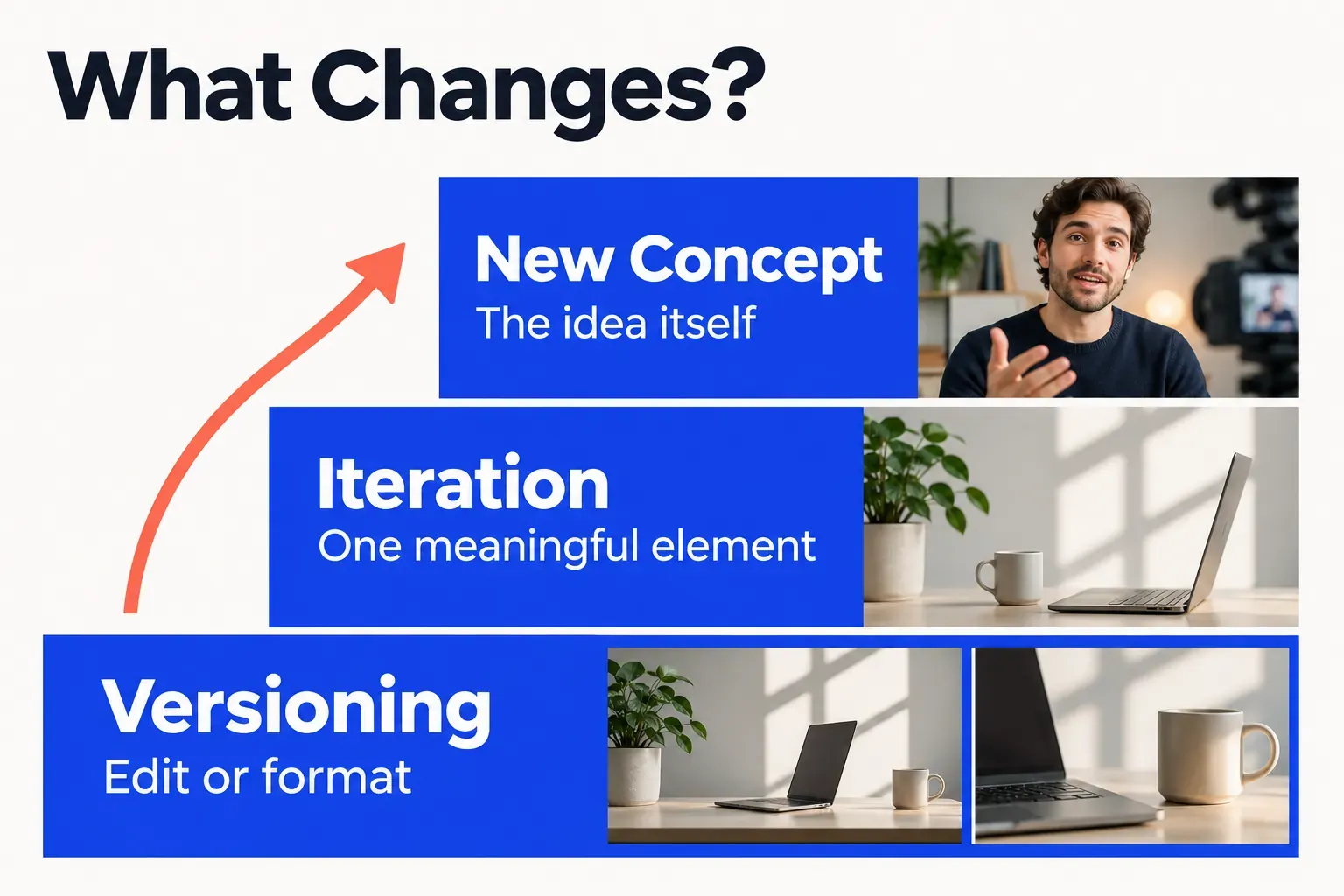
Here is how the three levels compare:
| Level | What changes | Example | When to use it |
|---|---|---|---|
| Versioning | The edit or format of the same ad | Cut a 30-second winner into a 15-second vertical and a square version | Fit placements, extend a winner's reach |
| Iteration | One meaningful element of a working idea | Same body and CTA, three new hooks with different opening shots | A concept is working and you want more winners from it |
| New concept | The idea, angle or audience | A founder story instead of a creator testimonial | Results are flattening or you need a new audience |
Creative iteration is where most of the upside lives. Our post on why hook iterations extend winning ads explains why changing the opening is often the highest-leverage edit.
Why Near-Identical Variants Don't Help
Meta is clear that similar creative works against you. Its Help Center describes several signals that matter for versioning:
- Creative diversity: Meta calculates this by comparing the images and video thumbnails in your ad set to each other, then labels the result high, medium or low. Meta describes the metric as estimated and in development.
- Creative similarity: Meta says this happens when the images or videos in your ads appear too visually identical, which can lead to creative fatigue and a higher cost per result. Its advice is to create new ads with unique creative.
- Creative fatigue: When cost per result rises above your past ads, Ads Manager can show a Creative limited status, and at twice your past cost per result or more it shows Creative fatigue. Meta's recommendation is a new ad with an image or video that is materially different from the original creative.
The practical rule: a new headline on the same footage is a version, not a new ad. If you want Meta to treat a variant as distinct, change what people see first. For how Meta's Andromeda retrieval system groups similar ads, see our explainer on Andromeda and creative similarity.
A Worked Example: One Shoot to Dozens of Variants
The fastest way to understand ad versioning is to run the math on one shoot. The numbers below are an example, not a benchmark. Swap in your own.
Step 1: Break the Shoot Into Parts
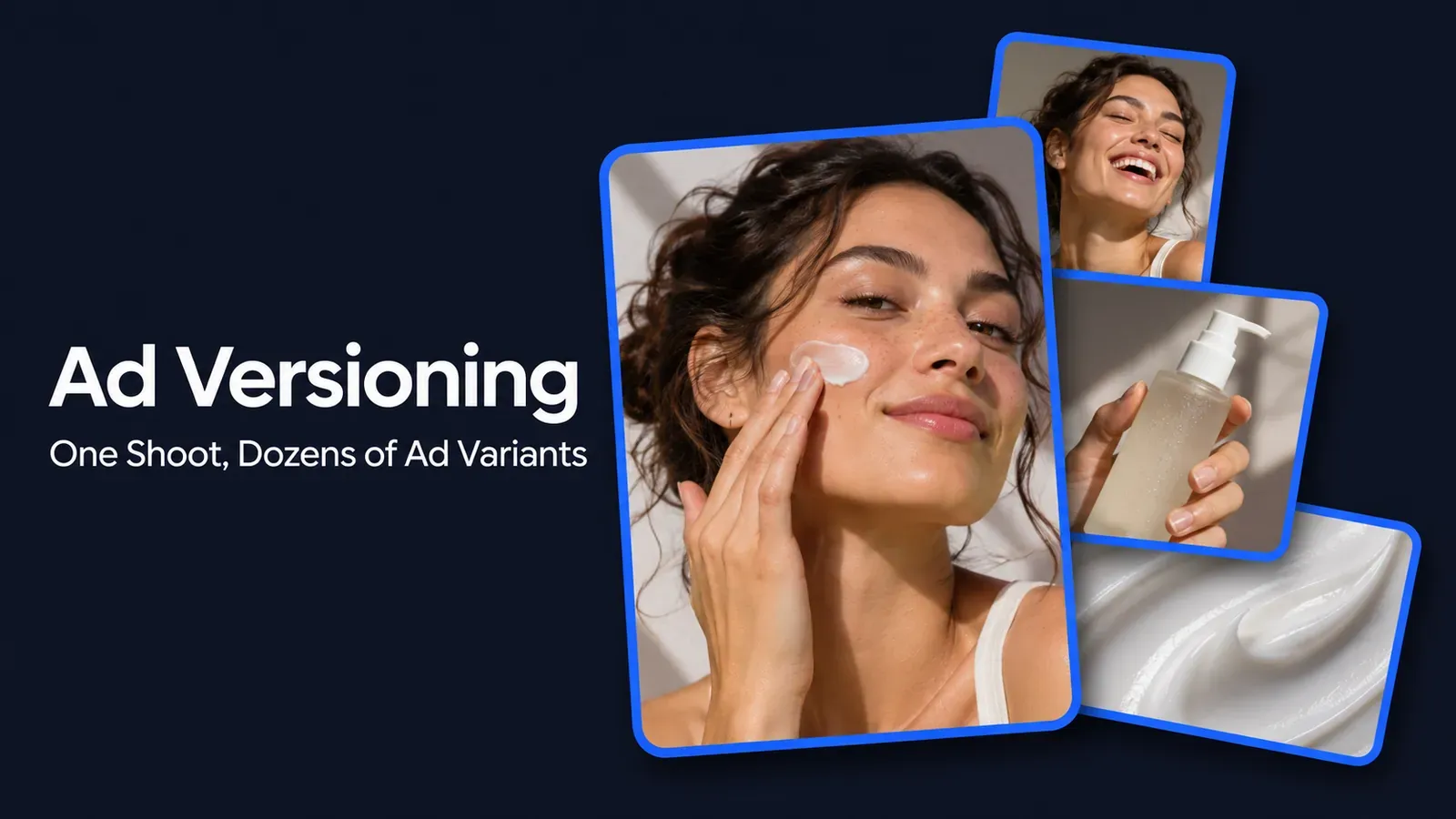
Say a skincare brand runs a one-day shoot with two creators. After the edit team logs the footage, they have:
- 5 hooks: a problem callout, a bold claim, a before shot, a product-in-hand reveal and a reaction shot.
- 3 bodies: a routine demo, a testimonial and an ingredients close-up sequence.
- 2 CTAs: a direct offer and a soft "see the full routine" close.
- 3 formats: 9:16 vertical, 1:1 square and 16:9 horizontal.
Step 2: Build the Creative Matrix
A creative matrix multiplies the parts: 5 hooks x 3 bodies x 2 CTAs = 30 unique edits. Cut each one in 3 formats and you have 90 possible files from a single shoot day.
Step 3: Choose What to Ship
You don't launch all 90. Most combinations share an opening, so they would read as similar. Instead, pick variants that differ where Meta looks first:
- Launch all 5 hooks on your strongest body and CTA. That is 5 variants with 5 different opening frames.
- Pair your top 2 hooks with the other 2 bodies. That adds 4 variants that differ in the middle.
- Swap the CTA on your top 3 combinations once early results come in. That adds 3 more.
That is 12 variants for the first round, each cut in the formats its placements need. The rest of the matrix stays on the shelf for the next refresh, which is where ad fatigue usually sends you within a few weeks.
Meta's built-in creative test lets you compare up to seven creative variants inside an existing campaign, so a first round of 5 to 7 hooks fits one test.
How to Plan a Shoot for Versioning
Versioning is decided on set, not in the edit. If the footage only contains one opening, one angle and one framing, no amount of editing will produce distinct variants.
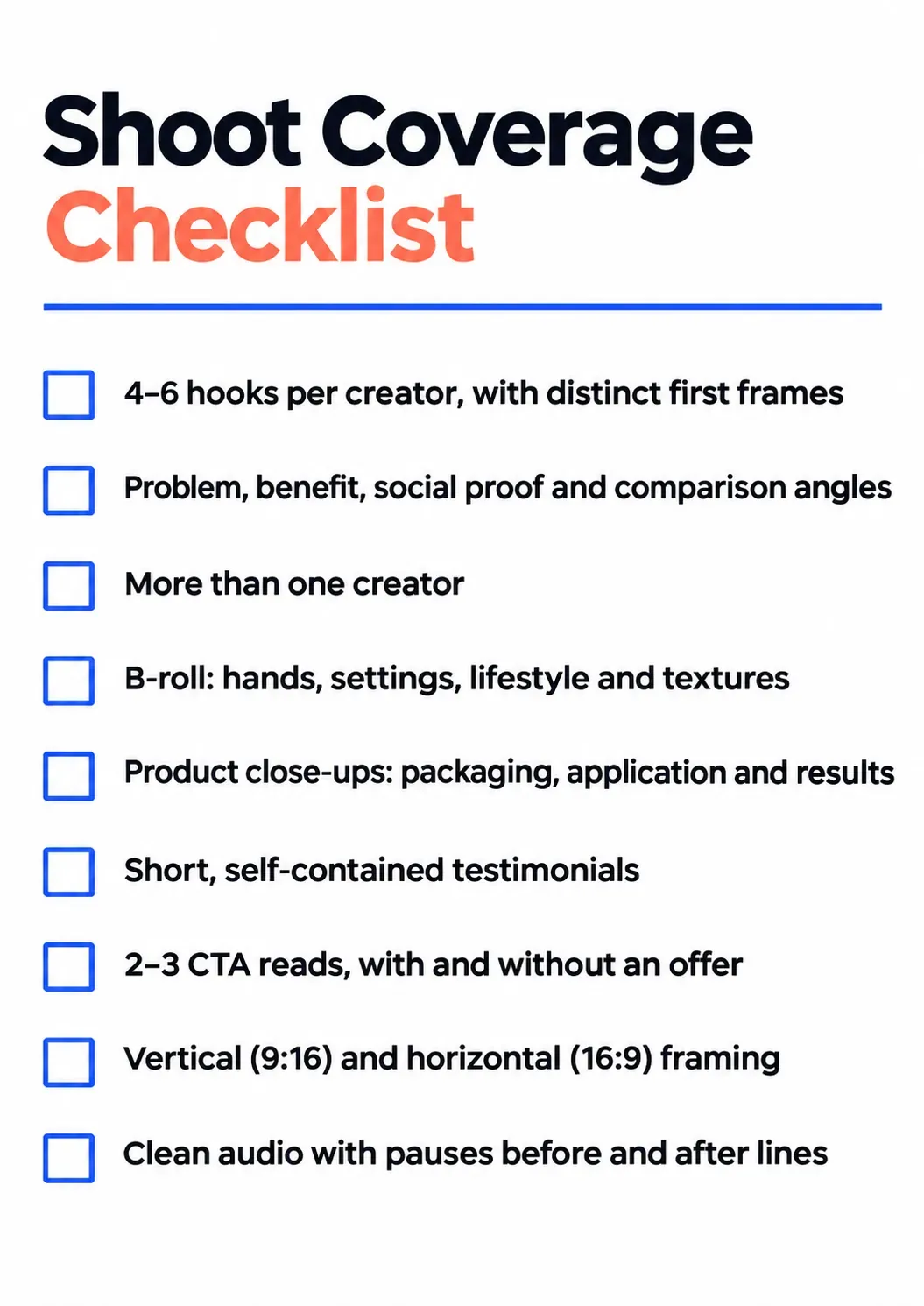
Use this coverage checklist on every shoot:
- Multiple hooks: script at least 4 to 6 openings per creator, each with a different first frame, not just a different first line.
- Different angles: problem-led, benefit-led, social proof and comparison takes of the same message.
- More than one creator: the same script from different people reads as a different ad to viewers.
- B-roll: hands, environments, lifestyle moments and texture shots to cover cuts and build new bodies.
- Product close-ups: packaging, application, texture and results from several distances.
- Testimonials: short, self-contained answers that can stand alone as a body or a hook.
- CTA reads: two or three closing lines per creator, including an offer and a no-offer version.
- Vertical and horizontal coverage: frame for 9:16 and 16:9, or shoot wide enough to crop both without losing faces or product.
- Clean audio and pauses: a beat of silence before and after each line makes clips easier to cut and reuse.
A clear shot list makes this repeatable. Our creative brief workflow shows how to turn a brief into a list of shots your team can check off on set.
Formats and Specs by Platform
Each platform recommends different aspect ratios, so plan formats before you cut. The specs below come from each platform's own help pages. Always check the current page before a launch, since specs change.
The table covers the formats most versioning plans need:
| Platform | Placement | Recommended aspect ratio | Source |
|---|---|---|---|
| Meta | Feed | 1:1 or 4:5 (both supported for images and videos) | Meta Business Help Center |
| Meta | Stories, Reels | 9:16 | Meta Business Help Center |
| TikTok | In-feed (non-Spark) | 9:16 recommended, at least 540 x 960px. 16:9 and 1:1 also supported. Up to 10 minutes, 500 MB or less | TikTok Ads Help Center |
| YouTube | All formats | 16:9 horizontal, 9:16 vertical, 1:1 square. 1080p recommended | Google Ads Help |
| YouTube | Shorts | Vertical recommended. Under 60 seconds recommended | Google Ads Help |
Two notes worth acting on. Meta says Ads Manager lets you upload up to ten images or videos for a single ad and adjust them per placement, so supplying native vertical and square cuts beats letting the system crop. YouTube says only the first 60 seconds of a Shorts ad play in the Shorts feed, so put the product and CTA early.
Naming Conventions and Tracking
Versioning creates files fast. Without a naming system, the team can't tell which variant won, what it was made from or how to recut it.
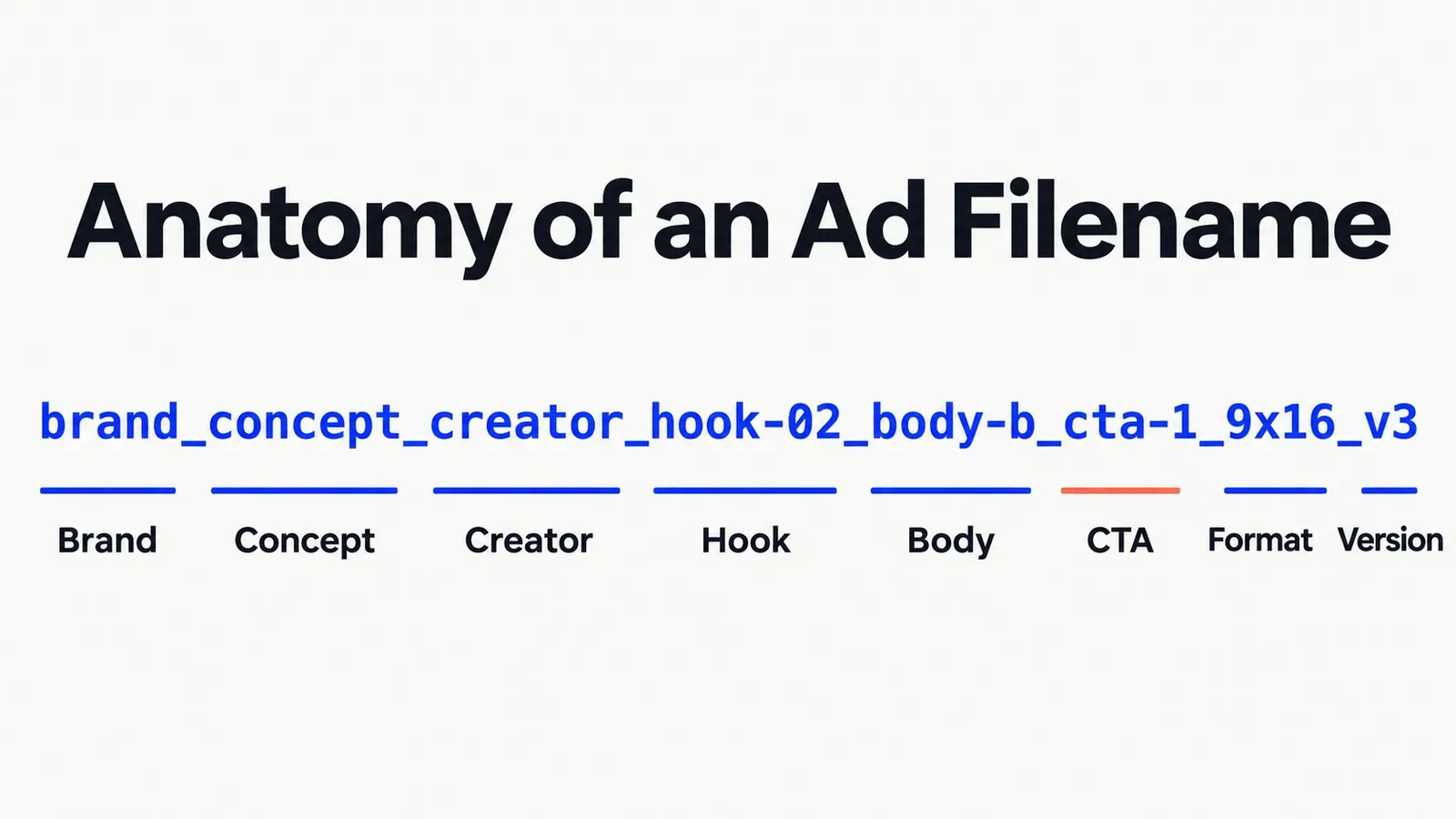
A good ad naming convention encodes what changed. A common pattern looks like this:
brand_concept_creator_hook-02_body-b_cta-1_9x16_v3
Build yours around these rules:
- One field per variable you test: concept, creator, hook, body, CTA and format.
- Fixed codes like hook-01 to hook-05, written into the brief before the edit starts.
- The same name in the ad platform and the file library, so results map straight back to footage.
- A version number for re-exports, so v1 and v3 never get confused.
- A short changelog in the brief noting what each new version changed and why.
Names track finished ads. To recut a winner, you also need to find the raw moments it came from, which is where your footage library matters.
Finding Reusable Moments in Past Footage
Most brands already own more variants than they think. Old shoots, creator deliveries and past winners hold hooks and testimonials that were never used. The problem is finding them.
This is the job Recharm is built for. It is a video-first creative library that makes past footage searchable at the clip level:
- Clips by scene: Recharm cuts every upload into short clips and files each one under a scene, such as hooks, testimonials, product benefits, how-tos and calls to action.
- AI tagging: each clip is tagged by scene, persona, angle, problem and emotion, with tags discovered from your own footage, so you can filter for, say, testimonials with a "Confidence" emotion.
- AI visual search: you can describe the shot you need, like "close-up of product in hand," and get matching clips without anything being tagged first.
- Transcript search: find the exact line a creator said across every take.
- Creator tagging: Recharm groups each person's clips automatically, so you can pull one creator's hooks, benefits and CTAs into a new ad.
For a wider look at libraries built for performance teams, see our guide to creative asset management.
What Teams Report
Recharm customers describe versioning gains on their case study pages:
- Little Spoon reports 2x creative volume, 4x winning ads and 6x more iterations, and says Recharm enables simple versioning for sale periods.
- Lume's media buyers made 800 new ads within 2 months of onboarding by remixing winning ads with new hooks.
- HexClad produced 3x more ad edits.
- Purdy & Figg scaled to 100 new ads per week.
Usage Rights: Keep Variants Inside the License
Versioning multiplies every clip you use. If a creator's license covers 6 months of paid use, every variant built from their footage inherits that limit, including the ones cut months later from the archive.
Before a creator clip goes into a variant, confirm:
- Term: when the paid usage window ends.
- Channels: whether the license covers paid social, YouTube and other placements you plan to run.
- Edits: whether you can cut, recombine and add text to the footage.
- AI use: whether the contract covers AI voice or likeness work, if you plan any.
The risk with versioning is that the license lives in a contract while the clip lives in a folder. In Recharm, usage rights stay with the footage: each clip inherits the rights of its source video and shows whether it is clear, expiring or expired, and you can filter the library by creator or licensor. Usage rights come with the Managed plan, and Recharm can turn them on for AI plan teams on request.
A Step-by-Step Ad Versioning Workflow
This workflow turns the sections above into a repeatable process. It works for an in-house team or an agency running several brands.
- Pick the winner or concept you want to version, and write down why it works.
- Pull the parts from your library: hooks, bodies, CTAs and creator clips. Check usage rights now, not after the edit.
- Fill gaps with a short pickup shoot only if the library is missing a hook or angle you need.
- Build the matrix and choose a first round of 5 to 12 variants that differ in their opening frames.
- Name every file with your convention before export.
- Cut for each placement using the platform's recommended aspect ratios.
- Launch and read results by variable, so you learn which hook, body or creator drove the win.
- Recut winners with new hooks and formats, and retire versions that show creative fatigue.
Common Ad Versioning Mistakes
Most versioning problems come from treating volume as the goal. These are the ones we see most:
- Changing only the copy. New headlines on the same footage rarely count as new creative.
- Using the same first frame. Meta's diversity check compares thumbnails, so variants that open alike look alike.
- Shooting one take of each line. Without multiple hooks and angles on set, the matrix has nothing to multiply.
- Skipping names. Unnamed exports make it impossible to trace a winner back to its footage.
- Cropping instead of framing. Auto-cropping horizontal footage to 9:16 often cuts off faces and product.
- Ignoring licenses. An expired creator clip in a live variant is a legal problem, not a creative one.
- Launching everything at once. Ninety variants split budget so thin that none of them gets a fair read.
FAQs
What Is the Difference Between Ad Versioning and Ad Variations?
The terms overlap. Ad variations usually means any alternate version of an ad, such as a new headline or image. Ad versioning is the process of producing those variations in a structured way, usually from shared footage and with a naming system so results can be traced.
How Many Ad Variations Should I Test on Meta?
There is no fixed number. Meta's built-in creative test compares up to seven creative variants at a time, which is a practical size for a first round. What matters more is that the variants are visually different, since Meta scores creative diversity by comparing images and video thumbnails.
What Size Should I Make My Meta Ads?
Meta recommends 9:16 for Stories and Reels and supports 1:1 and 4:5 for feed placements. Cutting a native version for each instead of relying on automatic crops keeps faces and product in frame.
How Do I Run an A/B Test on Meta Ads?
For creative, Meta's creative test in Ads Manager lets you make 2 to 7 copies of an ad, swap the creative in each and compare them on a metric you choose. Meta suggests spending no more than 20% of the existing budget on the test ads.
What Is Creative Fatigue?
Meta defines creative fatigue as an audience seeing the same creative too many times, which makes people less likely to engage and can raise cost per result. Ads Manager can flag it in the Delivery column, and Meta recommends launching a materially different image or video.
What Is Modular Creative?
Modular creative means producing ads as interchangeable parts, like hooks, bodies and CTAs, so they can be recombined into many versions. It is the production approach that makes ad versioning possible.
Can I Reuse Creator Footage in New Ad Variants?
Only within the terms of the creator's license. Check the term, channels and edit rights before cutting their footage into new variants, and track rights at the clip level so archived footage doesn't slip past its expiry.
Is Dynamic Creative the Same as Ad Versioning?
No. Dynamic creative lets the ad platform mix and serve combinations of assets you provide. Ad versioning is how you create those assets in the first place. The two work best together.
Turn Your Next Shoot Into Your Next Month of Ads
Ad versioning works when variants are planned on set, built from distinct parts and named so winners can be found again. The bottleneck for most teams is not editing. It is finding the right hook, testimonial or product shot inside hours of footage.
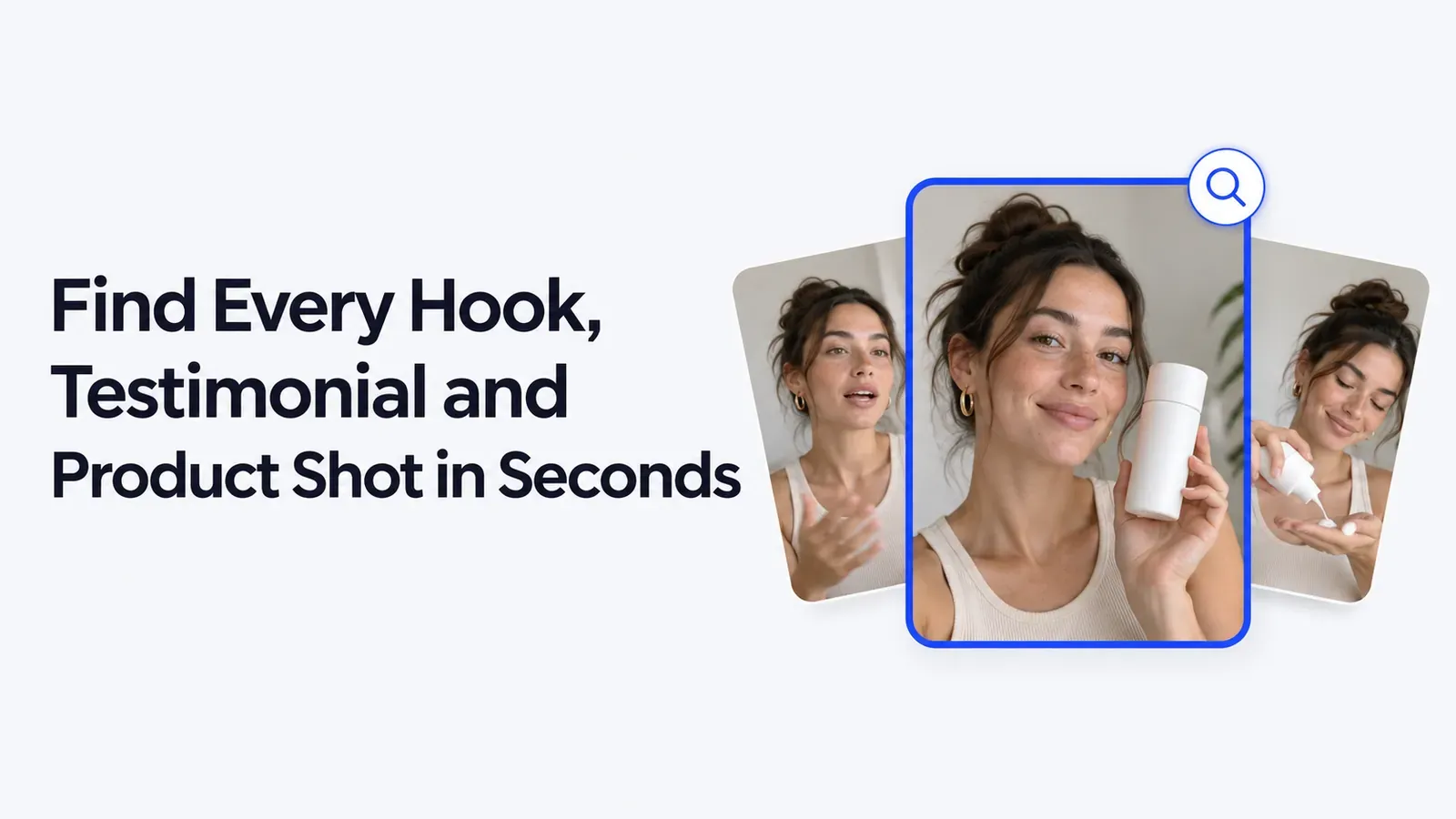
If that sounds familiar, see how Recharm cuts your footage into searchable clips by scene so your next round of variants starts from what you already own.