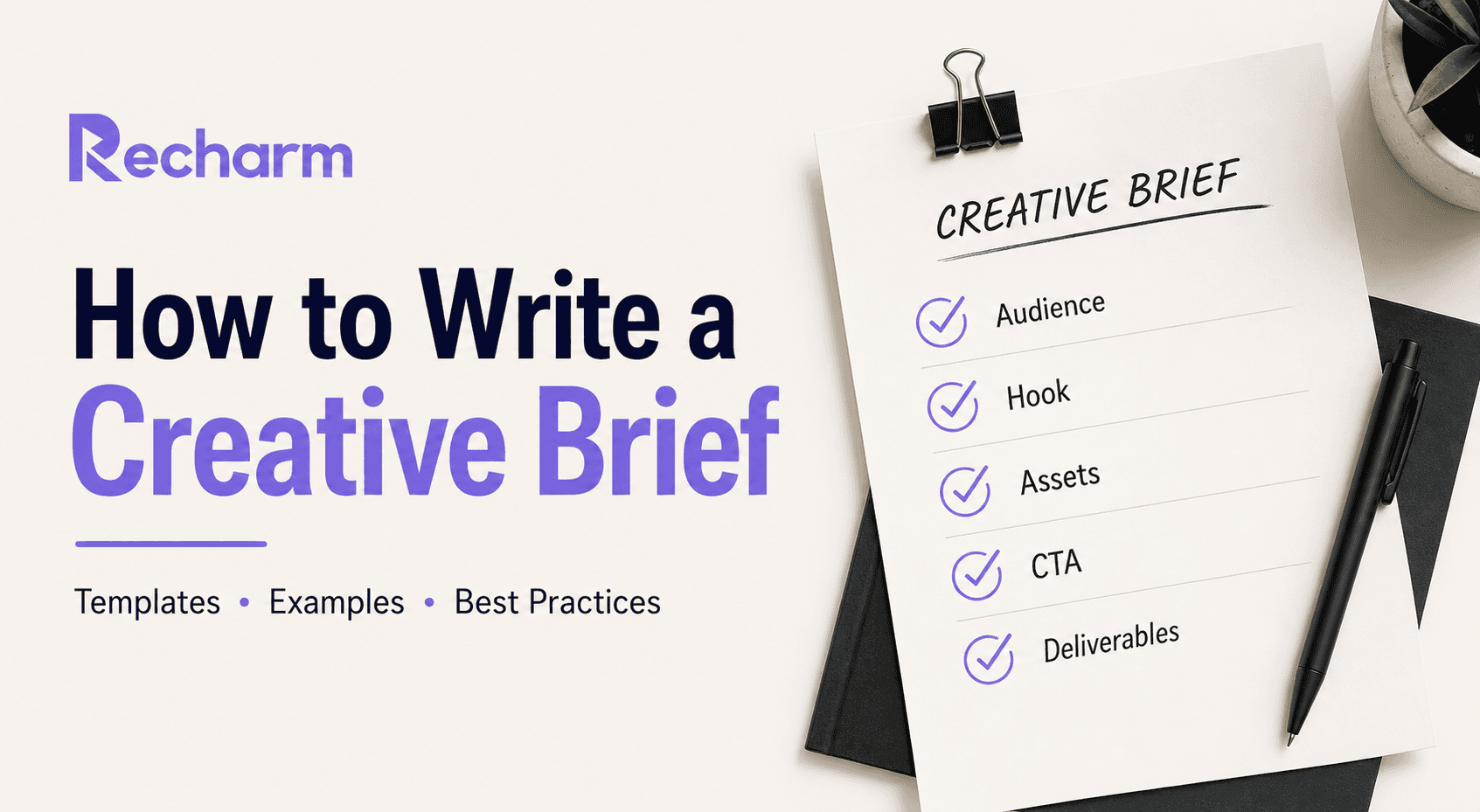

Modern DTC ad teams churn out 20–50 video ad variants per week, constantly testing new hooks, formats, and audience angles. Yet many still rely on vague briefs like "make it exciting" or "tell our story." The result? Editors waste 30+ minutes scrubbing raw footage per clip, first cuts miss the mark, and revision rounds pile up.
This guide shows how modern video ad briefs should work: one-page operational playbooks that lock in the hook, audience, and assets so editors can execute immediately. You'll get a step-by-step process, real DTC examples (skincare, kitchenware, UGC ads), a ready-to-use template, and best practices to slash briefing time and revisions. We'll also show how Recharm's deep-linked video library supercharges your briefs for today's rapid-fire paid-social workflows.
TL;DR
What: A video ad creative brief is a concise roadmap aligning editors, creative strategists, and media buyers around a specific ad concept. It specifies the goal, target audience, opening hook/angle, core message & CTA, and exact assets to use.
Core elements: Project overview (campaign, platform, format), target audience, hook/angle (with timestamp or clip link), key message + CTA, linked assets (deep-linked clips), tone/pacing, and deliverables (variants, formats, deadlines).
When to use: Every time you launch a new test or ad concept. For performance teams, that often means weekly briefing of new variants, not once-per-quarter. Keep each brief to one page – if you need two, split it into separate concepts.
Why Recharm helps: By turning all your footage into an organized, searchable clip library, Recharm lets you deep-link directly to the exact millisecond of video you want. Teams using Recharm see 66% faster briefing time and triple their ad output. Instead of hours hunting clips, you paste a link and the editor lands right on the shot.
What Is a Creative Brief for Video Ads? (And Why It’s Different)
A creative brief is the execution playbook for your creative team. It's not the high-level marketing plan; it defines exactly what to make and why. In video ads, that means spelling out the specific hook, audience, visuals, and CTAs for a single ad or ad set.
Marketing brief vs. creative brief: A marketing brief is strategic (campaign objectives, channels, budget). A creative brief is tactical. If the marketing brief says "drive 10% more conversions among millennials," the creative brief translates that into: "15s Instagram feed ad, target 25-35 y.o. with dry skin, open with a relatable hook, show product demo, end with 'Shop Now.'" Simply put, the marketing brief is the campaign blueprint; the creative brief is the execution map.
Why video briefs are different: Video ads demand precise timing and visuals. A modern video brief needs timestamp references or clip links for the hook, exact voiceover lines, on-screen text, and pacing notes. Performance ads typically follow a hook → on-ramp → body → CTA structure, and your brief should map directly to that. Without linking specific footage or copy lines, editors are left guessing, leading to first drafts that miss the mark and trigger multiple revision rounds.
Who writes them: Usually a creative strategist or campaign manager. They pull proven hooks and testimonials from the asset library, then brief editors on exactly which clips to use. The editor's job is to splice those clips together as instructed, not invent new concepts.
The real problem with most briefs isn't lack of creativity; it's vagueness. A good video brief tells the editor: "Use this 3-second hook clip (linked below), cut to this product shot, add on-screen text 'Claim Your Discount,' end with logo and 'Shop Now' at 0:15." That precision turns briefs from annoying paperwork into production accelerators.
Core Elements of a Winning Video Ad Creative Brief
A modern brief should be one page max, razor-focused on execution. Here's what to include:
Project Overview
Include the campaign name, platform, and format. For example: "ClearSkin Acne Stick July 2026 | Meta Feed, TikTok | 15-second hook test." This gives editors immediate context about the product, channel, and objective.
Target Audience
Define the primary audience, including demographics and the specific problem or motivation driving them. Focus on one audience segment per brief to keep messaging clear and relevant.
Hook & Angle
Specify the opening hook and creative angle. Since the first few seconds often determine whether viewers keep watching, include the exact clip, timestamp, or asset link whenever possible. Also clarify the angle, such as Problem → Solution, Testimonial, or Product Demo.
Key Message & CTA
State the core message in one sentence and define the exact CTA. Include when and how the CTA should appear so editors can build it into the ad structure correctly.
Assets & References
List the specific footage, images, graphics, and reference materials required for the ad. Whenever possible, use direct links, timestamps, or asset IDs to eliminate guesswork and reduce revisions.
Tone & Pacing
Outline the desired style, energy level, music direction, voiceover approach, and any brand guidelines or restrictions. Include pacing notes such as fast-cut, conversational, or story-driven.
Deliverables & Timeline
Clearly define the required formats, aspect ratios, number of variations, deadlines, and revision expectations. Setting these requirements upfront helps avoid scope creep and production delays.
Each section should be specific but concise. If a brief extends beyond one page, it's often a sign that the concept should be simplified or split into multiple briefs.
How to Write a Creative Brief for Video Ad Teams (Step-by-Step)
1. Start with the hook. Search your asset library for proven opening moments. Look for high-emotion phrases like "changed my life" or "used to struggle." If a past ad performed well, pull its first 3 seconds. Build the brief around real footage, not invented concepts.
2. Define audience and angle. Name exactly who the ad is for and what pain it addresses. "Urban moms, 28-40, frustrated by unhealthy fast food options. Angle: Convenience + health, showing a stressed mom turning to QuickChef after a kitchen meltdown." One person, one problem.
3. Link assets directly. Paste exact clip links or timecodes, not descriptions. "Product demo [Recharm link, 0:45-0:50]. Customer testimonial [Recharm link, 0:12-0:15]." The editor clicks and sees exactly what you mean, with zero back-and-forth.
4. Specify CTA and platform. State the exact CTA text, when it appears, and where the ad runs. TikTok vertical and Facebook square have different safe zones and audience behaviors, so platform context matters for execution.
5. Set variant expectations upfront. Spell out the math: "3 hook variants x 2 CTA variants = 6 videos, all 15s." This prevents scope creep and keeps production on track. Note any additional cuts needed (with/without music, subtitles, alternate durations).
This order (hook → audience → assets → CTA → variants) mirrors how performance marketing actually works: start from evidence, then iterate. Editors get everything they need upfront, and the guesswork disappears entirely.
Creative Brief Examples: DTC Video Ad Focused
Below are two realistic examples of how a video ad creative brief might look for DTC brands. These are short-form briefs a strategist would send to an editor. Example 1 is a UGC testimonial hook test; Example 2 is a product demo ad.
Example 1 – Skincare UGC Testimonial (15s Meta Feed Hook Test)
Campaign: ClearGlow Acne Stick – Hook Test July '26 Platform: Facebook/Instagram Feed (vertical) Audience: Gen Z, 18-24, dealing with acne, budget $20-30, looking for a quick fix
Hook/Angle: Hook (0-3s): @skin_star selfie clip: "I tried everything for my acne..." Angle: Relatable frustration → solution.
Key Message & CTA: "ClearGlow stops acne fast; you'll feel confident." CTA overlay: "Shop Now – 30% Off 1st Tube" at 0:13.
Assets: UGC hook clip [Recharm link] | Product application B-roll [Recharm link] | Logo file attached
Tone: Warm and genuine. Real voice from clip, no corporate voiceover. On-screen captions highlighting "stop acne." No rapid jump cuts.
Deliverables: 3 hook variants (same clip, different offers), 15s square. First cut Monday, finals Friday.
Example 2 – Kitchenware Product Demo (30s YouTube Short)
Campaign: QuickBlend Pro Blender – Demo July '26 Platform: YouTube Shorts (9:16 vertical) Audience: Busy moms, 30-45, who want fast and healthy meals without kitchen mess
Hook/Angle: Hook (0-5s): Chaotic kitchen, mom sighing, text overlay: "Dinner disaster?" Angle: Problem (messy kitchen) → solution (healthy meal in seconds).
Key Message & CTA: "QuickBlend blends in 5 seconds – healthy dinner in no time." CTA: "Learn More" splash at 0:28-0:30 with product shot.
Assets: Messy kitchen clip [Library ID 101] | Smoothie pour clip [Library ID 305] | Product photo for end card
Tone: Energetic and helpful. Upbeat pop music. Minimal text overlays ("5 sec" over product). No cartoons or overly sweet tone.
Deliverables: 2 versions (with/without text overlays), 30s vertical. Raw cut Wednesday, finals next Monday.
Both examples are deliberately specific: clip links, platform specs, and deliverables are all locked in upfront so editors can start cutting immediately, with zero guesswork.
Creative Brief Template for Video Production
Use the structure below as a fillable template for your next video ad brief. Keep it to one page. In your own briefs, replace the bracketed fields with your specifics (and paste in Recharm links for clips):
pgsql
Copy
**Project/Campaign:** [Name of campaign or ad series]
**Platform & Format:** [e.g. “Meta Feed 15s”, “TikTok 30s”, etc.]
**Target Audience:** [Primary segment – demographics, psychographics, pain point]
**Hook / Creative Angle:** [Describe the opening hook (with timecode or clip link) and overall angle]
**Key Message & CTA:** [Core message/selling point; exact call-to-action and placement in the video]
**Assets / Footage to Use:** [List specific clips or assets – include deep links to each]
**Tone & Style:** [Energy, music, voice, captions, brand do’s/don’ts]
**Deliverables & Timeline:** [Number of video versions, aspect ratios, deadline for draft/final]
Pro Tip: In the Assets field, use Recharm deep-links instead of filenames. This way, your editor can click straight to the exact second of footage. For example, paste a link like recharm.com/c/abc123?start=12.3 that jumps right to your chosen hook.
(Download a free, fillable creative brief template here or copy this structure into a Google Doc.)
Creative Brief Best Practices for Performance Marketing Teams
Keep it one page. One brief, one concept. If you're testing two different hooks or angles, write separate briefs. Mixing ideas creates confusion and slows editors down.
Brief the hook, not just the concept. Roughly 80% of an ad's performance comes from the first 3 seconds. Don't write "make it fun." Write "use the 0:07-0:10 clip of the user smiling with text overlay 'Game changer' [Recharm link]." Specificity eliminates guesswork entirely.
Build a brief library. Archive every brief alongside its performance data (CTR, CPA, ROAS). Over time, patterns emerge: "question-style hooks (30% CTR) consistently beat statement hooks (10% CTR)." When a new campaign starts, pull the best-performing brief from a similar past effort and iterate. This alone can cut briefing time dramatically.
Brief weekly, not monthly. Top teams run creative sprints, churning out fresh briefs every week. With a searchable clip library, finding new hooks takes minutes instead of days, letting strategists test and optimize continuously rather than waiting for a big quarterly push.
Link briefs to performance. Tag every live ad variant so results tie back to the brief. "Brief #42, hook: 'I used to feel ugly,' 2.5% CTR, 1.2 ROAS." Over time, this turns your brief library into a creative intelligence database where every new brief is built from evidence, not intuition.
Teams that retool their briefing process with these practices have reported 66% faster briefing time and 3x more ad output. The common thread: clear direction, linked assets, and workflows grounded in real performance data.
How Recharm Makes Brief Writing Faster
You can apply everything above with Google Drive or Dropbox, but Recharm is built specifically for this workflow.
Deep-link to exact clips. Every video in Recharm is broken into tagged, searchable clips. Highlight a line in a transcript, grab a shareable link, and drop it in your brief. The editor lands on the exact millisecond of the raw file, no scrubbing required. Teams report clip search time dropping by 83%, from 30+ minutes down to 5.
Modular creative reuse. Recharm organizes content into categories like Hooks, Testimonials, B-roll, and Product Shots. This makes remixing proven elements effortless. One brief becomes the seed for dozens of ad variants by simply swapping hooks, testimonials, or B-roll. As one strategist put it, Recharm lets teams "repurpose content shot months ago and get winners from old stuff."
Data-driven briefing. Tag and score clips based on past performance, then filter by keyword, creator, or product when writing a new brief. Instead of "I feel this will work," you're saying, "hooks starting with problem questions got 50% more clicks, so we're leading with that." Your tagged clip library becomes a creative intelligence database that gets smarter over time.
Faster editor onboarding. New editors get up to speed in hours, not weeks. Every brief link explains the content instantly: here's the hook, here's the testimonial, here's the B-roll. No folder orientation needed. Purdy & Figg reported saving 25 hours per week on editing time after adopting this workflow.
Recharm isn't just another DAM. It's the infrastructure your creative brief runs on, connecting strategy, assets, and execution in one place. Some teams say hook testing would take "five times longer without Recharm."
Start a 14-day free trial and deep-link your first brief today.
FAQ
What is a creative brief in advertising?
A creative brief is a concise plan that guides the creation of marketing materials. It outlines the project's purpose, target audience, key message, and deliverables. For video ads specifically, it details the hook, content sequence, visual assets, and CTA, acting as the execution compass for the entire creative team.
What's the difference between a marketing brief and a creative brief?
The marketing brief is the "why" and "what" (business goals, budget, channels, KPIs). The creative brief is the "how." A marketing brief says "increase sign-ups by 10% among millennials." The creative brief says "use this 15s Instagram hook [clip linked] showing a happy user, with on-screen text and a 'Sign Up' button at the end." One sets strategy; the other defines exact execution.
What should a video ad creative brief include?
At minimum: campaign objective, target audience (demographics + pain point), hook/angle (with a linked clip), key message and CTA, specific assets to use, tone and style guidelines, and deliverables with deadlines. Everything the editor needs to start cutting without asking follow-up questions.
How long should a creative brief be?
One page, ideally. Bullet points beat paragraphs. If you're running long, you're either overcomplicating or mixing two concepts that deserve separate briefs. A one-page brief is easier to skim and faster to act on.
How do I write briefs faster with fewer revisions?
Use a searchable asset library to find clips in seconds instead of digging through folders. Link exact clips or timecodes directly in the brief. Be specific: "15s vertical, hook = @user saying 'this changed my life' at 0:05" beats any vague direction. Build on past briefs that performed well, and use performance data to inform each new one. Clear, asset-linked briefs mean first cuts hit closer to the mark and revision rounds drop significantly.