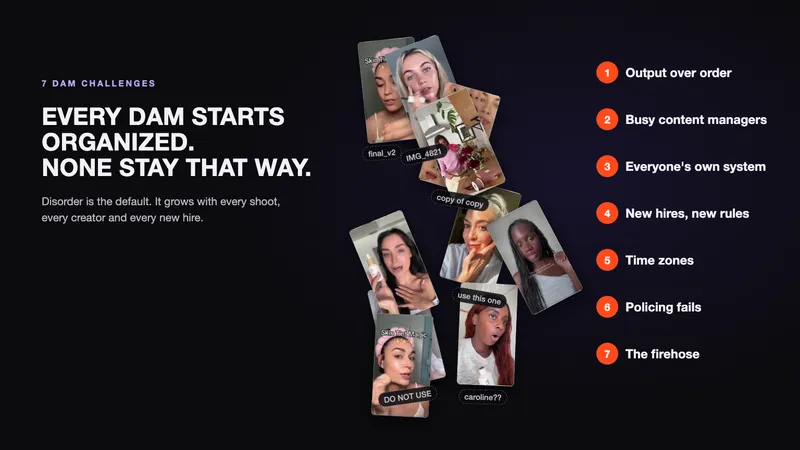
Every BFCM, the same thing happens. Deadlines stack up, and everyone is searching the DAM for the clip they know they shot last spring.
It doesn't have to be this way. Chaos isn't a BFCM problem. It's an everyday problem that BFCM makes visible. In part one of this series, 7 DAM Challenges: Why Your DAM Is Failing You, we covered why it happens. This post is about the fix.
The short version: keeping a DAM organized can't be a human job. So AI has to do it, and it has to do it well. Here's what you should expect AI tagging to do for your videos and images, without your team even asking.
TL;DR
- Your team can't keep a DAM organized by hand. AI can, but only if it tags well.
- Good AI tagging cuts videos into shots and tags each shot, not just the file.
- It knows faces, A-roll vs B-roll, on-screen text and products, at the level ads are made.
- It tags inside categories, including your own, and tags ad creative for persona, angle and emotion.
- Well-tagged footage is what makes agentic video editing and briefing possible.
What Is AI Tagging?
AI tagging, also called AI content tagging, is when AI looks at your videos and images and adds tags for what's in them: people, shots, on-screen text, products and ad angles. Your team can then search and filter the library without tagging anything by hand.
AI is well suited to the job. It never skips tagging when a deadline hits, it applies the same rules to the ten-thousandth asset as to the first, and it keeps up with the firehose.
But most AI tagging is dumb, and dumb tagging doesn't help anyone find anything. Here's the standard to hold it to.
The 7 Tests of Good AI Tagging
Good AI tagging focuses on the two asset types creative teams store and search the most: videos and images. These seven tests separate tagging that organizes a library from tagging that just adds noise.
1. Break Videos Into Shots
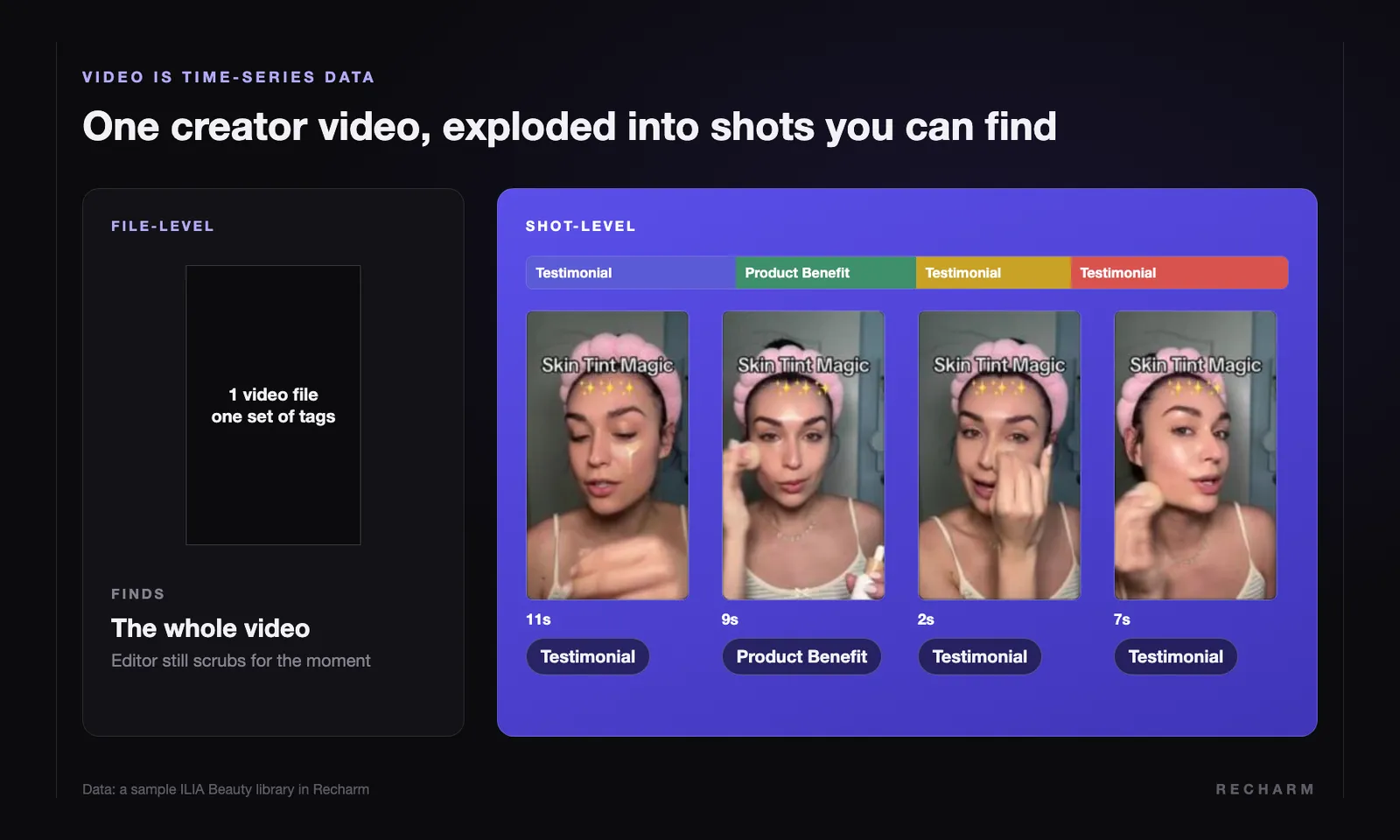
Videos are time-series data, so tagging them is different from tagging images. One set of tags for a whole file misses most of what's inside it.
In a sample ILIA Beauty library in Recharm, one creator video holds four shots: an 11-second testimonial, a 9-second product benefit, and two more testimonials. Each one is useful on its own.
That's why AI should cut videos into shots, so teams can browse by shot and search for the exact moment instead of scrubbing through every file. Folders and file-level tags still help. But exploding videos into shots is the first thing AI should do to your footage.
2. Tag Faces, Not Folders
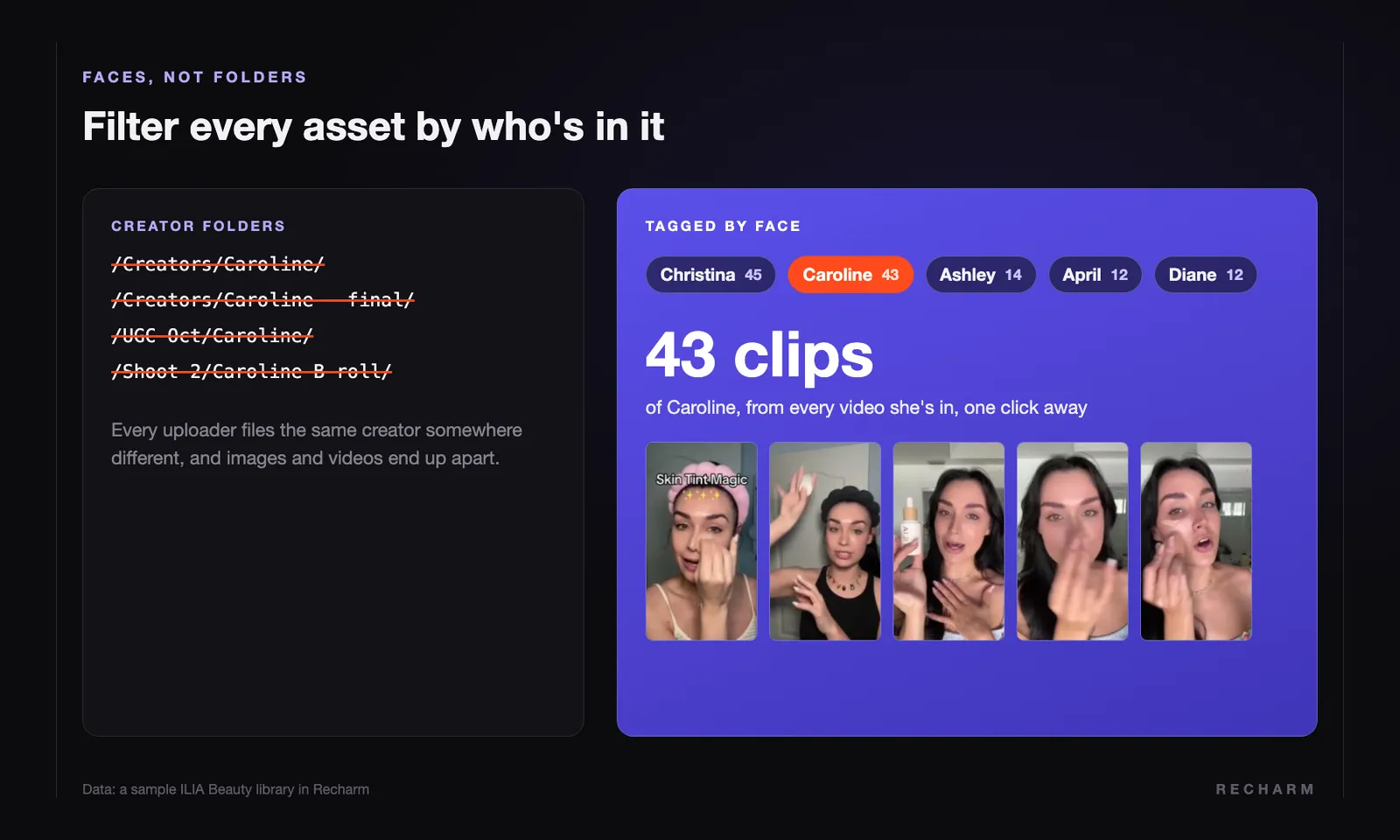
Tagging by actors, models, and creators is critical. You shouldn't be making folders like "Creator James." Every uploader files the same creator somewhere different, and their images and videos end up apart.
AI should recognize faces, so one filter pulls up everything a creator has shot for you, across every image and video. Give that person a name once, and you should be able to search for them by name.
Recharm recognizes the people in your videos and groups each person's clips automatically, across every upload.
3. Tell A-Roll From B-Roll by What the Actor Is Doing
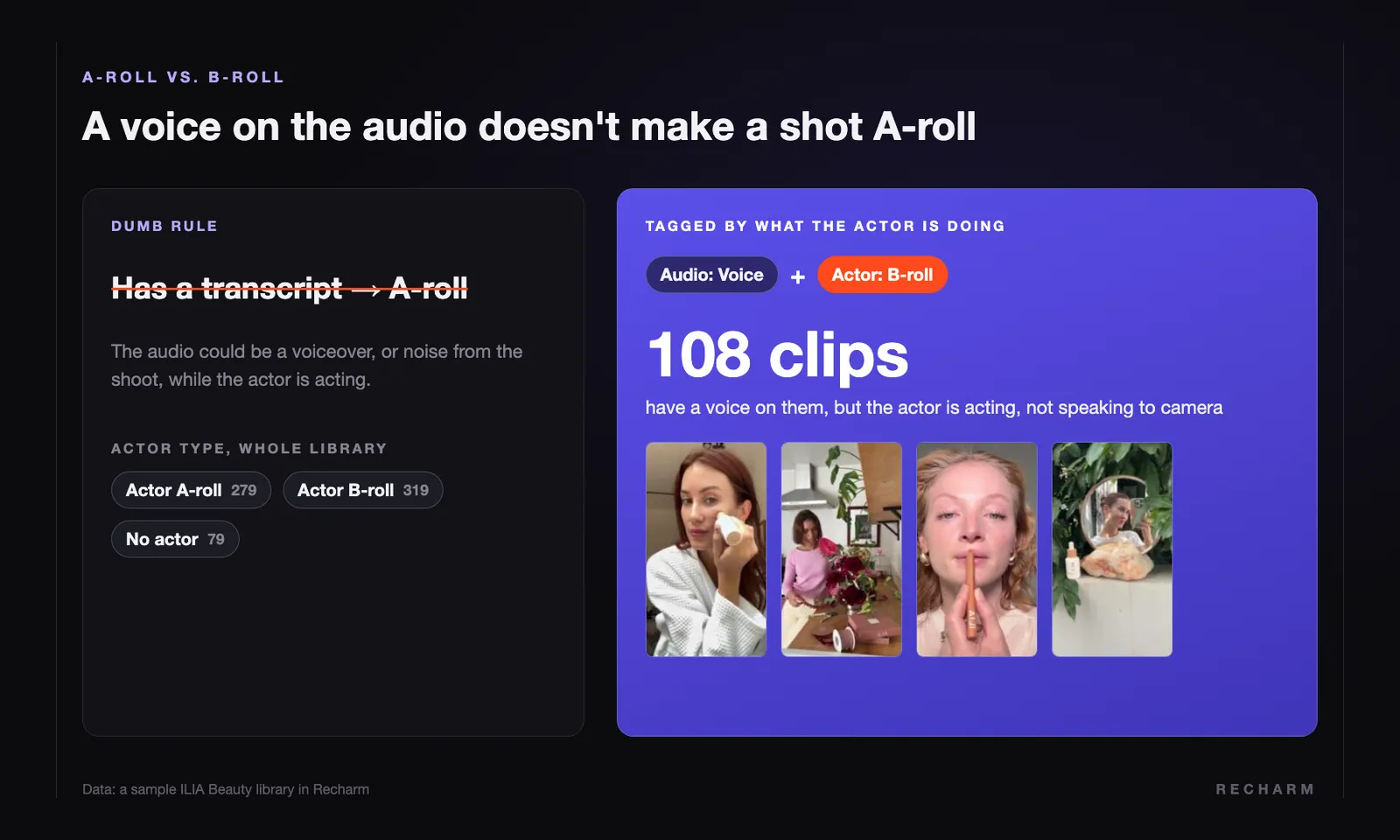
A-roll vs B-roll is one of the most useful tags a creative team has, and most AI gets it wrong. The common shortcut: if a clip has a transcript, it's A-roll.
Wrong. The audio could be a voiceover or background noise from the shoot while the actor is acting. AI should look at what the person on screen is doing: speaking to camera, or acting.
That's the level of detail editors need. In the ILIA library, clips are tagged Actor A-roll, Actor B-roll or B-roll, so an editor looking for a talking head doesn't end up on a voiceover shot.
4. Find On-Screen Text, Shot by Shot
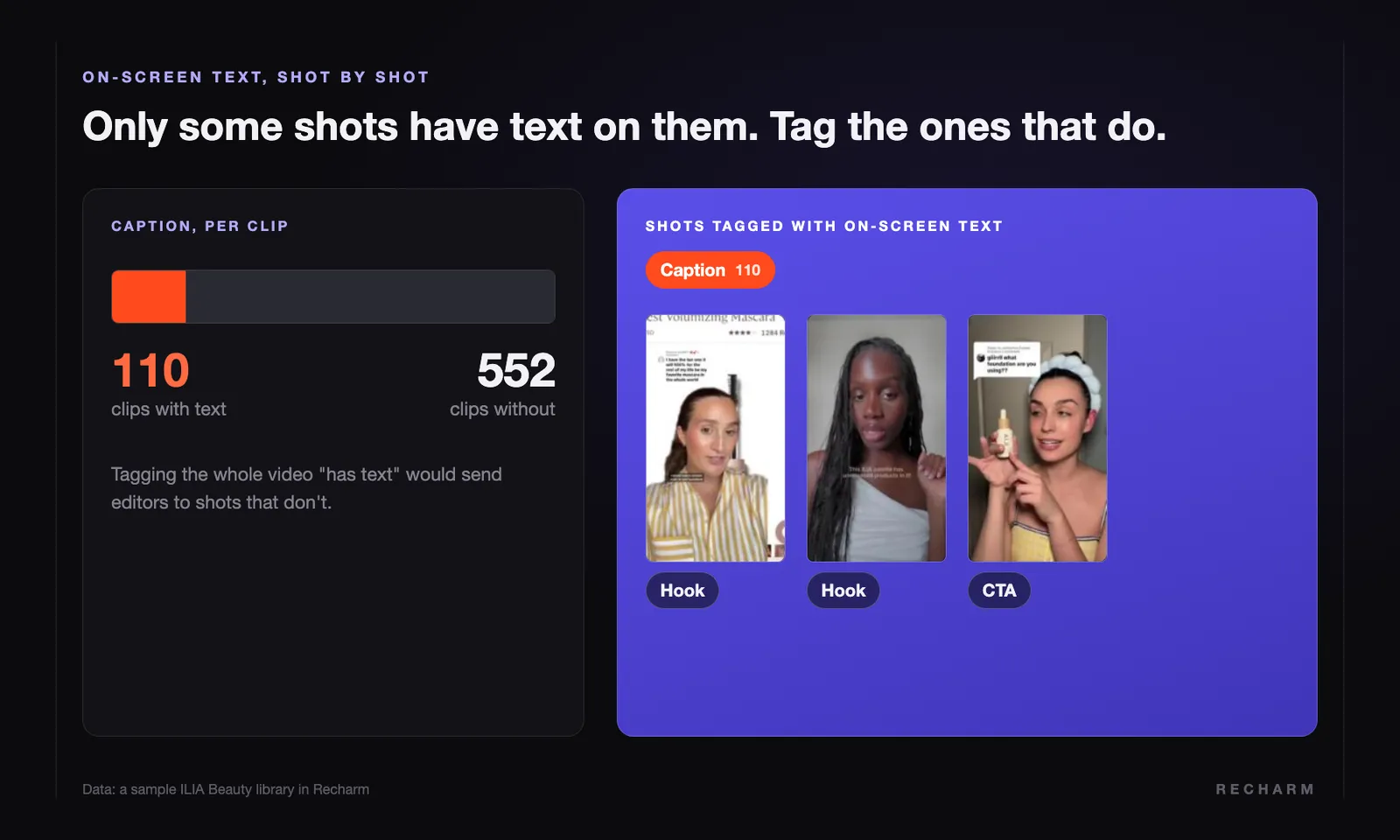
Lots of creator videos have text on them, but not every shot does. In the ILIA library, only about 1 in 6 clips has on-screen text.
Tag the whole video "has text" and you send editors to shots that don't. AI should find which shots have text and what it says, then tag each shot on its own.
5. Tag Products the Way Ads Are Made, Not by SKU
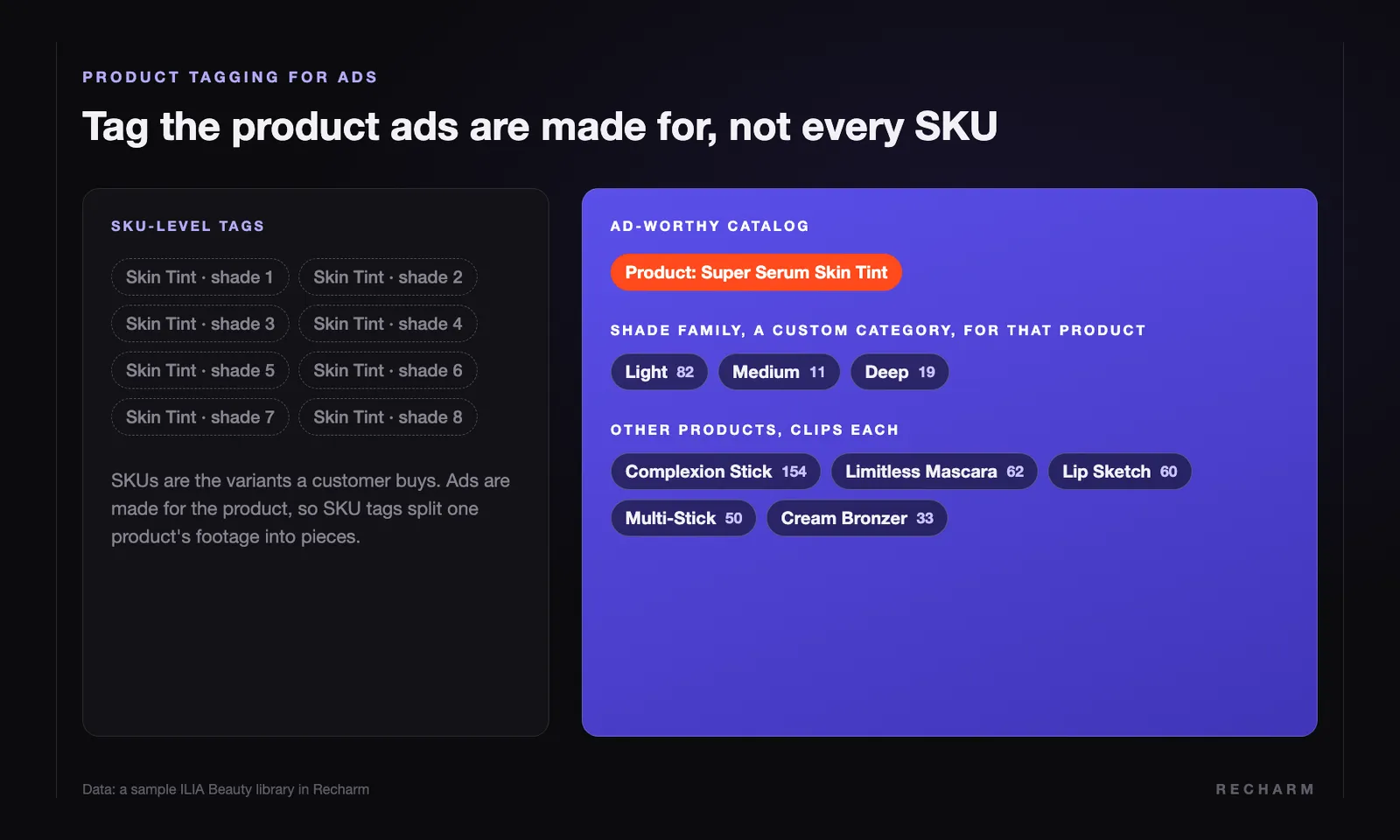
Most AI product tagging is bad because it treats products like SKUs. SKUs are the variants a customer buys. Ads are made at the product or category level.
Tag every shade of a skin tint as its own SKU, and one product's footage splits into pieces. The fix is to build an ad-worthy catalog first, then tag against it.
In Recharm, product tagging is part of the Managed plan, where human reviewers tag products against the brand's catalog. That matters most for brands with lots of lookalike products.
6. Tag Inside Categories, Including Your Own
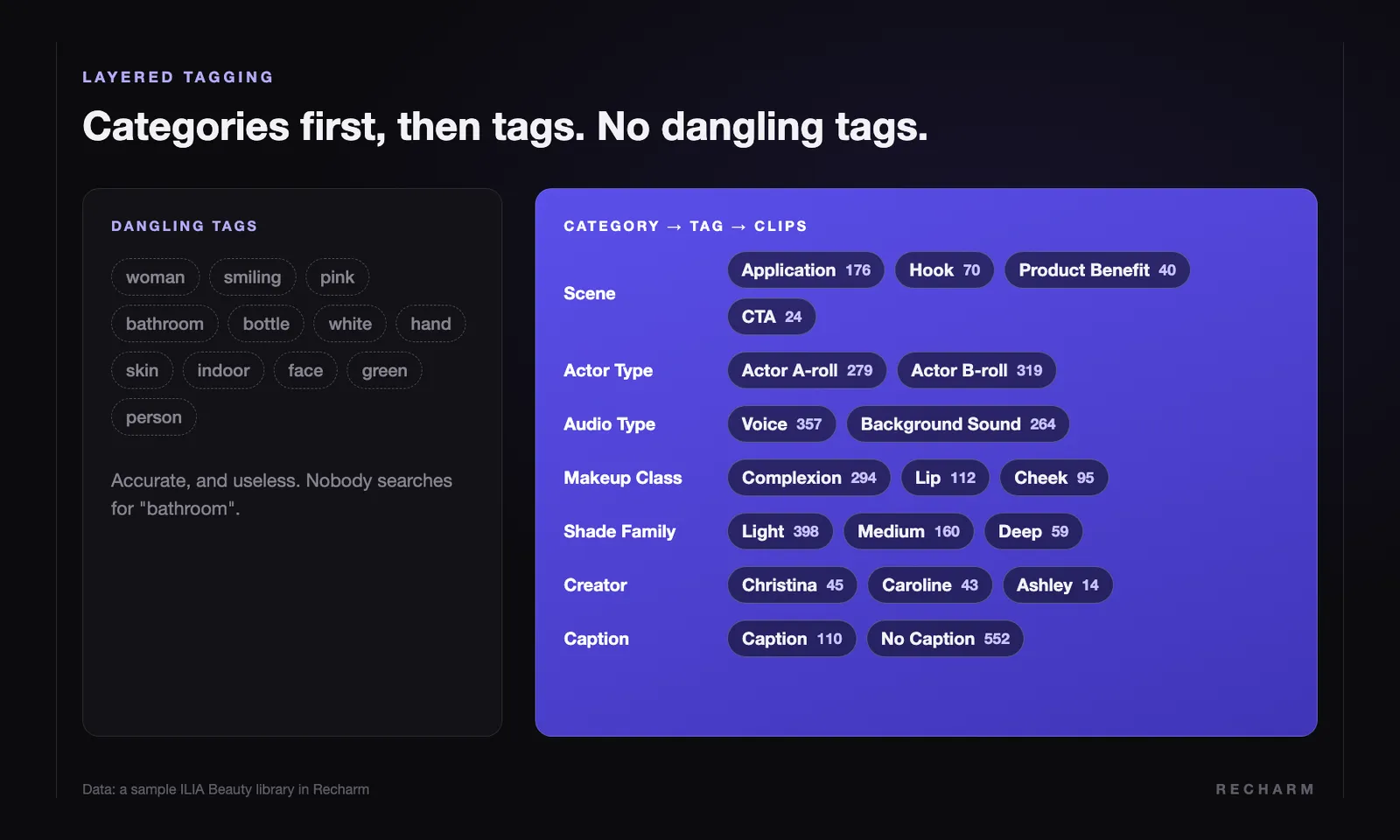
Dumb tagging is when an outdoor equipment brand's footage gets tagged "grass," "lawn" and "green." Those tags are accurate and useless. Nobody on that team will ever search for "lawn."
Good AI tagging is layered. First define a category, then the tags inside it, then tag the asset. Dangling tags with no category aren't helpful. They're a sign of thoughtless tagging.
Dangling tags on a creator shot read like "woman, smiling, pink, bathroom." Layered tags on the same kind of shot look like this:
| Category | Tag |
|---|---|
| Scene Type | Testimonial |
| Creator | The creator, recognized by face |
| A-roll / B-roll | Actor A-roll |
| Captions | Has Captions |
| Product | Super Serum Skin Tint |
| Persona | Glow Seeker |
| Emotion | Confidence |
On top of that, every brand has custom categories that matter only to it. A pet brand needs breeds. A makeup brand needs shade family. A home cleaning brand needs the room or surface, like bathroom or kitchen. AI should tag these custom categories just like the built-in ones.
7. Tag for Ads
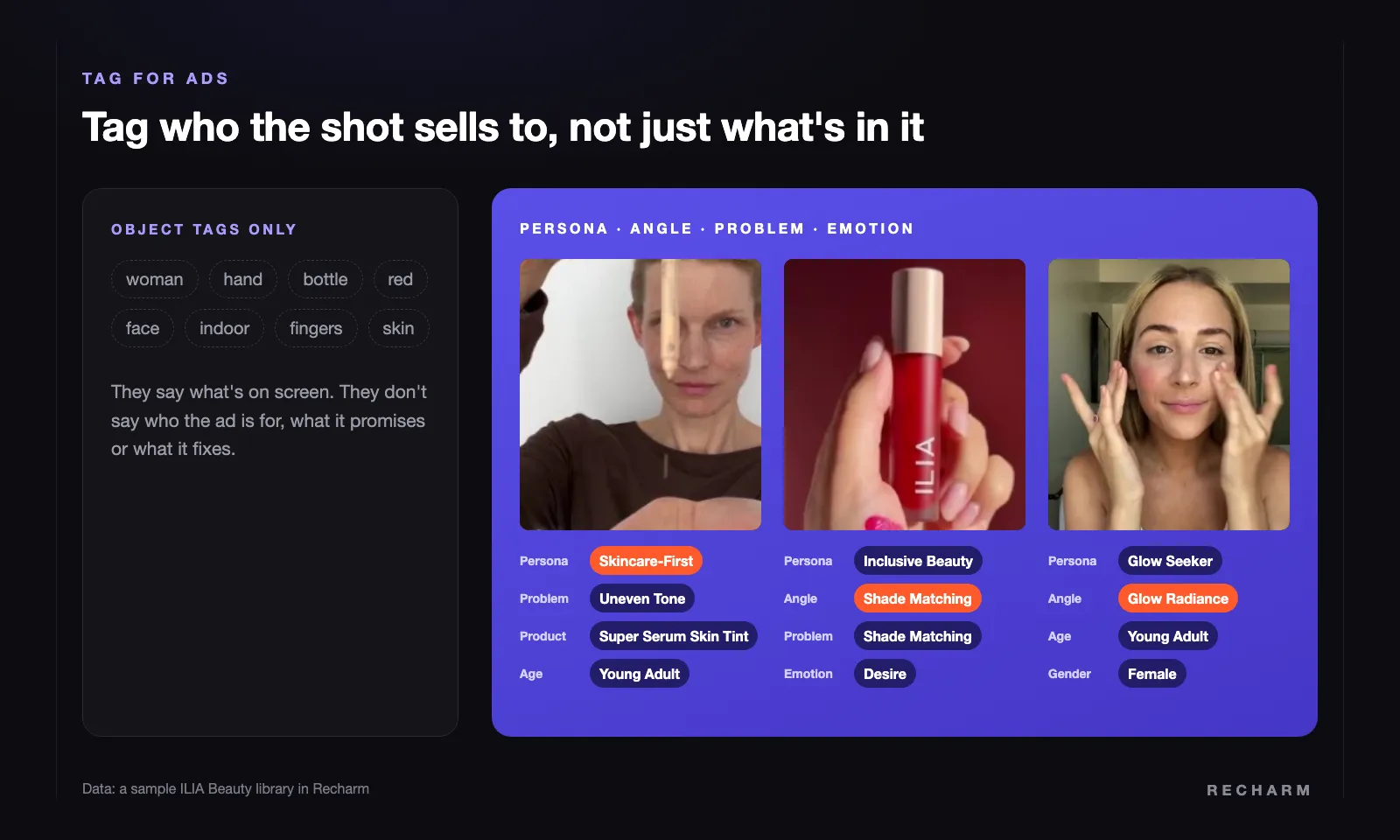
Ad creative needs more than what's in the shot. AI should discover the persona, angle, emotion, problem, age, and gender in your videos and images, and tag them. In the ILIA library, that means creative strategy tags like Skincare-First (persona), Shade Matching (angle), and Uneven Tone (problem).
This is a big help for anyone new to the team. Agencies and freelancers get what the brand is about right away, and AI keeps the tags consistent as the library grows. That's the shared understanding your team could never keep up by hand.
Recharm's AI tagging discovers the personas, angles, problems, and emotions in each brand's own videos, so the tags fit the brand instead of a generic list.
Why Good Tagging Makes Agentic Video Editing Possible
There's one more reason tagging matters now. AI agents like Claude can write briefs and edit videos from your library, but only if they can find the right footage.
An agent works like an editor. It searches the library, picks clips that fit the script, and builds the edit. When footage is well tagged, that search takes seconds, so Claude can put its effort into the brief or the edit itself. You get better briefs and better cuts.
When footage isn't tagged, the agent is stuck in the same mess as your team. Agentic video editing isn't possible if your footage isn't organized. As we learned when making ads with Claude, your footage library sets the limit.
Custom tags make the biggest difference. A request like "use only UGC clips with no captions" works only if every clip already carries those tags. Recharm's Footage Gap Finder page shows exactly that kind of prompt, run on the ILIA library.
With Recharm's Claude skills, Claude searches your library, matches every shot and hands your editor a brief, or cuts a finished video from your own footage.
Hold Your DAM's AI to This Standard
Entropy in a DAM won't go away, and fighting it by hand is a losing battle. Take this list to your current DAM, or any AI tagging software you're evaluating, and check whether its AI does all seven:
- Breaks videos into shots
- Tags faces
- Tells A-roll from B-roll by what the actor is doing
- Finds on-screen text, shot by shot
- Tags products at the level ads are made
- Tags inside categories, including your own
- Tags ad creative for persona, angle and emotion
If it doesn't, it's adding tags, not organization.
We built Recharm to make AI tagging on videos easy, with human review on the Managed plan for the tags that need it, like products.
FAQs
Can AI tag people so you can search for them by name?
Yes. Face tagging groups every clip of the same person across your library, so one filter pulls up all of a creator's images and videos. Good face tagging lets you name the person once and search for them by name from then on.
How is tagging videos different from tagging images?
A video holds many shots, each with different people, text and content. Good AI tagging cuts videos into shots and tags each shot, not just the file. Here's more on how video tagging works.
What is dumb tagging?
Tagging that's accurate but useless, like tagging an outdoor equipment brand's footage "grass," "lawn" or "green." It also includes dangling tags that don't belong to any category.
Why does A-roll vs B-roll tagging matter?
Editors build ads from both, and mixing them up wastes time. A clip with a voice on it isn't always A-roll. Good AI checks whether the person is speaking to camera or acting.
Why does tagging matter for agentic video editing?
AI agents like Claude find footage through tags and search, just like your team. Well-tagged footage lets them find the right clips in seconds and put their effort into the brief or the edit.
How should AI tag products in ad creative?
Against an ad-worthy product catalog, at the product or category level, not by SKU. SKUs are the variants a customer buys, but ads are made for products and categories.