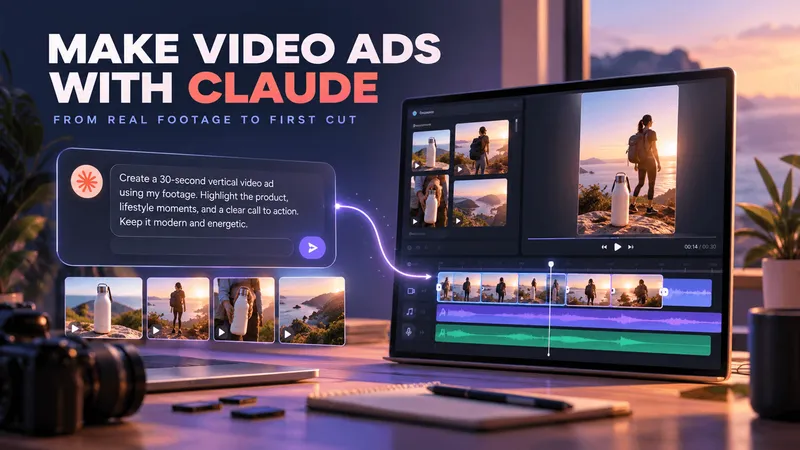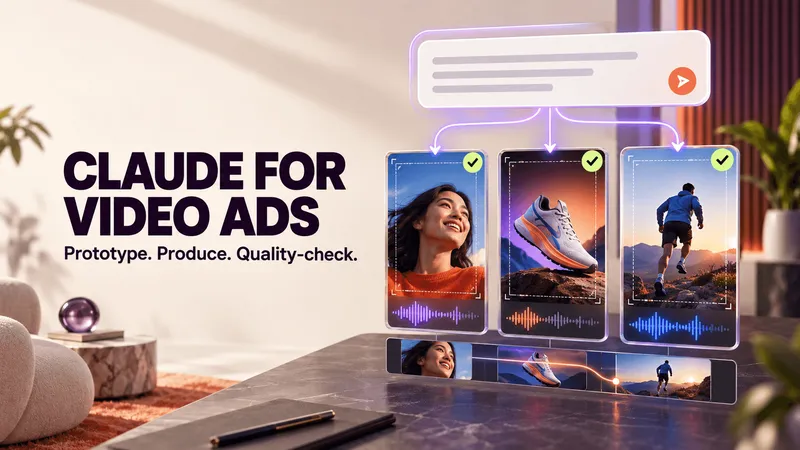
Many demos of agentic video editing make it look simple. Type a prompt, and a finished video ad appears.
But what happens when a creative team needs to produce multiple ads using its own footage? The first draft might look promising, but the next few can start repeating the same motion graphics, transitions, and editing styles.
We've seen this while experimenting with Claude and Recharm's /make-video skill.
The lesson is that a good agentic edit needs more than a good prompt. It depends on the footage available, the creative direction given, and the decisions people make along the way.
We've already covered what agentic DAM is in a separate guide. Here, we'll focus on what we've learned from using AI agents to find footage, prepare creative briefs, and produce video ad drafts.
TL;DR
- Agentic editing reduces repetitive work. AI agents can help search, match, trim, and assemble footage, while people guide the creative decisions.
- Avoid one-shotting an ad. Review the scene plan and footage choices before rendering.
- Claude can repeat creative patterns. Our experiments show why specific instructions and visual references matter when creating different ads.
- Your footage library matters. Organized, searchable footage gives agents more relevant material to work with.
- Treat the first output as a draft. Review the pacing, visuals, messaging, and overall creative quality before publishing.
What Agentic Editing Actually Takes Off Your Plate
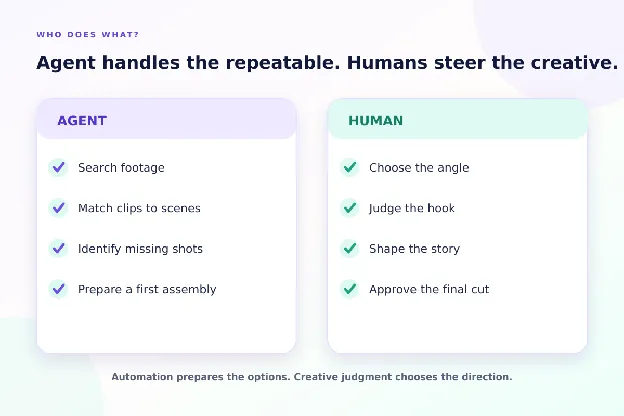
Creating a video ad involves more than editing clips together. Teams need to find suitable footage, match shots to a script, identify missing scenes, and prepare everything for the editor.
Much of this work is repetitive. But deciding which angle to test, what hook to use, and how the final ad should feel still requires creative judgment.
Agentic video editing helps connect these steps. Instead of searching for clips and preparing shot lists separately, teams can ask an AI agent to work with their existing footage and prepare a plan.
Here's a practical example from Recharm's Claude workflow.
A creative strategist wants to make a 30-second lipstick ad using footage the brand already owns. Claude searches the Recharm library and checks which shots are available.
The results show that three of the four required shots are available: a hook, an application close-up, and a final result shot. The missing shot is flagged for a new shoot.
The strategist can now see what is available, what needs to be created, and whether the concept is worth pursuing before sending it to production.
The agent handles footage discovery and identifies gaps. The strategist decides what to create next.
Lesson One: Never One-Shot an Ad
Asking Claude to create an entire video ad from a single prompt might work for a quick demo. But for actual production, it is better to review the work before the final video is rendered.
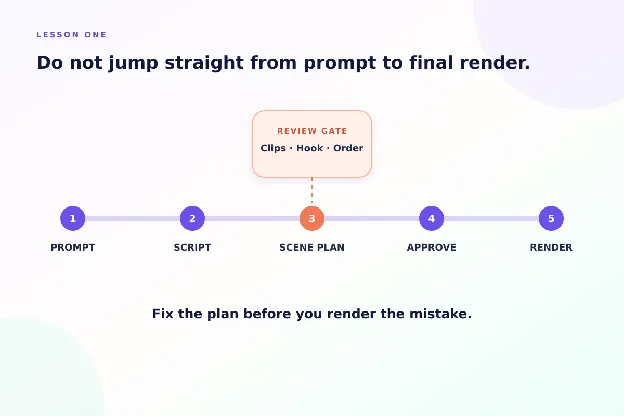
A wrong clip, weak hook, or poorly timed voiceover can affect the entire edit. Catching these problems early means fewer changes later.
This is something Saurabh, Recharm's co-founder, has emphasized while experimenting with agentic video editing: don't leave every decision to the agent.
Recharm's /make-video workflow helps with this. Claude prepares the script, searches the footage library, and presents a scene plan for review before rendering.
At this stage, the team can check whether the clips match the story, change the script, or replace footage that doesn't work.
The lesson: Review the creative plan before rendering. Let the agent handle the preparation, but keep important decisions with the team.
Lesson Two: Claude Can Repeat Creative Patterns
One interesting problem we've noticed while experimenting with Claude is that it can start repeating the same motion graphics and animation styles across videos.
Once a particular style appears in earlier outputs or examples, Claude may continue using similar animated cards, transitions, and visual treatments.
For video ad teams producing multiple creatives, this can become a problem. Different hooks or scripts do not necessarily make ads visually distinct.
That's why creative variety needs clear direction, especially when producing several ads from the same footage library.
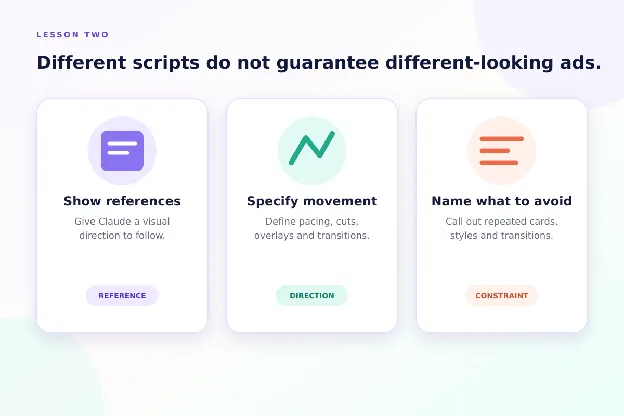
Based on our experiments, three things can help:
- Share visual references. Show Claude examples of the motion graphics or animation styles you want.
- Be specific in your prompt. Explain the type of movement, transitions, pacing, and overall visual style you expect.
- Tell it what to avoid. If previous videos used similar animated cards or transitions, explicitly ask Claude not to repeat them.
For example, instead of asking Claude to "make the video more dynamic," you could say:
Use quick product close-ups, simple text overlays, and natural cuts. Avoid the animated cards and sliding transitions used in the previous video.
The goal is not just to create more ads. It is to create different creative approaches worth testing.
Lesson Three: Give Clear Creative Direction Without Overcontrolling the Edit
Claude can help assemble footage, but the quality of the result depends heavily on the instructions it receives.
A prompt such as "make a 20-second product ad" leaves too many decisions open. The agent has to decide the format, pacing, shot selection, and visual style without enough context.
A stronger brief gives the agent clear direction while leaving some flexibility in the edit.
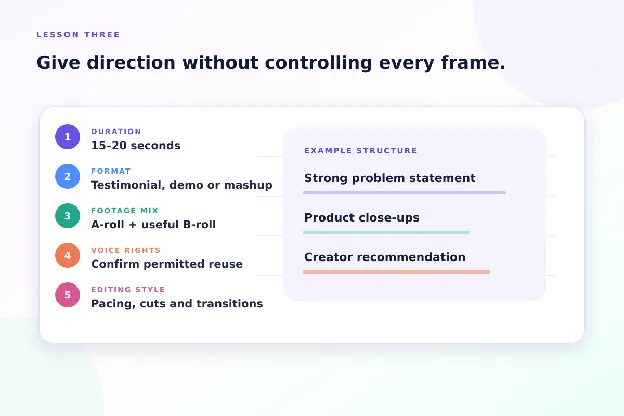
Here are five things worth specifying:
- Give a duration range. Ask for a 15–20 second ad instead of forcing an exact duration when the placement allows flexibility.
- Define the creative format. Specify whether you want a testimonial, product demonstration, problem-solution ad, or creator mashup.
- Mix A-roll and B-roll. Use creator-led footage alongside product close-ups, demonstrations, or other relevant cutaways.
- Clarify voice usage. If you want to reuse a creator's recorded voice across different shots, confirm that the usage rights cover it.
- Explain the editing style. Ask for J-cuts, L-cuts, natural transitions, or specific pacing where appropriate.
For example, a brief could say:
Create a 15–20 second testimonial ad using one creator's footage. Open with their strongest problem statement, use product close-ups over the explanation, and return to the creator for the final recommendation. Keep transitions natural and avoid unnecessary motion graphics.
This gives Claude a clearer idea of what to produce without dictating every frame.
The same principles used to brief a human editor also help when directing an AI agent.
Lesson Four: Your Footage Library Sets the Limit
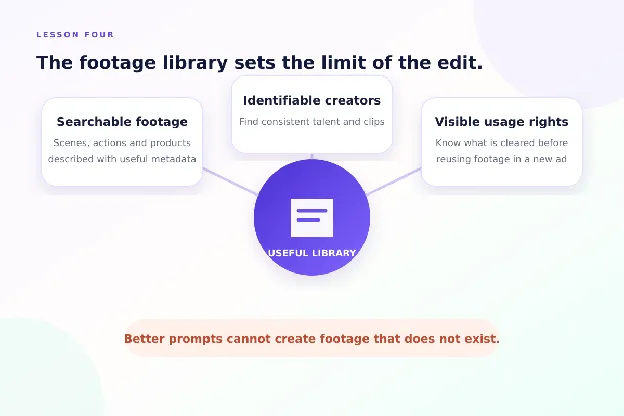
Even a detailed prompt cannot make up for missing or poorly organized footage.
Claude can write a script, find matching clips, and assemble a video. But the result depends on what footage is available, how easily it can be found, and whether the team has permission to use it.
Recharm's /make-video examples show how this works across different types of ads.
- HexClad: 26-second testimonial mashup. Claude combined footage from two creators, using chef B-roll and knife close-ups to connect their talking-head clips into one story.
- MaryRuth's: 100-second video sales letter. One creator led the narrative, supported by product collages and visual callouts throughout the video.
- Boll & Branch: 25-second problem-solution ad. When suitable B-roll was unavailable for part of the story, Claude used product images from the brand's website to create animated cards.
These examples show why footage availability and organization matter as much as the editing instructions.
They also show that missing footage does not always mean the entire concept has to stop. Depending on the creative, the team might use existing product images, change the scene, or plan a new shoot.
What Makes a Footage Library Useful for Agentic Editing?
Three things are particularly important:
- Searchable footage: Clips should be organized with useful metadata and tags, so the agent can find relevant scenes, actions, and product shots.
- Identifiable creators: Creator tagging helps group footage by person, making it easier to find consistent talking-head clips and creator-led scenes.
- Clear usage rights: Rights information should stay connected to the footage, so teams can check whether clips are cleared before using them in new ads.
This is also where Recharm's Footage Gap Finder becomes useful. It checks the shots a concept needs against the existing library and identifies what is missing before the team commits to production.
The takeaway: Better prompts help, but a searchable, well-organized footage library gives Claude better material to work with.
A Practical Agentic Video Editing Workflow
The four lessons come together in a simple workflow: check the footage, prepare the creative plan, review it, and then render.
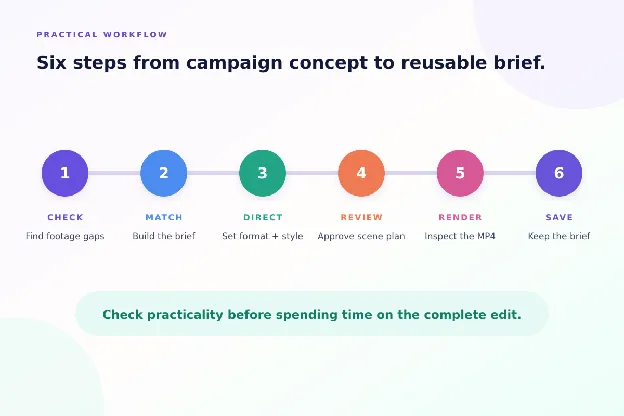
Here's how video ad teams can do this using Recharm and Claude.
- Check available footage. Start with Footage Gap Finder. It checks the shots your concept needs against the Recharm library and creates a list of missing footage.
- Create a footage-matched brief. Use Brief Creator to match existing clips to each scene. The result is a shareable brief that an editor can use.
- Give clear creative instructions. Specify the ad format, duration, tone, creator preferences, and editing style. Include visual references if you want particular motion graphics or transitions.
- Review the scene plan. With /make-video, Claude prepares the script and selects footage before rendering. Check the proposed clips, messaging, and scene order, then approve or request changes.
- Render and review the video. Claude can produce an MP4 using footage from the library. Review the pacing, transitions, audio, captions, and overall creative quality before deciding what needs further editing.
- Keep the brief for future work. The Make Video workflow saves a Recharm brief alongside the output, so the team can revisit the selected footage and creative plan.
The advantage is that the team can check whether a concept is practical before spending time on a complete edit.
Where Agentic Video Editing Still Falls Short
Our experiments with Claude show that agentic editing can produce useful first drafts. But those drafts still need review before they are ready for a campaign.
Here are four limitations video ad teams should understand:
- Creative judgment still matters. Claude can select footage that matches a script, but the team must decide whether the hook, story, and overall edit are compelling.
- Visual styles can become repetitive. As we've seen in our experiments, Claude may reuse similar motion graphics and transitions unless given different references and instructions.
- Technical details need checking. Clip timing, captions, audio transitions, and scene changes may need adjustments after rendering.
- Missing footage limits the result. Claude can work with available clips and, in some cases, use product images or motion graphics. But it cannot replace every shot a creative concept needs.
This is why we treat agentic video editing as a way to prepare and prototype creative work, not a replacement for the entire production process.
The footage, creative direction, and final review still matter.
What Agentic Video Editing Means for Different Roles
Agentic editing changes how different members of a video ad team work. The biggest benefit is not simply doing the same work faster. It is giving teams more opportunities to develop and test creative ideas.
Here's where it can help:
- Video editors: Spend less time finding clips and preparing rough assemblies, leaving more time for pacing, storytelling, and finishing the edit.
- Creative strategists: Check whether a concept can be built with existing footage, identify missing shots, and create prototypes before committing to production.
- Content managers: Maintain an organized, searchable footage library that strategists, editors, and AI agents can work with.
- Marketing directors: Help teams explore more distinct creative concepts and get more variations ready for testing, with the goal of improving ad performance.
Try Agentic Video Editing With Your Own Footage
The best way to understand agentic video editing is to test it with footage your team already owns.
Start a 14-day free trial of Recharm, connect your library to Claude, and try the /make-video skill.
Start with one creative concept, review the scene plan, and see how much of the first draft you can build using existing footage.
FAQs
Can Claude Create a Video Ad From a Single Prompt?
Yes. Recharm's Make Video skill can generate an MP4 from a prompt using footage in your library. However, reviewing the scene plan before rendering gives you more control over the clips, script, and creative direction.
Will Agentic Video Editing Replace Video Editors?
Agentic editing can reduce repetitive tasks such as footage discovery, clip matching, and rough assembly. Video editors still play an important role in storytelling, pacing, creative judgment, and final quality checks.
Why Does Claude Keep Repeating the Same Motion Graphics?
In our experiments, Claude sometimes reused motion graphics and animation styles from earlier work. Providing different visual references, specific editing instructions, and clear guidance about what not to repeat can help produce more varied results.
What Footage Do I Need for Agentic Video Editing?
Start with a searchable library containing product shots, creator footage, demonstrations, testimonials, or other clips relevant to your ads. Consistent metadata, creator information, and usage rights make it easier to find and select suitable footage.
Does Recharm's Make Video Skill Use AI-Generated Actors?
Recharm's documented Make Video workflow uses existing footage from your library. It can also create motion graphics and animated elements using brand assets. Generated voiceover and music are optional.