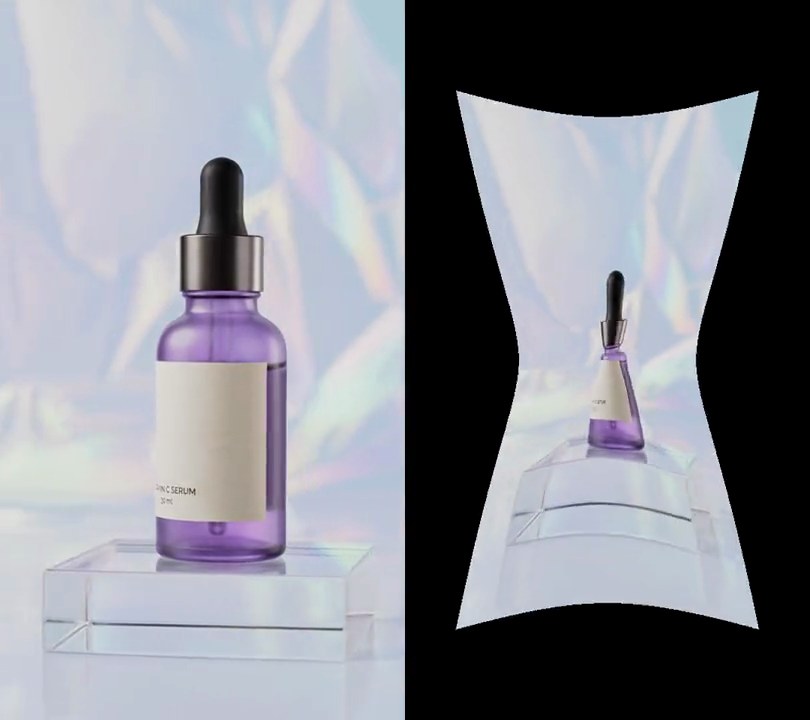
Get this effect
Switch to Code in your Claude Desktop App
Install the skill (once)
Show the prompt
Install the Recharm video effects skill: download https://recharm-growth-staging.s3.us-east-2.amazonaws.com/website/downloads/recharm-video-effects.zip and unzip it into ~/.claude/skillsAsk for the effect
Add a shockwave to input.mp4
Second the shockwave goes off: 1.0
Seconds the ring takes to reach full size and fade out: 1.0

Several videos, several effects, one ask
Put your clips in the folder, mention them with @, and ask for everything at once. Claude runs one tested script after another on each clip, then joins them.
Add a shockwave to @clip1.mp4, put a sale badge on @clip2.mp4, give @clip3.mp4 a VHS look, then join all three with crossfades.
Settings you can change
Ask Claude to change any of these, or edit them at the top of the script.
| Setting | Default | What it does |
|---|---|---|
START | 1.0 | Second the shockwave goes off. |
LIFE | 1.0 | Seconds the ring takes to reach full size and fade out. |
X, Y | 0.5, 0.5 | Where it starts, 0-1 across and down the frame. |
REACH | 620 | Radius in pixels the ring ends at. |
WIDTH | 34 | Thickness of the ring in pixels. |
AMP | 30 | Furthest the ring bends the picture, in pixels. |
SPLIT | 0.3 | How far apart red and blue bend, for the colored fringe. 0 turns it off. |
SHINE | 70 | Brightness added on the ring. 0 leaves only the warp. |
Without the skill
Don’t want to install the skill? Paste this prompt into Claude Code and Claude writes the script itself.
Show the prompt
Add a shockwave to input.mp4: at 1.0 seconds a single ring bursts out from the center of the frame (50% across, 50% down) and is gone by 2.0 seconds. Use Python with numpy and OpenCV (cv2.remap), working frame by frame at 30fps. On each of the 30 frames from 1.0 seconds, with progress p = (frame - 30) / 30 from 0 to 29/30: the ring's radius is R = 620 * (1 - (1 - p)^2) pixels (it eases out) and its strength is 1 - p. For every pixel at distance r from the center, let d = (r - R) / 34 and ring = exp(-d^2); bend the picture by sampling each pixel from 30 * (1 - p) * 2.33 * d * ring pixels closer to the center (reflect at the borders), using 1.3 times that bend for the red channel and 0.7 times it for blue so the ring has a colored fringe. Then add 70 * (1 - p) * ring to all three channels so the ring glows. Leave every frame before 1.0 seconds and from 2.0 seconds on untouched. Keep the size, frame rate and audio, and save it as output.mp4 (H.264, yuv420p).Run it without Claude
This is the exact script we tested. Save it as shockwave.py and run:
python3 shockwave.py input.mp4 output.mp4Show the script
#!/usr/bin/env python3
"""Shockwave: one bright ring bursts out from the bottle and races to the edges, warping the picture as it passes.

Usage: python3 shockwave.py input.mp4 output.mp4
Needs ffmpeg, numpy and OpenCV to bend each frame (pip install numpy opencv-python-headless).
"""
import json
import subprocess
import sys

import cv2
import numpy as np

START = 1.0        # second the shockwave goes off
LIFE = 1.0         # seconds the ring takes to reach full size and fade out
X, Y = 0.5, 0.5    # where it starts (0-1 across and down the frame)
REACH = 620        # radius in pixels the ring ends at
WIDTH = 34         # thickness of the ring in pixels
AMP = 30           # furthest the ring bends the picture, in pixels
SPLIT = 0.3        # extra bend for red and less for blue, as a share of AMP (a colored fringe)
SHINE = 70         # brightness added on the ring
FPS = 30


def probe(path):
    info = json.loads(subprocess.check_output(["ffprobe", "-v", "error", "-select_streams", "v:0", "-show_entries",
                                               "stream=width,height", "-of", "json", path]))
    return info["streams"][0]["width"], info["streams"][0]["height"]


def frames(path):
    """Every frame of the clip at 30fps as an RGB array."""
    ff = subprocess.Popen(["ffmpeg", "-v", "error", "-i", path, "-vf", f"fps={FPS}", "-f", "rawvideo", "-pix_fmt", "rgb24", "-"],
                          stdout=subprocess.PIPE)
    while True:
        chunk = ff.stdout.read(w * h * 3)
        if len(chunk) < w * h * 3:
            return
        yield np.frombuffer(chunk, np.uint8).reshape(h, w, 3)


def shockwave(img, p):
    """Frame at progress p (0-1): the ring has eased out to radius REACH * (1 - (1 - p)^2) and fades as 1 - p."""
    fade = 1 - p
    d = (r - REACH * (1 - (1 - p) ** 2)) / WIDTH                  # distance from the ring, in ring widths
    ring = np.exp(-d ** 2)
    push = AMP * fade * 2.33 * d * ring                            # 2.33 makes the largest bend exactly AMP
    out = np.empty(img.shape, np.float32)
    for c, gain in enumerate([1 + SPLIT, 1, 1 - SPLIT]):           # red bends most, blue least
        map_x = (xs - gain * push * ux).astype(np.float32)
        map_y = (ys - gain * push * uy).astype(np.float32)
        out[..., c] = cv2.remap(img[..., c], map_x, map_y, cv2.INTER_LINEAR, borderMode=cv2.BORDER_REFLECT)
    return out + (SHINE * fade * ring)[..., None]


src, out = sys.argv[1:3]
w, h = probe(src)
ys, xs = np.mgrid[0:h, 0:w].astype(np.float32)
dx, dy = xs - X * w, ys - Y * h
r = np.hypot(dx, dy)
ux, uy = dx / np.maximum(r, 1), dy / np.maximum(r, 1)
first, steps = round(START * FPS), round(LIFE * FPS)
ff = subprocess.Popen(["ffmpeg", "-y", "-v", "error", "-f", "rawvideo", "-pix_fmt", "rgb24", "-s", f"{w}x{h}",
                       "-r", str(FPS), "-i", "-", "-i", src, "-map", "0:v", "-map", "1:a?",
                       "-c:v", "libx264", "-crf", "18", "-pix_fmt", "yuv420p", "-c:a", "copy", "-shortest", out],
                      stdin=subprocess.PIPE)
for i, img in enumerate(frames(src)):
    if first <= i < first + steps:
        img = np.clip(shockwave(img, (i - first) / steps), 0, 255).astype(np.uint8)
    ff.stdin.write(img.tobytes())
ff.stdin.close()
if ff.wait():
    sys.exit("ffmpeg failed")