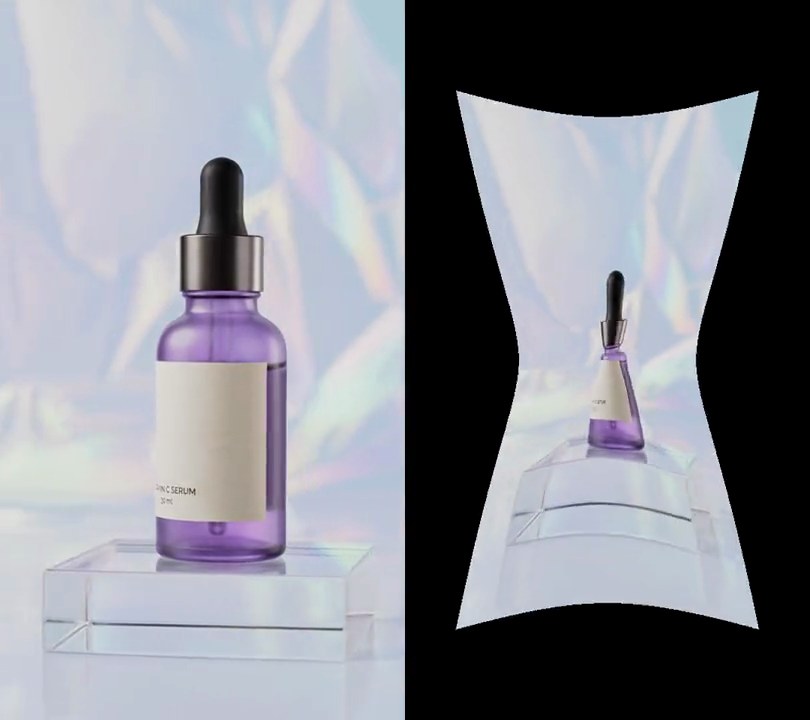
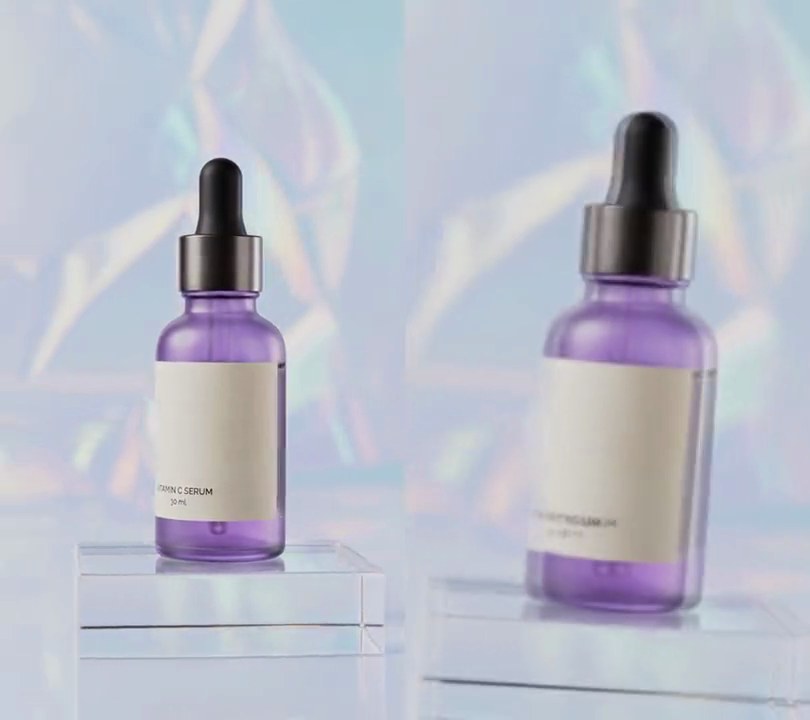
Get this effect
Switch to Code in your Claude Desktop App
Install the skill (once)
Show the prompt
Install the Recharm video effects skill: download https://recharm-growth-staging.s3.us-east-2.amazonaws.com/website/downloads/recharm-video-effects.zip and unzip it into ~/.claude/skillsAsk for the effect
Make a datamosh from clipA.mp4 and clipB.mp4
Seconds clip B's motion smears clip A before B appears clean: 1.5
Motion block size in pixels, the size of the visible squares: 16

Several videos, several effects, one ask
Put your clips in the folder, mention them with @, and ask for everything at once. Claude runs one tested script after another on each clip, then joins them.
Add a datamosh to @clip1.mp4, put a sale badge on @clip2.mp4, give @clip3.mp4 a VHS look, then join all three with crossfades.
Settings you can change
Ask Claude to change any of these, or edit them at the top of the script.
| Setting | Default | What it does |
|---|---|---|
MOSH | 1.5 | Seconds clip B's motion smears clip A before B appears clean. |
BLOCK | 16 | Motion block size in pixels, the size of the visible squares. |
SEARCH | 8 | Furthest a block's motion is looked for between two frames, in pixels. |
GAIN | 3 | How much B's motion is exaggerated when it is applied to A; higher melts faster. |
STAY | 0.1 | How strongly the search prefers no motion, so flat background doesn't drift at random. |
FPS | 30 | Output frame rate. |
Without the skill
Don’t want to install the skill? Paste this prompt into Claude Code and Claude writes the script itself.
Show the prompt
Join clipA.mp4 and clipB.mp4 with a 1.5 second datamosh at the cut, so the output is 12 seconds long: all 6 seconds of A untouched, then 1.5 seconds where A's last frame is pushed around by B's motion, then B from its 1.5 second mark to its end, untouched. Use Python with numpy and ffmpeg, working frame by frame at 30fps with B fitted to A's size. For each of B's first 45 frames after its first, estimate motion the way a video encoder does: split the frame into 16x16 pixel blocks and, on half-size grayscale copies, find for each block the offset within 8 pixels (in 2 pixel steps) to the best-matching spot in B's previous frame, scoring each offset as the sum of absolute differences plus 0.1 x 64 x (|dy| + |dx|) in half-size pixels so flat areas prefer not to move. Never show those B frames: instead take the picture on screen (starting from A's last frame) and move every block's pixels by its motion vector times 3, sampling from that offset and clamping at the frame edges, so the smear builds up frame after frame. Then cut to B, clean, as if a keyframe arrived. Play A's audio then B's audio back to back. Save it as output.mp4 (H.264, yuv420p).Run it without Claude
This is the exact script we tested. Save it as datamosh.py and run:
python3 datamosh.py clipA.mp4 clipB.mp4 output.mp4Show the script
#!/usr/bin/env python3
"""Datamosh: at the cut, clip A's last frame freezes and clip B's motion drags its pixels around in blocks, until B snaps in clean.

Usage: python3 datamosh.py clipA.mp4 clipB.mp4 output.mp4  (both clips need an audio track)
Needs ffmpeg and numpy (pip install numpy).
"""
import json
import subprocess
import sys
from itertools import islice

import numpy as np

MOSH = 1.5    # seconds B's motion smears A before B appears clean
BLOCK = 16    # motion block size in pixels, the size of the visible squares
SEARCH = 8    # furthest a block's motion is looked for between two frames, in pixels
GAIN = 3      # how much B's motion is exaggerated when it is applied to A
STAY = 0.1    # how strongly the search prefers no motion, so flat background doesn't drift at random
FPS = 30      # output frame rate


def probe(path):
    info = json.loads(subprocess.check_output(["ffprobe", "-v", "error", "-select_streams", "v:0", "-show_entries",
                                               "stream=width,height:format=duration", "-of", "json", path]))
    return info["streams"][0]["width"], info["streams"][0]["height"], float(info["format"]["duration"])


def frames(path):
    """Decode a clip as w x h RGB frames at FPS, cropping it to fill the frame if its shape differs."""
    ff = subprocess.Popen(["ffmpeg", "-v", "error", "-i", path, "-vf",
                           f"scale={w}:{h}:force_original_aspect_ratio=increase,crop={w}:{h},fps={FPS}",
                           "-f", "rawvideo", "-pix_fmt", "rgb24", "-"], stdout=subprocess.PIPE)
    while True:
        data = ff.stdout.read(w * h * 3)
        if len(data) < w * h * 3:
            return
        yield np.frombuffer(data, np.uint8).reshape(h, w, 3)


def half_gray(img):
    """Grayscale at half size, which is all the motion search needs."""
    g = img[:by * BLOCK, :bx * BLOCK].astype(np.float32).mean(axis=2)
    return g.reshape(by * BLOCK // 2, 2, bx * BLOCK // 2, 2).mean(axis=(1, 3))


def motion(prev, cur):
    """For each BLOCK x BLOCK square of cur, the (dy, dx) in pixels to where it came from in prev,
    found the way a video encoder does: try every offset within SEARCH and keep the closest match,
    with a small cost per pixel moved (STAY) so flat areas stay put instead of picking random offsets."""
    p, c = half_gray(prev), half_gray(cur)
    r, b = SEARCH // 2, BLOCK // 2
    padded = np.pad(p, r, mode="edge")
    best = np.full((by, bx), np.inf)
    vec = np.zeros((by, bx, 2), int)
    for dy in range(-r, r + 1):
        for dx in range(-r, r + 1):
            moved = padded[r + dy:r + dy + c.shape[0], r + dx:r + dx + c.shape[1]]
            err = np.abs(moved - c).reshape(by, b, bx, b).sum(axis=(1, 3)) + STAY * b * b * (abs(dy) + abs(dx))
            better = err < best
            best[better] = err[better]
            vec[better] = (dy * 2, dx * 2)
    return vec


def smear(canvas, vec):
    """Move each block of canvas by its motion vector times GAIN: an encoder's P-frame applied without its keyframe."""
    shift = np.repeat(np.repeat(vec * GAIN, BLOCK, axis=0), BLOCK, axis=1)
    shift = np.pad(shift, ((0, h - by * BLOCK), (0, w - bx * BLOCK), (0, 0)), mode="edge")
    rows = np.clip(np.arange(h)[:, None] + shift[..., 0], 0, h - 1)
    cols = np.clip(np.arange(w)[None, :] + shift[..., 1], 0, w - 1)
    return canvas[rows, cols]


A, B, out = sys.argv[1:4]
w, h, length = probe(A)
by, bx = h // BLOCK, w // BLOCK

enc = subprocess.Popen(["ffmpeg", "-y", "-v", "error", "-f", "rawvideo", "-pix_fmt", "rgb24", "-s", f"{w}x{h}",
                        "-r", str(FPS), "-i", "-", "-i", A, "-i", B,
                        "-filter_complex", "[1:a][2:a]concat=n=2:v=0:a=1[au]", "-map", "0:v", "-map", "[au]",
                        "-c:v", "libx264", "-crf", "18", "-pix_fmt", "yuv420p", "-c:a", "aac", out],
                       stdin=subprocess.PIPE)
for canvas in frames(A):
    enc.stdin.write(canvas.tobytes())
clip_b = frames(B)
prev = next(clip_b)
for cur in islice(clip_b, round(MOSH * FPS) - 1):   # B's frames drive the motion but are never shown
    canvas = smear(canvas, motion(prev, cur))
    enc.stdin.write(canvas.tobytes())
    prev = cur
enc.stdin.write(prev.tobytes())   # the next keyframe: B appears clean and plays on
for cur in clip_b:
    enc.stdin.write(cur.tobytes())
enc.stdin.close()
if enc.wait():
    sys.exit("ffmpeg failed")