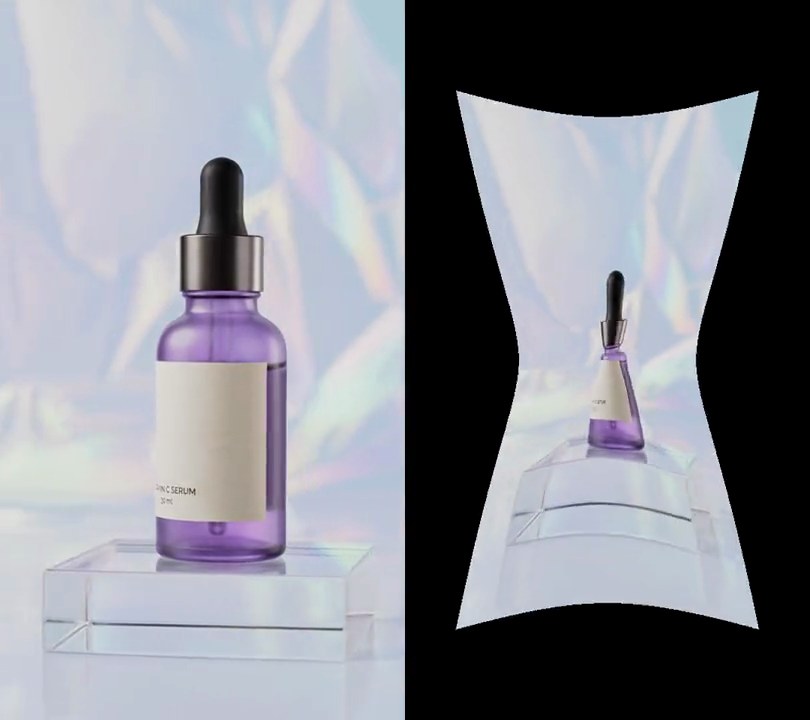
Get this effect
Switch to Code in your Claude Desktop App
Install the skill (once)
Show the prompt
Install the Recharm video effects skill: download https://recharm-growth-staging.s3.us-east-2.amazonaws.com/website/downloads/recharm-video-effects.zip and unzip it into ~/.claude/skillsAsk for the effect
Add a kaleidoscope to input.mp4
Second the kaleidoscope cuts in: 1.0
How many mirrored wedges fill the circle: 6

Several videos, several effects, one ask
Put your clips in the folder, mention them with @, and ask for everything at once. Claude runs one tested script after another on each clip, then joins them.
Add a kaleidoscope to @clip1.mp4, put a sale badge on @clip2.mp4, give @clip3.mp4 a VHS look, then join all three with crossfades.
Settings you can change
Ask Claude to change any of these, or edit them at the top of the script.
| Setting | Default | What it does |
|---|---|---|
START | 1.0 | Second the kaleidoscope cuts in. 0 starts it on the first frame. |
WEDGES | 6 | How many mirrored wedges fill the circle. Keep it even; 8 or 12 gives a busier star. |
SPIN | 30 | Degrees per second the pattern turns clockwise. 0 holds it still. |
Without the skill
Don’t want to install the skill? Paste this prompt into Claude Code and Claude writes the script itself.
Show the prompt
Turn input.mp4 into a kaleidoscope from 1.0 seconds on; before that, leave the frames untouched. Take the 60-degree wedge pointing straight up from the frame's center (from 30 degrees left of vertical to 30 degrees right, measured at the center, 270,480 in the 540x960 frame) and repeat it six times around the center, mirroring every other copy so the seams line up, with no scaling (a pixel's distance from the center stays the same). The pattern turns clockwise at 30 degrees per second, starting at 0 degrees at 1.0s, so at 1.0s and 5.0s the bottom half of the frame is an exact upside-down mirror of the top half. For each output pixel: take its angle clockwise from straight up, subtract 30 x (t - 1.0) degrees, add 30, take it modulo 120, fold anything above 60 back to (120 - angle), subtract 30, and sample the input at that angle and the same distance from the center (clamp to the frame edge). Keep the size (540x960), 30fps, the 6-second length and the audio. There's no text; if you add any, draw it with Pillow, not ffmpeg's drawtext. Use Python with numpy and ffmpeg, encode H.264 yuv420p and save it as output.mp4.Run it without Claude
This is the exact script we tested. Save it as kaleidoscope.py and run:
python3 kaleidoscope.py input.mp4 output.mp4Show the script
#!/usr/bin/env python3
"""Kaleidoscope: at 1s the picture turns into six mirrored wedges around the center that slowly spin.

Usage: python3 kaleidoscope.py input.mp4 output.mp4
Needs ffmpeg and numpy (pip install numpy).
"""
import json
import subprocess
import sys

import numpy as np

START = 1.0      # second the kaleidoscope cuts in
WEDGES = 6       # mirrored wedges around the center (an even number keeps every seam a clean mirror)
SPIN = 30        # degrees per second the pattern turns, clockwise


def kaleidoscope(frame, t):
    """Fill the frame with copies of the wedge straight above the center, every other one mirrored."""
    if t < START:
        return frame
    wedge = 2 * np.pi / WEDGES
    turned = theta - np.radians(SPIN * (t - START)) + wedge / 2
    a = np.mod(turned, 2 * wedge)
    a = np.where(a < wedge, a, 2 * wedge - a) - wedge / 2       # fold into the source wedge, -wedge/2 to +wedge/2
    x = np.clip(np.rint(w / 2 + r * np.sin(a)), 0, w - 1).astype(int)
    y = np.clip(np.rint(h / 2 - r * np.cos(a)), 0, h - 1).astype(int)
    return frame[y, x]


def probe(path):
    info = json.loads(subprocess.check_output(["ffprobe", "-v", "error", "-select_streams", "v:0", "-show_entries",
                                               "stream=width,height,r_frame_rate", "-of", "json", path]))
    s = info["streams"][0]
    num, den = s["r_frame_rate"].split("/")
    return s["width"], s["height"], s["r_frame_rate"], float(num) / float(den)


src, out = sys.argv[1:3]
w, h, rate, fps = probe(src)
yy, xx = np.mgrid[0:h, 0:w]
r = np.hypot(xx - w / 2, yy - h / 2)              # each pixel's distance from the center
theta = np.arctan2(xx - w / 2, h / 2 - yy)        # and its angle, clockwise from straight up

reader = subprocess.Popen(["ffmpeg", "-v", "error", "-i", src, "-f", "rawvideo", "-pix_fmt", "rgb24", "-"],
                          stdout=subprocess.PIPE)
writer = subprocess.Popen(["ffmpeg", "-y", "-v", "error", "-f", "rawvideo", "-pix_fmt", "rgb24", "-s", f"{w}x{h}",
                           "-r", rate, "-i", "-", "-i", src, "-map", "0:v", "-map", "1:a?",
                           "-c:v", "libx264", "-crf", "18", "-pix_fmt", "yuv420p", "-c:a", "copy", "-shortest", out],
                          stdin=subprocess.PIPE)
i = 0
while chunk := reader.stdout.read(w * h * 3):
    frame = np.frombuffer(chunk, np.uint8).reshape(h, w, 3)
    writer.stdin.write(kaleidoscope(frame, i / fps).tobytes())
    i += 1
writer.stdin.close()
if reader.wait() or writer.wait():
    sys.exit("ffmpeg failed")