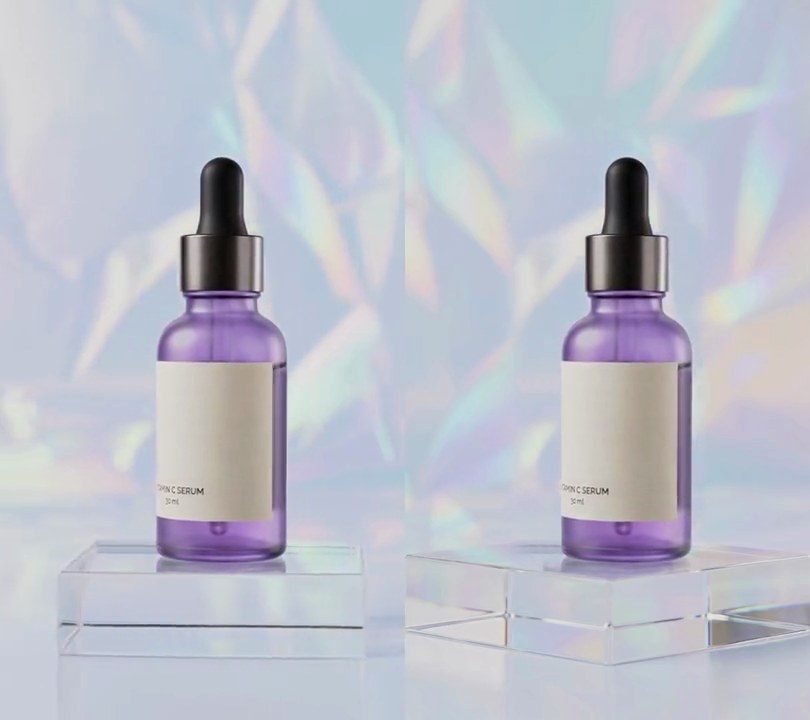
Get this effect
Switch to Code in your Claude Desktop App
Install the skill (once)
Show the prompt
Install the Recharm video effects skill: download https://recharm-growth-staging.s3.us-east-2.amazonaws.com/website/downloads/recharm-video-effects.zip and unzip it into ~/.claude/skillsAsk for the effect
Add a zoom blur to input.mp4
Second the streaks start building: 1.0
Second the streaks start fading back out: 3.5

Several videos, several effects, one ask
Put your clips in the folder, mention them with @, and ask for everything at once. Claude runs one tested script after another on each clip, then joins them.
Add a zoom blur to @clip1.mp4, put a sale badge on @clip2.mp4, give @clip3.mp4 a VHS look, then join all three with crossfades.
Settings you can change
Ask Claude to change any of these, or edit them at the top of the script.
| Setting | Default | What it does |
|---|---|---|
START | 1.0 | Second the streaks start building. Before it the video is untouched. |
END | 3.5 | Second the streaks start fading back out. |
RAMP | 0.4 | Seconds to build up and to fade out. |
STRENGTH | 0.25 | How far the streaks reach. 0.25 averages copies up to 25% bigger than the frame; 0.1 is subtle, 0.4 is a hard rush. |
CENTER | (0.5, 0.5) | Point the streaks burst out from, as fractions across and down the frame. Put it on the product to keep it sharp. |
SAMPLES | 20 | Copies averaged per frame. More gives smoother streaks and takes longer. |
Without the skill
Don’t want to install the skill? Paste this prompt into Claude Code and Claude writes the script itself.
Show the prompt
In input.mp4, add a radial zoom blur centered on the middle of the frame (x 50%, y 50%) from 1.0 to 3.9 seconds; before 1.0s and after 3.9s the video must be untouched. Make each blurred frame with Python, OpenCV and numpy by averaging 20 copies of the frame scaled up around the center by factors spread evenly from 1.0 to 1 + 0.25 x amount (cv2.warpAffine, edges reflected), so the center stays sharp and the edges streak outward. The amount rises from 0 to 1 between 1.0s and 1.4s with a smoothstep curve, stays at 1 until 3.5s and falls back to 0 by 3.9s with the same curve. Pipe frames in and out with ffmpeg. Keep the size (540x960), 30fps, 6 seconds and the audio. Encode H.264 yuv420p and save it as output.mp4. There is no text to draw; if you add any, draw it with Pillow, not ffmpeg's drawtext.Run it without Claude
This is the exact script we tested. Save it as zoom-blur.py and run:
python3 zoom-blur.py input.mp4 output.mp4Show the script
#!/usr/bin/env python3
"""Zoom blur: from 1s to 3.5s streaks burst outward from the center of the frame, as if the camera rushes forward.

Usage: python3 zoom-blur.py input.mp4 output.mp4
Needs ffmpeg, OpenCV and numpy (pip install opencv-python-headless numpy).
Each frame is averaged with copies of itself scaled up around the center, so the middle stays sharp
and the edges smear along lines pointing out from it.
"""
import json
import subprocess
import sys

import cv2
import numpy as np

START = 1.0      # second the streaks start (before it the video is untouched)
END = 3.5        # second they start fading back out
RAMP = 0.4       # seconds to build up and to fade out
STRENGTH = 0.25  # how far the streaks reach: the largest copy is 25% bigger than the frame
CENTER = (0.5, 0.5)  # point the streaks burst out from (0-1 across and down the frame)
SAMPLES = 20     # copies averaged per frame; more gives smoother streaks


def amount(t):
    """0 before START, rising to 1 over RAMP, held until END, back to 0 over RAMP (smoothstep at both ends)."""
    p = min(max((t - START) / RAMP, 0), 1) * min(max((END + RAMP - t) / RAMP, 0), 1)
    return p * p * (3 - 2 * p)


def zoom_blur(img, strength):
    cx, cy = CENTER[0] * w, CENTER[1] * h
    acc = np.zeros((h, w, 3), np.float32)
    for k in range(SAMPLES):
        s = 1 + strength * k / (SAMPLES - 1)
        m = np.float32([[s, 0, cx * (1 - s)], [0, s, cy * (1 - s)]])
        acc += cv2.warpAffine(img, m, (w, h), flags=cv2.INTER_LINEAR, borderMode=cv2.BORDER_REFLECT)
    return (acc / SAMPLES).astype(np.uint8)


def probe(path):
    info = json.loads(subprocess.check_output(["ffprobe", "-v", "error", "-select_streams", "v:0", "-show_entries",
                                               "stream=width,height,r_frame_rate", "-of", "json", path]))
    s = info["streams"][0]
    num, den = s["r_frame_rate"].split("/")
    return s["width"], s["height"], s["r_frame_rate"], float(num) / float(den)


src, out = sys.argv[1:3]
w, h, rate, fps = probe(src)
reader = subprocess.Popen(["ffmpeg", "-v", "error", "-i", src, "-f", "rawvideo", "-pix_fmt", "rgb24", "-"],
                          stdout=subprocess.PIPE)
writer = subprocess.Popen(["ffmpeg", "-y", "-v", "error", "-f", "rawvideo", "-pix_fmt", "rgb24", "-s", f"{w}x{h}",
                           "-r", rate, "-i", "-", "-i", src, "-map", "0:v", "-map", "1:a?", "-c:v", "libx264",
                           "-crf", "18", "-pix_fmt", "yuv420p", "-c:a", "copy", "-shortest", out],
                          stdin=subprocess.PIPE)
i = 0
while True:
    buf = reader.stdout.read(w * h * 3)
    if len(buf) < w * h * 3:
        break
    img = np.frombuffer(buf, np.uint8).reshape(h, w, 3)
    a = amount(i / fps)
    writer.stdin.write((zoom_blur(img, STRENGTH * a) if a > 0 else img).tobytes())
    i += 1
writer.stdin.close()
if reader.wait() or writer.wait():
    sys.exit("ffmpeg failed")