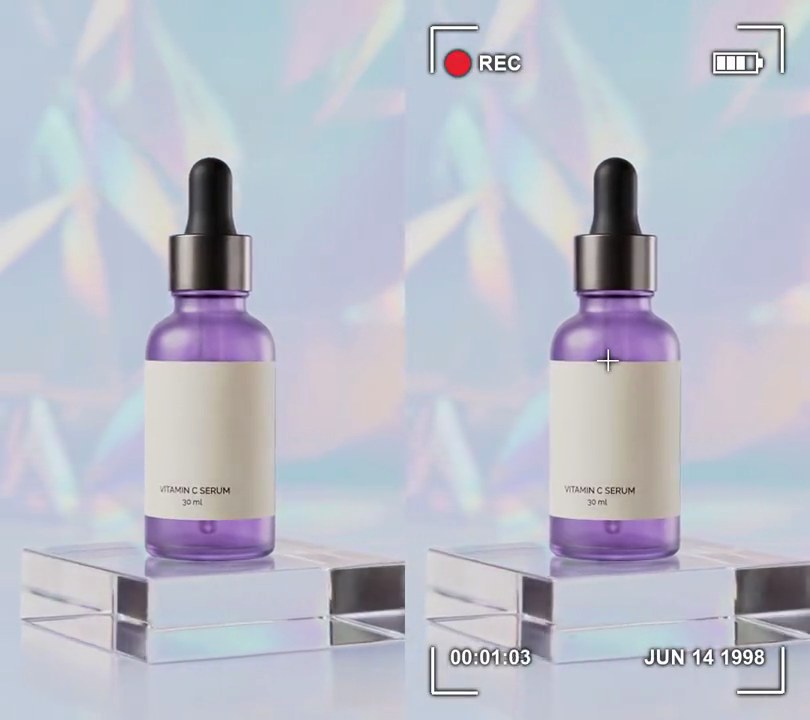
Get this effect
Switch to Code in your Claude Desktop App
Install the skill (once)
Show the prompt
Install the Recharm video effects skill: download https://recharm-growth-staging.s3.us-east-2.amazonaws.com/website/downloads/recharm-video-effects.zip and unzip it into ~/.claude/skillsAsk for the effect
Add a security camera to input.mp4
Camera: CAM 03  LOBBY

Several videos, several effects, one ask
Put your clips in the folder, mention them with @, and ask for everything at once. Claude runs one tested script after another on each clip, then joins them.
Add a security camera to @clip1.mp4, put a sale badge on @clip2.mp4, give @clip3.mp4 a VHS look, then join all three with crossfades.
Settings you can change
Ask Claude to change any of these, or edit them at the top of the script.
| Setting | Default | What it does |
|---|---|---|
CAMERA | CAM 03 LOBBY | Camera label, top left. |
CLOCK | (2026, 10, 23, 2, 14, 7) | Date and time on the first frame; the timestamp counts up from it. |
FISHEYE | -0.35 | Barrel distortion; more negative bulges the middle of the picture more. |
GRAIN | 24 | Strength of the flickering grain (0-100). |
CHOPPY_FPS | 12 | Frames per second the camera really records; lower stutters more. |
TEXT_SIZE | 0.05 | Label and timestamp height as a share of the frame width. |
MARGIN | 0.06 | Text distance from the frame edges as a share of the frame width. |
Without the skill
Don’t want to install the skill? Paste this prompt into Claude Code and Claude writes the script itself.
Show the prompt
Make input.mp4 look like security camera footage from the first frame to the last. With ffmpeg, in this order: drop it to 12fps (fps=12) so the motion stutters, remove all color (hue=s=0), apply eq=contrast=1.3:brightness=-0.04, add a wide-angle bulge with lenscorrection=k1=-0.35:k2=0.02, add flickering gray grain on the brightness only with noise=c0s=24:c0f=t, darken the corners with vignette=angle=PI/4, then go back to 30fps (fps=30), repeating frames. On top, draw white (255, 255, 255) bold monospace text (Courier New Bold or similar) 5% of the frame width tall with a 3-pixel black outline: "CAM 03 LOBBY" with its top-left corner 6% of the frame width in from the top and left edges, and a timestamp "2026-10-23 02:14:07" (two spaces between date and time) with its bottom-left corner 6% of the frame width in from the bottom and left edges, adding one second to the time at each whole second of the video (02:14:08 at 1s, 02:14:09 at 2s and so on). Draw the text with Python and Pillow (don't use ffmpeg's drawtext filter), composite it with ffmpeg, keep the audio and the 540x960 size, and save it as output.mp4 at 30fps.Run it without Claude
This is the exact script we tested. Save it as security-camera.py and run:
python3 security-camera.py input.mp4 output.mp4Show the script
#!/usr/bin/env python3
"""Security camera: grainy gray wide-angle CCTV picture at a choppy frame rate, with a camera label and running timestamp.

Usage: python3 security-camera.py input.mp4 output.mp4
Needs ffmpeg and Pillow (pip install pillow).
"""
import json
import math
import subprocess
import sys
from pathlib import Path

from PIL import Image, ImageDraw, ImageFont

CAMERA = "CAM 03  LOBBY"        # label, top left
CLOCK = (2026, 10, 23, 2, 14, 7)  # date and time on the first frame: year, month, day, hour, minute, second
FISHEYE = -0.35                 # barrel distortion (lenscorrection k1); more negative bulges the middle more
GRAIN = 24                      # strength of the flickering grain (0-100)
CHOPPY_FPS = 12                 # frames per second the camera really records; repeated up to 30 for the output
TEXT_SIZE = 0.05                # label and timestamp height as a share of the frame width
MARGIN = 0.06                   # text distance from the frame edges, as a share of the frame width
FONTS = ["/System/Library/Fonts/Supplemental/Courier New Bold.ttf",  # macOS
         "/usr/share/fonts/truetype/dejavu/DejaVuSansMono-Bold.ttf",  # Linux
         "C:/Windows/Fonts/courbd.ttf"]                               # Windows
FONT_FILE = next((f for f in FONTS if Path(f).exists()), None) or sys.exit("No monospace font found: add one to FONTS")

LOOK = (f"fps={CHOPPY_FPS},hue=s=0,eq=contrast=1.3:brightness=-0.04,"
        f"lenscorrection=k1={FISHEYE}:k2=0.02,noise=c0s={GRAIN}:c0f=t,vignette=angle=PI/4,fps=30")


def timestamp(t):
    """CLOCK plus t whole seconds, as YYYY-MM-DD  HH:MM:SS."""
    year, month, day, hour, minute, second = CLOCK
    total = hour * 3600 + minute * 60 + second + int(t)
    return f"{year}-{month:02d}-{day:02d}  {total // 3600 % 24:02d}:{total // 60 % 60:02d}:{total % 60:02d}"


def overlay(t):
    """White monospace text with a black outline: camera label top left, timestamp bottom left."""
    img = Image.new("RGBA", (w, h))
    draw = ImageDraw.Draw(img)
    m = round(w * MARGIN)
    style = dict(font=font, fill=(255, 255, 255), stroke_width=3, stroke_fill=(0, 0, 0))
    draw.text((m, m), CAMERA, anchor="la", **style)
    draw.text((m, h - m), timestamp(t), anchor="ld", **style)
    return img


def probe(path):
    info = json.loads(subprocess.check_output(["ffprobe", "-v", "error", "-select_streams", "v:0", "-show_entries",
                                               "stream=width,height,r_frame_rate:format=duration", "-of", "json", path]))
    s = info["streams"][0]
    num, den = s["r_frame_rate"].split("/")
    return s["width"], s["height"], s["r_frame_rate"], float(num) / float(den), float(info["format"]["duration"])


def render(src, out):
    """Give src the CCTV look, draw overlay(t) on every frame and save to out, keeping the audio."""
    ff = subprocess.Popen(["ffmpeg", "-y", "-v", "error", "-i", src,
                           "-f", "rawvideo", "-pix_fmt", "rgba", "-s", f"{w}x{h}", "-r", rate, "-i", "-",
                           "-filter_complex", f"[0:v]{LOOK}[cctv];[cctv][1:v]overlay=shortest=1,format=yuv420p[v]",
                           "-map", "[v]", "-map", "0:a?", "-c:v", "libx264", "-crf", "18", "-c:a", "copy", out],
                          stdin=subprocess.PIPE)
    for i in range(math.ceil(duration * fps)):
        ff.stdin.write(overlay(i / fps).tobytes())
    ff.stdin.close()
    if ff.wait():
        sys.exit("ffmpeg failed")


src, out = sys.argv[1:3]
w, h, rate, fps, duration = probe(src)
font = ImageFont.truetype(FONT_FILE, round(w * TEXT_SIZE))
render(src, out)