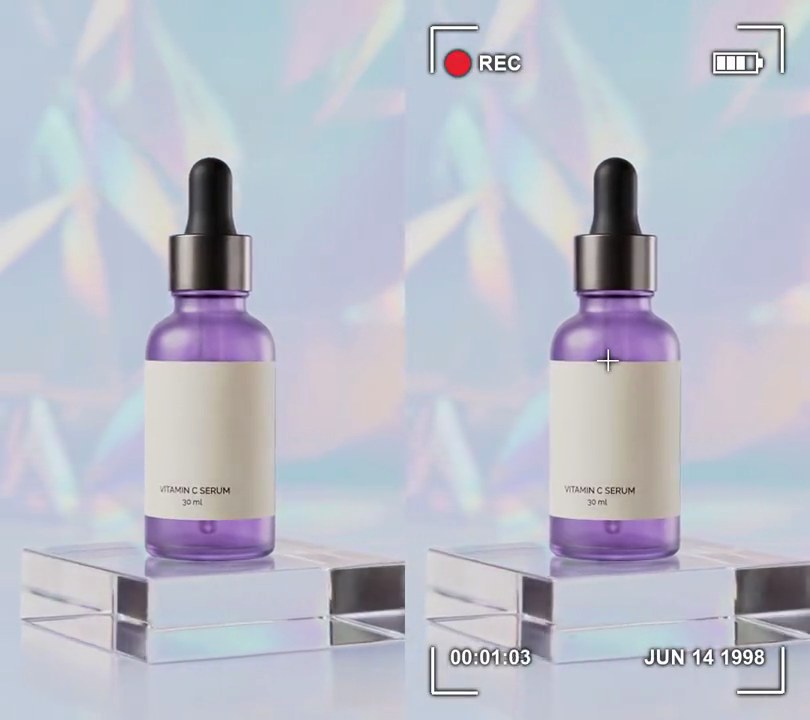
Get this effect
Switch to Code in your Claude Desktop App
Install the skill (once)
Show the prompt
Install the Recharm video effects skill: download https://recharm-growth-staging.s3.us-east-2.amazonaws.com/website/downloads/recharm-video-effects.zip and unzip it into ~/.claude/skillsAsk for the effect
Add a halation to input.mp4
Brightness (0-1) where highlights start to bleed: 0.7
Brightness where highlights bleed fully: 0.9

Several videos, several effects, one ask
Put your clips in the folder, mention them with @, and ask for everything at once. Claude runs one tested script after another on each clip, then joins them.
Add a halation to @clip1.mp4, put a sale badge on @clip2.mp4, give @clip3.mp4 a VHS look, then join all three with crossfades.
Settings you can change
Ask Claude to change any of these, or edit them at the top of the command.
| Setting | Default | What it does |
|---|---|---|
THRESHOLD | 0.7 | Brightness (0-1) where highlights start to bleed. Lower it for more glow. |
FULL | 0.9 | Brightness where highlights bleed fully. |
RADIUS | 14 | Blur sigma in pixels: how far the glow reaches into the dark. |
STRENGTH | 2.0 | Brightness of the glow; 1 is as bright as the highlight itself. |
RED | 1.0 | Red share of the glow color. |
GREEN | 0.3 | Green share of the glow color. Raise it toward 0.5 for a more orange glow. |
BLUE | 0.1 | Blue share of the glow color. |
START | 0.5 | Second the glow starts fading up. 0 has it on from the first frame. |
RAMP | 0.5 | Seconds it takes to reach full strength. |
Without the skill
Don’t want to install the skill? Paste this prompt into Claude Code and Claude writes the command itself.
Show the prompt
Add a film halation effect to input.mp4 with ffmpeg. Work in RGB. Make a highlight mask: map brightness 0.7-0.9 on a 0-1 scale to 0-1 (darker goes black, brighter stays at full). Blur a copy of the mask with a Gaussian blur of sigma 14 pixels and subtract the sharp mask from it, so only light spilling past an edge into a darker area is left. Turn that into a red-orange glow: average its three channels and multiply by 2.0 for red, 0.6 for green and 0.2 for blue. Add the glow onto the original frame (additive blend). The glow is off for the first 0.5 seconds, then fades up linearly to full strength over 0.5 seconds and stays on to the end; the rest of the picture is not regraded. Keep the size, the 30fps frame rate, the 6-second length and the audio, encode H.264 yuv420p, and save it as output.mp4.Run it without Claude
This is the exact command we tested. Save it as halation.sh and run:
sh halation.sh input.mp4 output.mp4Show the command
#!/bin/sh
# Halation: bright highlights bleed a soft red-orange glow into the darker picture around them, fading up from 0.5s.
# Usage: sh halation.sh input.mp4 output.mp4
# Needs ffmpeg.
set -e
IN="$1"; OUT="$2"
THRESHOLD=0.7   # brightness (0-1) where highlights start to bleed...
FULL=0.9        # ...and where they bleed fully
RADIUS=14       # blur sigma in pixels: how far the glow reaches into the dark
STRENGTH=2.0    # brightness of the glow (1 = as bright as the highlight itself)
RED=1.0         # glow color as shares of red, green and blue:
GREEN=0.3       #   1.0 / 0.3 / 0.1 is the red-orange of film halation
BLUE=0.1
START=0.5       # second the glow starts fading up
RAMP=0.5        # seconds it takes to reach full strength

# The glow is the blurred highlights minus the sharp ones, so it lands only where light spills past an
# edge into a darker area; it is then tinted and added on top.
R="$STRENGTH*$RED/3"; G="$STRENGTH*$GREEN/3"; B="$STRENGTH*$BLUE/3"   # mask brightness to glow color
ffmpeg -y -v error -i "$IN" -filter_complex "
  [0:v]format=gbrp,split[base][hi];
  [hi]colorlevels=rimin=$THRESHOLD:gimin=$THRESHOLD:bimin=$THRESHOLD:rimax=$FULL:gimax=$FULL:bimax=$FULL,split[sharp][soft];
  [soft]gblur=sigma=$RADIUS[blurred];
  [blurred][sharp]blend=all_mode=subtract,
    colorchannelmixer=rr=$R:rg=$R:rb=$R:gr=$G:gg=$G:gb=$G:br=$B:bg=$B:bb=$B,
    fade=t=in:st=$START:d=$RAMP[glow];
  [base][glow]blend=all_mode=addition,format=yuv420p[v]" \
  -map "[v]" -map 0:a? -r 30 -c:v libx264 -crf 18 -c:a copy "$OUT"