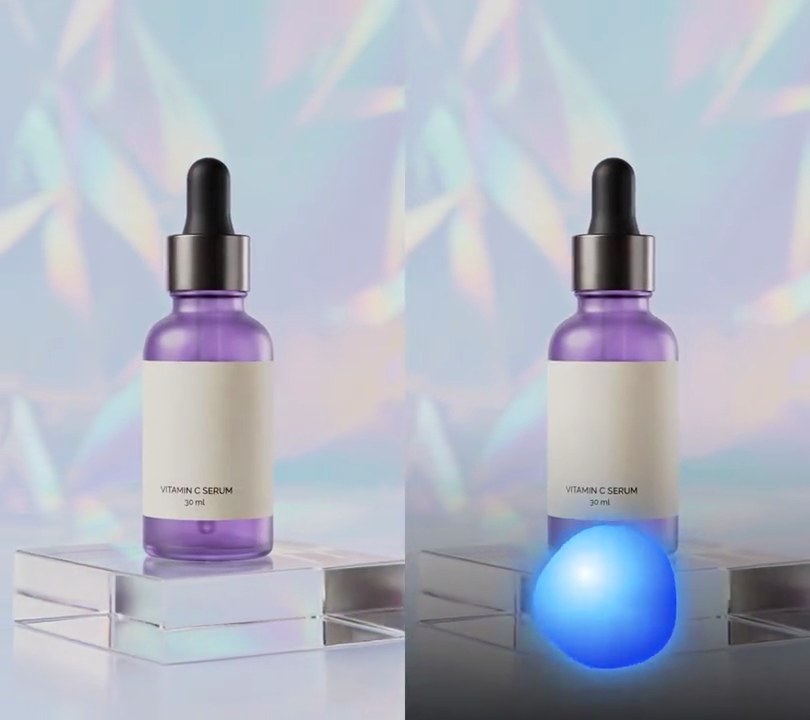
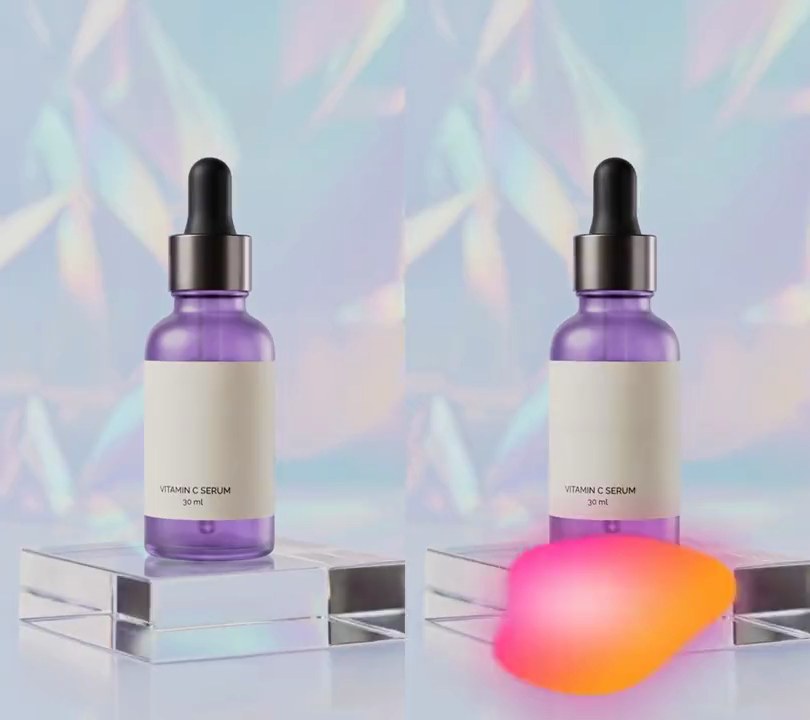
Get this effect
Switch to Code in your Claude Desktop App
Install the skill (once)
Show the prompt
Install the Recharm video effects skill: download https://recharm-growth-staging.s3.us-east-2.amazonaws.com/website/downloads/recharm-video-effects.zip and unzip it into ~/.claude/skillsAsk for the effect
Add a flowing voice wave to input.mp4
Ribbons: pink, cyan, violet

Several videos, several effects, one ask
Put your clips in the folder, mention them with @, and ask for everything at once. Claude runs one tested script after another on each clip, then joins them.
Add a flowing voice wave to @clip1.mp4, put a sale badge on @clip2.mp4, give @clip3.mp4 a VHS look, then join all three with crossfades.
Settings you can change
Ask Claude to change any of these, or edit them at the top of the script.
| Setting | Default | What it does |
|---|---|---|
START | 0.2 | Second the wave fades in. |
Y, HEIGHT | 0.80, 0.11 | Where the wave's center line sits (0-1 down the frame) and its tallest swell above and below it, as a share of the frame height. |
RIBBONS | pink, cyan, violet | Each ribbon's color, how many waves cross the frame, how fast they drift and how tall it gets compared with the others. |
FILL | 150 | Brightness (0-255) of each ribbon's fill. 0 leaves just the outlines. |
SHADE | 150 | Opacity (0-255) of the dark band behind the wave. 0 removes it. |
ATTACK, RELEASE | 0.6, 0.12 | How fast the wave rises with the voice and settles after it. Higher follows each syllable more closely. |
Without the skill
Don’t want to install the skill? Paste this prompt into Claude Code and Claude writes the script itself.
Show the prompt
Add a flowing voice wave to input.mp4 (540x960, 30fps, with a voiceover), like an assistant's listening animation. From 0.2 seconds, fading in over 0.2 seconds, draw a soft dark band across the full width, centered 80% down the frame and 28.6% of the frame height tall: black at 150/255 opacity in the middle, fading to clear at its top and bottom edges (opacity times 1 - d squared, d going from -1 at the top to 1 at the bottom). On it, centered on the same line, draw three overlapping ribbons in pink (255, 60, 150), cyan (40, 210, 255) and violet (140, 90, 255). With u running from -1 at the left edge to 1 at the right, each ribbon's half-height is A * size * (1 - u^2)^2 * |sin(u * waves * pi + speed * t)|, mirrored above and below the center line, filled at 150/255 of full color with a 2 pixel full-color edge line on top and bottom, plus a glow of the same shape blurred with an 8 pixel Gaussian at 80% strength. Pink: waves 1.5, speed 4 radians per second, size 1.0. Cyan: waves 2.2, speed -5, size 0.8. Violet: waves 3.0, speed 6.5, size 0.6. Add the ribbons' light together (where they overlap, sum their colors; use the strongest channel as the opacity and scale the color to full strength). A is 11% of the frame height times the voice level: take the RMS of each frame's 1/30 second of audio, divide by the loudest frame's RMS, take the square root, then smooth it frame by frame, closing 60% of the gap when it rises and 12% when it falls; never let the level drop below 0.04, so a thin line stays during silence. Nothing is drawn before 0.2 seconds or above 66% down the frame. Use Python with numpy and Pillow to read the audio and draw it and ffmpeg to put it on the video (don't use ffmpeg's drawtext filter), keep the audio, and save it as output.mp4.Run it without Claude
This is the exact script we tested. Save it as flowing-voice-wave.py and run:
python3 flowing-voice-wave.py input.mp4 output.mp4Show the script
#!/usr/bin/env python3
"""Flowing voice wave: pink, cyan and violet sine ribbons overlap low in the frame and swell as the voice gets louder.

Usage: python3 flowing-voice-wave.py input.mp4 output.mp4  (the input needs a voice track)
Needs ffmpeg, Pillow and numpy (pip install pillow numpy).
"""
import json
import math
import subprocess
import sys

import numpy as np
from PIL import Image, ImageDraw, ImageFilter

START = 0.2               # second the wave fades in
FADE = 0.2                # seconds the fade-in takes
Y = 0.80                  # wave center (0-1 down the frame)
HEIGHT = 0.11             # tallest swell above and below the center, as a share of the frame height
RIBBONS = [               # color, waves across the frame, drift speed (radians per second), height multiplier
    ((255, 60, 150), 1.5, 4.0, 1.0),     # pink
    ((40, 210, 255), 2.2, -5.0, 0.8),    # cyan
    ((140, 90, 255), 3.0, 6.5, 0.6),     # violet
]
FILL = 150                # brightness (0-255) of each ribbon's fill; its edge lines are full brightness
GLOW = 8                  # blur radius of the glow around each ribbon, in pixels
SHADE = 150               # opacity (0-255) of the soft dark band behind the wave
IDLE = 0.04               # wave height left during silence, so a thin line stays on screen
ATTACK, RELEASE = 0.6, 0.12   # share of the gap to the new loudness closed each frame, rising and falling
RATE = 48000              # audio samples per second read from the input


def audio(path):
    """The soundtrack as mono floats from -1 to 1."""
    raw = subprocess.check_output(["ffmpeg", "-v", "error", "-i", path, "-f", "s16le", "-ac", "1", "-ar", str(RATE), "-"])
    return np.frombuffer(raw, np.int16).astype(np.float32) / 32768


def loudness(sound, frames):
    """Smoothed loudness (0-1) for every frame from the RMS of its slice of sound, quick to rise and slow to fall."""
    step = RATE / fps
    sound = np.pad(sound, (0, max(0, round(frames * step) - len(sound))))   # silence past the end of the track
    rms = np.array([np.sqrt(np.mean(sound[round(i * step):round((i + 1) * step)] ** 2)) for i in range(frames)])
    rms = np.sqrt(rms / max(rms.max(), 1e-6))   # square root lifts quieter words so they still show
    level, out = 0.0, []
    for r in rms:
        level += (r - level) * (ATTACK if r > level else RELEASE)
        out.append(level)
    return out


def band():
    """A dark band behind the wave that fades out at its top and bottom edges."""
    bh = round(h * HEIGHT * 2.6)
    rows = 1 - np.abs(np.linspace(-1, 1, bh)) ** 2
    alpha = np.repeat((rows * SHADE).astype(np.uint8)[:, None], w, axis=1)
    img = Image.new("RGBA", (w, bh), (0, 0, 0, 0))
    img.putalpha(Image.fromarray(alpha))
    return img


def wave(t, level):
    """The ribbons for time t: each is a sine curve mirrored about the center line and tapered at both ends.
    Their light adds up, so where ribbons cross, their colors blend and glow brighter."""
    bh = band_img.height
    mid = bh / 2
    u = np.linspace(-1, 1, w)
    taper = (1 - u ** 2) ** 2
    amp = h * HEIGHT * max(level, IDLE)
    light = np.zeros((bh, w, 3), np.float32)
    for color, waves, speed, size in RIBBONS:
        y = amp * size * taper * np.abs(np.sin(u * waves * math.pi + speed * t))
        top = list(zip(range(w), mid - y))
        bottom = list(zip(range(w), mid + y))
        shape = Image.new("L", (w, bh))
        draw = ImageDraw.Draw(shape)
        draw.polygon(top + bottom[::-1], fill=FILL)
        draw.line(top, fill=255, width=2)
        draw.line(bottom, fill=255, width=2)
        glow = shape.filter(ImageFilter.GaussianBlur(GLOW))
        mask = np.maximum(np.asarray(shape, np.float32), np.asarray(glow, np.float32) * 0.8) / 255
        light += mask[:, :, None] * np.array(color, np.float32)
    alpha = np.clip(light.max(axis=2), 0, 255)
    rgb = np.clip(light * 255 / np.maximum(light.max(axis=2), 1)[:, :, None], 0, 255)   # full-strength color, alpha carries the brightness
    rgba = np.dstack([rgb, alpha]).astype(np.uint8)
    img = band_img.copy()
    img.alpha_composite(Image.fromarray(rgba))
    return img


def overlay(i):
    t = i / fps
    img = Image.new("RGBA", (w, h))
    fade = min(max((t - START) / FADE, 0), 1)
    if fade > 0:
        s = wave(t, levels[i])
        s.putalpha(s.getchannel("A").point(lambda a: round(a * fade)))
        img.alpha_composite(s, (0, round(h * Y - s.height / 2)))
    return img


def probe(path):
    info = json.loads(subprocess.check_output(["ffprobe", "-v", "error", "-select_streams", "v:0", "-show_entries",
                                               "stream=width,height,r_frame_rate:format=duration", "-of", "json", path]))
    s = info["streams"][0]
    num, den = s["r_frame_rate"].split("/")
    return s["width"], s["height"], s["r_frame_rate"], float(num) / float(den), float(info["format"]["duration"])


def render(src, out):
    """Draw overlay(i) on every frame of src and save to out, keeping the audio."""
    ff = subprocess.Popen(["ffmpeg", "-y", "-v", "error", "-i", src,
                           "-f", "rawvideo", "-pix_fmt", "rgba", "-s", f"{w}x{h}", "-r", rate, "-i", "-",
                           "-filter_complex", "[0:v][1:v]overlay=shortest=1,format=yuv420p[v]",
                           "-map", "[v]", "-map", "0:a?", "-c:v", "libx264", "-crf", "18", "-c:a", "copy", out],
                          stdin=subprocess.PIPE)
    for i in range(frames):
        ff.stdin.write(overlay(i).tobytes())
    ff.stdin.close()
    if ff.wait():
        sys.exit("ffmpeg failed")


src, out = sys.argv[1:3]
w, h, rate, fps, duration = probe(src)
frames = math.ceil(duration * fps)
levels = loudness(audio(src), frames)
band_img = band()
render(src, out)