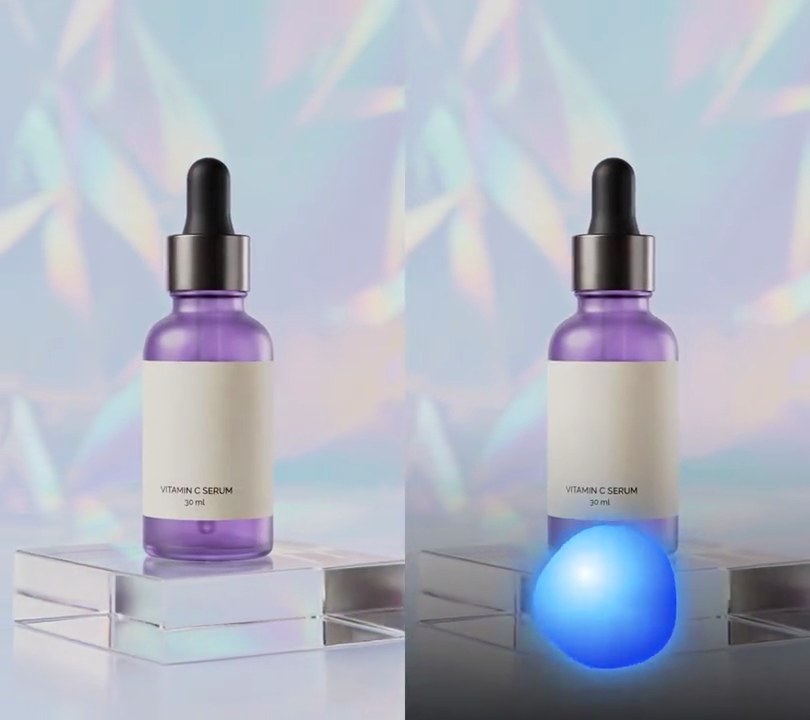
Get this effect
Switch to Code in your Claude Desktop App
Install the skill (once)
Show the prompt
Install the Recharm video effects skill: download https://recharm-growth-staging.s3.us-east-2.amazonaws.com/website/downloads/recharm-video-effects.zip and unzip it into ~/.claude/skillsAsk for the effect
Add a flash on beat to input.mp4
Your track's tempo; librosa uses it to find where each beat falls: 120
How white the frame gets on a beat: 0.85

Several videos, several effects, one ask
Put your clips in the folder, mention them with @, and ask for everything at once. Claude runs one tested script after another on each clip, then joins them.
Add a flash on beat to @clip1.mp4, put a sale badge on @clip2.mp4, give @clip3.mp4 a VHS look, then join all three with crossfades.
Settings you can change
Ask Claude to change any of these, or edit them at the top of the script.
| Setting | Default | What it does |
|---|---|---|
BPM | 120 | Your track's tempo; librosa uses it to find where each beat falls. |
OPACITY | 0.85 | How white the frame gets on a beat. 1 is solid white. |
DECAY | 0.25 | Seconds each flash takes to fade back. Keep it under the gap between beats. |
CURVE | 2 | Fade shape: 1 fades evenly, higher drops off faster right after the hit. |
Without the skill
Don’t want to install the skill? Paste this prompt into Claude Code and Claude writes the script itself.
Show the prompt
In input.mp4 (540x960, 30fps, 6 seconds, a 120 BPM drum loop), make the whole frame flash white on every beat of the music. Find the beats with librosa: decode the audio to mono at 22050 Hz and run librosa.beat.beat_track(y=audio, sr=22050, bpm=120, units="time"), which puts beats about every 0.5 seconds from 0.5s on. For each beat take the video frame at round(beat x 30) as the flash's first frame. On that frame blend every pixel 85% of the way to white (255, 255, 255): new = old + (255 - old) x 0.85, over the whole frame. Then fade the white back out over 0.25 seconds: at p = seconds since the flash's first frame / 0.25, the white's opacity is 0.85 x (1 - p)^2, reaching 0 at p = 1, so the picture is untouched again a quarter second after each beat until the next beat. Frames away from a beat stay exactly as they are; no text, no zoom and no other changes. Use Python with librosa and numpy to blend the frames and ffmpeg to read and write them. Keep the size, 30fps, 6 second length and the audio, and save it as output.mp4 (H.264, yuv420p).Run it without Claude
This is the exact script we tested. Save it as flash-on-beat.py and run:
python3 flash-on-beat.py input.mp4 output.mp4Show the script
#!/usr/bin/env python3
"""Flash on beat: librosa finds the beats in the soundtrack and the frame flashes white on each one, then fades back.

Usage: python3 flash-on-beat.py input.mp4 output.mp4  (the input needs a music track)
Needs ffmpeg, librosa and numpy (pip install librosa numpy).
"""
import json
import math
import subprocess
import sys

import librosa
import numpy as np

BPM = 120         # your track's tempo; librosa finds where each beat falls
OPACITY = 0.85    # how white the frame gets on a beat (1 = solid white)
DECAY = 0.25      # seconds each flash takes to fade back to the picture
CURVE = 2         # fade shape: 1 fades evenly, higher drops off faster right after the hit
RATE = 22050      # audio sample rate the beat tracking uses


def probe(path):
    info = json.loads(subprocess.check_output(["ffprobe", "-v", "error", "-select_streams", "v:0", "-show_entries",
                                               "stream=width,height,r_frame_rate:format=duration", "-of", "json", path]))
    s = info["streams"][0]
    num, den = s["r_frame_rate"].split("/")
    return s["width"], s["height"], s["r_frame_rate"], float(num) / float(den), float(info["format"]["duration"])


def beat_times(src):
    """Seconds of every beat librosa tracks in the soundtrack."""
    pcm = subprocess.check_output(["ffmpeg", "-v", "error", "-i", src, "-ac", "1", "-ar", str(RATE), "-f", "f32le", "-"])
    audio = np.frombuffer(pcm, np.float32)
    _, beats = librosa.beat.beat_track(y=audio, sr=RATE, bpm=BPM, units="time")
    return beats


def flash_per_frame(beats, frames):
    """White opacity (0-1) for each video frame: OPACITY on a beat's frame, easing to 0 over DECAY seconds."""
    alpha = np.zeros(frames)
    for beat in beats:
        start = round(beat * fps)
        for i in range(start, min(frames, start + math.ceil(DECAY * fps))):
            p = (i - start) / (DECAY * fps)
            alpha[i] = max(alpha[i], OPACITY * (1 - p) ** CURVE)
    return alpha


def render(src, out):
    """Blend white into every frame by its flash opacity and save to out, keeping the audio."""
    frames = math.ceil(duration * fps)
    alpha = flash_per_frame(beat_times(src), frames)
    size = w * h * 3
    reader = subprocess.Popen(["ffmpeg", "-v", "error", "-i", src, "-f", "rawvideo", "-pix_fmt", "rgb24", "-"],
                              stdout=subprocess.PIPE)
    writer = subprocess.Popen(["ffmpeg", "-y", "-v", "error", "-f", "rawvideo", "-pix_fmt", "rgb24", "-s", f"{w}x{h}",
                               "-r", rate, "-i", "-", "-i", src, "-map", "0:v", "-map", "1:a?",
                               "-c:v", "libx264", "-crf", "18", "-pix_fmt", "yuv420p", "-c:a", "copy", "-shortest", out],
                              stdin=subprocess.PIPE)
    for i in range(frames):
        raw = reader.stdout.read(size)
        if len(raw) < size:
            break
        img = np.frombuffer(raw, np.uint8).astype(np.float32)
        writer.stdin.write((img + (255 - img) * alpha[i]).round().astype(np.uint8).tobytes())
    writer.stdin.close()
    reader.stdout.close()
    if writer.wait() or reader.wait():
        sys.exit("ffmpeg failed")


src, out = sys.argv[1:]
w, h, rate, fps, duration = probe(src)
render(src, out)