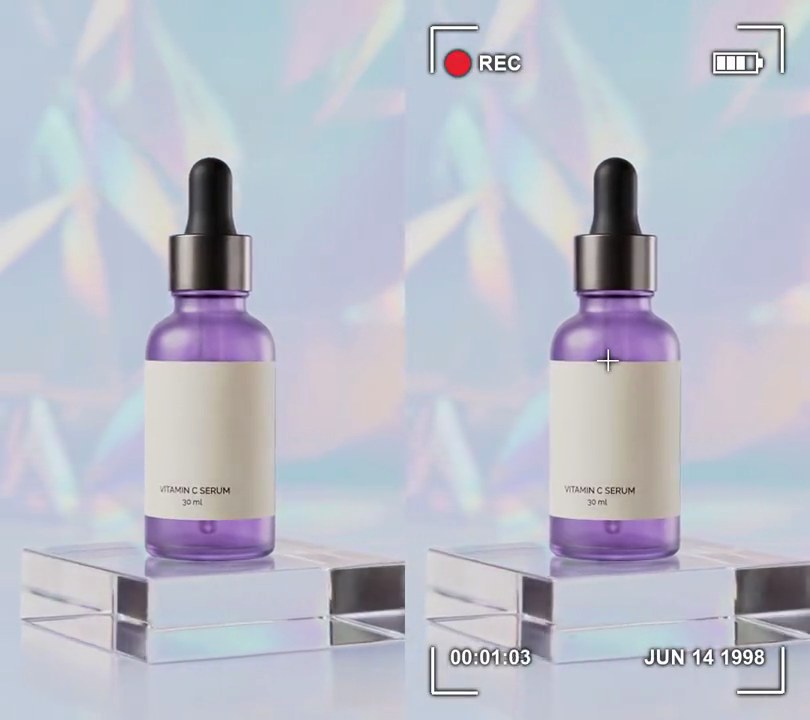
Get this effect
Switch to Code in your Claude Desktop App
Install the skill (once)
Show the prompt
Install the Recharm video effects skill: download https://recharm-growth-staging.s3.us-east-2.amazonaws.com/website/downloads/recharm-video-effects.zip and unzip it into ~/.claude/skillsAsk for the effect
Add a CRT TV to input.mp4
How much the screen bulges; 0 is flat glass, 0.25 is a fishbowl: 0.12
Radius of the screen's rounded corners, in pixels: 60

Several videos, several effects, one ask
Put your clips in the folder, mention them with @, and ask for everything at once. Claude runs one tested script after another on each clip, then joins them.
Add a crt tv to @clip1.mp4, put a sale badge on @clip2.mp4, give @clip3.mp4 a VHS look, then join all three with crossfades.
Settings you can change
Ask Claude to change any of these, or edit them at the top of the script.
| Setting | Default | What it does |
|---|---|---|
CURVE | 0.12 | How much the screen bulges; 0 is flat glass, 0.25 is a fishbowl. |
CORNER | 60 | Radius of the screen's rounded corners, in pixels. |
EDGE | 6 | Pixels over which the picture fades into the black bezel. |
SCANLINE | 4 | Rows per scanline: the last row of each is darkened. |
SCANLINE_DARK | 0.4 | Brightness left in the dark row (1 hides the scanlines). |
BLEED | 2 | Pixels red is pushed right and blue left, like a soft analog signal. |
GLOW | 0.35 | How strongly a blurred copy is screened back over the picture (0-1). |
VIGNETTE | 0.45 | How much the screen darkens toward its corners (0-1). |
FLICKER | 0.04 | Frame-to-frame brightness wobble (0.04 = up to 4%). |
Without the skill
Don’t want to install the skill? Paste this prompt into Claude Code and Claude writes the script itself.
Show the prompt
Make input.mp4 look like it's playing on an old CRT television, from the first frame to the last, using Python with numpy and Pillow and ffmpeg for reading and writing frames. For each 540x960 frame: (1) Color bleed: shift the red channel 2 pixels right and the blue channel 2 pixels left. (2) Soften with a Gaussian blur of radius 1, then add a glow by screen-blending a radius-10 Gaussian-blurred copy at 0.35 strength. (3) Bulge it onto curved glass: with u and v running from -1 to 1 across and down the output, take each output pixel from the source at (u, v) * (1 + 0.12 * (u^2 + v^2)). Anywhere that lands outside the source frame is black bezel; give the screen 60-pixel rounded corners (measured in source pixels) and fade the edge to black over 6 pixels. This leaves the left and right edges black about 26 pixels in at mid-height and the top and bottom about 46 pixels in, with the bezel thicker toward the corners. (4) Darken toward the corners: multiply by 1 - 0.45 * (su^2 + sv^2) / 2, where su, sv are the warped source coordinates. (5) Scanlines: every 4th row of the output (rows 3, 7, 11...) is multiplied by 0.4, straight across the frame. (6) Flicker: multiply frame i's brightness by 1 + 0.04 * sin(2.3i) * sin(0.7i). Keep the 540x960 size, 30fps, 6-second length and the audio. Save it as output.mp4.Run it without Claude
This is the exact script we tested. Save it as crt-tv.py and run:
python3 crt-tv.py input.mp4 output.mp4Show the script
#!/usr/bin/env python3
"""CRT TV: the picture bulges onto a curved glass screen with dark scanlines, soft color bleed and a glow.

Usage: python3 crt-tv.py input.mp4 output.mp4
Needs ffmpeg, numpy and Pillow (pip install numpy pillow).
"""
import json
import subprocess
import sys

import numpy as np
from PIL import Image, ImageFilter

CURVE = 0.12         # how much the screen bulges; 0 is flat glass, 0.25 is a fishbowl
CORNER = 60          # radius of the screen's rounded corners, in pixels
EDGE = 6             # pixels over which the picture fades into the black bezel
SCANLINE = 4         # rows per scanline: the last row of each is darkened
SCANLINE_DARK = 0.4  # brightness left in the dark row (1 hides the scanlines)
BLEED = 2            # pixels red is pushed right and blue left, like a soft analog signal
GLOW = 0.35          # how strongly a blurred copy is screened back over the picture (0-1)
VIGNETTE = 0.45      # how much the screen darkens toward its corners (0-1)
FLICKER = 0.04       # frame-to-frame brightness wobble (0.04 = up to 4%)


def screen_map():
    """For every output pixel, the source pixel it shows through the curved glass, and how much of it is lit."""
    v, u = np.mgrid[-1:1:h * 1j, -1:1:w * 1j].astype(np.float32)
    bulge = 1 + CURVE * (u * u + v * v)
    su, sv = u * bulge, v * bulge
    xs = np.clip(((su + 1) / 2 * (w - 1)).round().astype(int), 0, w - 1)
    ys = np.clip(((sv + 1) / 2 * (h - 1)).round().astype(int), 0, h - 1)
    # distance inside the screen's rounded edge, in pixels: negative means outside, on the bezel
    qx = np.abs(su) * w / 2 - (w / 2 - CORNER)
    qy = np.abs(sv) * h / 2 - (h / 2 - CORNER)
    inside = CORNER - np.hypot(np.maximum(qx, 0), np.maximum(qy, 0)) - np.minimum(np.maximum(qx, qy), 0)
    lit = np.clip(inside / EDGE, 0, 1)
    lit *= 1 - VIGNETTE * (su * su + sv * sv) / 2
    lit *= np.where(np.arange(h)[:, None] % SCANLINE == SCANLINE - 1, SCANLINE_DARK, 1.0)
    return ys, xs, lit[..., None].astype(np.float32)


def crt(img, i):
    bled = img.copy()
    bled[:, BLEED:, 0] = img[:, :-BLEED, 0]
    bled[:, :-BLEED, 2] = img[:, BLEED:, 2]
    soft = np.asarray(Image.fromarray(bled).filter(ImageFilter.GaussianBlur(1)), np.float32)
    halo = np.asarray(Image.fromarray(bled).filter(ImageFilter.GaussianBlur(10)), np.float32)
    glowing = 255 - (255 - soft) * (255 - GLOW * halo) / 255
    flicker = 1 + FLICKER * np.sin(i * 2.3) * np.sin(i * 0.7)
    return np.clip(glowing[ys, xs] * lit * flicker, 0, 255).astype(np.uint8)


src, out = sys.argv[1:3]
info = json.loads(subprocess.check_output(["ffprobe", "-v", "error", "-select_streams", "v:0", "-show_entries",
                                           "stream=width,height", "-of", "json", src]))["streams"][0]
w, h = info["width"], info["height"]
ys, xs, lit = screen_map()

reader = subprocess.Popen(["ffmpeg", "-v", "error", "-i", src, "-r", "30", "-f", "rawvideo", "-pix_fmt", "rgb24", "-"],
                          stdout=subprocess.PIPE)
writer = subprocess.Popen(["ffmpeg", "-y", "-v", "error", "-f", "rawvideo", "-pix_fmt", "rgb24", "-s", f"{w}x{h}",
                           "-r", "30", "-i", "-", "-i", src, "-map", "0:v", "-map", "1:a?", "-c:v", "libx264",
                           "-crf", "18", "-pix_fmt", "yuv420p", "-c:a", "copy", "-shortest", out],
                          stdin=subprocess.PIPE)
i = 0
while True:
    raw = reader.stdout.read(w * h * 3)
    if len(raw) < w * h * 3:
        break
    writer.stdin.write(crt(np.frombuffer(raw, np.uint8).reshape(h, w, 3), i).tobytes())
    i += 1
writer.stdin.close()
if reader.wait() or writer.wait():
    sys.exit("ffmpeg failed")