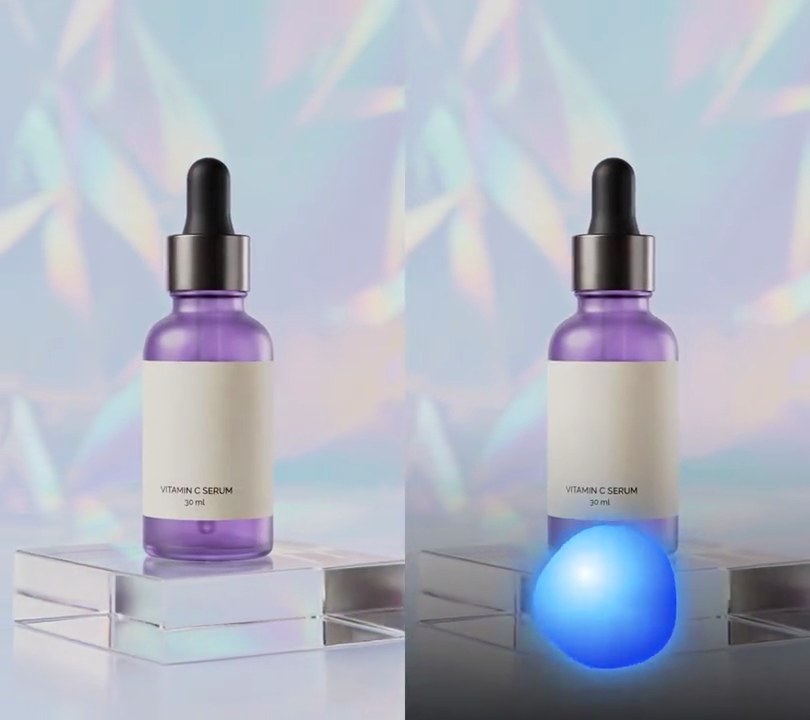
Get this effect
Switch to Code in your Claude Desktop App
Install the skill (once)
Show the prompt
Install the Recharm video effects skill: download https://recharm-growth-staging.s3.us-east-2.amazonaws.com/website/downloads/recharm-video-effects.zip and unzip it into ~/.claude/skillsAsk for the effect
Add bouncing ball lyrics to input.mp4
Most words on screen at once: 8
Most words on one row: 4

Several videos, several effects, one ask
Put your clips in the folder, mention them with @, and ask for everything at once. Claude runs one tested script after another on each clip, then joins them.
Add bouncing ball lyrics to @clip1.mp4, put a sale badge on @clip2.mp4, give @clip3.mp4 a VHS look, then join all three with crossfades.
Settings you can change
Ask Claude to change any of these, or edit them at the top of the script.
| Setting | Default | What it does |
|---|---|---|
PAGE_WORDS | 8 | Most words on screen at once. |
ROW_WORDS | 4 | Most words on one row. |
SIZE | 0.09 | Text height as a share of the frame width. |
Y | 0.78 | Where the lyric block's center sits, from 0 (top) to 1 (bottom). |
LEADING | 2.0 | Row spacing in text heights, leaving room for the ball above each row. |
BALL | 0.03 | Ball radius as a share of the frame width. |
HOP | 0.06 | How high the ball arcs between words, as a share of the frame height. |
SQUASH | 0.1 | Seconds the ball stays squashed after it lands. |
LEAD | 0.4 | Seconds the lyric is up before its first word. |
HOLD | 0.8 | Seconds the lyric stays after its last word. |
FADE | 0.2 | Seconds the lyric takes to fade in or out. |
SUNG, UNSUNG | (255, 210, 0), (255, 255, 255) | Word colors after and before the ball reaches them. |
BALL_COLOR | (235, 40, 60) | The ball's color. |
Without the skill
Don’t want to install the skill? Paste this prompt into Claude Code and Claude writes the script itself.
Show the prompt
Add bouncing ball lyrics to input.mp4. Transcribe its vocals with faster-whisper (model base.en, word timestamps). Put up to 8 words on screen at once in rows of 4, in white Arial Black (or another heavy bold font) 9% of the frame width tall, shrunk if a row is wider than 88% of the frame, with a black outline about 1/14 of the text height thick. Center each row horizontally; space the rows 2 text heights apart with the block centered 78% of the way down. The lyric comes up 0.4 seconds before its first word (straight away if that is before 0s) and fades out over 0.2 seconds ending 0.8 seconds after its last word. A red ball (RGB 235,40,60, radius 3% of the frame width, thin black outline and a small white shine) lands on top of each word, centered over it with its bottom 1.2% of the frame height above the capital letters, at the moment that word starts, and between words travels in a parabola that peaks 6% of the frame height above the straight line between the two landing spots; for the 0.4 seconds before the first word it hops in from 12% of the frame width to the left of that word. For 0.1 seconds after each landing it squashes to 130% wide and 70% tall, easing back. Each word turns yellow (RGB 255,210,0) the moment the ball lands on it and stays yellow. Draw the text and ball with Python and Pillow (don't use ffmpeg's drawtext filter), put them on the video with ffmpeg, keep the audio, and save it as output.mp4.Run it without Claude
This is the exact script we tested. Save it as bouncing-ball-lyrics.py and run:
python3 bouncing-ball-lyrics.py input.mp4 output.mp4Show the script
#!/usr/bin/env python3
"""Bouncing ball lyrics: a red ball hops from word to word over the lyric, landing on each word as it is sung and turning it yellow.

Usage: python3 bouncing-ball-lyrics.py input.mp4 output.mp4
Needs ffmpeg, Pillow and faster-whisper (pip install pillow faster-whisper); the "base.en" model downloads on first run.
For a song, separate the vocals first (for example with Demucs) and transcribe those for cleaner timing.
"""
import json
import math
import subprocess
import sys
from pathlib import Path

from faster_whisper import WhisperModel
from PIL import Image, ImageDraw, ImageFont

PAGE_WORDS = 8               # most words on screen at once
ROW_WORDS = 4                # most words on one row
SIZE = 0.09                  # text height as a share of the frame width (shrinks so each row fits)
Y = 0.78                     # where the lyric block's center sits (0 = top, 1 = bottom)
LEADING = 2.0                # row spacing, in text heights (leaves room for the ball above each row)
BALL = 0.03                  # ball radius as a share of the frame width
HOP = 0.06                   # how high the ball arcs between words, as a share of the frame height
SQUASH = 0.1                 # seconds the ball stays squashed after it lands
LEAD = 0.4                   # seconds the lyric is up before its first word
HOLD = 0.8                   # seconds the lyric stays after its last word
FADE = 0.2                   # seconds the lyric takes to fade in or out
SUNG, UNSUNG = (255, 210, 0), (255, 255, 255)   # word colors after and before the ball reaches them
BALL_COLOR = (235, 40, 60)
FONTS = ["/System/Library/Fonts/Supplemental/Arial Black.ttf",    # macOS
         "/usr/share/fonts/truetype/dejavu/DejaVuSans-Bold.ttf",  # Linux
         "C:/Windows/Fonts/ariblk.ttf"]                           # Windows
FONT_FILE = next((f for f in FONTS if Path(f).exists()), None) or sys.exit("No bold font found: add one to FONTS")


def transcribe(src):
    """(word, start, end) for every word Whisper hears, in order."""
    model = WhisperModel("base.en", device="cpu", compute_type="int8")
    segments, _ = model.transcribe(src, word_timestamps=True)
    return [(word.word.strip(), word.start, word.end) for s in segments for word in s.words]


def layout(words):
    """A page of words in rows of ROW_WORDS, shrunk until every row fits 88% of the frame width.
    Each word gets the (x, y) of its text's left baseline."""
    rows = [words[i:i + ROW_WORDS] for i in range(0, len(words), ROW_WORDS)]
    size = round(w * SIZE)
    font = ImageFont.truetype(FONT_FILE, size)
    while size > 16 and max(font.getlength(" ".join(x[0] for x in r)) for r in rows) > w * 0.88:
        size -= 2
        font = ImageFont.truetype(FONT_FILE, size)
    space = font.getlength(" ")
    placed = []
    for i, row in enumerate(rows):
        y = h * Y + (i - (len(rows) - 1) / 2) * size * LEADING
        x = (w - font.getlength(" ".join(x[0] for x in row))) / 2
        for text, start, end in row:
            placed.append({"text": text, "start": start, "x": x, "y": y, "width": font.getlength(text)})
            x += font.getlength(text) + space
    return font, placed


def pages(words):
    """Each page of PAGE_WORDS words with the time it comes up and goes."""
    groups = [words[i:i + PAGE_WORDS] for i in range(0, len(words), PAGE_WORDS)]
    out = []
    for i, group in enumerate(groups):
        end = groups[i + 1][0][1] - LEAD if i + 1 < len(groups) else group[-1][2] + HOLD
        font, placed = layout(group)
        out.append((max(0, group[0][1] - LEAD), end, font, placed))
    return out


def ball_position(t, font, placed):
    """Where the ball's bottom sits at t: resting on a word, or partway along a parabola to the next one.
    Returns (x, y, seconds since it last landed)."""
    cap = font.getbbox("H", anchor="ls")[1]     # cap height above the baseline (negative)
    spots = [(p["start"], p["x"] + p["width"] / 2, p["y"] + cap - h * 0.012) for p in placed]   # just above the capitals
    first = spots[0]
    spots.insert(0, (first[0] - LEAD, first[1] - w * 0.12, first[2]))   # hops in from the left
    for (t0, x0, y0), (t1, x1, y1) in zip(spots, spots[1:]):
        if t < t1:
            p = max(0.0, (t - t0) / (t1 - t0))
            return x0 + (x1 - x0) * p, y0 + (y1 - y0) * p - HOP * h * 4 * p * (1 - p), t - t0
    t_last, x, y = spots[-1]
    return x, y, t - t_last


def overlay(t):
    img = Image.new("RGBA", (w, h))
    for start, end, font, placed in pages_list:
        if not start <= t < end:
            continue
        layer = Image.new("RGBA", (w, h))
        draw = ImageDraw.Draw(layer)
        for p in placed:
            color = SUNG if t >= p["start"] else UNSUNG
            draw.text((p["x"], p["y"]), p["text"], font=font, anchor="ls", fill=color,
                      stroke_width=max(2, font.size // 14), stroke_fill=(0, 0, 0))
        x, y, landed = ball_position(t, font, placed)
        squash = 0.3 * max(0.0, 1 - landed / SQUASH)
        rx, ry = w * BALL * (1 + squash), w * BALL * (1 - squash)
        draw.ellipse([x - rx, y - 2 * ry, x + rx, y], fill=BALL_COLOR, outline=(0, 0, 0), width=2)
        draw.ellipse([x - rx * 0.45, y - ry * 1.6, x - rx * 0.05, y - ry * 1.25], fill=(255, 255, 255, 170))
        fade = min(1.0, (t - start) / FADE if start else 1, (end - t) / FADE)
        layer.putalpha(layer.getchannel("A").point(lambda a: a * fade))
        img.alpha_composite(layer)
    return img


def probe(path):
    info = json.loads(subprocess.check_output(["ffprobe", "-v", "error", "-select_streams", "v:0", "-show_entries",
                                               "stream=width,height,r_frame_rate:format=duration", "-of", "json", path]))
    s = info["streams"][0]
    num, den = s["r_frame_rate"].split("/")
    return s["width"], s["height"], s["r_frame_rate"], float(num) / float(den), float(info["format"]["duration"])


def render(src, out):
    """Draw overlay(t) on every frame of src and save to out, keeping the audio."""
    ff = subprocess.Popen(["ffmpeg", "-y", "-v", "error", "-i", src,
                           "-f", "rawvideo", "-pix_fmt", "rgba", "-s", f"{w}x{h}", "-r", rate, "-i", "-",
                           "-filter_complex", "[0:v][1:v]overlay=shortest=1,format=yuv420p[v]",
                           "-map", "[v]", "-map", "0:a?", "-c:v", "libx264", "-crf", "18", "-c:a", "copy", out],
                          stdin=subprocess.PIPE)
    for i in range(math.ceil(duration * fps)):
        ff.stdin.write(overlay(i / fps).tobytes())
    ff.stdin.close()
    if ff.wait():
        sys.exit("ffmpeg failed")


src, out = sys.argv[1:3]
w, h, rate, fps, duration = probe(src)
pages_list = pages(transcribe(src))
render(src, out)