Get this effect
Switch to Code in your Claude Desktop App
Install the skill (once)
Show the prompt
Install the Recharm video effects skill: download https://recharm-growth-staging.s3.us-east-2.amazonaws.com/website/downloads/recharm-video-effects.zip and unzip it into ~/.claude/skillsAsk for the effect
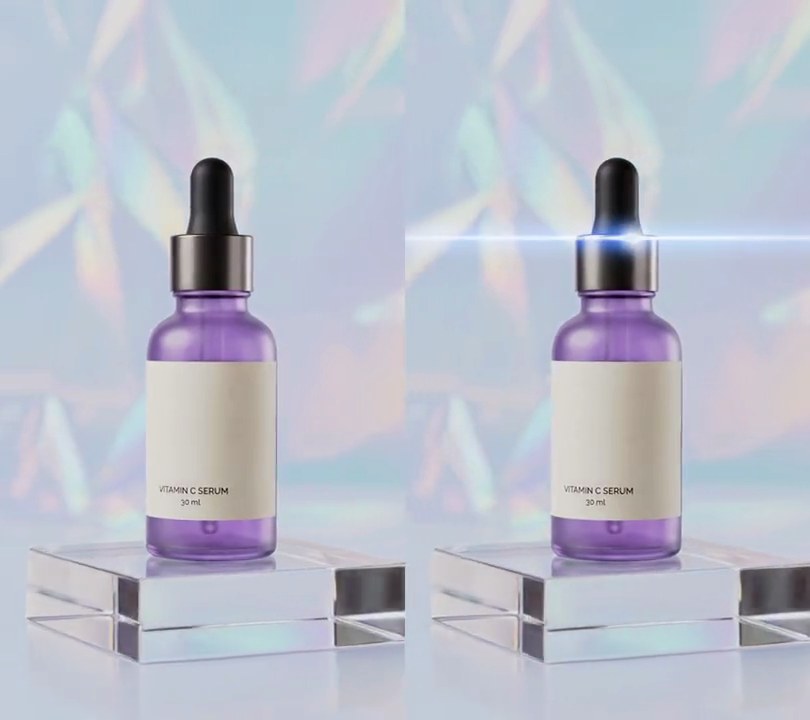
Add a star glint to input.mp4
Seconds the stars are fully on between: 1.0, 5.0
Seconds the stars take to grow in and shrink away: 0.4

Several videos, several effects, one ask
Put your clips in the folder, mention them with @, and ask for everything at once. Claude runs one tested script after another on each clip, then joins them.
Add a star glint to @clip1.mp4, put a sale badge on @clip2.mp4, give @clip3.mp4 a VHS look, then join all three with crossfades.
Settings you can change
Ask Claude to change any of these, or edit them at the top of the script.
| Setting | Default | What it does |
|---|---|---|
START, END | 1.0, 5.0 | Seconds the stars are fully on between. |
FADE | 0.4 | Seconds the stars take to grow in and shrink away. |
THRESHOLD | 30 | How far a glint must outshine its surroundings (0-255) to get a star; lower it for more stars. |
SPACING | 90 | Closest two stars can be, in pixels. |
LENGTH | 110 | Longest spike, center to tip, in pixels. |
ANGLE | 15 | Tilt of the main cross, in degrees. |
HALO | (190, 215, 255) | Color of the soft glow around each star's center. |
Without the skill
Don’t want to install the skill? Paste this prompt into Claude Code and Claude writes the script itself.
Show the prompt
Add a star filter effect to input.mp4 with Python (numpy) and ffmpeg. On every frame, find the glints: take the frame's gray level on a 4-pixel grid, subtract the average of the 13x13 grid points around each point, ignore points darker than 200, and blend this map 50/50 with the previous frame's so it doesn't flicker. Every local peak at least 90 pixels from a stronger one that outshines its surroundings by more than 30 gets a star centered on it: four long white (255, 255, 255) spikes tilted 15 degrees, four spikes 40% as long at 45 degrees to them, a soft blue-white (190, 215, 255) halo and a hot white center. A star is 110 pixels from center to spike tip when its glint outshines its surroundings by 60 or more, shrinking with the square root of the amount over 30 below that. Spikes are about 1.5 pixels thick and taper to nothing at the tip. Screen-blend the stars over the frame. They grow in from nothing between 0.6 and 1.0 seconds, stay until 5.0 seconds and shrink away by 5.4 seconds; before and after, the frames are untouched. Keep the audio and save it as output.mp4.Run it without Claude
This is the exact script we tested. Save it as star-glint.py and run:
python3 star-glint.py input.mp4 output.mp4Show the script
#!/usr/bin/env python3
"""Star glint: the brightest glints in the shot sprout thin four-point spikes of white light, like a star filter.

Usage: python3 star-glint.py input.mp4 output.mp4
Needs ffmpeg and numpy (pip install numpy).
"""
import json
import subprocess
import sys

import numpy as np
from numpy.lib.stride_tricks import sliding_window_view

START, END = 1.0, 5.0      # seconds the stars are fully on between (they fade in before START and out after END)
FADE = 0.4                 # seconds each fade takes
THRESHOLD = 30             # how far a glint must outshine its surroundings (0-255) to get a star; twice this is full size
SPACING = 90               # closest two stars can be, in pixels
SMOOTHING = 0.5            # 0-1: how much of the last frame's highlight map carries over, so stars don't flicker
LENGTH = 110               # longest spike, from the center to its tip, in pixels
ANGLE = 15                 # tilt of the main cross, in degrees (the short spikes sit 45 degrees off it)
COLOR = (255, 255, 255)    # spikes and center
HALO = (190, 215, 255)     # soft glow round the center: cool blue-white


def probe(path):
    info = json.loads(subprocess.check_output(["ffprobe", "-v", "error", "-select_streams", "v:0", "-show_entries",
                                               "stream=width,height,r_frame_rate", "-of", "json", path]))
    s = info["streams"][0]
    num, den = s["r_frame_rate"].split("/")
    return s["width"], s["height"], s["r_frame_rate"], float(num) / float(den)


def star(length):
    """One star as an RGB light layer (0-1): four long spikes, four short ones, a halo and a hot center."""
    g = int(length) + 2
    y, x = np.mgrid[-g:g + 1, -g:g + 1].astype(np.float32)
    spikes = np.zeros_like(x)
    for offset, reach in [(0, 1.0), (45, 0.4)]:
        a = np.radians(ANGLE + offset)
        u, v = x * np.cos(a) + y * np.sin(a), -x * np.sin(a) + y * np.cos(a)
        for along, across in [(u, v), (v, u)]:
            taper = np.clip(1 - np.abs(along) / (length * reach), 0, 1)
            spikes = np.maximum(spikes, taper ** 1.5 * np.exp(-(across / (0.7 + 1.8 * taper)) ** 2))
    r2 = (x * x + y * y) / length ** 2
    halo = 0.45 * np.exp(-r2 / 0.012)
    core = np.exp(-r2 / 0.0015)
    white = np.clip(spikes + core, 0, 1)
    return white[..., None] * np.array(COLOR) / 255 + (halo * (1 - white))[..., None] * np.array(HALO) / 255


def highlight_map(img):
    """How far each point (on a 4-pixel grid) outshines the 52x52 pixels around it, counting only bright points."""
    small = img[::4, ::4].mean(axis=2)
    k = np.pad(np.cumsum(np.cumsum(np.pad(small, 6, mode="edge"), 0), 1), ((1, 0), (1, 0)))  # integral image
    local = (k[13:, 13:] - k[:-13, 13:] - k[13:, :-13] + k[:-13, :-13]) / 169             # 13x13 box average
    return (small - local) * (small > 200)


def glints(score):
    """Centers and sizes (0-1) of the peaks in the highlight map: the stronger the glint, the bigger its star."""
    r = SPACING // 8
    nearby_max = sliding_window_view(np.pad(score, r), (2 * r + 1, 2 * r + 1)).max(axis=(2, 3))
    peaks = np.argwhere((score == nearby_max) & (score > THRESHOLD))
    return [(x * 4 + 2, y * 4 + 2, min((score[y, x] - THRESHOLD) / THRESHOLD, 1)) for y, x in peaks]


def strength(t):
    """0-1: how strongly the stars show at time t."""
    return float(np.clip(min(t - START + FADE, END + FADE - t) / FADE, 0, 1))


def light(score, s):
    """Every glint's star added up, as an RGB light layer (0-1), at fade strength s."""
    layer = np.zeros((h, w, 3), np.float32)
    for cx, cy, k in glints(score):
        sprite = star(LENGTH * k ** 0.5 * s)  # square root: small glints still get visible spikes
        r = sprite.shape[0] // 2
        x0, y0, x1, y1 = max(cx - r, 0), max(cy - r, 0), min(cx + r + 1, w), min(cy + r + 1, h)
        layer[y0:y1, x0:x1] += sprite[y0 - cy + r:y1 - cy + r, x0 - cx + r:x1 - cx + r] * s
    return np.minimum(layer, 1)


src, out = sys.argv[1:3]
w, h, rate, fps = probe(src)
reader = subprocess.Popen(["ffmpeg", "-v", "error", "-i", src, "-f", "rawvideo", "-pix_fmt", "rgb24", "-"],
                          stdout=subprocess.PIPE)
writer = subprocess.Popen(["ffmpeg", "-y", "-v", "error", "-f", "rawvideo", "-pix_fmt", "rgb24", "-s", f"{w}x{h}",
                           "-r", rate, "-i", "-", "-i", src, "-map", "0:v", "-map", "1:a?",
                           "-c:v", "libx264", "-crf", "16", "-pix_fmt", "yuv420p", "-c:a", "copy", "-shortest", out],
                          stdin=subprocess.PIPE)
score = None
i = 0
while raw := reader.stdout.read(w * h * 3):
    img = np.frombuffer(raw, np.uint8).reshape(h, w, 3)
    fresh = highlight_map(img)
    score = fresh if score is None else SMOOTHING * score + (1 - SMOOTHING) * fresh
    s = strength(i / fps)
    if s > 0:
        base = img / 255.0
        img = ((1 - (1 - base) * (1 - light(score, s))) * 255).round().astype(np.uint8)  # screen blend: only adds light
    writer.stdin.write(img.tobytes())
    i += 1
writer.stdin.close()
if reader.wait() or writer.wait():
    sys.exit("ffmpeg failed")