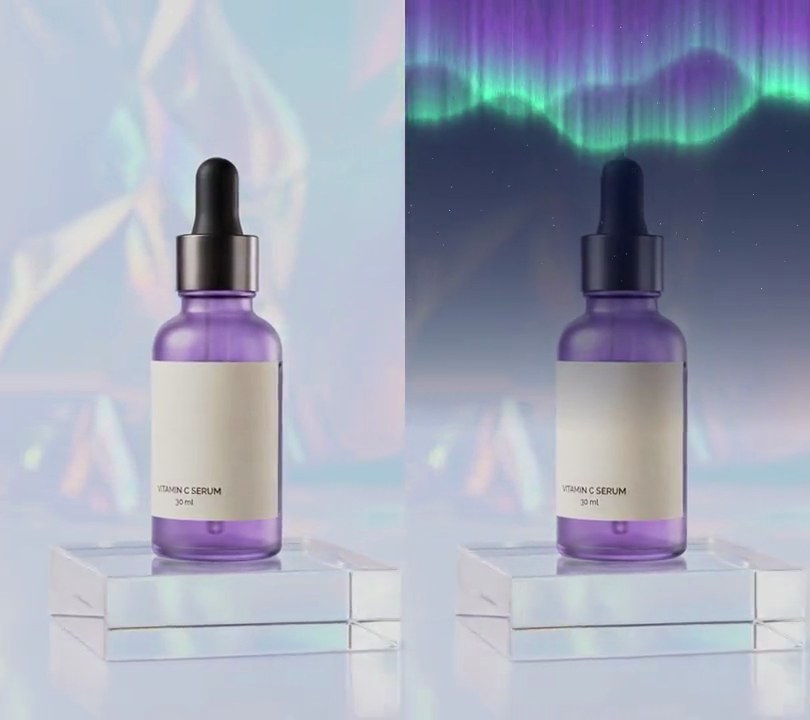
Get this effect
Switch to Code in your Claude Desktop App
Install the skill (once)
Show the prompt
Install the Recharm video effects skill: download https://recharm-growth-staging.s3.us-east-2.amazonaws.com/website/downloads/recharm-video-effects.zip and unzip it into ~/.claude/skillsAsk for the effect
Add an anamorphic streak to input.mp4
Where the glint sits, 0-1 across and down the frame: 0.56, 0.33
Second the streak starts to open, and how many seconds it takes to stretch out: 1.0, 0.3

Several videos, several effects, one ask
Put your clips in the folder, mention them with @, and ask for everything at once. Claude runs one tested script after another on each clip, then joins them.
Add an anamorphic streak to @clip1.mp4, put a sale badge on @clip2.mp4, give @clip3.mp4 a VHS look, then join all three with crossfades.
Settings you can change
Ask Claude to change any of these, or edit them at the top of the script.
| Setting | Default | What it does |
|---|---|---|
X, Y | 0.56, 0.33 | Where the glint sits, 0-1 across and down the frame. |
START, OPEN | 1.0, 0.3 | Second the streak starts to open, and how many seconds it takes to stretch out. |
END, FADE | 3.6, 0.4 | Second it has faded out by, and how many seconds the fade takes. |
LENGTH | 0.9 | How far the streak reaches each way, as a share of the frame width. |
CORE, GLOW | 3, 20 | Half-heights in pixels of the bright line and the blue haze around it. |
CORE_COLOR, GLOW_COLOR | (235, 245, 255), (40, 110, 255) | Colors of the line and glint, and of the haze. |
Without the skill
Don’t want to install the skill? Paste this prompt into Claude Code and Claude writes the script itself.
Show the prompt
Add an anamorphic lens-flare streak to input.mp4. The light source is a point 56% across and 33% down the frame. Build a light layer from three parts, all centered on that point: a thin horizontal line (brightness exp(-(dy/3)^2) with dy the vertical distance in pixels) colored blue-white (235, 245, 255); a round hot spot of the same color (Gaussian, sigma 12 pixels); and a blue (40, 110, 255) haze around the line at 0.9 strength, exp(-(dy/20)^2). Along the line, both line and haze fade with horizontal distance dx from the source as exp(-dx/reach) (the haze uses that to the power 0.6), where reach is 90% of the frame width when fully open, so the line runs to both edges. Where the line or spot is bright, show their color instead of the haze. Combine the layer with each frame by a screen blend (1 - (1 - frame) * (1 - layer), values 0-1), so it only adds light. Timing: leave every frame before 1.0 seconds untouched; from 1.0 to 1.3 seconds the streak opens, with reach and brightness both rising as 1 - (1 - p)^3 (p from 0 to 1), so it stretches out sideways from the source; it holds, shimmering by multiplying its strength by 1 - 0.08*sin(2*pi*3*t); it fades out linearly from 3.2 to 3.6 seconds, and every frame after 3.6 seconds is untouched. Use Python with numpy to build and blend the light and ffmpeg to read and write the video, keep the audio, and save it as output.mp4.Run it without Claude
This is the exact script we tested. Save it as anamorphic-streak.py and run:
python3 anamorphic-streak.py input.mp4 output.mp4Show the script
#!/usr/bin/env python3
"""Anamorphic streak: a thin blue-white line of light shoots out sideways from a glint on the bottle's collar, like a cinema lens flare.

Usage: python3 anamorphic-streak.py input.mp4 output.mp4
Needs ffmpeg and numpy (pip install numpy).
"""
import json
import subprocess
import sys

import numpy as np

X, Y = 0.56, 0.33        # where the glint sits (0-1 across and down the frame)
START = 1.0              # second the streak starts to open
OPEN = 0.3               # seconds it takes to stretch out to full length
END = 3.6                # second it has faded out by
FADE = 0.4               # seconds the fade-out takes
LENGTH = 0.9             # how far the streak reaches each way, as a share of the frame width
CORE = 3                 # half-height of the bright line, in pixels
GLOW = 20                # half-height of the blue haze around it, in pixels
CORE_COLOR = (235, 245, 255)   # the line and the glint: blue-white
GLOW_COLOR = (40, 110, 255)    # the haze: blue


def probe(path):
    info = json.loads(subprocess.check_output(["ffprobe", "-v", "error", "-select_streams", "v:0", "-show_entries",
                                               "stream=width,height,r_frame_rate", "-of", "json", path]))
    s = info["streams"][0]
    num, den = s["r_frame_rate"].split("/")
    return s["width"], s["height"], s["r_frame_rate"], float(num) / float(den)


def strength(t):
    """0-1: how far open the streak is (it stretches out from the glint) and how bright, at time t."""
    if t < START or t >= END:
        return 0.0
    grow = min((t - START) / OPEN, 1)
    fade = min((END - t) / FADE, 1)
    flicker = 1 - 0.08 * np.sin(t * 2 * np.pi * 3)  # a lens flare shimmers slightly
    return (1 - (1 - grow) ** 3) * fade * flicker


def light(s):
    """The streak as an RGB light layer (0-1) for opening/brightness s."""
    reach = max(s, 0.01) * LENGTH * w
    along = np.exp(-dx / reach)                      # fades with distance from the glint
    core = np.exp(-(dy / CORE) ** 2) * along
    glow = 0.9 * np.exp(-(dy / GLOW) ** 2) * along ** 0.6
    spot = np.exp(-(dx ** 2 + dy ** 2) / (2 * 12 ** 2))  # round hot spot at the glint
    layer = (np.minimum(core + spot, 1)[..., None] * core_rgb
             + glow[..., None] * glow_rgb * (1 - np.minimum(core + spot, 1)[..., None]))
    return np.minimum(layer * s, 1)


src, out = sys.argv[1:3]
w, h, rate, fps = probe(src)
y, x = np.mgrid[0:h, 0:w].astype(np.float32)
dx, dy = np.abs(x - X * w), np.abs(y - Y * h)
core_rgb, glow_rgb = np.array(CORE_COLOR) / 255, np.array(GLOW_COLOR) / 255

reader = subprocess.Popen(["ffmpeg", "-v", "error", "-i", src, "-f", "rawvideo", "-pix_fmt", "rgb24", "-"],
                          stdout=subprocess.PIPE)
writer = subprocess.Popen(["ffmpeg", "-y", "-v", "error", "-f", "rawvideo", "-pix_fmt", "rgb24", "-s", f"{w}x{h}",
                           "-r", rate, "-i", "-", "-i", src, "-map", "0:v", "-map", "1:a?",
                           "-c:v", "libx264", "-crf", "18", "-pix_fmt", "yuv420p", "-c:a", "copy", "-shortest", out],
                          stdin=subprocess.PIPE)
i = 0
while raw := reader.stdout.read(w * h * 3):
    img = np.frombuffer(raw, np.uint8).reshape(h, w, 3)
    s = strength(i / fps)
    if s > 0:
        base = img / 255.0
        img = ((1 - (1 - base) * (1 - light(s))) * 255).round().astype(np.uint8)  # screen blend: only adds light
    writer.stdin.write(img.tobytes())
    i += 1
writer.stdin.close()
if reader.wait() or writer.wait():
    sys.exit("ffmpeg failed")