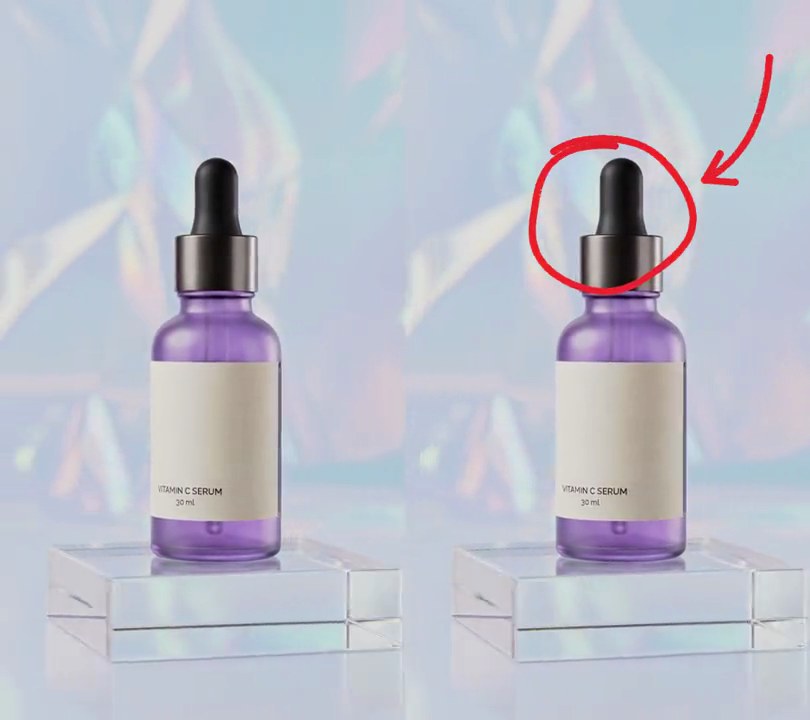
Get this effect
Switch to Code in your Claude Desktop App
Install the skill (once)
Show the prompt
Install the Recharm video effects skill: download https://recharm-growth-staging.s3.us-east-2.amazonaws.com/website/downloads/recharm-video-effects.zip and unzip it into ~/.claude/skillsAsk for the effect
Add a shine sweep to input.mp4
Second the glint enters at the left edge: 1.0
Seconds it takes to cross the frame: 0.8

Several videos, several effects, one ask
Put your clips in the folder, mention them with @, and ask for everything at once. Claude runs one tested script after another on each clip, then joins them.
Add a shine sweep to @clip1.mp4, put a sale badge on @clip2.mp4, give @clip3.mp4 a VHS look, then join all three with crossfades.
Settings you can change
Ask Claude to change any of these, or edit them at the top of the script.
| Setting | Default | What it does |
|---|---|---|
START | 1.0 | Second the glint enters at the left edge. |
SWEEP | 0.8 | Seconds it takes to cross the frame. |
ANGLE | 25 | Tilt of the streak from vertical, in degrees. |
CORE, GLOW | 14, 70 | Half-widths in pixels of the bright streak and the soft glow around it. |
CORE_STRENGTH, GLOW_STRENGTH | 0.9, 0.3 | How far the streak and the glow push pixels toward white (0-1). |
Without the skill
Don’t want to install the skill? Paste this prompt into Claude Code and Claude writes the script itself.
Show the prompt
Add a shine sweep to input.mp4: one bright diagonal glint, tilted 25 degrees from vertical with its top leaning right (like /), that slides once across the whole frame from left to right between 1.0 and 1.8 seconds, starting and ending fully off screen and passing the frame's center at 1.4 seconds. Make it a narrow white streak (each pixel pushed 90% of the way to white at the streak's center, falling off over about 14 pixels either side) inside a soft glow (pushed 30% toward white, falling off over about 70 pixels). Leave every frame before 1.0 seconds and after 1.8 seconds untouched. Use Python with numpy to brighten the frames and ffmpeg to read and write the video, keep the audio, and save it as output.mp4.Run it without Claude
This is the exact script we tested. Save it as shine-sweep.py and run:
python3 shine-sweep.py input.mp4 output.mp4Show the script
#!/usr/bin/env python3
"""Shine sweep: a bright diagonal glint slides once across the frame, left to right, like light catching glass.

Usage: python3 shine-sweep.py input.mp4 output.mp4
Needs ffmpeg and numpy (pip install numpy).
"""
import json
import subprocess
import sys

import numpy as np

START = 1.0       # second the glint enters at the left edge
SWEEP = 0.8       # seconds it takes to cross the frame
ANGLE = 25        # tilt of the streak from vertical, in degrees (top leans right, like /)
CORE = 14         # half-width of the bright streak, in pixels
GLOW = 70         # half-width of the soft glow around it, in pixels
CORE_STRENGTH = 0.9   # how far the streak pushes pixels toward white (0-1)
GLOW_STRENGTH = 0.3   # how far the glow does


def probe(path):
    info = json.loads(subprocess.check_output(["ffprobe", "-v", "error", "-select_streams", "v:0", "-show_entries",
                                               "stream=width,height,r_frame_rate", "-of", "json", path]))
    s = info["streams"][0]
    num, den = s["r_frame_rate"].split("/")
    return s["width"], s["height"], s["r_frame_rate"], float(num) / float(den)


def shine(t):
    """How much of each pixel to push toward white at time t (0-1), or None when the glint is off screen."""
    p = (t - START) / SWEEP
    if not 0 <= p <= 1:
        return None
    center = -GLOW + p * (span + 2 * GLOW)  # glint starts and ends fully off screen
    d = np.abs(along - center)
    return CORE_STRENGTH * np.exp(-(d / CORE) ** 2) + GLOW_STRENGTH * np.exp(-(d / GLOW) ** 2)


src, out = sys.argv[1:3]
w, h, rate, fps = probe(src)
y, x = np.mgrid[0:h, 0:w].astype(np.float32)
slope = np.tan(np.radians(ANGLE))
along = x + y * slope  # position along the sweep; each value is one tilted line of the streak
span = w + h * slope

reader = subprocess.Popen(["ffmpeg", "-v", "error", "-i", src, "-f", "rawvideo", "-pix_fmt", "rgb24", "-"],
                          stdout=subprocess.PIPE)
writer = subprocess.Popen(["ffmpeg", "-y", "-v", "error", "-f", "rawvideo", "-pix_fmt", "rgb24", "-s", f"{w}x{h}",
                           "-r", rate, "-i", "-", "-i", src, "-map", "0:v", "-map", "1:a?",
                           "-c:v", "libx264", "-crf", "18", "-pix_fmt", "yuv420p", "-c:a", "copy", "-shortest", out],
                          stdin=subprocess.PIPE)
i = 0
while raw := reader.stdout.read(w * h * 3):
    img = np.frombuffer(raw, np.uint8).reshape(h, w, 3)
    a = shine(i / fps)
    if a is not None:
        a = np.minimum(a, 1)[..., None]
        img = (img + (255 - img.astype(np.float32)) * a).astype(np.uint8)
    writer.stdin.write(img.tobytes())
    i += 1
writer.stdin.close()
if reader.wait() or writer.wait():
    sys.exit("ffmpeg failed")