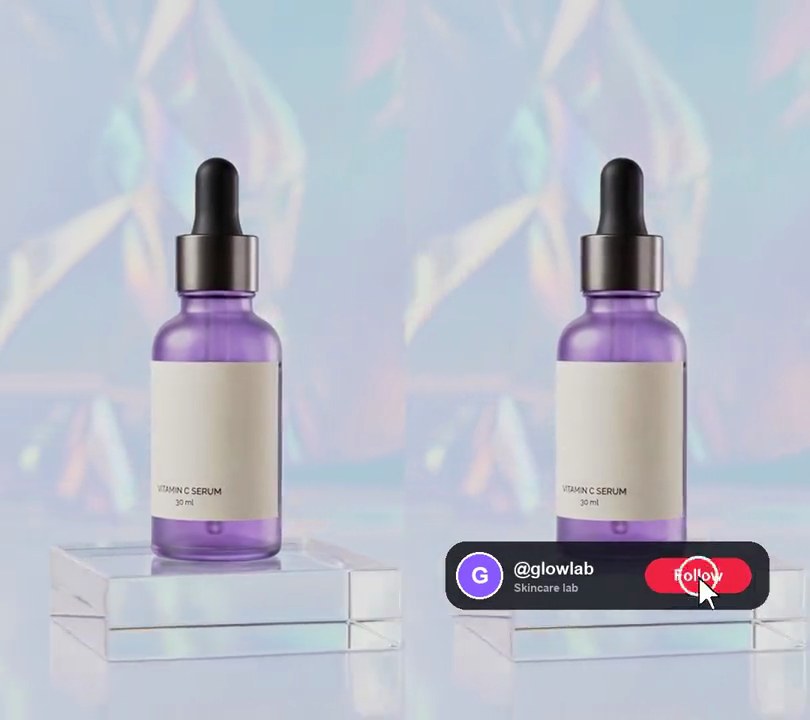
Get this effect
Switch to Code in your Claude Desktop App
Install the skill (once)
Show the prompt
Install the Recharm video effects skill: download https://recharm-growth-staging.s3.us-east-2.amazonaws.com/website/downloads/recharm-video-effects.zip and unzip it into ~/.claude/skillsAsk for the effect
Add a review wall to input.mp4
Reviews: 10 quotes with names

Several videos, several effects, one ask
Put your clips in the folder, mention them with @, and ask for everything at once. Claude runs one tested script after another on each clip, then joins them.
Add a review wall to @clip1.mp4, put a sale badge on @clip2.mp4, give @clip3.mp4 a VHS look, then join all three with crossfades.
Settings you can change
Ask Claude to change any of these, or edit them at the top of the script.
| Setting | Default | What it does |
|---|---|---|
REVIEWS | 10 quotes with names | The reviews, dealt alternately into the two columns. Use your customers' real reviews. |
START | 0.5 | Second the wall starts to rise. |
RISE | 0.6 | Seconds it takes to slide up from below the frame. |
SPEED | 0.12 | Scroll speed, in frame heights per second. |
STAGGER | 0.09 | How much lower the right column sits, as a share of the frame height. |
GAP | 0.033 | Space between and around the cards, as a share of the frame width. |
DIM | 0.5 | How much the video behind the wall is darkened. |
GOLD | (255, 185, 0) | Star color. |
Without the skill
Don’t want to install the skill? Paste this prompt into Claude Code and Claude writes the script itself.
Show the prompt
Add a scrolling wall of customer reviews to input.mp4. Use these ten reviews, dealt alternately into a left and a right column (first to the left, second to the right, and so on), each column repeating its five reviews as often as it needs to stay full to the end: “Brighter skin in one week.” Maya R.; “My dark spots faded so fast.” Jordan K.; “Not sticky at all. I wear it every morning.” Priya S.; “Worth every penny.” Leah T.; “Even my sensitive skin loves it.” Sam O.; “I'm on my third bottle!” Chloe B.; “My friends keep asking what I changed.” Ana M.; “Glowy, never greasy.” Nia W.; “Finally a vitamin C that doesn't sting.” Erin P.; “Smells clean and sinks right in.” Dana L. Each card is a white rounded rectangle (corner radius 6% of the card width) with a soft black drop shadow; on a 540x960 video the cards are 243 pixels wide with an 18 pixel gap around and between the columns (gaps 3.3% of the frame width). Inside, with padding 8% of the card width: a row of five gold (255, 185, 0) five-pointed stars, each 8% of the card width across; the quote in curly quotes in bold near-black (25, 25, 30) text 8% of the card width tall, wrapped to the card; and “— Name” in bold grey (130, 130, 140) text 6% of the card width tall. Cards in a column are stacked with the same 18 pixel gap, and the right column sits 9% of the frame height lower than the left. Nothing shows before 0.5 seconds. From 0.5 seconds the wall rises from fully below the frame until its top is 18 pixels from the top edge, over 0.6 seconds with a cubic ease-out, while also scrolling up steadily at 12% of the frame height per second until the end, so the cards never stop moving. As the wall rises, darken the video behind it with black at 50% opacity, fading in over the same 0.6 seconds. Use Python with Pillow to draw it and ffmpeg to put it on the video (don't rely on ffmpeg's drawtext filter), keep the audio, and save it as output.mp4.Run it without Claude
This is the exact script we tested. Save it as review-wall.py and run:
python3 review-wall.py input.mp4 output.mp4Show the script
#!/usr/bin/env python3
"""Review wall: two columns of white customer review cards rise over the dimmed video and keep scrolling up.

Usage: python3 review-wall.py input.mp4 output.mp4
Needs ffmpeg and Pillow (pip install pillow).
"""
import json
import math
import subprocess
import sys
from pathlib import Path

from PIL import Image, ImageDraw, ImageFilter, ImageFont

REVIEWS = [  # (quote, name), dealt left, right, left... Use your customers' real reviews.
    ("Brighter skin in one week.", "Maya R."),
    ("My dark spots faded so fast.", "Jordan K."),
    ("Not sticky at all. I wear it every morning.", "Priya S."),
    ("Worth every penny.", "Leah T."),
    ("Even my sensitive skin loves it.", "Sam O."),
    ("I'm on my third bottle!", "Chloe B."),
    ("My friends keep asking what I changed.", "Ana M."),
    ("Glowy, never greasy.", "Nia W."),
    ("Finally a vitamin C that doesn't sting.", "Erin P."),
    ("Smells clean and sinks right in.", "Dana L."),
]
START = 0.5              # second the wall starts to rise
RISE = 0.6               # seconds it takes to slide up from below the frame
SPEED = 0.12             # scroll speed after that, in frame heights per second
STAGGER = 0.09           # right column sits this much lower (share of the frame height)
GAP = 0.033              # space between and around the cards, as a share of the frame width
DIM = 0.5                # how much the video behind the wall is darkened (0-1)
GOLD = (255, 185, 0)     # star color
FONTS = ["/System/Library/Fonts/Supplemental/Arial Bold.ttf",     # macOS
         "/usr/share/fonts/truetype/dejavu/DejaVuSans-Bold.ttf",  # Linux
         "C:/Windows/Fonts/arialbd.ttf"]                          # Windows
FONT_FILE = next((f for f in FONTS if Path(f).exists()), None) or sys.exit("No bold font found: add one to FONTS")


def wrap(draw, text, font, width):
    lines = [""]
    for word in text.split():
        trial = f"{lines[-1]} {word}".strip()
        if draw.textlength(trial, font=font) <= width or not lines[-1]:
            lines[-1] = trial
        else:
            lines.append(word)
    return lines


def star(draw, cx, cy, r, fill):
    points = [(cx + (r if i % 2 == 0 else r * 0.45) * math.sin(i * math.pi / 5),
               cy - (r if i % 2 == 0 else r * 0.45) * math.cos(i * math.pi / 5)) for i in range(10)]
    draw.polygon(points, fill=fill)


def card(quote, name, cw):
    """One white review card cw pixels wide: five gold stars, the quote and the name."""
    pad, r = round(cw * 0.08), round(cw * 0.04)
    quote_font = ImageFont.truetype(FONT_FILE, round(cw * 0.08))
    name_font = ImageFont.truetype(FONT_FILE, round(cw * 0.06))
    lines = wrap(ImageDraw.Draw(Image.new("RGBA", (1, 1))), f"\u201c{quote}\u201d", quote_font, cw - 2 * pad)
    line_h = round(quote_font.size * 1.25)
    ch = pad + 2 * r + round(pad * 0.7) + line_h * len(lines) + round(pad * 0.4) + name_font.size + pad
    img = Image.new("RGBA", (cw, ch))
    draw = ImageDraw.Draw(img)
    draw.rounded_rectangle([0, 0, cw - 1, ch - 1], round(cw * 0.06), fill="white")
    x, y = pad, pad
    for i in range(5):
        star(draw, x + r + i * r * 2.4, y + r, r, GOLD)
    y += 2 * r + round(pad * 0.7)
    for line in lines:
        draw.text((x, y), line, font=quote_font, fill=(25, 25, 30))
        y += line_h
    draw.text((x, y + round(pad * 0.4)), f"\u2014 {name}", font=name_font, fill=(130, 130, 140))
    return img


def column(reviews, cw, gap, length):
    """A strip of cards with soft shadows, stacked gap pixels apart, repeating the reviews until it's length tall."""
    cards = []
    while sum(c.height + gap for c in cards) < length:
        q, n = reviews[len(cards) % len(reviews)]
        cards.append(card(q, n, cw))
    shadow = gap // 2
    strip = Image.new("RGBA", (cw + 2 * shadow, sum(c.height + gap for c in cards) + 2 * shadow))
    shade = Image.new("RGBA", strip.size)
    y = shadow
    for c in cards:
        ImageDraw.Draw(shade).rounded_rectangle([shadow, y + 4, shadow + cw, y + c.height + 4], round(cw * 0.06), fill=(0, 0, 0, 120))
        y += c.height + gap
    strip.alpha_composite(shade.filter(ImageFilter.GaussianBlur(shadow / 2)))
    y = shadow
    for c in cards:
        strip.alpha_composite(c, (shadow, y))
        y += c.height + gap
    return strip, shadow


def overlay(t):
    img = Image.new("RGBA", (w, h))
    if t < START:
        return img
    p = min((t - START) / RISE, 1)
    rise = 1 - (1 - p) ** 3                                        # ease-out
    img.paste((0, 0, 0, round(255 * DIM * rise)), (0, 0, w, h))
    top = h * (1 - rise) - SPEED * h * (t - START) + gap           # wall's top edge, moving up
    for i, (strip, shadow) in enumerate(strips):
        y = round(top + i * STAGGER * h) - shadow
        x = gap + i * (cw + gap) - shadow
        img.alpha_composite(strip.crop((0, -y, strip.width, h - y)), (x, 0))  # crop pads off-strip rows with clear
    return img


def probe(path):
    info = json.loads(subprocess.check_output(["ffprobe", "-v", "error", "-select_streams", "v:0", "-show_entries",
                                               "stream=width,height,r_frame_rate:format=duration", "-of", "json", path]))
    s = info["streams"][0]
    num, den = s["r_frame_rate"].split("/")
    return s["width"], s["height"], s["r_frame_rate"], float(num) / float(den), float(info["format"]["duration"])


def render(src, out):
    """Draw overlay(t) on every frame of src and save to out, keeping the audio."""
    ff = subprocess.Popen(["ffmpeg", "-y", "-v", "error", "-i", src,
                           "-f", "rawvideo", "-pix_fmt", "rgba", "-s", f"{w}x{h}", "-r", rate, "-i", "-",
                           "-filter_complex", "[0:v][1:v]overlay=shortest=1,format=yuv420p[v]",
                           "-map", "[v]", "-map", "0:a?", "-c:v", "libx264", "-crf", "18", "-c:a", "copy", out],
                          stdin=subprocess.PIPE)
    for i in range(math.ceil(duration * fps)):
        ff.stdin.write(overlay(i / fps).tobytes())
    ff.stdin.close()
    if ff.wait():
        sys.exit("ffmpeg failed")


src, out = sys.argv[1:3]
w, h, rate, fps, duration = probe(src)
gap = round(w * GAP)
cw = (w - 3 * gap) // 2                                            # two columns with gaps around them
length = h * (1 + STAGGER + SPEED * duration)                      # enough cards to keep the frame full to the end
strips = [column(REVIEWS[0::2], cw, gap, length), column(REVIEWS[1::2], cw, gap, length)]
render(src, out)