Get this effect
Switch to Code in your Claude Desktop App
Install the skill (once)
Show the prompt
Install the Recharm video effects skill: download https://recharm-growth-staging.s3.us-east-2.amazonaws.com/website/downloads/recharm-video-effects.zip and unzip it into ~/.claude/skillsAsk for the effect
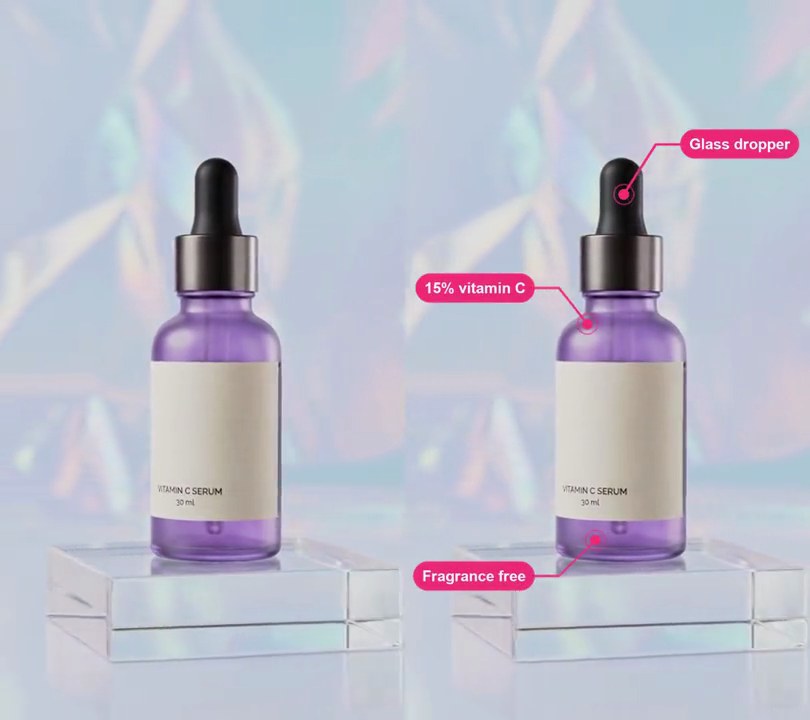
Add a product reflection to input.mp4
Where the product's base sits in the input, as % of the frame height: 78
How far the shot moves up, as % of the frame height, to make room for the floor: 8

Several videos, several effects, one ask
Put your clips in the folder, mention them with @, and ask for everything at once. Claude runs one tested script after another on each clip, then joins them.
Add a product reflection to @clip1.mp4, put a sale badge on @clip2.mp4, give @clip3.mp4 a VHS look, then join all three with crossfades.
Settings you can change
Ask Claude to change any of these, or edit them at the top of the command.
| Setting | Default | What it does |
|---|---|---|
BASE | 78 | Where the product's base sits in the input, as % of the frame height. The mirror line goes there. |
LIFT | 8 | How far the shot moves up, as % of the frame height, to make room for the floor. |
OPACITY | 0.55 | Reflection strength right under the product. It fades to nothing lower down. |
BLUR | 2 | Softness of the reflection, in pixels. |
FLOOR | 0x181420 | Floor color (dark plum). |
Without the skill
Don’t want to install the skill? Paste this prompt into Claude Code and Claude writes the command itself.
Show the prompt
Give the product in input.mp4 (540x960) a glossy floor reflection. Move the picture up by 8% of the frame height: the output's top 672 rows (0-70% down) are the input's rows 76 to 747, so the bottle's base sits on a mirror line 70% down. Fill the 288 rows below that line with a dark plum floor, RGB (24, 20, 32), and over it lay the input's rows 460 to 747 flipped upside down (so the bottle's base touches the line and the reflection hangs below it), blurred with a 2-pixel Gaussian blur, at 55% opacity at the line fading to 0% at the bottom of the frame (opacity = 0.55 * (1 - d)^1.6, where d goes 0 to 1 down the floor). Keep the size, 30fps, 6-second length and the audio. Use ffmpeg and save it as output.mp4.Run it without Claude
This is the exact command we tested. Save it as product-reflection.sh and run:
sh product-reflection.sh input.mp4 output.mp4Show the command
#!/bin/sh
# Product reflection: lift the shot so the product stands on a dark glossy floor, with a faded mirror copy beneath it.
# Usage: sh product-reflection.sh input.mp4 output.mp4
# Needs ffmpeg.
set -e
IN="$1"; OUT="$2"
BASE=78           # where the product's base sits, as % of the frame height (the mirror line)
LIFT=8            # % of the frame height the shot moves up to make room for the floor
OPACITY=0.55      # reflection strength right under the product (0-1); it fades to nothing lower down
BLUR=2            # softness of the reflection, in pixels
FLOOR=0x181420    # floor color (dark plum)

W=$(ffprobe -v error -select_streams v:0 -show_entries stream=width -of csv=p=0 "$IN")
H=$(ffprobe -v error -select_streams v:0 -show_entries stream=height -of csv=p=0 "$IN")
FPS=$(ffprobe -v error -select_streams v:0 -show_entries stream=r_frame_rate -of csv=p=0 "$IN")
TOP=$((H * LIFT / 100 / 2 * 2))              # rows cut off the top
SHOT=$((H * BASE / 100 / 2 * 2 - TOP))       # rows kept above the mirror line
REFL=$((H - SHOT))                           # rows of floor and reflection below it

ffmpeg -y -v error -i "$IN" -filter_complex "
  [0:v]split[a][b];
  [a]crop=$W:$SHOT:0:$TOP[shot];
  [b]crop=$W:$REFL:0:$((TOP + SHOT - REFL)),vflip,gblur=sigma=$BLUR,format=rgba,
     geq=r='r(X,Y)':g='g(X,Y)':b='b(X,Y)':a='255*$OPACITY*pow(1-Y/H,1.6)'[mirror];
  color=c=$FLOOR:s=${W}x$REFL:r=$FPS[floor];
  [floor][mirror]overlay=shortest=1[below];
  [shot][below]vstack,format=yuv420p[v]" \
  -map "[v]" -map 0:a? -c:v libx264 -crf 18 -c:a copy "$OUT"