Get this effect
Switch to Code in your Claude Desktop App
Install the skill (once)
Show the prompt
Install the Recharm video effects skill: download https://recharm-growth-staging.s3.us-east-2.amazonaws.com/website/downloads/recharm-video-effects.zip and unzip it into ~/.claude/skillsAsk for the effect
Add a product drop-in to input.mp4
Second the product starts falling; the set is empty before this: 0.4
Seconds the fall takes: 0.5

Several videos, several effects, one ask
Put your clips in the folder, mention them with @, and ask for everything at once. Claude runs one tested script after another on each clip, then joins them.
Add a product drop-in to @clip1.mp4, put a sale badge on @clip2.mp4, give @clip3.mp4 a VHS look, then join all three with crossfades.
Settings you can change
Ask Claude to change any of these, or edit them at the top of the script.
| Setting | Default | What it does |
|---|---|---|
START | 0.4 | Second the product starts falling; the set is empty before this. |
DROP | 0.5 | Seconds the fall takes. |
SQUASH | 0.12 | Seconds of the landing squash. |
FLATTEN | 0.18 | How much shorter the product gets at the deepest squash (0.18 = 18%). |
BOUNCE | 0.05 | Height of the bounce, as a share of the frame height. |
HOP | 0.28 | Seconds the bounce takes. |
SETTLE | 0.10 | Seconds of the second, smaller squash. |
SHADOW | 0.45 | Darkness of the contact shadow under the product (0-1). |
Without the skill
Don’t want to install the skill? Paste this prompt into Claude Code and Claude writes the script itself.
Show the prompt
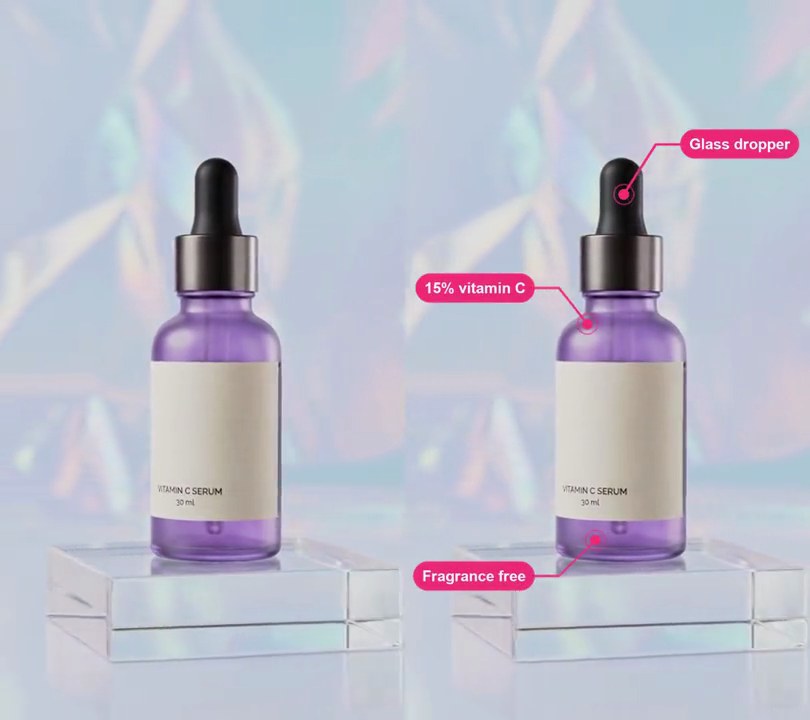
Make the serum bottle in input.mp4 (540x960, 30fps, 6 seconds) drop into the shot. Take the first frame, cut the bottle out with rembg (u2net model) and paint it out of that frame with OpenCV's inpaint (dilate the mask by 12 pixels first) to get an empty set: the clear acrylic block with nothing on it. From 0 to 0.4 seconds show only the empty set. From 0.4 to 0.9 seconds the cut-out bottle falls straight down from fully above the top of the frame to its original place, accelerating like gravity (distance grows with time squared), stretched 8% taller and 4% narrower by the end of the fall. From 0.9 to 1.02 seconds it squashes, anchored at its base and centered horizontally where it stood: height down by up to 18% and width up by 0.65 times that, peaking half-way. From 1.02 to 1.3 seconds it hops straight up in a parabola 5% of the frame height (48 pixels) high and lands again, then from 1.3 to 1.4 seconds does a smaller squash (7.2% shorter at the peak). Under the bottle draw a soft dark purple (40, 30, 60) contact shadow on the block: an ellipse 1.1 times the bottle's width and 26 pixels tall at its base, blurred with a 9-pixel Gaussian blur, 45% opaque when the bottle is down and fading to nothing as it rises 30% of the frame height. From 1.4 seconds play input.mp4 from its first frame, so the camera starts to orbit from where the bottle landed, and cut the result at 6 seconds. Use Python with Pillow, numpy, OpenCV and rembg for the frames and ffmpeg to read and write the video (don't use ffmpeg's drawtext filter), keep the original audio, 30fps and size, and save it as output.mp4.Run it without Claude
This is the exact script we tested. Save it as product-drop-in.py and run:
python3 product-drop-in.py input.mp4 output.mp4Show the script
#!/usr/bin/env python3
"""Product drop-in: the product falls into an empty set, squashes as it lands, bounces once and settles.

Usage: python3 product-drop-in.py input.mp4 output.mp4
Needs ffmpeg, Pillow, numpy, OpenCV and rembg: rembg cuts the product out of the first frame and OpenCV
paints the empty set behind it (pip install pillow numpy opencv-python-headless "rembg[cpu]";
rembg downloads its u2net model on first use).
"""
import json
import math
import subprocess
import sys

import cv2
import numpy as np
from PIL import Image, ImageDraw, ImageFilter
from rembg import new_session

START = 0.4       # second the product starts falling (the set is empty before this)
DROP = 0.5        # seconds the fall takes, speeding up like it's dropped
SQUASH = 0.12     # seconds of the landing squash
FLATTEN = 0.18    # how much shorter the product gets at the deepest squash (0.18 = 18%)
BOUNCE = 0.05     # height of the bounce, as a share of the frame height
HOP = 0.28        # seconds the bounce takes
SETTLE = 0.10     # seconds of the second, smaller squash
SHADOW = 0.45     # darkness of the contact shadow under the product (0-1)
LAND = START + DROP
LIVE = LAND + SQUASH + HOP + SETTLE  # the video plays on from its first frame here


def cut_out(first):
    """The product cut out of the first frame, where it sits in the frame, and the set with it painted out."""
    alpha = np.asarray(new_session("u2net").predict(Image.fromarray(first))[0])
    ys, xs = np.nonzero(alpha > 20)
    box = (xs.min(), ys.min(), xs.max() + 1, ys.max() + 1)
    sprite = Image.fromarray(np.dstack([first, alpha])).crop(box)
    hole = cv2.dilate((alpha > 8).astype(np.uint8) * 255, np.ones((25, 25), np.uint8))
    plate = Image.fromarray(cv2.inpaint(first, hole, 9, cv2.INPAINT_TELEA))
    return sprite, box, plate


def squash(p, amount):
    """Width and height scale for a squash that peaks half-way through (p from 0 to 1)."""
    a = amount * math.sin(math.pi * p)
    return 1 + a * 0.65, 1 - a


def pose(t):
    """How far above its resting place the product's base is (pixels) and its width and height scale at t."""
    if t < LAND:  # falling from just above the frame, stretched a little by the speed
        p = (t - START) / DROP
        return box[3] * (1 - p * p), 1 - 0.04 * p, 1 + 0.08 * p
    if t < LAND + SQUASH:
        return (0, *squash((t - LAND) / SQUASH, FLATTEN))
    if t < LAND + SQUASH + HOP:
        p = (t - LAND - SQUASH) / HOP
        return h * BOUNCE * 4 * p * (1 - p), 1, 1
    return (0, *squash((t - LAND - SQUASH - HOP) / SETTLE, FLATTEN / 2.5))


def intro_frame(t):
    """The empty set, a contact shadow that darkens as the product nears, and the product at its pose."""
    img = plate.copy()
    if t < START:
        return img
    lift, sx, sy = pose(t)
    x0, y0, x1, y1 = box
    sw, sh = round(sprite.width * sx), round(sprite.height * sy)
    near = max(0.0, 1 - lift / (h * 0.3))
    shade = Image.new("L", (w, h))
    ImageDraw.Draw(shade).ellipse([(x0 + x1) / 2 - sw * 0.55, y1 - 22, (x0 + x1) / 2 + sw * 0.55, y1 + 4],
                                  fill=round(255 * SHADOW * near))
    img.paste((40, 30, 60), mask=shade.filter(ImageFilter.GaussianBlur(9)))
    b = sprite.resize((sw, sh), Image.LANCZOS)
    img.paste(b, (round((x0 + x1 - sw) / 2), round(y1 - lift - sh)), b)
    return img


def probe(path):
    info = json.loads(subprocess.check_output(["ffprobe", "-v", "error", "-select_streams", "v:0", "-show_entries",
                                               "stream=width,height,r_frame_rate:format=duration", "-of", "json", path]))
    s = info["streams"][0]
    num, den = s["r_frame_rate"].split("/")
    return s["width"], s["height"], s["r_frame_rate"], float(num) / float(den), float(info["format"]["duration"])


def render(src, out):
    """The drawn intro, then src from its first frame, cut to src's length and keeping its audio."""
    intro = round(LIVE * fps)
    ff = subprocess.Popen(["ffmpeg", "-y", "-v", "error",
                           "-f", "rawvideo", "-pix_fmt", "rgb24", "-s", f"{w}x{h}", "-r", rate, "-i", "-",
                           "-t", f"{duration - intro / fps:.3f}", "-i", src, "-i", src,
                           "-filter_complex", "[0:v][1:v]concat=n=2:v=1,format=yuv420p[v]",
                           "-map", "[v]", "-map", "2:a?", "-c:v", "libx264", "-crf", "18", "-c:a", "copy",
                           "-t", f"{duration:.3f}", out], stdin=subprocess.PIPE)
    for i in range(intro):
        ff.stdin.write(intro_frame(i / fps).tobytes())
    ff.stdin.close()
    if ff.wait():
        sys.exit("ffmpeg failed")


src, out = sys.argv[1:3]
w, h, rate, fps, duration = probe(src)
first = np.frombuffer(subprocess.check_output(["ffmpeg", "-v", "error", "-i", src, "-frames:v", "1",
                                               "-f", "rawvideo", "-pix_fmt", "rgb24", "-"]), np.uint8).reshape(h, w, 3)
sprite, box, plate = cut_out(first)
render(src, out)