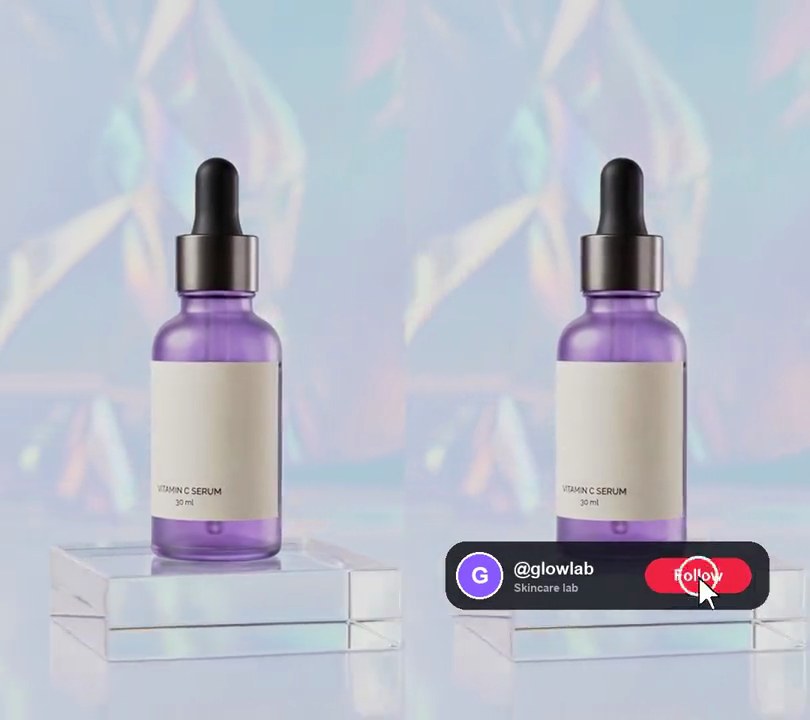
Get this effect
Switch to Code in your Claude Desktop App
Install the skill (once)
Show the prompt
Install the Recharm video effects skill: download https://recharm-growth-staging.s3.us-east-2.amazonaws.com/website/downloads/recharm-video-effects.zip and unzip it into ~/.claude/skillsAsk for the effect
Add a phone-shot UGC look to input.mp4
How far the handheld drift wanders from center, in pixels: 9
Blur sigma in pixels that takes the studio crispness off: 1.4

Several videos, several effects, one ask
Put your clips in the folder, mention them with @, and ask for everything at once. Claude runs one tested script after another on each clip, then joins them.
Add a phone-shot ugc look to @clip1.mp4, put a sale badge on @clip2.mp4, give @clip3.mp4 a VHS look, then join all three with crossfades.
Settings you can change
Ask Claude to change any of these, or edit them at the top of the command.
| Setting | Default | What it does |
|---|---|---|
SWAY | 9 | How far the handheld drift wanders from center, in pixels. |
SOFTNESS | 1.4 | Blur sigma in pixels that takes the studio crispness off. 0 keeps full detail. |
GRAIN | 14 | Strength of the moving sensor grain (0-100). |
Without the skill
Don’t want to install the skill? Paste this prompt into Claude Code and Claude writes the command itself.
Show the prompt
Make input.mp4 look like it was filmed on a phone (UGC style) for the whole clip. First scale the frame up 8% and crop it back to the original size (540x960) with a slowly drifting crop window, so it sways like a handheld camera: offset the crop from center by x = 9*(0.7*sin(2.3t+1.1) + 0.3*sin(5.9t+0.4)) pixels and y = 9*(0.7*sin(1.7t+2.0) + 0.3*sin(6.7t+2.9)) pixels, where t is the time in seconds. Then soften the detail with a Gaussian blur of sigma 1.4 px and add moving sensor grain that changes every frame (ffmpeg's noise filter with alls=14:allf=t). Don't show black edges. Keep the size, 30fps, 6 seconds and the audio. Use ffmpeg, encode H.264 yuv420p and save it as output.mp4.Run it without Claude
This is the exact command we tested. Save it as phone-shot-ugc-look.sh and run:
sh phone-shot-ugc-look.sh input.mp4 output.mp4Show the command
#!/bin/sh
# Phone-shot UGC look: polished footage gets a gentle handheld sway, softer detail and phone-camera grain.
# Usage: sh phone-shot-ugc-look.sh input.mp4 output.mp4
# Needs ffmpeg.
set -e
IN="$1"; OUT="$2"
SWAY=9        # how far the handheld drift wanders, in pixels
SOFTNESS=1.4  # blur sigma in pixels, to take the studio crispness off
GRAIN=14      # strength of the moving sensor grain (0-100)

SIZE=$(ffprobe -v error -select_streams v:0 -show_entries stream=width,height -of csv=s=x:p=0 "$IN")
W=${SIZE%x*}; H=${SIZE#*x}
# scale up 8% so the drifting crop never shows an edge; two slow sine waves per axis make an uneven, hand-held wander
ffmpeg -y -v error -i "$IN" -vf "scale=trunc(iw*1.08/2)*2:-2,\
crop=$W:$H:x='(in_w-out_w)/2+$SWAY*(0.7*sin(t*2.3+1.1)+0.3*sin(t*5.9+0.4))':y='(in_h-out_h)/2+$SWAY*(0.7*sin(t*1.7+2.0)+0.3*sin(t*6.7+2.9))',\
gblur=sigma=$SOFTNESS,noise=alls=$GRAIN:allf=t,fps=30,format=yuv420p" \
  -c:v libx264 -crf 20 -c:a copy "$OUT"