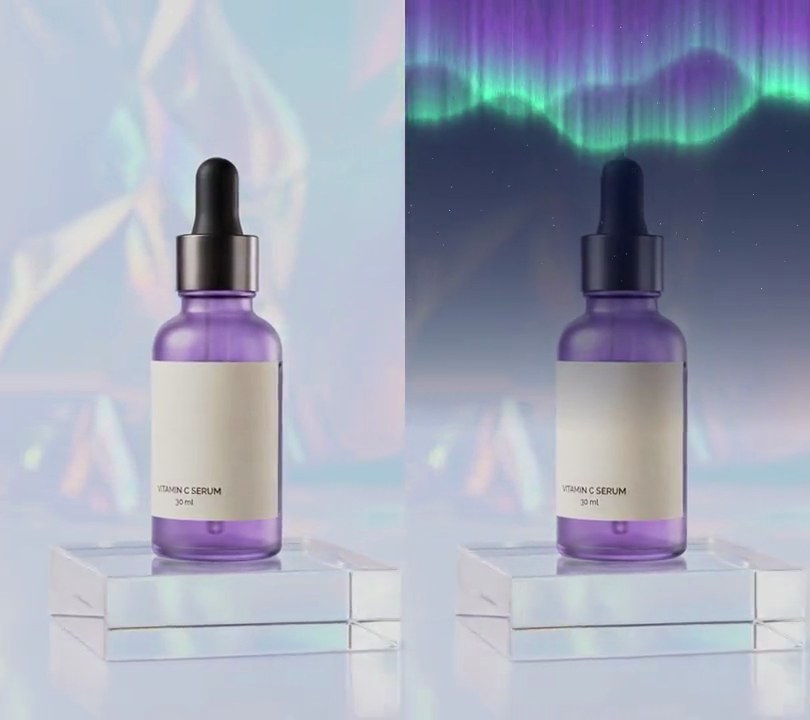
Get this effect
Switch to Code in your Claude Desktop App
Install the skill (once)
Show the prompt
Install the Recharm video effects skill: download https://recharm-growth-staging.s3.us-east-2.amazonaws.com/website/downloads/recharm-video-effects.zip and unzip it into ~/.claude/skillsAsk for the effect
Add a fog to input.mp4
Second the fog starts to fade in: 0.5
Seconds the fade-in takes: 1.0

Several videos, several effects, one ask
Put your clips in the folder, mention them with @, and ask for everything at once. Claude runs one tested script after another on each clip, then joins them.
Add a fog to @clip1.mp4, put a sale badge on @clip2.mp4, give @clip3.mp4 a VHS look, then join all three with crossfades.
Settings you can change
Ask Claude to change any of these, or edit them at the top of the script.
| Setting | Default | What it does |
|---|---|---|
START | 0.5 | Second the fog starts to fade in. |
FADE | 1.0 | Seconds the fade-in takes. |
COLOR | (246, 247, 250) | Fog color. |
OPACITY | 0.9 | How solid the thickest fog is (0-1). |
TOP, BOTTOM | 0.35, 1.0 | Fog density at the top and bottom of the frame. |
SPEEDS | (45, -25) | Sideways drift of the two layers, in pixels per second. |
BLOB | 160 | Rough size of the fog clouds, in pixels. |
Without the skill
Don’t want to install the skill? Paste this prompt into Claude Code and Claude writes the script itself.
Show the prompt
Add drifting fog to input.mp4 with Python and numpy. Make two cloudy noise fields (random noise low-pass filtered so the clouds are about 160 pixels across), each twice the frame width and wrapping left to right. Scroll one right at 45 pixels per second and the other left at 25 pixels per second, and take the thicker of the two at each pixel. Fog density fades in from 0 at 0.5 seconds to full at 1.5 seconds and ramps from 35% strength at the top of the frame to 100% at the bottom; the thickest fog covers the picture at 90% opacity in near-white (246, 247, 250), and thin patches stay clear so you see separate wisps. Blend it over every frame, use ffmpeg to read and write the video, don't use ffmpeg's drawtext filter, keep the audio, and save it as output.mp4.Run it without Claude
This is the exact script we tested. Save it as fog.py and run:
python3 fog.py input.mp4 output.mp4Show the script
#!/usr/bin/env python3
"""Fog: two soft layers of pale mist fade in and roll sideways across the frame, thickest along the bottom.

Usage: python3 fog.py input.mp4 output.mp4
Needs ffmpeg and numpy (pip install numpy).
"""
import json
import subprocess
import sys

import numpy as np

START = 0.5                 # second the fog starts to fade in
FADE = 1.0                  # seconds the fade-in takes
COLOR = (246, 247, 250)     # fog color, a near-white mist
OPACITY = 0.9               # how solid the thickest fog is (0-1)
TOP, BOTTOM = 0.35, 1.0     # fog density at the top and bottom of the frame (0-1)
SPEEDS = (45, -25)          # sideways drift of the near and far layer, in pixels per second (minus = leftward)
BLOB = 160                  # rough size of the fog clouds, in pixels
SEED = 3                    # change for a different fog pattern


def probe(path):
    info = json.loads(subprocess.check_output(["ffprobe", "-v", "error", "-select_streams", "v:0", "-show_entries",
                                               "stream=width,height,r_frame_rate", "-of", "json", path]))
    s = info["streams"][0]
    num, den = s["r_frame_rate"].split("/")
    return s["width"], s["height"], s["r_frame_rate"], float(num) / float(den)


def clouds(rng, height, width):
    """Soft cloudy noise (0-1) that wraps around left to right: random noise with its fine detail filtered out."""
    fy = np.fft.fftfreq(height)[:, None]
    fx = np.fft.fftfreq(width)[None, :]
    f = np.hypot(fx, fy) * BLOB
    spectrum = np.fft.fft2(rng.standard_normal((height, width))) * np.exp(-f ** 2) / np.maximum(f, 0.3)
    field = np.fft.ifft2(spectrum).real
    return (field - field.min()) / (field.max() - field.min())


def fog(t):
    """How solid the fog is at each pixel at time t (0-1), or None before START."""
    fade = np.clip((t - START) / FADE, 0, 1)
    if fade == 0:
        return None
    density = np.zeros((h, w), np.float32)
    for layer, speed in zip(layers, SPEEDS):
        cols = (np.arange(w) - round(speed * t)) % layer.shape[1]
        density = np.maximum(density, layer[:, cols])
    density = np.clip((density - 0.3) / 0.45, 0, 1) ** 1.5  # thin patches clear, thick ones solid
    return (density * ramp * OPACITY * fade)[..., None]


src, out = sys.argv[1:3]
w, h, rate, fps = probe(src)
rng = np.random.default_rng(SEED)
layers = [clouds(rng, h, 2 * w).astype(np.float32) for _ in SPEEDS]
ramp = np.linspace(TOP, BOTTOM, h, dtype=np.float32)[:, None]
color = np.array(COLOR, np.float32)

reader = subprocess.Popen(["ffmpeg", "-v", "error", "-i", src, "-f", "rawvideo", "-pix_fmt", "rgb24", "-"],
                          stdout=subprocess.PIPE)
writer = subprocess.Popen(["ffmpeg", "-y", "-v", "error", "-f", "rawvideo", "-pix_fmt", "rgb24", "-s", f"{w}x{h}",
                           "-r", rate, "-i", "-", "-i", src, "-map", "0:v", "-map", "1:a?",
                           "-c:v", "libx264", "-crf", "18", "-pix_fmt", "yuv420p", "-c:a", "copy", "-shortest", out],
                          stdin=subprocess.PIPE)
i = 0
while raw := reader.stdout.read(w * h * 3):
    img = np.frombuffer(raw, np.uint8).reshape(h, w, 3)
    alpha = fog(i / fps)
    if alpha is not None:
        img = (img * (1 - alpha) + color * alpha).astype(np.uint8)
    writer.stdin.write(img.tobytes())
    i += 1
writer.stdin.close()
if reader.wait() or writer.wait():
    sys.exit("ffmpeg failed")