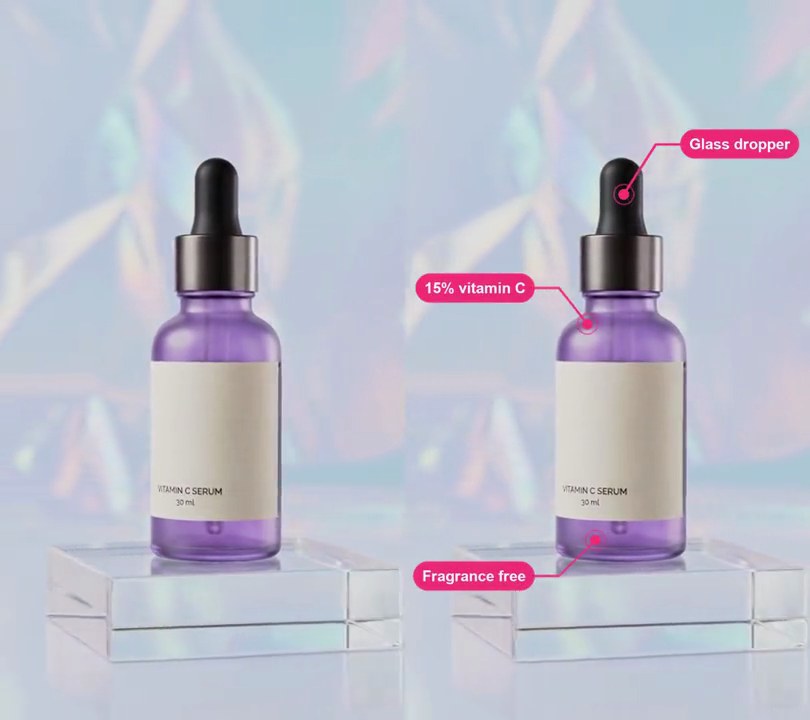
Get this effect
Switch to Code in your Claude Desktop App
Install the skill (once)
Show the prompt
Install the Recharm video effects skill: download https://recharm-growth-staging.s3.us-east-2.amazonaws.com/website/downloads/recharm-video-effects.zip and unzip it into ~/.claude/skillsAsk for the effect
Add an exploded view to input.mp4
Parts: Dropper bulb, Aluminum collar, Glass bottle, Acrylic stand

Several videos, several effects, one ask
Put your clips in the folder, mention them with @, and ask for everything at once. Claude runs one tested script after another on each clip, then joins them.
Add an exploded view to @clip1.mp4, put a sale badge on @clip2.mp4, give @clip3.mp4 a VHS look, then join all three with crossfades.
Settings you can change
Ask Claude to change any of these, or edit them at the top of the script.
| Setting | Default | What it does |
|---|---|---|
PARTS | Dropper bulb, Aluminum collar, Glass bottle, Acrylic stand | Each part's label, the rows it sits in, how far it lifts and where its leader line and label go. |
OPEN, CLOSE | 1.0, 4.4 | Seconds the parts start to separate and start to come back together. |
MOVE | 0.8 | Seconds each move takes. |
LABELS | 0.3 | Seconds the labels take to fade in or out. |
BLUR | 8 | How soft the backdrop goes, in pixels, once the parts are apart. |
NEAR | 30 | Pixels of background either side of the product stretched over the gap it leaves. |
TEXT | 0.03 | Label text height as a share of the frame width. |
BOX | (25, 22, 40, 215) | Label box color and opacity. |
Without the skill
Don’t want to install the skill? Paste this prompt into Claude Code and Claude writes the script itself.
Show the prompt
Make an exploded view of the serum bottle in input.mp4 (540x960, the bottle centered on an acrylic stand, light holographic backdrop). Treat the bottle as three parts cut out of the footage by rows, as fractions of the frame height: the dropper bulb from 0.19 to 0.325, the metal collar from 0.325 to 0.405 and the glass bottle from 0.405 to 0.775; the acrylic stand below (0.775 to 0.905) stays put. On every frame, find each part's outline (its dark, purple and cream label pixels, filled across each row; the label hides the bottle's edges on some rows, so carry the edge straight down from the rows above and below it), paint the original product out of the frame by stretching the background from either side of it over the gap, and paste each part back higher up: the bulb 0.18 of the frame height, the collar 0.115 and the bottle 0.045. The parts separate from 1.0 s to 1.8 s and come back from 4.4 s to 5.2 s, eased in and out; while they are apart, blur the backdrop above the stand by up to 8 px, in step with the separation. From 1.8 s to 2.1 s fade in a label for each part, and fade them out from 4.1 s to 4.4 s: a 2 px white line with an 8 px white dot on the part, ending at a dark (25, 22, 40) pill at 84% opacity with white bold text 16 px high, 11 px padding left and right, fully rounded ends. Positions are (across, down) fractions with the parts apart: "Dropper bulb" dot (0.46, 0.09), line to the left to the pill's right edge at (0.30, 0.09); "Aluminum collar" dot (0.58, 0.25), line to the right to the pill's left edge at (0.68, 0.25); "Glass bottle" dot (0.66, 0.455), line right to the pill's left edge at (0.74, 0.455); "Acrylic stand" dot (0.50, 0.87), line down to the top center of its pill at (0.50, 0.925). Before 1.0 s and after 5.2 s the video is untouched. Draw the labels with Python and Pillow (not ffmpeg's drawtext filter), keep the audio, and save it as output.mp4.Run it without Claude
This is the exact script we tested. Save it as exploded-view.py and run:
python3 exploded-view.py input.mp4 output.mp4Show the script
#!/usr/bin/env python3
"""Exploded view: the dropper bulb, collar and bottle float apart above the stand, labeled, then settle back together.

Usage: python3 exploded-view.py input.mp4 output.mp4
Needs ffmpeg, numpy and Pillow (pip install numpy pillow). Each part is cut out of the footage frame by frame from a
band of rows, so set PARTS to where your product's parts sit, on a plain, light background.
"""
import json
import subprocess
import sys
from pathlib import Path

import numpy as np
from PIL import Image, ImageDraw, ImageFilter, ImageFont

# Each part: label, band top and bottom (0-1 down the frame), left and right of the area to find it in (0-1 across),
# how far it lifts (share of the frame height), a point on the part where its leader line starts (before lifting),
# where the line ends once exploded, and which side of that end the label sits (left, right or below).
# The last part stays put.
PARTS = [("Dropper bulb", 0.19, 0.325, 0.36, 0.68, 0.18, (0.46, 0.27), (0.30, 0.09), "left"),
         ("Aluminum collar", 0.325, 0.405, 0.34, 0.70, 0.115, (0.58, 0.365), (0.68, 0.25), "right"),
         ("Glass bottle", 0.405, 0.775, 0.26, 0.76, 0.045, (0.66, 0.50), (0.74, 0.455), "right"),
         ("Acrylic stand", 0.775, 0.905, 0.00, 1.00, 0.0, (0.50, 0.87), (0.50, 0.925), "below")]
OPEN, CLOSE = 1.0, 4.4   # seconds the parts start to separate and start to come back
MOVE = 0.8               # seconds each move takes
LABELS = 0.3             # seconds the labels take to fade in or out
BLUR = 8                 # how soft the backdrop goes, in pixels, once the parts are apart
NEAR = 30                # pixels of background either side of the product stretched over the gap it leaves
TEXT = 0.03              # label text height as a share of the frame width
BOX = (25, 22, 40, 215)  # label box color and opacity
FONTS = ["/System/Library/Fonts/Supplemental/Arial Bold.ttf",     # macOS
         "/usr/share/fonts/truetype/dejavu/DejaVuSans-Bold.ttf",  # Linux
         "C:/Windows/Fonts/arialbd.ttf"]                          # Windows
FONT_FILE = next((f for f in FONTS if Path(f).exists()), None) or sys.exit("No bold font found: add one to FONTS")


def ease(p):
    p = min(max(p, 0), 1)
    return p * p * (3 - 2 * p)   # ease in and out


def spread(t):
    """0 = assembled, 1 = fully exploded."""
    return ease((t - OPEN) / MOVE) - ease((t - CLOSE) / MOVE)


def label_alpha(t):
    """Opacity of the labels: in once the parts are apart, out before they come back."""
    return ease((t - OPEN - MOVE) / LABELS) - ease((t - CLOSE + LABELS) / LABELS)


def product_matte(img):
    """1 where a lifting part is, 0 elsewhere. Dark, colorful and cream (label) pixels mark the product; each row is
    filled between its outermost marked pixels."""
    lum = img.mean(axis=2)
    sat = (img.max(axis=2) - img.min(axis=2)) / np.maximum(img.max(axis=2), 1)
    key = (lum < 125) | (sat > 0.25) | ((img[..., 0] - img[..., 2] > 14) & (lum < 195))
    matte = np.zeros((h, w), np.float32)
    for _, top, bottom, left, right, lift, *_ in PARTS:
        if not lift:
            continue
        y0, y1, x0, x1 = round(h * top), round(h * bottom), round(w * left), round(w * right)
        ends = np.full((y1 - y0, 2), np.nan)
        for i, row in enumerate(key[y0:y1, x0:x1]):
            xs = np.nonzero(row)[0]
            if len(xs) > 5:
                ends[i] = xs[2], xs[-3]
        if np.isnan(ends).all():
            continue
        # rows whose edge sits out near the part's widest are its true outline; between them that edge is
        # interpolated, which fills in rows where a pale label hides the edge, and pushed out to the widest of the
        # rows around it so the edge runs straight
        for side, widest, pick in ((0, np.nanpercentile(ends[:, 0], 15), np.min),
                                   (1, np.nanpercentile(ends[:, 1], 85), np.max)):
            true = np.nonzero(np.abs(ends[:, side] - widest) <= 0.02 * w)[0]
            inside = np.arange(true[0], true[-1] + 1)
            edge = np.interp(inside, true, ends[true, side])
            ends[inside, side] = [pick(edge[max(i - 8, 0):i + 9]) for i in range(len(edge))]
        for i in np.nonzero(~np.isnan(ends).any(axis=1))[0]:
            matte[y0 + i, x0 + round(ends[i, 0]):x0 + round(ends[i, 1]) + 1] = 1
    # grown by 3 pixels to take in pale rims the colors above miss, then softened
    return soften(grow(matte, 3), 1.2)


def grow(mask, r):
    """The mask widened by r pixels in every direction."""
    out = mask.copy()
    for d in range(1, r + 1):
        out[d:] = np.maximum(out[d:], mask[:-d])
        out[:-d] = np.maximum(out[:-d], mask[d:])
    wide = out.copy()
    for d in range(1, r + 1):
        out[:, d:] = np.maximum(out[:, d:], wide[:, :-d])
        out[:, :-d] = np.maximum(out[:, :-d], wide[:, d:])
    return out


def soften(mask, radius):
    """A 0-1 mask blurred, as an (h, w, 1) array to multiply images by."""
    img = Image.fromarray((mask * 255).astype(np.uint8)).filter(ImageFilter.GaussianBlur(radius))
    return np.asarray(img, np.float32)[..., None] / 255


def clean_plate(img, matte):
    """The frame with the product painted out: a strip of background from each side of it is stretched across the
    gap, fading from one to the other, softened, and laid over the product only."""
    gap = grow((matte[..., 0] > 0).astype(np.float32), 10)
    rows, cols = np.nonzero(gap.any(axis=1))[0], np.nonzero(gap.any(axis=0))[0]
    y0, y1, x0, x1 = rows[0], rows[-1] + 1, cols[0], cols[-1] + 1
    n, m = x1 - x0, min(NEAR, x0, w - x1)   # gap width, and the strip of background each side to stretch over it

    def side(strip):
        return np.asarray(Image.fromarray(strip.astype(np.uint8)).resize((n, y1 - y0)), np.float32)

    mix = np.linspace(0, 1, n)[None, :, None]
    plate = img.copy()
    plate[y0:y1, x0:x1] = side(img[y0:y1, x0 - m:x0]) * (1 - mix) + side(img[y0:y1, x1:x1 + m]) * mix
    plate = np.asarray(Image.fromarray(plate.astype(np.uint8)).filter(ImageFilter.GaussianBlur(3)), np.float32)
    cover = soften(gap, 8)
    return plate * cover + img * (1 - cover)


def explode(img, s):
    """Lift each part by its share of the frame height times s, over the frame with the product painted out."""
    if s <= 0:
        return img
    matte = product_matte(img)
    out = clean_plate(img, matte)
    # the backdrop above the part that stays put goes soft, like a shallow focus on the floating parts
    soft = np.asarray(Image.fromarray(out.astype(np.uint8)).filter(ImageFilter.GaussianBlur(BLUR * s)), np.float32)
    above = np.clip((h * PARTS[-1][1] - np.arange(h)) / 20, 0, 1)[:, None, None]
    out = soft * above + out * (1 - above)
    for _, top, bottom, _, _, lift, *_ in PARTS:
        y0, y1, dy = round(h * top), round(h * bottom), round(h * lift * s)
        if dy:
            a = matte[y0:y1]
            out[y0 - dy:y1 - dy] = img[y0:y1] * a + out[y0 - dy:y1 - dy] * (1 - a)
    return out


def labels(alpha):
    """Each part's leader line and label at the exploded positions."""
    img = Image.new("RGBA", (w, h))
    if alpha <= 0:
        return img
    draw = ImageDraw.Draw(img)
    font = ImageFont.truetype(FONT_FILE, round(w * TEXT))
    pad = round(w * 0.02)
    white = (255, 255, 255, round(255 * alpha))
    for name, _, _, _, _, lift, (dx, dy), (ex, ey), side in PARTS:
        start, end = (w * dx, h * (dy - lift)), (w * ex, h * ey)
        draw.line([start, (end[0], start[1]), end], fill=white, width=2)
        draw.ellipse([start[0] - 4, start[1] - 4, start[0] + 4, start[1] + 4], fill=white)
        bw, bh = font.getlength(name) + 2 * pad, font.size + 1.4 * pad
        x0 = {"left": end[0] - bw, "right": end[0], "below": end[0] - bw / 2}[side]
        y0 = end[1] if side == "below" else end[1] - bh / 2
        draw.rounded_rectangle([x0, y0, x0 + bw, y0 + bh], radius=bh / 2, fill=BOX[:3] + (round(BOX[3] * alpha),))
        draw.text((x0 + bw / 2, y0 + bh / 2), name, font=font, anchor="mm", fill=white)
    return img


def probe(path):
    info = json.loads(subprocess.check_output(["ffprobe", "-v", "error", "-select_streams", "v:0", "-show_entries",
                                               "stream=width,height,r_frame_rate", "-of", "json", path]))
    s = info["streams"][0]
    num, den = s["r_frame_rate"].split("/")
    return s["width"], s["height"], s["r_frame_rate"], float(num) / float(den)


src, out = sys.argv[1:3]
w, h, rate, fps = probe(src)
reader = subprocess.Popen(["ffmpeg", "-v", "error", "-i", src, "-f", "rawvideo", "-pix_fmt", "rgb24", "-"],
                          stdout=subprocess.PIPE)
writer = subprocess.Popen(["ffmpeg", "-y", "-v", "error", "-f", "rawvideo", "-pix_fmt", "rgb24", "-s", f"{w}x{h}",
                           "-r", rate, "-i", "-", "-i", src, "-map", "0:v", "-map", "1:a?", "-c:v", "libx264",
                           "-crf", "18", "-pix_fmt", "yuv420p", "-c:a", "copy", "-shortest", out], stdin=subprocess.PIPE)
i = 0
while raw := reader.stdout.read(w * h * 3):
    t = i / fps
    img = explode(np.frombuffer(raw, np.uint8).reshape(h, w, 3).astype(np.float32), spread(t))
    frame = Image.fromarray(img.clip(0, 255).astype(np.uint8)).convert("RGBA")
    frame.alpha_composite(labels(label_alpha(t)))
    writer.stdin.write(frame.convert("RGB").tobytes())
    i += 1
writer.stdin.close()
if reader.wait() or writer.wait():
    sys.exit("ffmpeg failed")