Get this effect
Switch to Code in your Claude Desktop App
Install the skill (once)
Show the prompt
Install the Recharm video effects skill: download https://recharm-growth-staging.s3.us-east-2.amazonaws.com/website/downloads/recharm-video-effects.zip and unzip it into ~/.claude/skillsAsk for the effect
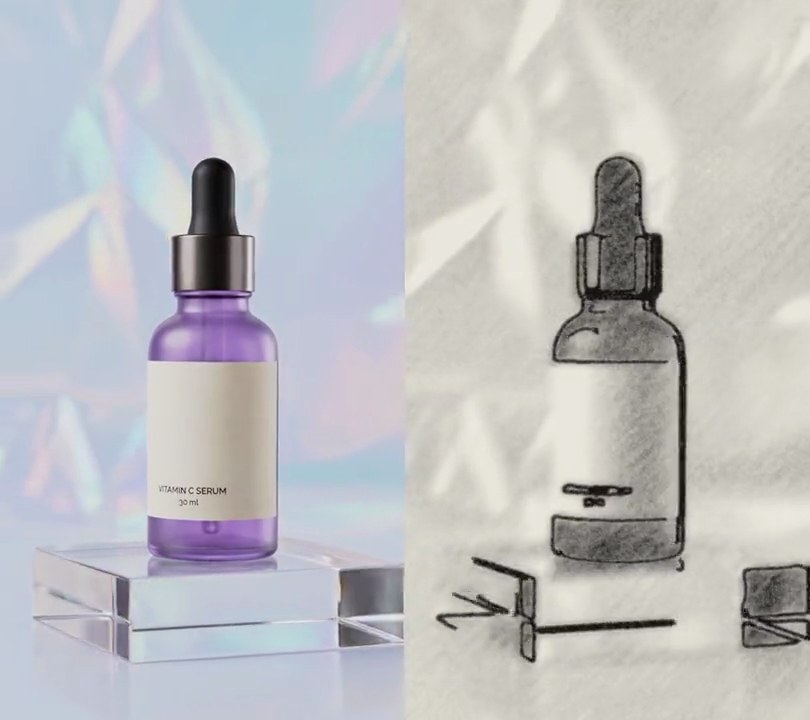
Add a crosshatch to input.mp4
Second the picture turns into pen lines: 1.0
Pixels between neighboring lines in one layer: 8

Several videos, several effects, one ask
Put your clips in the folder, mention them with @, and ask for everything at once. Claude runs one tested script after another on each clip, then joins them.
Add a crosshatch to @clip1.mp4, put a sale badge on @clip2.mp4, give @clip3.mp4 a VHS look, then join all three with crossfades.
Settings you can change
Ask Claude to change any of these, or edit them at the top of the script.
| Setting | Default | What it does |
|---|---|---|
START | 1.0 | Second the picture turns into pen lines. |
SPACING | 8 | Pixels between neighboring lines in one layer. Bigger gives a looser, sketchier drawing. |
LINE | 2.2 | Line thickness in pixels. |
LAYERS | [(45, 0.10), (-45, 0.35), (0, 0.60), (90, 0.80)] | Each layer's line angle and the darkness (0-1) where it starts. More layers or lower thresholds give a heavier drawing. |
PAPER | (245, 240, 225) | Paper color. |
INK | (30, 30, 45) | Pen color. |
CONTRAST | (2, 98) | Brightness percentiles that become solid ink and bare paper. |
Without the skill
Don’t want to install the skill? Paste this prompt into Claude Code and Claude writes the script itself.
Show the prompt
Give input.mp4 (540x960) a pen crosshatch look from 1.0 seconds to the end; before 1.0 seconds leave it untouched. For each frame from 1.0 s: turn it to grayscale, Gaussian-blur it with a 2 pixel radius, and stretch its brightness so the 2nd percentile is darkness 1 and the 98th percentile is darkness 0. Fill the frame with cream paper (245, 240, 225) and draw dark ink (30, 30, 45) lines in four layers, each a set of parallel straight lines 8 pixels apart and 2.2 pixels thick with a 1 pixel soft edge: lines at 45 degrees wherever the darkness is above 0.10, at -45 degrees above 0.35, horizontal above 0.60 and vertical above 0.80. Fade each layer in over 0.08 of darkness past its threshold so the edges don't flicker, and where layers overlap the ink just stacks (multiply the paper that each layer leaves). No other colors should be left. Use Python with numpy and Pillow for the frames and ffmpeg to read and write the video (don't use ffmpeg's drawtext if you add any text), keep the size, 30fps, the 6 second length and the audio, and save it as output.mp4.Run it without Claude
This is the exact script we tested. Save it as crosshatch.py and run:
python3 crosshatch.py input.mp4 output.mp4Show the script
#!/usr/bin/env python3
"""Crosshatch: at one second the shot is redrawn in pen, with more layers of crossing lines wherever it's darker.

Usage: python3 crosshatch.py input.mp4 output.mp4
Needs ffmpeg, Pillow and numpy (pip install pillow numpy).
"""
import json
import subprocess
import sys

import numpy as np
from PIL import Image, ImageFilter

START = 1.0                  # second the picture turns into pen lines
SPACING = 8                  # pixels between neighboring lines in one layer
LINE = 2.2                   # line thickness in pixels
LAYERS = [(45, 0.10), (-45, 0.35), (0, 0.60), (90, 0.80)]  # (line angle in degrees, darkness where that layer starts)
PAPER = (245, 240, 225)      # paper color
INK = (30, 30, 45)           # pen color
CONTRAST = (2, 98)           # percentiles of the frame's brightness mapped to solid ink and bare paper


def crosshatch(img):
    """Redraw one frame (h, w, 3) as hatching: each layer of lines covers the parts darker than its threshold."""
    gray = Image.fromarray(img.astype(np.uint8)).convert("L").filter(ImageFilter.GaussianBlur(2))
    luma = np.asarray(gray, np.float32)
    lo, hi = np.percentile(luma, CONTRAST)
    dark = 1 - np.clip((luma - lo) / max(hi - lo, 1), 0, 1)
    paper_left = np.ones_like(dark)
    for lines, threshold in layers:
        on = np.clip((dark - threshold) / 0.08, 0, 1)           # fade each layer in over a small darkness range
        paper_left *= 1 - lines * on
    ink = (1 - paper_left)[..., None]
    return paper * (1 - ink) + ink_color * ink


def probe(path):
    info = json.loads(subprocess.check_output(["ffprobe", "-v", "error", "-select_streams", "v:0", "-show_entries",
                                               "stream=width,height,r_frame_rate", "-of", "json", path]))
    s = info["streams"][0]
    num, den = s["r_frame_rate"].split("/")
    return s["width"], s["height"], s["r_frame_rate"], float(num) / float(den)


src, out = sys.argv[1:3]
w, h, rate, fps = probe(src)
y, x = np.mgrid[0:h, 0:w].astype(np.float32)
layers = []                                                  # (line mask 0-1, darkness threshold) per layer
for angle, threshold in LAYERS:
    a = np.radians(angle)
    across = x * np.sin(a) - y * np.cos(a)                       # distance across this layer's lines
    off_line = np.abs((across % SPACING) - SPACING / 2)          # 0 on a line, SPACING/2 halfway between lines
    layers.append((np.clip(LINE / 2 - off_line + 0.5, 0, 1), threshold))  # 1px soft edge
paper, ink_color = np.array(PAPER, np.float32), np.array(INK, np.float32)

reader = subprocess.Popen(["ffmpeg", "-v", "error", "-i", src, "-f", "rawvideo", "-pix_fmt", "rgb24", "-"],
                          stdout=subprocess.PIPE)
writer = subprocess.Popen(["ffmpeg", "-y", "-v", "error", "-f", "rawvideo", "-pix_fmt", "rgb24", "-s", f"{w}x{h}",
                           "-r", rate, "-i", "-", "-i", src, "-map", "0:v", "-map", "1:a?",
                           "-c:v", "libx264", "-crf", "18", "-pix_fmt", "yuv420p", "-c:a", "copy", "-shortest", out],
                          stdin=subprocess.PIPE)
i = 0
while raw := reader.stdout.read(w * h * 3):
    img = np.frombuffer(raw, np.uint8).reshape(h, w, 3).astype(np.float32)
    if i / fps >= START:
        img = crosshatch(img)
    writer.stdin.write(np.clip(img, 0, 255).astype(np.uint8).tobytes())
    i += 1
writer.stdin.close()
if reader.wait() or writer.wait():
    sys.exit("ffmpeg failed")