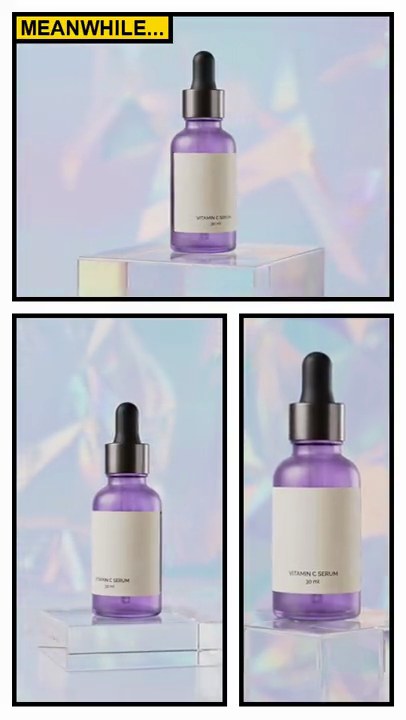
Get this effect
Switch to Code in your Claude Desktop App
Install the skill (once)
Show the prompt
Install the Recharm video effects skill: download https://recharm-growth-staging.s3.us-east-2.amazonaws.com/website/downloads/recharm-video-effects.zip and unzip it into ~/.claude/skillsAsk for the effect
Add a scrolling screenshot to input.mp4
Url: glowlab.shop

Several videos, several effects, one ask
Put your clips in the folder, mention them with @, and ask for everything at once. Claude runs one tested script after another on each clip, then joins them.
Add a scrolling screenshot to @clip1.mp4, put a sale badge on @clip2.mp4, give @clip3.mp4 a VHS look, then join all three with crossfades.
Settings you can change
Ask Claude to change any of these, or edit them at the top of the script.
| Setting | Default | What it does |
|---|---|---|
START | 0.5 | Second the page starts to scroll. |
SCROLL | 4.5 | Seconds the scroll takes, from the top of the page to the bottom. |
CARD | 0.80 | Card width and height as a share of the frame. |
URL | glowlab.shop | Address shown in the browser bar. |
ACCENT | (92, 44, 150) | Brand color for the logo, stars, price and button. |
BLUR | 24 | How blurred the video behind the card is. |
Without the skill
Don’t want to install the skill? Paste this prompt into Claude Code and Claude writes the script itself.
Show the prompt
Turn input.mp4 into a scrolling screenshot. First draw a tall product-page screenshot with Python and Pillow, 432 pixels wide on a white background with 24 pixel side margins: "GLOW LAB" in bold purple (92, 44, 150) at the top, a square photo grabbed from the video at 1 second with a purple "BESTSELLER" pill on it, the title "Daily Glow Serum", five purple stars with "4.9 (2,140 reviews)", the price "$34", a full-width purple rounded "Add to cart" button, a "Why you'll love it" heading with three bullet points, a second square photo grabbed at 4 seconds, a "Customer reviews" heading with two light lavender review cards ("Brighter skin in one week." by Maya R. and "My new morning staple." by Jordan K.) and "Free shipping over $50" at the bottom, about 1,680 pixels tall in all. Draw all text with Pillow (don't use ffmpeg's drawtext filter). Then make every frame: the video blurred (Gaussian sigma 24) and darkened slightly as the background, and centered on it a browser card 80% of the frame's width and height (432x768 on a 540x960 video) with 22 pixel rounded corners, a soft drop shadow and a 48 pixel light gray browser bar on top showing three window dots and the address "glowlab.shop". Under the bar, show a 432x720 window onto the screenshot. Hold the top of the page until 0.5 seconds, then scroll it up with an ease-in-out over 4.5 seconds until the bottom of the page sits at the bottom of the window, and hold there to the end. Keep the size, frame rate, length and audio, and save it as output.mp4.Run it without Claude
This is the exact script we tested. Save it as scrolling-screenshot.py and run:
python3 scrolling-screenshot.py input.mp4 output.mp4Show the script
#!/usr/bin/env python3
"""Scrolling screenshot: a tall product-page screenshot in a browser card scrolls slowly up over the blurred video.

Usage: python3 scrolling-screenshot.py input.mp4 output.mp4
Needs ffmpeg and Pillow (pip install pillow).
"""
import json
import math
import subprocess
import sys
from pathlib import Path

from PIL import Image, ImageDraw, ImageFilter, ImageFont

START = 0.5                 # second the page starts to scroll
SCROLL = 4.5                # seconds the scroll takes, top of the page to the bottom
CARD = 0.80                 # card width and height as a share of the frame
RADIUS = 22                 # card corner radius in pixels
BAR = 48                    # height of the browser bar in pixels
URL = "glowlab.shop"        # address shown in the browser bar
ACCENT = (92, 44, 150)      # brand purple for the logo, price and button
BLUR = 24                   # background blur radius
FONTS = ["/System/Library/Fonts/Supplemental/Arial Bold.ttf",     # macOS
         "/usr/share/fonts/truetype/dejavu/DejaVuSans-Bold.ttf",  # Linux
         "C:/Windows/Fonts/arialbd.ttf"]                          # Windows
FONT_FILE = next((f for f in FONTS if Path(f).exists()), None) or sys.exit("No bold font found: add one to FONTS")
INK, GRAY, LINE = (28, 24, 36), (120, 116, 128), (232, 230, 236)


def font(size):
    return ImageFont.truetype(FONT_FILE, size)


def stars(d, x, y, size):
    """Five filled rating stars, drawn as shapes (most fonts have no star character)."""
    for i in range(5):
        cx, cy, r = x + size / 2 + i * size * 1.15, y + size / 2, size / 2
        pts = [(cx + (r if k % 2 == 0 else r * 0.45) * math.sin(k * math.pi / 5),
                cy - (r if k % 2 == 0 else r * 0.45) * math.cos(k * math.pi / 5)) for k in range(10)]
        d.polygon(pts, fill=ACCENT)


def still(src, t, size):
    """A square cut from the middle of the video frame at t seconds, for the page's product photos."""
    raw = subprocess.check_output(["ffmpeg", "-v", "error", "-ss", str(t), "-i", src, "-frames:v", "1",
                                   "-f", "rawvideo", "-pix_fmt", "rgb24", "-"])
    img = Image.frombytes("RGB", (w, h), raw)
    top = (h - w) // 2
    return img.crop((0, top, w, top + w)).resize((size, size), Image.LANCZOS)


def page(src, pw):
    """The tall screenshot: a product page pw pixels wide, drawn top to bottom."""
    img = Image.new("RGB", (pw, 2400), "white")
    d = ImageDraw.Draw(img)
    m = 24                                     # side margin
    d.text((m, 22), "GLOW LAB", font=font(24), fill=ACCENT)
    d.text((pw - m, 24), "Shop   Cart", font=font(16), fill=GRAY, anchor="ra")
    y = 70
    img.paste(still(src, 1.0, pw - 2 * m), (m, y))
    d.rounded_rectangle([m + 12, y + 12, m + 140, y + 44], 16, fill=ACCENT)
    d.text((m + 76, y + 28), "BESTSELLER", font=font(14), fill="white", anchor="mm")
    y += pw - 2 * m + 24
    d.text((m, y), "Daily Glow Serum", font=font(30), fill=INK)
    stars(d, m, y + 44, 16)
    d.text((m + 100, y + 44), "4.9 (2,140 reviews)", font=font(16), fill=GRAY)
    d.text((m, y + 76), "$34", font=font(30), fill=ACCENT)
    d.rounded_rectangle([m, y + 126, pw - m, y + 182], 28, fill=ACCENT)
    d.text((pw / 2, y + 154), "Add to cart", font=font(20), fill="white", anchor="mm")
    y += 220
    d.line([m, y, pw - m, y], fill=LINE, width=2)
    d.text((m, y + 24), "Why you'll love it", font=font(24), fill=INK)
    y += 70
    for point in ["15% vitamin C for brighter skin", "Absorbs in seconds, no sticky feel", "Fragrance free, vegan"]:
        d.ellipse([m, y + 4, m + 12, y + 16], fill=ACCENT)
        d.text((m + 24, y), point, font=font(17), fill=INK)
        y += 36
    y += 20
    img.paste(still(src, 4.0, pw - 2 * m), (m, y))
    y += pw - 2 * m + 30
    d.line([m, y, pw - m, y], fill=LINE, width=2)
    d.text((m, y + 24), "Customer reviews", font=font(24), fill=INK)
    y += 76
    for quote, name in [("Brighter skin in one week.", "Maya R."), ("My new morning staple.", "Jordan K.")]:
        d.rounded_rectangle([m, y, pw - m, y + 96], 14, fill=(246, 243, 250))
        stars(d, m + 18, y + 16, 14)
        d.text((m + 18, y + 40), quote, font=font(18), fill=INK)
        d.text((m + 18, y + 68), name, font=font(14), fill=GRAY)
        y += 112
    d.text((pw / 2, y + 30), "Free shipping over $50", font=font(18), fill=GRAY, anchor="mm")
    return img.crop((0, 0, pw, y + 70))


def card_layer(cw, ch, x, y):
    """Everything that stays put: the card's shadow, its white body and the browser bar with the address."""
    layer = Image.new("RGBA", (w, h))
    shadow = Image.new("L", (w, h))
    ImageDraw.Draw(shadow).rounded_rectangle([x, y + 14, x + cw, y + ch + 14], RADIUS, fill=120)
    layer.paste((0, 0, 0), (0, 0), shadow.filter(ImageFilter.GaussianBlur(18)))
    d = ImageDraw.Draw(layer)
    d.rounded_rectangle([x, y, x + cw, y + ch], RADIUS, fill=(242, 241, 245))
    for i, dot in enumerate([(255, 95, 87), (254, 188, 46), (40, 200, 64)]):
        d.ellipse([x + 16 + i * 18, y + 19, x + 26 + i * 18, y + 29], fill=dot)
    d.rounded_rectangle([x + 76, y + 10, x + cw - 16, y + BAR - 10], 14, fill="white")
    d.text((x + (cw + 60) / 2, y + BAR / 2), URL, font=font(14), fill=GRAY, anchor="mm")
    return layer


def ease_in_out(p):
    p = min(max(p, 0), 1)
    return p * p * (3 - 2 * p)


def probe(path):
    info = json.loads(subprocess.check_output(["ffprobe", "-v", "error", "-select_streams", "v:0", "-show_entries",
                                               "stream=width,height,r_frame_rate", "-of", "json", path]))
    s = info["streams"][0]
    num, den = s["r_frame_rate"].split("/")
    return s["width"], s["height"], s["r_frame_rate"], float(num) / float(den)


src, out = sys.argv[1:3]
w, h, rate, fps = probe(src)
cw, ch = round(w * CARD), round(h * CARD)
x, y = (w - cw) // 2, (h - ch) // 2
vh = ch - BAR                                  # height of the page window under the bar
shot = page(src, cw)
card = card_layer(cw, ch, x, y)
window = Image.new("L", (cw, vh))              # the window's shape: square top, rounded bottom corners
ImageDraw.Draw(window).rounded_rectangle([0, -RADIUS, cw - 1, vh - 1], RADIUS, fill=255)

reader = subprocess.Popen(["ffmpeg", "-v", "error", "-i", src, "-vf", f"gblur=sigma={BLUR},eq=brightness=-0.08",
                           "-f", "rawvideo", "-pix_fmt", "rgba", "-"], stdout=subprocess.PIPE)
writer = subprocess.Popen(["ffmpeg", "-y", "-v", "error", "-f", "rawvideo", "-pix_fmt", "rgba", "-s", f"{w}x{h}",
                           "-r", rate, "-i", "-", "-i", src, "-map", "0:v", "-map", "1:a?",
                           "-c:v", "libx264", "-crf", "18", "-pix_fmt", "yuv420p", "-c:a", "copy", "-shortest", out],
                          stdin=subprocess.PIPE)
i = 0
while chunk := reader.stdout.read(w * h * 4):
    frame = Image.frombytes("RGBA", (w, h), chunk)
    frame.alpha_composite(card)
    top = round((shot.height - vh) * ease_in_out((i / fps - START) / SCROLL))
    frame.paste(shot.crop((0, top, cw, top + vh)), (x, y + BAR), window)
    writer.stdin.write(frame.tobytes())
    i += 1
writer.stdin.close()
if reader.wait() or writer.wait():
    sys.exit("ffmpeg failed")