Get this effect
Switch to Code in your Claude Desktop App
Install the skill (once)
Show the prompt
Install the Recharm video effects skill: download https://recharm-growth-staging.s3.us-east-2.amazonaws.com/website/downloads/recharm-video-effects.zip and unzip it into ~/.claude/skillsAsk for the effect
Add out of bounds to input.mp4
The window's left, top, right and bottom as shares of the frame: (0.08, 0.18, 0.92, 0.86)
White border width as a share of the frame width: 0.02

Several videos, several effects, one ask
Put your clips in the folder, mention them with @, and ask for everything at once. Claude runs one tested script after another on each clip, then joins them.
Add out of bounds to @clip1.mp4, put a sale badge on @clip2.mp4, give @clip3.mp4 a VHS look, then join all three with crossfades.
Settings you can change
Ask Claude to change any of these, or edit them at the top of the script.
| Setting | Default | What it does |
|---|---|---|
WINDOW | (0.08, 0.18, 0.92, 0.86) | The window's left, top, right and bottom as shares of the frame. |
BORDER | 0.02 | White border width as a share of the frame width. |
RADIUS | 0.04 | Window corner radius as a share of the frame width. |
BACKDROP | (255, 111, 89) | Backdrop color. |
SUBJECT_LUMA | 165 | Pixels darker than this count as the subject; raise it for a lighter product. |
SHADOW | 0.35 | Strength of the shadow the subject casts on the backdrop (0-1). |
Without the skill
Don’t want to install the skill? Paste this prompt into Claude Code and Claude writes the script itself.
Show the prompt
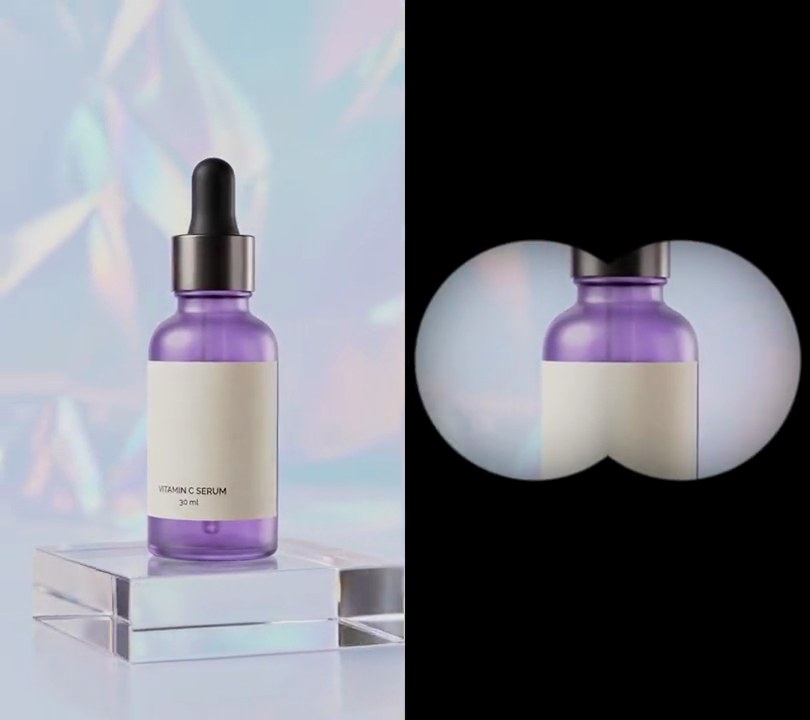
Make an out-of-bounds effect on input.mp4 (540x960, the camera pushes in on a serum bottle so it grows up the frame). Fill the frame with a solid (255, 111, 89) coral backdrop and show the video, unscaled and in place, only inside a window from 8% to 92% across and 18% to 86% down, with corners rounded to a radius of 4% of the frame width and a 2%-of-the-width solid white border around it. On every frame, cut the bottle out above the window: start at the window's top edge and go up one row at a time, keeping the run between the leftmost and rightmost pixel darker than 165 (mean of R, G and B), staying within 4 pixels of the row below and stopping at the first row with none; soften the cutout's edge with a 1-pixel blur and paste the original pixels back over the border and the backdrop. Under the cutout, put a black shadow at 35% opacity, shifted 2% of the frame width down and right and blurred by 1.5% of the frame width. Use Python with Pillow and numpy for the masks and ffmpeg to read and write the video (draw anything with Pillow, not ffmpeg's drawtext), keep the size, 30fps and the audio, and save it as output.mp4.Run it without Claude
This is the exact script we tested. Save it as out-of-bounds.py and run:
python3 out-of-bounds.py input.mp4 output.mp4Show the script
#!/usr/bin/env python3
"""Out of bounds: the video plays in a white-bordered window on a coral backdrop, and the product rises out over its top edge.

Usage: python3 out-of-bounds.py input.mp4 output.mp4
Needs ffmpeg, Pillow and numpy (pip install pillow numpy). The footage should have a dark or saturated subject on a
light backdrop moving up toward the camera; the cutout is found by brightness, not by a matting model.
"""
import json
import subprocess
import sys

import numpy as np
from PIL import Image, ImageDraw, ImageFilter

WINDOW = (0.08, 0.18, 0.92, 0.86)  # the window's left, top, right, bottom (0-1 across and down the frame)
BORDER = 0.02                      # white border width as a share of the frame width
RADIUS = 0.04                      # window corner radius as a share of the frame width
BACKDROP = (255, 111, 89)          # backdrop color (coral)
SUBJECT_LUMA = 165                 # pixels darker than this count as the subject
SHADOW = 0.35                      # strength of the shadow the subject casts on the backdrop (0-1)


def subject_mask(rgb):
    """The subject above the window: grown up from the window's top edge, one row at a time, filling each row
    between its leftmost and rightmost dark pixel so highlights and light labels inside it stay in."""
    dark = rgb.mean(axis=2) < SUBJECT_LUMA
    mask = np.zeros((h, w), np.uint8)
    left, right = x0, x1
    for y in range(y0 + border, -1, -1):
        cols = np.nonzero(dark[y, left:right])[0]
        if not len(cols):
            break
        left, right = left + cols[0], left + cols[-1] + 1
        mask[y, left:right] = 255
        left, right = max(left - 4, x0), min(right + 4, x1)
    return Image.fromarray(mask).filter(ImageFilter.GaussianBlur(1))


def out_of_bounds(video):
    """The frame on the backdrop inside its bordered window, with the subject pasted back over the top edge."""
    mask = subject_mask(np.asarray(video))
    img = Image.new("RGB", (w, h), BACKDROP)
    shadow = Image.new("L", (w, h))
    shadow.paste(mask.point(lambda v: round(v * SHADOW)), (round(w * 0.02), round(w * 0.02)))
    img.paste((0, 0, 0), (0, 0), shadow.filter(ImageFilter.GaussianBlur(w * 0.015)))
    ImageDraw.Draw(img).rounded_rectangle([x0 - border, y0 - border, x1 + border - 1, y1 + border - 1],
                                          radius + border, fill="white")
    window = Image.new("L", (w, h))
    ImageDraw.Draw(window).rounded_rectangle([x0, y0, x1 - 1, y1 - 1], radius, fill=255)
    img.paste(video, (0, 0), window)
    img.paste(video, (0, 0), mask)
    return img


def probe(path):
    info = json.loads(subprocess.check_output(["ffprobe", "-v", "error", "-select_streams", "v:0", "-show_entries",
                                               "stream=width,height,r_frame_rate", "-of", "json", path]))
    s = info["streams"][0]
    return s["width"], s["height"], s["r_frame_rate"]


src, out = sys.argv[1:3]
w, h, rate = probe(src)
x0, y0, x1, y1 = (round(v * size) for v, size in zip(WINDOW, (w, h, w, h)))
border, radius = round(w * BORDER), round(w * RADIUS)
reader = subprocess.Popen(["ffmpeg", "-v", "error", "-i", src, "-f", "rawvideo", "-pix_fmt", "rgb24", "-"],
                          stdout=subprocess.PIPE)
writer = subprocess.Popen(["ffmpeg", "-y", "-v", "error", "-f", "rawvideo", "-pix_fmt", "rgb24", "-s", f"{w}x{h}",
                           "-r", rate, "-i", "-", "-i", src, "-map", "0:v", "-map", "1:a?",
                           "-c:v", "libx264", "-crf", "18", "-pix_fmt", "yuv420p", "-c:a", "copy", "-shortest", out],
                          stdin=subprocess.PIPE)
while chunk := reader.stdout.read(w * h * 3):
    writer.stdin.write(out_of_bounds(Image.frombytes("RGB", (w, h), chunk)).tobytes())
writer.stdin.close()
if reader.wait() or writer.wait():
    sys.exit("ffmpeg failed")