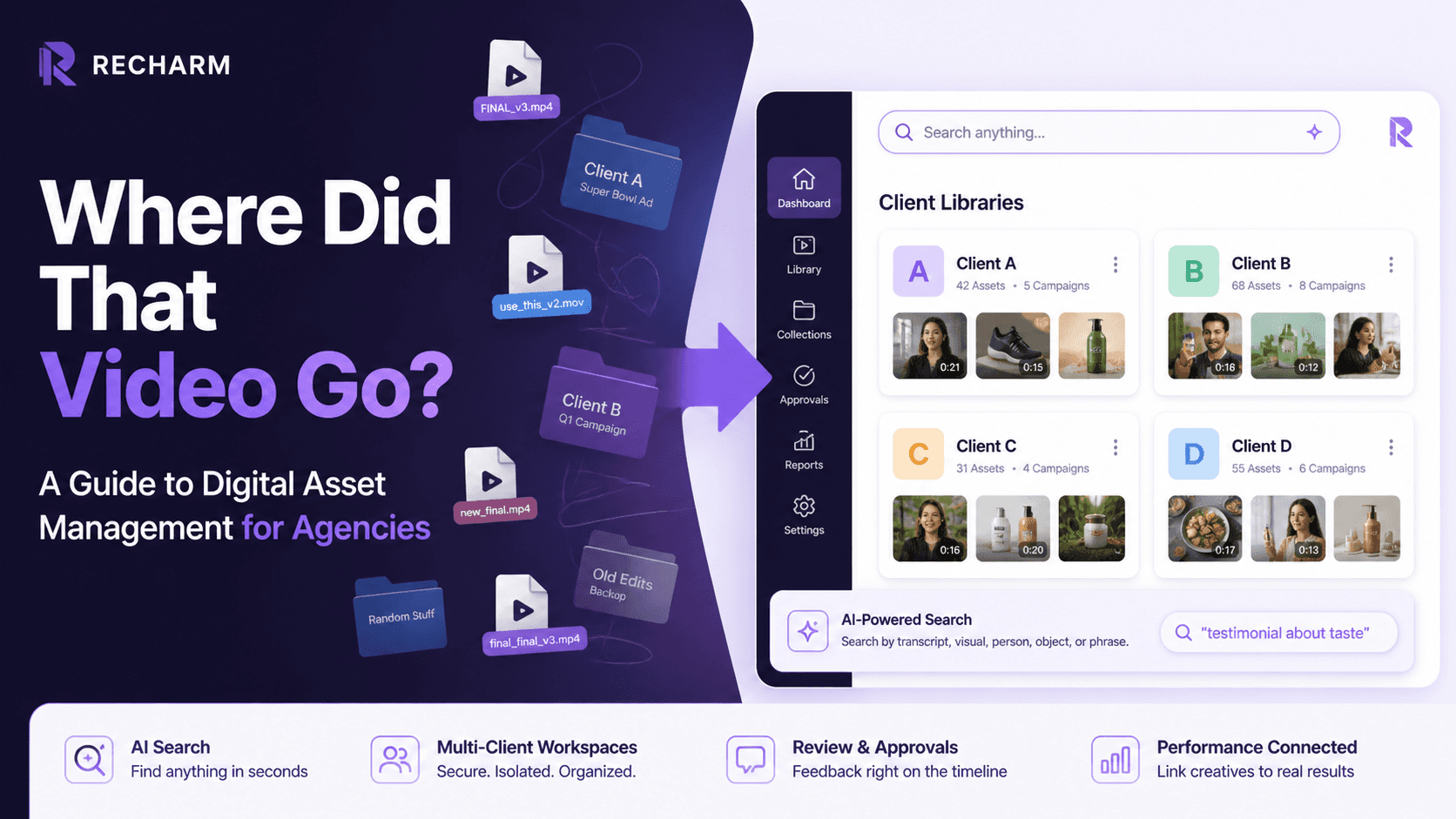

An agency client asks for a video from a campaign that ran three months ago. The team checks Google Drive. Then Slack. Then Dropbox. Then a freelancer’s laptop. No one is sure which file is the final version.
This is the everyday reality for agencies managing multiple client accounts. Creative assets get scattered across tools, folders, and team members, making files hard to find and even harder to manage.
Creative teams already have the content they need. The real problem is finding it quickly. This guide explains why shared storage fails agencies and how a proper Digital Asset Management (DAM) system brings order to multi-client creative libraries.
TL;DR
Generic cloud storage (Drive/Dropbox) scatters files and wastes time, especially when juggling many clients.
A DAM creates isolated “Brandfolders” or client workspaces as a single source of truth so each client’s library is secure and organized.
AI-powered tagging and transcript search let editors find clips by phrase or visual in seconds (not hours).
Built‑in review workflows and version control replace chaotic email threads, ensuring only approved assets go live.
Recharm is purpose-built for video-driven ad agencies: it auto-indexes transcripts and creator tags, enabling rapid TikTok/Meta ad iteration.
The "Multi-Client Chaos": Why Standard Storage Fails Modern Agencies
Any small agency can find itself in asset chaos quickly. Picture a Google Drive structure like:
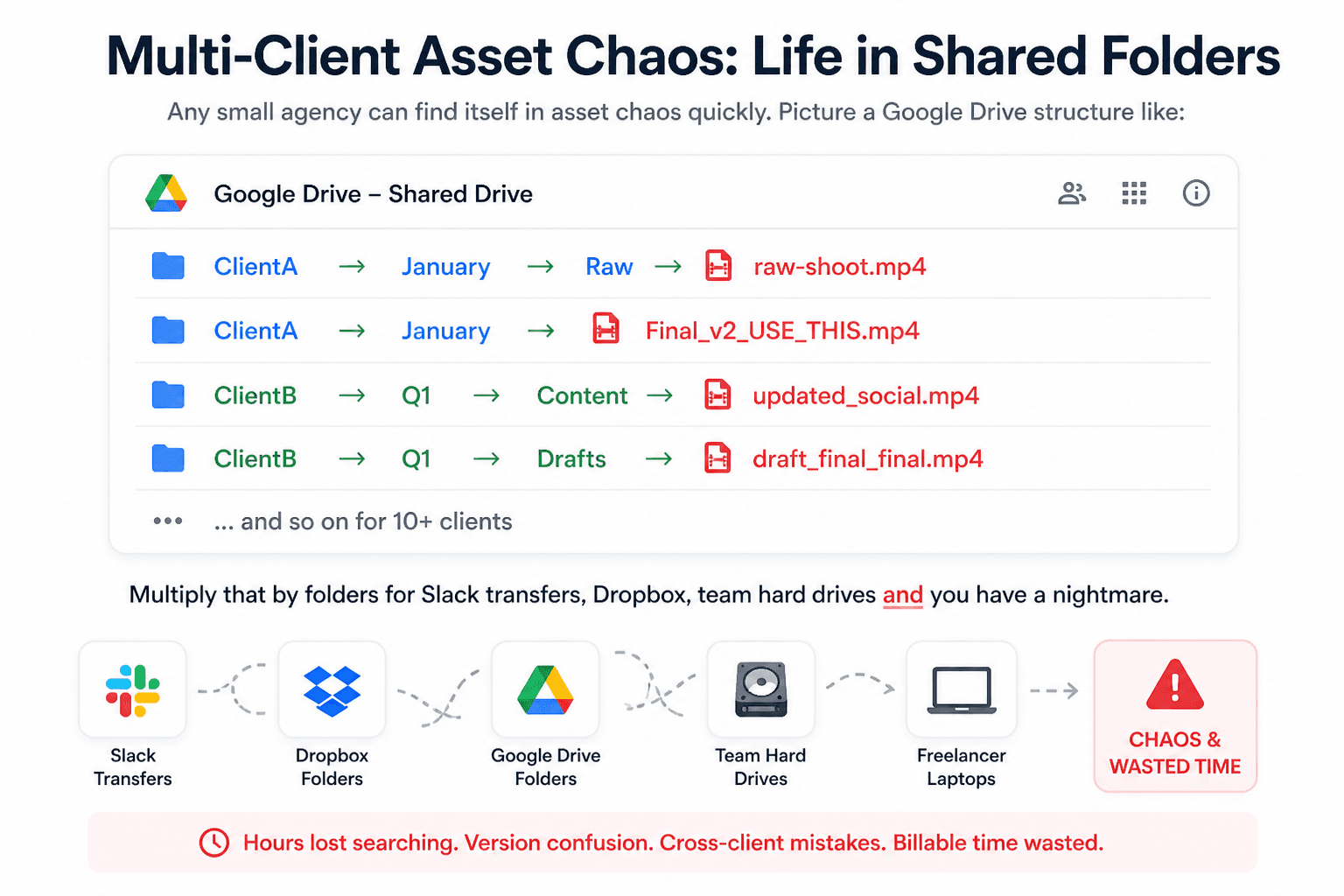
Multiply that by folders for Slack transfers, Dropbox, team hard drives, and you have a nightmare. The result is “digital clutter” – files buried in nested folders, inconsistent names, and no easy way to enforce permissions. Creative teams end up in a perpetual game of find-and-seek. They often resort to emailing the wrong file or spending hours scrubbing through footage. As one industry writer puts it, these daily headaches “drain creativity, burn billable hours, and jeopardize client relationships”.
In practical terms, this chaos has a hidden cost. For example, if an account manager wastes just 5 hours/week hunting assets for each of 10 clients, that’s 50 billable hours lost every week – thousands of dollars per quarter – before any work even begins. Indeed, studies find creative professionals can spend almost a third of their time (≈8.8 hours/week) searching for files. That inefficiency not only delays projects but also frustrates clients who expect quick turnaround. Clearly, a better system is needed.
Why Advertising Agencies Need Digital Asset Management
A Digital Asset Management (DAM) platform is designed to fix exactly these problems. In agency environments, a DAM provides:
Single Source of Truth: Each client’s assets live in their own workspace inside the DAM instead of being scattered across shared drives. This creates one centralized library per client where the team can find approved logos, videos, and images. It prevents outdated files, version confusion, and accidental mix-ups.
Secure Client Sharing: Instead of sending WeTransfer links or exposing internal folders, agencies can share assets through branded client portals. Clients see only their approved files and can download them anytime. This removes email confusion and makes the agency look far more organized.
Creative ↔ Performance Visibility: Modern agencies need to connect creative assets with campaign results. A good DAM can link assets to performance data like CTR or conversions. This helps teams quickly identify which creatives are working and reuse winning content faster.
Clean Collaboration:
A DAM replaces scattered feedback across Slack and email with built-in review workflows. Teams can leave timestamped comments, track revisions, and manage approvals in one place. Everyone always knows which version is the final one.
Overall, a DAM turns the chaotic agency workflow into an efficient, client-friendly process. It stops wasted hours and prevents costly mistakes (like using an old logo). And by centralizing assets and data, it actually strengthens client relationships, giving agencies more time to focus on strategy instead of scrambling for files.
5 Ways a DAM Transforms Agency Operations and ROI
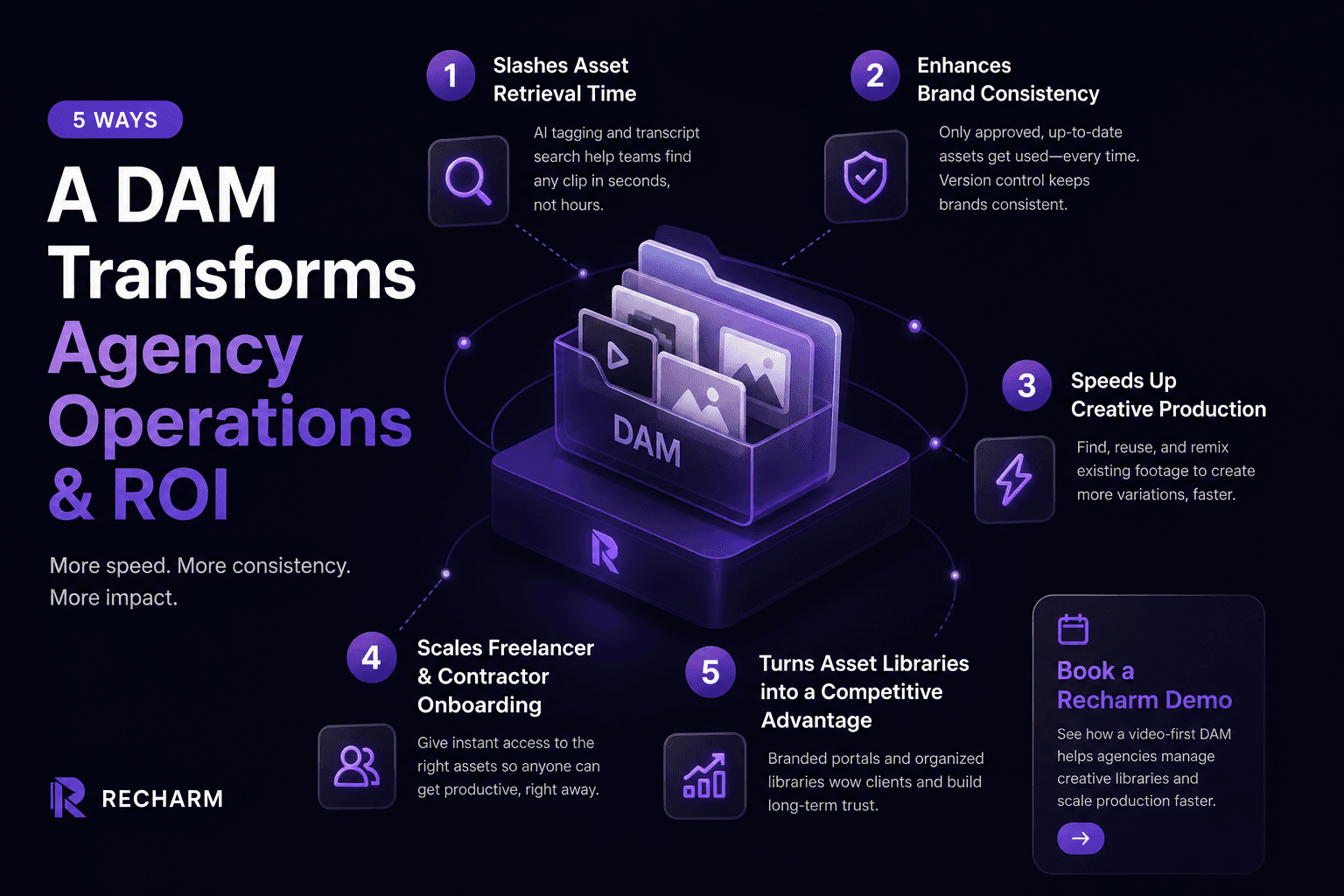
1. Slashes Asset Retrieval Time: Instead of digging through folders, teams simply search. Modern DAMs apply AI tagging and transcripts to every video, allowing editors to search by phrase, object, or creator name. This turns asset retrieval from hours into seconds. If a marketer needs a specific testimonial line, they can search the transcript and instantly pull that clip into a new edit.
2. Enhances Brand Consistency: A DAM ensures only approved assets are used. Old drafts are archived and clearly labeled, preventing teams from accidentally using outdated logos or creatives. With proper version control, everyone always works from the latest approved file, keeping client brands consistent across campaigns.
3. Speeds Up Creative Production: When assets are organized and searchable, teams can reuse existing footage instead of starting from scratch. For example, Little Spoon doubled its TikTok creative output after organizing its footage in Recharm, simply by remixing existing clips into new ad variations. Editors can quickly assemble new creatives using tagged footage, accelerating A/B testing and campaign iteration.
4. Scales Freelancer and Contractor Onboarding: Freelancers shouldn’t spend hours learning your folder structure. With a DAM, they can log in and search the client library instantly. Instead of asking where files live, they simply find assets through tags or keywords, becoming productive within minutes.
5. Turns Asset Libraries into a Competitive Advantage: Well-organized asset libraries also strengthen client relationships. Agencies can provide branded client portals where clients can access approved creatives anytime. This removes back-and-forth file requests and presents the agency as organized, professional, and easy to work with.
Want to see how this works in practice? Book a Recharm demo to see how a video-first DAM helps agencies manage creative libraries and scale production faster.
Key Features of Digital Asset Management for Agencies
When evaluating DAM solutions, agencies should look for features that address their unique needs:
Multi-Tenant Architecture & Secure Permissions: Agencies manage assets for multiple clients, so the DAM must support separate client workspaces. Each client gets an isolated library where only approved team members can access files. Role-based permissions control who can upload, review, or download assets. This prevents cross-client mix-ups and keeps every brand’s content secure.
Automated AI Tagging & Search: Modern DAM platforms automatically analyze uploaded content. They generate tags based on objects, scenes, faces, and spoken words through transcript search. This allows editors to find clips instantly using simple queries like a product name or a spoken phrase. Instead of browsing folders, teams can locate the exact footage they need in seconds.
Integrated Review and Approval Workflows: A DAM centralizes feedback and approvals. Teams can leave timestamped comments directly on videos, track revisions, and manage approval stages within the platform. This replaces scattered feedback across Slack or email threads and ensures everyone works from the latest approved version.
Video-First Capabilities: Since agency work is often video-heavy, the DAM must handle large media smoothly. Features like timeline-based proofing, version stacking, and fast video preview allow teams to review and edit content without downloading large files. With proxy previews or CDN delivery, editors and clients can instantly play and scan footage, keeping production workflows fast.
Choosing the Best DAM for Creative Agencies: A 2026 Evaluation Framework
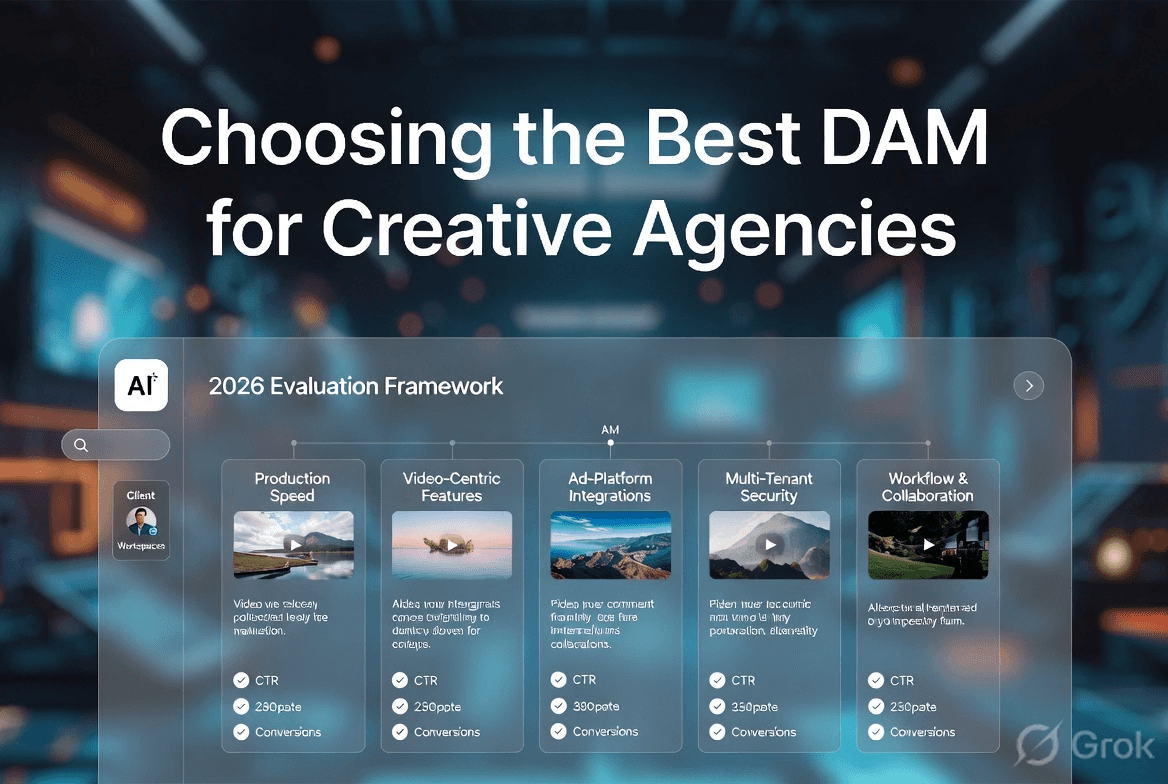
To pick the right DAM in 2026, agencies should use this checklist:
Production Speed: A DAM should handle large video files without slowing your team down. Look for instant video preview, fast uploads, and proxy generation so editors can start working immediately. The platform should allow teams to upload large batches of footage and begin searching or reviewing files without long processing delays.
Video-Centric Features: Agencies working with video need more than simple storage. Look for features like timeline-based comments, clip segmentation, and version stacking for ad variations. The platform should treat videos as editable, searchable timelines rather than just static files.
Ad-Platform Integrations: A good DAM connects creative assets with campaign performance. Ideally, it should integrate with ad platforms like Meta or TikTok so teams can see metrics such as CTR or conversions alongside each creative. This helps editors and strategists quickly identify which assets are actually working.
Multi-Tenant Security & Branding: Agencies must manage multiple clients without risking asset mix-ups. The DAM should allow separate client workspaces with strong permission controls. Features like white-label client portals, access roles, and secure sharing ensure each client only sees their own assets.
Workflow & Collaboration: The platform should streamline reviews and approvals. Teams should be able to leave comments on assets, track revisions, and manage approval steps in one place. Built-in collaboration tools reduce the need for scattered feedback across Slack or email.
Agencies can compare DAM platforms using these factors to find a system that helps them work faster, collaborate better, and manage content for multiple clients safely. Video-focused platforms like Recharm are built especially for creative teams that produce ads regularly, making them a good choice for agencies running frequent ad campaigns.
How Recharm Powers Video Ad Agencies
Recharm is designed around the very pain points we’ve described. It addresses multi-client chaos and creative bottlenecks with features tailored to agency life:
AI Tagging & Search: Recharm automatically organizes the videos you upload. It creates transcripts and adds tags for things like people, objects, scenes, and creators. This makes it much easier to find specific moments inside videos. For example, if a marketer notices a strong hook in one ad, they can search that line in Recharm and quickly see all the clips where it appears, even if those clips belong to different client projects.
Modular Creative Libraries: Instead of keeping videos as one long file, Recharm lets teams break them into smaller clips such as hooks, testimonials, or product shots. Agencies can organize these clips by campaign or client. This way, teams can quickly see what content they already have and reuse it when creating new ads, without digging through large video files.
Creator Tagging & Collaboration: Recharm can recognize and tag creators or influencers who appear in videos. This makes it easy to find clips featuring a specific person, even if they appear across different campaigns. The platform also allows teams to leave comments directly on the video timeline, so feedback stays connected to the exact moment in the clip.
Campaign Context: Teams can also attach campaign notes and performance information to video assets in Recharm. With integrations, creatives can see which clips were used in live ads and how those versions performed. This helps teams understand what worked and use those insights when planning new campaigns.
Several agencies have reported strong results after using Recharm. Little Spoon doubled its creative output and saw winning TikTok ads increase by 4×. Purdy & Figg saved their editors around 5 hours per week by repurposing existing footage instead of searching through folders. HexClad tripled its ad editing speed, with one strategist saying clip search time dropped from 30 minutes to just 5 minutes. These results show how an organized creative library helps teams focus on producing better ads instead of managing files.
Start a 14-Day Free Trial: Want to experience this efficiency for yourself? Start a 14-day free trial of Recharm and see how it transforms your workflow.
FAQs
Q: What is the best digital asset management system for advertising agencies?
There isn’t a single best DAM for every agency. Platforms like Bynder and MediaValet are popular for large marketing teams, while Frame.io focuses on video review workflows. For agencies managing high volumes of ad creatives, video-first platforms like Recharm are designed for faster search, organization, and creative iteration.
Q: How do agencies keep client assets separate in a DAM?
Most DAM platforms use multi-tenant architecture, where each client gets a separate workspace or library. Teams organize assets within that workspace using campaigns, folders, and collections. Permission settings ensure team members only access the clients they work on.
Q: Can a DAM handle video files for multiple clients simultaneously?
Yes. Modern DAM systems are built to manage large volumes of high-resolution media across multiple clients. Features like proxy video previews and cloud storage allow teams to stream and review large files instantly without slowing down workflows.
Q: How does a DAM improve agency–client relationships?
A DAM improves transparency and organization. Clients can access approved assets through branded portals and download files whenever they need them. This reduces email back-and-forth and gives clients confidence that their assets are managed professionally.
Q: What is the difference between DAM for brands and DAM for agencies?
Brand DAM systems typically manage assets for one company and focus on brand governance. Agency DAM systems manage assets for multiple clients at the same time. They emphasize separate client workspaces, strong permissions, and client-specific portals.