
Creative teams today operate under enormous pressure. Performance marketers expect fresh ad variations every week, social platforms reward constant experimentation, and creative strategists must keep finding new hooks that capture attention.
At the same time, budgets for producing new footage rarely scale at the same pace. Most teams cannot afford to shoot new content for every campaign iteration. Instead, they rely on existing footage, UGC clips, and product shoots to build new ad variations.
This is where creative operations become critical.
Without proper systems, creative workflows quickly become chaotic. Raw footage ends up scattered across Google Drive folders, editors receive feedback through Slack threads, and performance teams struggle to locate the exact clips used in winning ads.
The solution is building a creative operations stack.
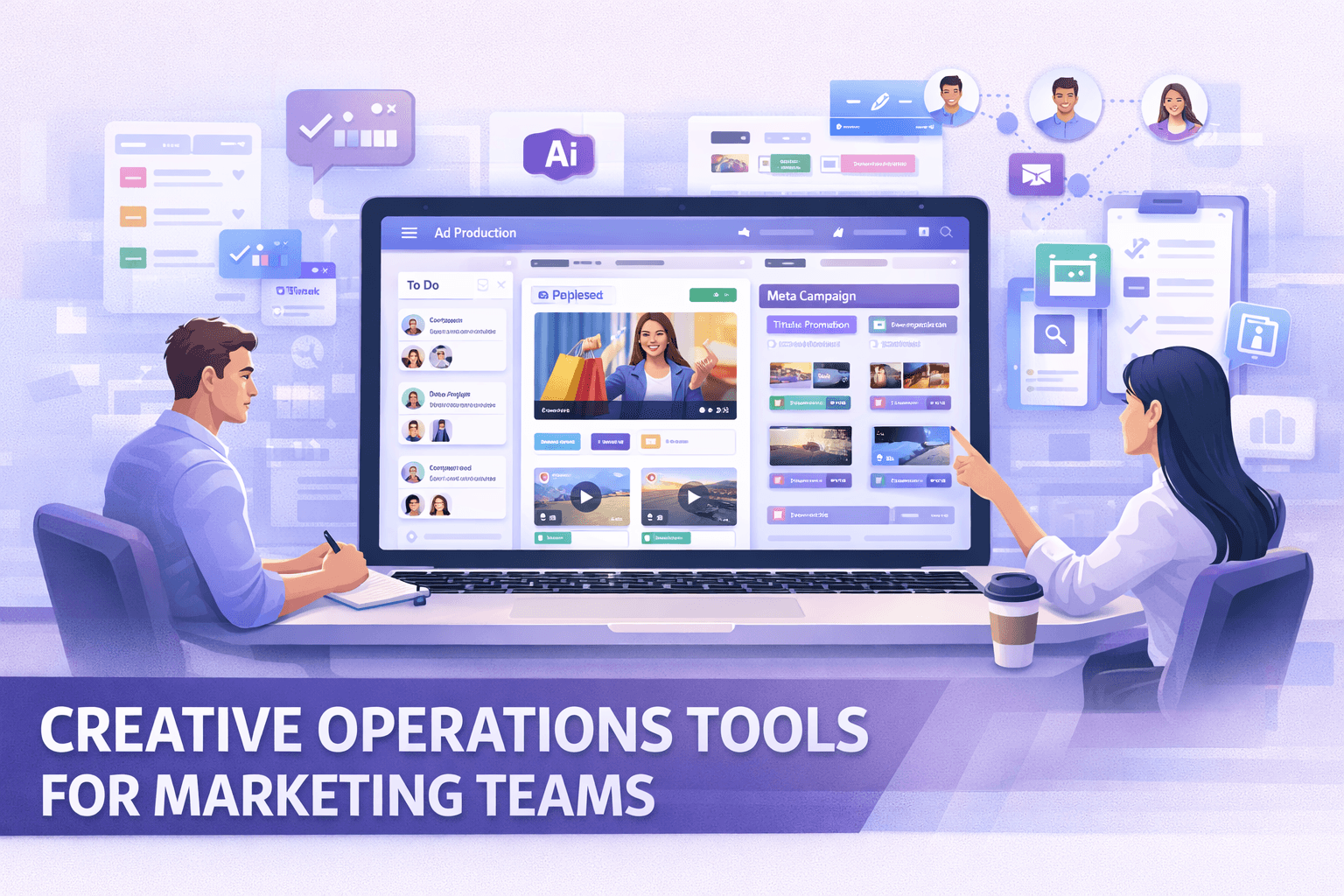
The best creative operations tools help teams organize assets, manage production workflows, automate repetitive creative tasks, and collaborate more efficiently. When used together, these tools transform a fragmented workflow into a streamlined production pipeline.
In this guide, we’ll break down the best creative operations tools in 2026 and how each category supports faster, more scalable ad production.
Which Aspects of Creative Operations Can Be Improved by Tools?
Creative operations span several parts of the production pipeline. Modern tools help improve efficiency across each of these areas.
Asset Organization & Searchability
One of the biggest challenges for creative teams is simply locating the right footage. Many organizations still store assets inside nested folder systems that were never designed for video-heavy workflows.
Modern asset platforms solve this problem by indexing video content and making clips searchable. Instead of browsing folders, teams can locate specific moments using metadata, transcripts, or tags.
According to Adobe’s State of Content report, 88% of marketing leaders say demand for content has doubled in recent years, making efficient asset management essential for marketing teams.
Source: https://business.adobe.com/resources/reports/state-of-content-report.html
Workflow & Resource Management
Creative teams rarely work in isolation. Campaign production involves collaboration between strategists, editors, designers, and performance marketers.
Workflow management tools help coordinate this process by organizing tasks, deadlines, and resource allocation. These platforms ensure that requests move smoothly from strategy to production without bottlenecks.
Creative Testing & Automation
Ad performance improves when teams can test multiple variations quickly. However, manually editing dozens of variations from scratch is slow and expensive.
Creative automation tools allow teams to reuse clips, generate new ad combinations, and iterate on winning creatives much faster.
Feedback & Approvals
Creative feedback often becomes fragmented across emails, Slack messages, and shared documents. This slows production and increases the risk of miscommunication.
Proofing tools centralize feedback directly on creative assets, often using timeline comments or version tracking. This makes approvals faster and easier to manage.
Research Methodology
To identify the best creative operations tools, we evaluated each platform using several criteria relevant to modern marketing teams.
Target Audience Fit
Different tools serve different types of organizations. Some platforms are designed for enterprise marketing teams managing global brand assets. Others are better suited for DTC brands or creative agencies producing high volumes of video ads.
Feature Depth
We assessed each platform based on its core capabilities. This includes automation features, collaboration tools, asset search functionality, and creative workflow management.
For video-heavy teams, features such as AI tagging, transcript search, and modular clip libraries were particularly important.
Integration Capabilities
Creative tools rarely operate in isolation. Platforms that integrate well with common tools such as Google Drive, Dropbox, Adobe Premiere, or project management software provide much smoother workflows.
User Reviews & Industry Benchmarks
Finally, we compared each platform against industry benchmarks and competitor tools commonly used in creative operations stacks.
Best Project Management Tools for Creative Teams
Creative operations often start with one basic challenge: coordinating work across multiple teams. Campaign production involves strategists, designers, editors, and media buyers, all working on tight timelines.
Without a structured project management system, requests can easily get lost between Slack messages, spreadsheets, and email threads. Project management platforms solve this by centralizing tasks, timelines, and communication in one place.
The following tools are widely used by creative teams to manage campaigns and keep production workflows organized.
1. Asana
Asana is one of the most widely adopted project management platforms used by marketing and creative teams. It helps organizations track campaigns, manage creative requests, and coordinate cross-functional work.
Creative teams often rely on Asana to organize tasks such as ad production, campaign planning, and content approvals. Its flexible structure allows teams to build workflows that match their internal processes.
Key Features
Custom project workflows for campaign management
Timeline and Gantt chart views for scheduling projects
Integration with tools like Slack, Google Drive, and Adobe Creative Cloud
Task dependencies and automated reminders
Because of its flexibility, Asana works particularly well for teams managing multiple campaigns simultaneously.
2. Monday.com
Monday.com focuses on visual project management. Its interface uses customizable boards that help teams track progress across projects, tasks, and campaigns.
Creative teams often use Monday.com to manage production sprints, coordinate content calendars, and monitor asset creation across multiple channels.
Key Features
Visual workflow boards with customizable columns
Automated notifications and status updates
Resource allocation and budget tracking
Dashboards for campaign performance tracking
The platform is especially useful for teams that prefer visual workflow tracking rather than traditional task lists.
3. ClickUp
ClickUp positions itself as an all-in-one workspace designed to combine project management, documentation, and collaboration.
Many creative teams use ClickUp to manage both operational workflows and creative briefs within a single platform. This reduces the need for multiple tools across departments.
Key Features
Custom task statuses such as “In Review” or “Needs Edits”
Built-in documents and whiteboards for brainstorming
Advanced reporting and productivity dashboards
Integration with popular creative and marketing tools
ClickUp is particularly appealing for teams looking to consolidate multiple productivity tools into one system.
Best Creative Collaboration & Proofing Tools
Creative work rarely moves directly from production to publication. Most assets go through multiple rounds of feedback and revision before they are finalized.
Without structured review tools, feedback often becomes scattered across different channels. Editors may receive comments through Slack, email, and shared documents at the same time, making revisions confusing and time-consuming.
Creative proofing tools solve this problem by centralizing feedback directly on the creative asset itself.
4. Ziflow
Ziflow is a specialized proofing platform designed to streamline creative review processes for agencies and marketing teams.
It allows stakeholders to leave precise comments directly on images, videos, or design files. This helps eliminate confusion around which part of an asset requires revision.
Key Features
Frame-accurate video feedback
Automated approval workflows
Version comparison tools
Integration with Adobe Creative Cloud
Ziflow is commonly used by agencies that manage large volumes of creative approvals across multiple clients.
5. Frame.io
Frame.io has become the industry standard for video collaboration. It allows editors, directors, and marketing teams to leave feedback directly on video timelines.
This makes it easier for editors to understand exactly where changes are needed.
Frame.io is widely used in professional video production workflows and integrates directly with editing tools such as Adobe Premiere Pro.
Key Features
Timeline-based video comments
Real-time collaboration between editors and reviewers
Direct integration with Premiere Pro
Secure asset sharing
While Frame.io is excellent for reviewing edits, it does not function as a full digital asset management system.
6. Filestage
Filestage focuses on simplifying stakeholder feedback across different file types, including videos, images, PDFs, and design files.
It allows marketing teams to manage approval workflows while maintaining clear version histories.
Key Features
Timestamped feedback on videos and documents
Version control for creative assets
One-click approvals
Multi-stakeholder review management
Filestage is particularly helpful for teams that frequently collaborate with clients or external partners.
Best Creative Automation Tools
As the demand for new creative assets increases, many teams are turning to automation tools to speed up production.
Automation tools reduce manual work by helping teams generate creative variations, tag assets automatically, and reuse existing content more efficiently.
7. Recharm
Recharm focuses specifically on helping DTC brands and creative agencies scale video ad production. Instead of treating videos as single files stored inside folders, it organizes footage into reusable creative components.
This approach allows teams to quickly locate specific clips and reuse them across campaigns.
Key Features
Modular Creative Library: Raw footage is automatically organized into reusable segments such as hooks, product shots, testimonials, and B-roll. This allows teams to build new ad variations without manually reviewing every file.
AI Auto-Tagging: The platform analyzes video and audio content to automatically tag important elements. This reduces the time editors spend manually labeling footage.
Rapid Creative Iteration: Creative strategists can quickly locate winning hooks or product shots and reuse them to generate new ad concepts.
For teams producing a high volume of social media ads, this type of workflow can significantly accelerate creative testing cycles.
8. Marpipe
Marpipe focuses on multivariate creative testing. The platform automatically generates different ad combinations using predefined creative elements.
This allows marketing teams to test multiple variations of ads simultaneously.
Key Features
Automated creative variant generation
Data-driven testing for ad creatives
Integration with advertising platforms
Campaign performance insights
Marpipe is particularly useful for teams focused heavily on creative experimentation.
9. Abyssale
Abyssale is designed to help marketing teams scale the production of banners and social media visuals.
Instead of manually creating each asset, teams can generate multiple creative variations using templates and automation.
Key Features
Dynamic creative templates
Batch generation for social media visuals
Automated resizing for multiple platforms
Collaboration tools for design teams
Abyssale works best for teams that produce large volumes of image-based creative assets.
Best Knowledge & Asset Management Tools
As creative production scales, one of the biggest operational challenges is managing the growing library of assets. Video footage, brand graphics, product photos, and campaign creatives quickly accumulate across different storage systems.
Without proper asset management tools, creative teams often waste time searching for files, recreating assets that already exist, or re-editing clips that were used in past campaigns.
Knowledge and asset management platforms solve this problem by organizing creative libraries in a way that makes assets easy to find, reuse, and distribute across teams.
10. Recharm
Recharm stands out as a video-first digital asset management platform built for performance marketing teams. While traditional DAM tools focus on storing files, Recharm focuses on making video content searchable and reusable.
Instead of treating videos as single files, the platform organizes footage into modular creative components. This allows teams to quickly locate specific clips and reuse them across campaigns.
Key Features
Natural Language & Transcript Search: Users can search videos using spoken phrases from the content. For example, a strategist can search for a phrase like “game changer” and immediately jump to the exact moment where it appears in a clip.
Cloud Storage Integration: Recharm integrates with existing storage platforms such as Google Drive. This allows teams to keep their current storage workflows while adding powerful indexing and search capabilities on top.
Modular Video Libraries: Rather than storing entire raw videos as single files, the system organizes clips into segments like hooks, testimonials, and product demonstrations. This structure helps creative teams reuse assets much faster.
For teams producing a large volume of video ads, this approach significantly reduces the time required to locate and reuse existing footage.
11. Brandfolder
Brandfolder is a traditional digital asset management platform widely used by enterprise marketing teams. It helps organizations manage brand assets such as logos, campaign graphics, product images, and marketing collateral.
The platform focuses heavily on brand governance and distribution.
Key Features
Centralized brand asset libraries
Permission controls for different teams
Asset usage analytics
Brand portals for partners and stakeholders
Brandfolder works particularly well for organizations managing large brand libraries across multiple departments.
12. Air
Air is a visual workspace designed specifically for creative teams. It offers a simplified approach to asset organization that feels more intuitive for designers and marketers compared to traditional DAM systems.
Instead of rigid folder structures, Air provides a more visual way of browsing creative assets.
Key Features
Visual asset boards for creative teams
Tagging and metadata organization
Basic collaboration tools
Integration with popular design tools
Air works well for teams that want a lightweight system for organizing visual content. However, it lacks some of the advanced video indexing capabilities needed for high-volume video ad production.
Best AI Tools for Creative Operations
Artificial intelligence is rapidly transforming creative workflows. AI tools can now assist with tasks that once required hours of manual work, such as tagging assets, generating visuals, or producing voiceovers.
For creative teams, these tools make it easier to produce content faster while experimenting with new ideas.
According to McKinsey research, generative AI could automate up to 30% of marketing and creative production tasks, significantly increasing productivity for marketing teams.
Source:
13. Recharm
Recharm also plays a role in AI-driven creative operations. The platform uses machine learning to analyze video content and automatically identify key elements within footage.
This allows teams to quickly locate relevant clips without manually reviewing every video file.
Key Features
AI-Powered Tagging: The system automatically identifies visual elements, dialogue, and context within videos. This reduces the need for manual tagging.
Human-Assisted Tag Accuracy: Unlike some fully automated systems, Recharm combines AI tagging with human oversight. This ensures that assets are categorized in a way that matches marketing terminology and creative strategy.
Creative Clip Discovery: Strategists can quickly find clips based on emotions, scenes, or spoken phrases. This allows teams to reuse existing footage when building new ad variations.
For performance marketing teams running high volumes of creative tests, this type of intelligent indexing can dramatically speed up production workflows.
14. Midjourney / DALL-E 3
Midjourney and DALL-E 3 are widely used AI image generation tools. They allow users to create visual concepts directly from text prompts.
Creative teams often use these tools during the early stages of campaign planning.
Key Features
AI image generation from text prompts
Rapid concept visualization
Inspiration for campaign visuals
Ability to generate storyboards or design references
These tools help creative teams explore new ideas quickly before committing to full production.
15. ElevenLabs
ElevenLabs focuses on AI voice generation and voice cloning. The platform allows teams to create realistic voiceovers using text-to-speech technology.
This is particularly useful for ad creatives, explainer videos, and product demonstrations.
Key Features
High-quality AI voice synthesis
Voice cloning for consistent brand voiceovers
Multilingual voice generation
Fast production of audio narration
Voice generation tools help reduce the cost and time required to produce professional voiceovers for marketing content.
Conclusion
Scaling creative production requires more than just talented editors and designers. It also requires the right operational systems to manage workflows, organize assets, and automate repetitive tasks.
Project management tools help teams coordinate campaigns. Proofing platforms streamline feedback and approvals. Creative automation tools speed up production by enabling teams to reuse existing assets more effectively.
However, one of the biggest opportunities lies in how teams manage their growing video libraries. As video becomes the dominant format for digital advertising, the ability to quickly locate and reuse footage becomes a major competitive advantage.
Platforms such as Recharm help bridge the gap between asset management and creative automation. By organizing video footage into searchable, reusable components, teams can spend less time searching for assets and more time experimenting with new creative ideas.
For DTC brands and agencies producing a large number of video ads, tools like this can significantly improve creative velocity and campaign performance.
If you're exploring ways to improve your creative operations stack, it may be worth seeing how a video-first system like Recharm can fit into your workflow.
Frequently Asked Questions
What is a creative operations tool?
A creative operations tool is software designed to manage different stages of the creative production process. This can include project management, asset storage, collaboration, creative automation, and campaign production.
These tools help teams coordinate work, organize assets, and deliver creative projects more efficiently.
Why do performance marketers need creative automation?
Digital advertising platforms require constant creative testing to maintain strong performance. Without automation tools, producing large numbers of ad variations can become slow and expensive.
Creative automation tools allow teams to reuse existing assets, generate variations quickly, and experiment with different creative approaches.
How is Recharm different from traditional DAM platforms?
Traditional storage platforms such as Google Drive or Dropbox mainly focus on file storage.
Recharm takes a different approach by treating video assets as searchable creative components. The platform uses AI and tagging systems to break down videos into clips such as hooks, testimonials, and product shots.
This allows teams to quickly locate relevant footage and assemble new ad variations without manually reviewing hours of video content.