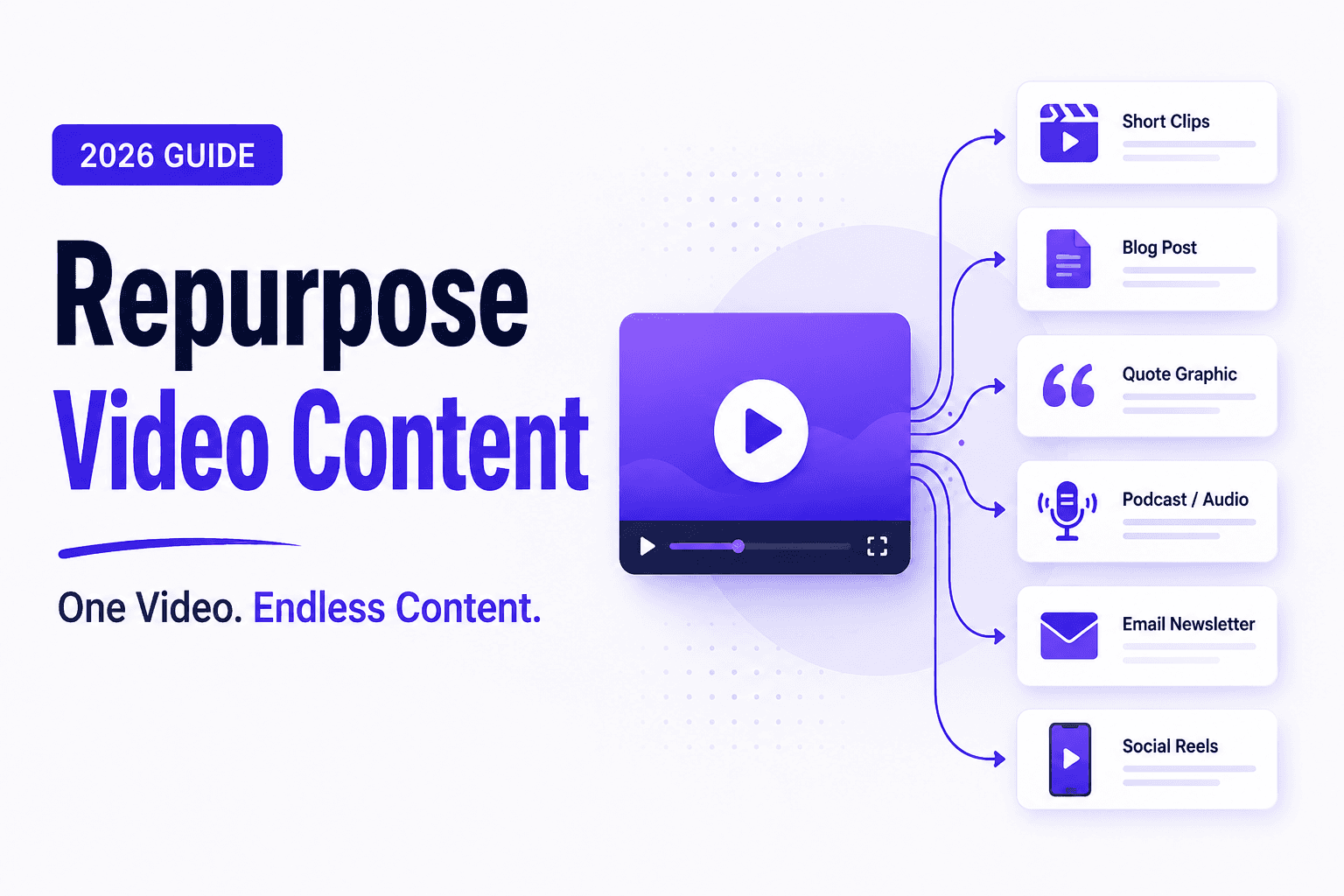

Most brands create a video, post it once, and move on. In practice, that means roughly 80-90% of the value in their footage goes unused. A single webinar or customer interview can be sliced into dozens of tailored assets across channels, fueling an entire month of content on TikTok, Instagram, LinkedIn, YouTube, and email.
This guide gives you a practical, step-by-step system to repurpose one video into many pieces without extra filming. You'll learn which videos to pick, how to edit them into platform-native formats, and how to organize your workflow so repurposing happens automatically, with Recharm's AI-powered search and tagging helping you every step of the way.
TL;DR
Repurposing vs. cross-posting vs. reposting: Repurposing means re-editing and reformatting footage for a new purpose, not just uploading the same clip everywhere. Cross-posting is using the identical video on different platforms; reposting is resharing it on the same platform. Only repurposing actively multiplies your reach.
Start with a content audit: Once you have 5-10 quality videos, review the last 6-12 months of footage. Prioritize evergreen, educational content (webinars, demos, tutorials) and anything that got strong engagement, as those deliver the biggest ROI when repurposed.
Three pillars of repurposing: First, identify videos with clear breakpoints or multiple topics so you can clip stand-alone segments. Second, reformat each clip for the target platform by adjusting aspect ratio, length, pacing, and style. Third, redistribute on a staggered schedule to maximize reach over time. A single 60-minute webinar can easily yield 10-15 social clips of 30-60 seconds each.
Example workflows: Pull 30-90s highlight clips from a long video and edit them as Reels or TikToks. Transcribe a product walkthrough and structure it into a blog article. Turn key soundbites into quote graphics or audiograms. Embed a 15-30s thumbnail link in your email newsletter to boost click-throughs by ~50%.
Tools to speed the process: AI-powered platforms like Wistia, Descript, and Kapwing auto-generate transcripts, find clips by keyword, and reformat for each channel. Connect your asset library to a social scheduler (Hootsuite, Later) so approved assets are queued for posting immediately. Recharm's AI visual search and tagging instantly locate scenes by object or topic and automatically annotate footage at upload.
What Is Video Content Repurposing?
Video content repurposing is the practice of taking existing footage and transforming it into fresh content for new platforms or formats. Rather than shooting something new, you re-edit what you already have, changing the length, aspect ratio, pacing, captions, and narrative framing to suit a different channel or audience. For example, a 60-minute product webinar can become several 30-second teasers for Instagram Reels, a 2-minute demo clip for LinkedIn, and a blog post summarizing the key points.
The upside is significant: brands that make repurposing a habit often see 2-3x more reach and engagement without hiring extra videographers. A single piece of long-form content can fuel an entire content calendar, while posting a video once and moving on leaves most of its value unused.
Repurposing vs Cross-Posting vs Reposting: Key Differences
It’s crucial to distinguish repurposing from similar-sounding ideas:
Repurposing means re-editing existing footage into a new format or context entirely. You produce a new edit using the same raw material, such as turning a webinar into a 45-second motivational clip or a captioned audiogram.
Cross-posting means uploading the identical video file to multiple platforms with little or no change. It saves effort but often underperforms because each platform's algorithm favors native, optimized content over repurposed uploads from other channels.
Reposting means sharing the same video again on the same platform, like re-running an Instagram Story. It does not expand reach beyond your existing audience or attract new viewers.
Of the three, only repurposing actively grows your audience and multiplies the impact of your original content.
Method | What it is | Example |
Repurposing | Re-editing footage into a new format or context. Tailoring the content for each platform. | Editing a webinar down into multiple short TikToks. |
Cross-posting | Posting the same video file on different platforms. No new editing. | Uploading a YouTube video natively on Twitter and Facebook. |
Reposting | Re-sharing the same video on the same platform or account. | Re-tweeting or re-sharing your own LinkedIn or Instagram video. |
Repurposing adds effort (editing) and multiplies impact; cross-posting and reposting are easier but far less effective for growth.
When Should You Start Repurposing Content?
The repurposing advantage kicks in as soon as you have a handful of solid videos to work with. Once a brand has 5-10 quality videos (webinars, demos, interviews, or similar), that's enough to start a repurposing workflow.
Begin with a quick content audit: look back at the past 6-12 months of footage and identify clips that already performed well, whether through high watch times, strong engagement, or significant traffic. Those proven topics are prime candidates to extract more value from. Evergreen content like how-tos, tutorials, product demos, and thought-leadership interviews is especially ripe for repurposing because it stays relevant over time. Seasonal videos can also be reused with a timely angle, such as refreshing a holiday promo for next year's campaign.
As a rule, the more evergreen a video is, the higher its repurposing ROI. A technical webinar or "Top 10 tips" presentation from last year can still drive views today, while a time-sensitive announcement goes stale quickly. Start by clipping the evergreen educational pieces in your library first.
3 Core Pillars for Repurposing Video Content
A systematic repurposing process rests on three pillars:
1. Identify. Choose videos with natural breakpoints: long-form content with multiple segments or topics, such as a webinar with distinct Q&A sections or an interview broken into themes. Look for emotional peaks, key insights, or step-by-step instructions that can each stand alone as a clip. One 60-minute webinar typically yields 12-15 clearly defined subtopics. Transcribing the video first makes it easy to scan for the punchiest quotes and moments.
2. Reformat. Adapt each clip to its target platform's norms by re-editing the length, aspect ratio, and style. A 60-second inspirational moment might become a 15-second TikTok with jump cuts and upbeat music, while the same quote works as a 90-second educational segment on LinkedIn with professional captioning. Always add burned-in captions since most social viewers watch on mute, and trim intros and outros to get straight to the point. One webinar can realistically yield around 12 social clips of 30-60 seconds each.
3. Redistribute. Spread the new assets out over several weeks rather than publishing everything at once. Take those 12 webinar clips and post 3-4 per week across different channels, mixing in blog posts, quote graphics, and audiograms to keep your feed consistently fresh. Plan follow-up posts that link clips back to the full resource, turning one video into content that works for you over an entire month.
Following the Identify → Reformat → Redistribute loop turns one-off repurposing into a repeatable system where every piece of content becomes the seed for many more.
How to Decide Which Videos to Repurpose First
Not every video is worth chopping up – focus on the ones that will yield the biggest payoff:
Performance-driven picks. Start with your top performers. A video that already drove strong views, likes, or conversions proves the content resonates with your audience. High watch-through rates on YouTube or long average view times on Facebook are strong signals that a video is worth repurposing further.
Structured content. Look for videos with 3 or more segments or a clear narrative, such as webinars, multi-feature demos, or panel discussions. Each sub-topic can stand alone as its own clip. A casual 2-minute vlog or one-off announcement with no structure is much harder to fragment into useful assets.
Evergreen and relevant. Align repurposing with your current marketing priorities. If you're launching a product, start with recent demos and customer interviews tied to that launch. If a video connects to a seasonal theme, it can be refreshed and reused each year.
The simple formula: high engagement + high structure + high relevance = repurpose first.
5 Ways to Repurpose Long-Form Video Content
Here are five practical transformations you can apply to one long video:
Short social clips.
Extract the most powerful 30-90 second moments as standalone videos, cutting straight to the key insight, demo, or emotional peak. Pull the top 3-5 actionable tips from a 60-minute webinar and edit each into a 30s Instagram Reel, a 45s TikTok, or a 60s YouTube Short. Burn in captions and add a hook title at the start, then link back to the full content.
Audiograms.
Pick a compelling soundbite, a clever quote or striking statistic, and overlay it on a static image or animated waveform with subtitles. This creates an engaging audio-first mini-video that works particularly well on LinkedIn and Twitter. Tools like Headliner or Recast can automate audiogram creation in minutes.
Quote graphics.
Pull the most quotable line from the transcript and design it as a shareable image using your brand fonts and colors. Post these on Instagram, LinkedIn, and Pinterest. A strong customer testimonial or expert insight can become a high-engagement post with very little production effort.
Blog article.
Transcribe the footage and use the video's structure as the backbone of a written article. Mirror the video's segments as blog headings, and embed screenshots or short clip links to illustrate key points. This expands your SEO footprint and serves audiences who prefer reading over watching.
Email snippet.
Pick a 15-30 second highlight clip and include a screenshot with a play-button graphic in your newsletter, linking to the hosted video page. Embedding video directly rarely works since most email clients block it. According to Oneupweb, emails with a video thumbnail see ~50% more clicks than those without.
A single interview can realistically generate five social clips, two audiograms, three quote graphics, a blog post, and an email snippet, all from the same raw footage.
How to Repurpose Videos for Each Social Platform
Each platform has its own style and audience expectations. Changing the content, not just the dimensions, is what makes repurposed videos perform.
Instagram Reels. Vertical (9:16), 15-30 seconds. Open with a bold visual hook in the first 1-2 seconds to stop the scroll, burn in captions for muted viewers, and keep the pace fast by trimming out pauses. An educational demo works well as a quick "3 steps in 30 seconds" reel with text overlays.
TikTok. Vertical (9:16), ideally under 60 seconds. Use a casual, native style and open with a punchy question or trending hook. TikTok favors talking-head authenticity, so let on-screen talent speak directly and edit out formal intros and outros. According to TikTok data, clips under 60 seconds consistently outperform longer ones.
LinkedIn. Square (1:1) or landscape (16:9), 1-3 minutes. Lead with an insightful hook in the first 3 seconds, such as a result-driven stat or an industry question. Up to 80-90% of LinkedIn views are sound-off, so burned-in captions are essential. Product demos, success stories, and expert talking-head clips perform particularly well here.
YouTube Shorts. Vertical (9:16), up to 60 seconds. Make the payoff clear immediately with a bold statement or cliffhanger, and add an optimized title overlay that hints at the content. Tag it as a Short in the title or description so YouTube categorizes it correctly.
Email Newsletter. Upload the video to a host like YouTube or Wistia, then place a thumbnail image with a play-button overlay in your email that links to the video page. Oneupweb found that a linked video thumbnail boosts email clicks by ~50% compared to text-only emails.
Across every platform, the first few seconds determine whether someone keeps watching. Burned-in captions are non-negotiable since most people scroll with sound off, and the tone should always feel native to the platform it lives on.
How to Make Content Repurposing Part of Your Workflow
To make repurposing reliable (not a one-off chore), build it into your process:
Plan during production. When scripting new video content, carve out sections that can work as standalone pieces. Label segments in your webinar script like "Clip #1: Product tip" and "Clip #2: Customer quote." Shoot extra B-roll and capture multi-camera angles so you have material to mix and match during editing later.
Tag assets on ingest. As soon as footage lands in your library, tag it by topic, speaker, product, and potential use case. Labels like "Demo_B-roll_CloseUp" or "SocialMediaStrategy_Interview_Hook" turn content hunting from a manual slog into a quick search. Recharm's AI tagging automatically recognizes objects, text, and scenes and applies tags at upload, cutting repurposing prep time from hours to minutes.
Set a repurposing cadence. Block out a regular repurposing session each week, even just one hour. Pick 1-2 source videos, extract assets for target platforms, and queue them in your scheduler. Treat it like an assembly line: one team member pulls clips, another edits and captions, another uploads to the queue. A consistent cadence keeps your brand active on social with minimal incremental filming.
Tools That Make Video Repurposing Faster
Rather than hunting clips in folders or tediously reformatting by hand, use specialized tools. Group them by purpose:
Search and retrieval. Use a tool that lets you search your video library by transcript and visuals. Type a keyword like "budget forecast" and jump straight to that clip, or use visual search to find any scene containing a specific person, product, or logo. AI-powered search tools like Recharm, Descript, and Frame.io let you locate the exact moment you need in seconds rather than scrubbing through long recordings.
Automated reformatting. Look for editing tools with auto-reframe or one-click format presets. Platforms like Premiere Pro's Auto Reframe, VEED.io, and Kapwing automatically crop footage to vertical or square formats. Descript and Pictory use AI to suggest tight cuts and generate summaries, eliminating most of the manual exporting and resizing work.
Captioning and transcription. Auto-generated captions are now standard across tools like Otter.ai, Rev.com, and YouTube's built-in captioner. Since ~92% of mobile viewers watch with sound off, accurate burned-in subtitles are essential. Descript even lets you cut video by deleting lines from the transcript, making editing significantly faster.
Scheduling and publishing. Once clips are ready, push them into a social scheduler like Hootsuite, Buffer, or Sprout Social. Some video hosts integrate directly, for example Wistia connects to Hootsuite so you can publish without re-downloading files. Uploading a batch of repurposed clips and setting release dates all at once keeps your channels consistently active.
Asset management and collaboration. A solid DAM or content library lets teams store, preview, and comment on clips in one place. The key features to look for are version control, permissions management, and usage rights tracking, especially when reusing music or third-party content.
An integrated solution like Recharm covers many of these bases at once, combining AI-powered search, auto-captioning, and asset tagging in a single platform. The fewer tools you copy and paste between, the faster your repurposing engine runs.
The Recharm Advantage: Supercharging Your Video Repurposing Engine
When it comes to scaling up, Recharm is the infrastructure every creative team needs. Here’s how Recharm supercharges repurposing at enterprise scale:
AI Visual Search. Type a word, search by image, or specify an element like a person or product, and Recharm points you to the right frame instantly. When your archive has thousands of clips, finding that one testimonial or demo takes seconds instead of hours.
Transcript and smart slicing. Every video uploaded to Recharm gets automatically transcribed, and the AI identifies the highest-value moments: key statements, story beats, and emotional peaks. It surfaces 30-second highlight candidates ready for download, so your team spends time editing rather than hunting.
Creator asset management. Every repurposed clip is linked back to its original creator, date, and usage rights. Recharm keeps compliance tracking organized so you always know whether you have permission to use a soundbite or which influencer footage became which ad.
Collaboration and approvals. Project boards, comments, and review queues let your video team, copywriters, and social managers work together in one pipeline. When a clip is approved, it routes straight into captioning and scheduling, keeping your repurposing cadence on track.
Recharm turns your existing footage, webinars, podcasts, interviews, and demos, into a searchable, sliceable, schedule-ready content factory. Even a small team can generate dozens of assets daily.
Start your free 14-day trial of Recharm and see how much faster your repurposing workflow can move.
Frequently Asked Questions
What is the difference between repurposing and cross-posting video content?
Repurposing means creating a new edit or format from existing footage, such as turning a webinar into short social clips or a blog post. Cross-posting is uploading the same video file to multiple channels with little to no change. Reposting means sharing the same video again on the same platform. Only repurposing actively expands reach and engagement; the other two only boost visibility incrementally.
How many pieces of content can you get from one long-form video?
Often dozens. A 60-minute webinar can yield 12 short social clips, an email teaser, a blog post, 5 quote graphics, and an audiogram, totaling 30+ assets from a single shoot. As a rule of thumb, aim to extract at least one short clip from every 10-15 minutes of footage.
Which types of videos are best for repurposing?
Structured, evergreen content works best: webinars, expert interviews, panel discussions, product demos, and how-to tutorials. Each segment or feature can stand alone as its own clip. Unstructured formats like casual vlogs or one-off announcements have limited repurposing mileage.
How do I repurpose video content without it looking recycled?
Transform the content, not just the format. Change the hook, add fresh captions or graphics, and recontextualize the intro and outro for each platform. A demo clip on Instagram might open with a dramatic product reveal, while the same clip on LinkedIn leads with a professional insight. Using B-roll, switching speakers, or overlaying different text makes the same footage feel entirely new.
What tools help automate video repurposing?
All-in-one platforms like Recharm and Wistia handle resizing, captioning, and asset management in one place. AI editors like Descript and Pictory auto-trim videos based on keywords. Veed.io and Kapwing simplify subtitle addition and format switching. Opus Clip and Munch automatically surface the most attention-grabbing 30-second snippets. Connect any of these to a scheduler like Buffer or Hootsuite so approved assets publish natively without extra steps.