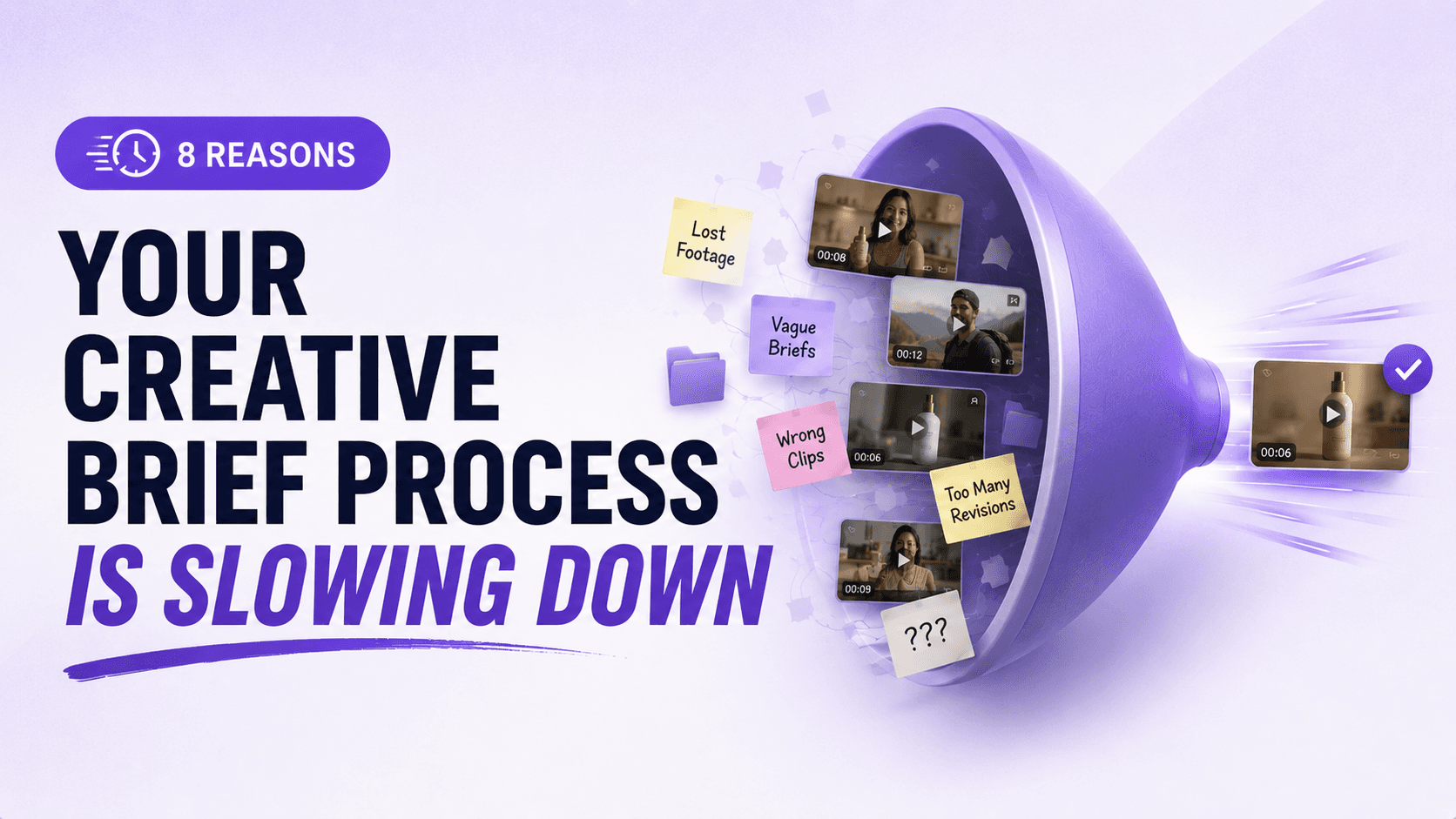

Creative teams often describe briefing as a frantic scavenger hunt. Instead of smoothly moving from concept to cut, they spend hours sifting through chaos. In fact, one survey found 33% of marketers spend about three weeks per year just searching for photos, videos, and other assets. Meanwhile, performance marketers need fresh ad variations every week, but often have only existing footage to work with. The result? By the time the first draft is cut, market trends may have moved on. Pixelixe warns that “a slow production cycle means fewer creative tests, slower iteration, more campaign fatigue”. If you’re nodding at the idea of lost time and missed opportunities, your creative briefing process may be the hidden bottleneck. When every minute in a briefing is wasted on searches or clarifications, the whole creative workflow drags.
TL;DR
Creative teams don’t just struggle with producing ads anymore. They struggle with finding, organizing, and reusing footage fast enough to keep up with ad production demands.
AI metadata tagging solves this by automatically labeling videos with searchable attributes like hooks, personas, emotions, products, scenes, and transcripts.
Instead of manually digging through folders, teams can instantly search footage by keywords, spoken phrases, visual elements, or creative angles.
This dramatically speeds up:
Creative briefing
Editing workflows
Asset reuse
Ad iteration
Creative testing
Tools like Recharm, Google Cloud Video Intelligence, and Amazon Rekognition help teams turn messy raw footage into searchable creative libraries.
The result is faster production, fewer reshoots, better creative diversity, and a more scalable ad workflow.
1. Ungrounded Concepts: Ideas Move Faster Than Footage Visibility
Every new idea needs checking against what footage you actually have. Without a fast way to verify an idea’s feasibility, teams spend hours hunting through archives. Recharm notes that “exploring whether a concept is feasible with existing footage takes too long”.
In practice, strategists often pitch ideas without immediate visibility into the media library. This gap creates delays: you may script an elaborate scene only to discover no matching clip exists. As a result, brief development stalls at the concept stage while the team scrambles to find or shoot the needed content.
2. Buried Footage Searches: Valuable Clips Get Lost in Folder Chaos
Even when content exists, finding it is a chore. Many creative teams still store raw videos in nested Google Drive or Dropbox folders. Without a robust search, strategists and editors open folder after folder, hoping to stumble on the right clip. A survey found roughly “a third of marketers spend around three weeks per year searching for pictures, videos, and other digital files”. Storyblocks puts it bluntly: “Projects stall because files are scattered... even simple videos balloon into confusion”. When your footage library is a chaotic maze, each search scratches only the surface, and creative momentum grinds to a halt.
3. Handoff Overload: Too Many Back-and-Forths Slow Production
When strategists dump the clip-finding task on editors, work passes between roles constantly. Each handoff introduces friction and context loss. As one guide notes, “Every time work passes from one person to another, you lose momentum… Each handoff introduces lag time, context loss, and the risk that something gets lost in translation”. In many teams, a strategist writes a brief in isolation while an editor separately scrubs for assets. This disconnect forces extra back-and-forth: editors need to decode vague instructions, slowing first cuts. The hidden cost is clear: waiting on multiple people multiplies delays, making the entire ad production pipeline sluggish.
4. Ambiguous Guidance: Timestamps and Text Create Guesswork
Even after clips are found, briefs often fail to point exactly at them. Writing “Use clip around 00:17” is imprecise, and “show a happy customer” is open to interpretation. Iconik warns that “vague brief or an incomplete script… forces editors to repeat work”. Without exact visual anchors, editors guess which footage matches the idea. This ambiguity extends production time: editors waste days assembling an edit that may miss the mark, and strategists rewrite briefs endlessly. Instead, linking directly to exact video frames would eliminate guesswork. (Tools like Recharm allow deep linking of clips so editors land on the intended scene instantly.) The bottom line: unclear instructions—especially relying on timestamps and text descriptions—turn briefing into a guessing game that slows down the whole process.
5. Endless Revision Loops: Misalignment Keeps Resetting Progress
One obvious symptom of a broken briefing workflow is too many edits. Vague briefs and scattered feedback mean the first cut rarely hits the brief’s intent. As Iconik observes, “vague, scattered feedback is the primary time sink… [leading to] excessive revisions and delays”. Every round of revisions chips away days or weeks. Strategists request changes, and editors go digging again for clips, or worse, reshoot elements. The cycle repeats until alignment is achieved. Not only does this waste resources, but it also kills experimentation: as Pixelixe points out, slow revisions mean “fewer creative tests” and lost chances to optimize performance. In short, misalignment in briefing directly produces revision debt, which drags projects across the finish line far beyond schedule.
6. Over-Explaining: Too Much Detail Still Creates Confusion
Many strategists pad their briefs with minute detail to avoid errors. But this “belt-and-suspenders” approach is its own bottleneck. Writing pages of instructions or storyboard art is time-consuming, and editors often chafe at overly prescriptive briefs. One expert quips that over-explaining is a common mistake: “One common mistake is over-explaining instead of showing… When strategists attach the exact clips they want… the editor immediately understands the intended story and can execute much faster”. In other words, an excess of verbal guidance slows briefing and still may not prevent misunderstandings. The lack of trust forces needless detail, while still risking misinterpretation. Ideally, briefs should show or link to the needed visuals, letting skilled editors apply their craft. Until then, over-explanation remains a drag on productivity and creativity.
7. Creative Diversity Pressure: More Variants Mean More Briefing Complexity
Performance marketers often must produce many variants of each concept (different hooks, personas, angles) to optimize ads. Each variant requires a slightly different brief and set of clips. Strategists can spend disproportionate time seeking out multiple hooks or scenario shots from the same library. As Recharm notes, teams “need to find B-roll covering diverse angles and emotional hooks” – a process that can be tedious with a manual search. This fragmentation means a week’s work of briefing can multiply. As budgets remain flat, teams rely on existing footage to drive new versions, so they must wring every possible angle from the same assets. In practice, this demand for diversity magnifies all the above problems: if finding one clip is hard, finding dozens for multiple ad versions is a true bottleneck.
8. Fragmented Workflows: Scattered Feedback Breaks Creative Momentum
Finally, tools and processes that aren’t built for video ads add hidden friction. Feedback threads scattered across email, Slack, or Drive comments break continuity. Iconik warns that when approval comments are scattered “across emails, Slack messages, and drives… [they] lead to excessive revisions”. Storyblocks similarly found that projects stall without a “single source of truth” for assets and notes. When every tool is siloed, tasks like “finding the latest script” or “seeing the approved shot list” become mini-roadblocks. Creative teams spend more time managing tools than making videos. The ultimate effect is a cumulative slowdown: fragmented systems and unclear roles mean extra checks, meetings, and status syncs – all time not spent editing ads.
The Fix: Smarter Briefing Workflows for Faster Creative Output
If several of these points hit home, chances are your creative workflow is stuck in a bottleneck. The good news is modern solutions exist: by organizing footage into an indexed library and linking exact clips in the brief, teams can eliminate search bottlenecks and miscommunication. For example, Recharm automatically indexes raw video into tagged clips (hooks, product shots, testimonials) so strategists “can browse scenes or search keywords to quickly see whether the footage needed for a new concept already exists”. Editors can jump directly to any frame via a link, avoiding timestamps altogether. Implementing these practices transforms the brief from a hurdle into a launchpad for fast, clear collaboration.
FAQs
Why do creative briefs take so long to write?
Often, strategists need to search through messy folders for the right clips while they write, creating delays. Without a searchable video library, preparing each idea can drag on as long as an editor’s timeline does.
What causes multiple revision rounds in video ad production?
Revisions usually happen when the brief is disconnected from available footage. If the strategist describes a shot but the editor must guess which clip fits, the first cut often misses the mark. Each guess-and-revise cycle eats time, so first edits end up requiring new searches or even extra shoots.
How can I help editors understand my brief faster?
Instead of writing more, try showing exactly what you mean. When strategists attach or link the precise clips they want, editors instantly see the intended story. This reduces the need for pages of written guidance and speeds up the edit.
Why is finding footage such a big bottleneck?
Searching through large Google Drive or Dropbox folders can take hours. Teams get bogged down in manual asset hunts. With an organized, searchable library (using tags or transcripts), strategists can skip the digging and focus on creative strategy.
How detailed should a video ad brief be?
A brief should cover the hook, message, sequence, and any key visuals – but it doesn’t need paragraphs of text. In fact, the most effective briefs pair concise copy with exact clip references. Then the editor isn’t guessing; they see the intended visuals immediately.
What’s the mistake of using timestamps in briefs?
Timestamps (e.g., “0:17-0:19” in a raw video) can be ambiguous if versions change. They force editors to scrub timelines, which is slow and error-prone. Deep links to exact frames eliminate this friction, as the editor lands at the right moment automatically.
How can we improve collaboration between strategists and editors?
Clear communication is key. Centralize feedback in one system (not scattered chats), and give editors visual anchors. Tools that let you tag scenes by content or share frame-accurate comments help everyone stay aligned.